Buy anything from 5,000+ international stores. One checkout price. No surprise fees. Join 2M+ shoppers on Desertcart.
Desertcart purchases this item on your behalf and handles shipping, customs, and support to Denmark.
🚀 Elevate your desk game with dual 4K power and seamless charging!
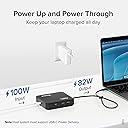
The Plugable 7-in-1 USB-C DisplayLink Dock is a compact, versatile docking station designed for professionals seeking to expand their MacBook or Windows laptop connectivity. It delivers dual 4K 60Hz HDMI outputs via DisplayLink technology, supports up to 82W USB-C pass-through charging, and includes USB-A, USB-C, SD card, and Gigabit Ethernet ports. Compatible with the latest macOS and Windows systems, it offers a clutter-free, high-performance workspace with reliable customer support and a 2-year warranty.


| ASIN | B0BKLT853Z |
| Best Sellers Rank | #10,339 in Electronics ( See Top 100 in Electronics ) #169 in Laptop Docking Stations |
| Brand | Plugable |
| Color | Black |
| Compatible Devices | Windows 10+, macOS 11+ computers w/USB-C, Thunderbolt 3 / 4, USB4 |
| Customer Reviews | 4.4 out of 5 stars 316 Reviews |
| Hardware Interface | USB Type C |
| Item Dimensions L x W x H | 7"L x 6"W x 2"H |
| Item Weight | 250 Grams |
| Manufacturer | Plugable |
| Mfr Part Number | USBC-6950PDZ |
| Minimum Required Operating System Version | Windows 10 |
| Model Number | USBC-6950PDZ |
| Number of Ports | 7 |
| Product Dimensions | 7"L x 6"W x 2"H |
| Total Number of HDMI Ports | 2 |
| Total USB Ports | 2 |
| Total Usb Ports | 2 |
| UPC | 819927012818 |
| Unit Count | 1.0 Count |
| Warranty Description | 2-Year Limited Parts and Labor |
| Wattage | 100 watts |
A**L
Reliable Dual Monitor Expansion for MacBook
I bought a used Plugable 7-in-1 USB C Docking Station to set up dual monitors with my MacBook, and it has exceeded my expectations. Despite being used, it works perfectly without any noticeable lag. Setting up the docking station was straightforward. It connects seamlessly to my MacBook via USB-C, providing stable dual HDMI outputs that support high-resolution displays with no performance issues. Whether I'm working on documents, editing videos, or watching videos, both monitors display sharp images and respond instantly. The build quality is solid, and it feels durable enough for daily use. I appreciate the additional USB ports, including USB 3.0 and USB-C. These features make connecting peripherals and accessories easy (because you don't plug and unplug often). Moreover, the docking station supports USB4 and Thunderbolt, ensuring compatibility with a variety of devices and future-proofing my setup for faster data transfers. In summary, if you're looking to expand your MacBook to a dual monitor setup smoothly, the Plugable docking station is a great option, whether new or used. It delivers excellent performance and reliability without breaking the bank.
J**N
Works great plus quick and helpful customer service
Purchased to allow my Macbook Air to connect to 2 monitors using the DisplayLink technology and this dock works perfectly. I really like the small footprint and that the USB ports and SD slot are on the front side for easy access. I did experience a technical issue recently and reached out to their customer support. They responded very quickly, gave me great information, and even followed up shortly afterwards to make sure everything was working. This alone makes me like this company overall and will gladly buy their stuff in the future.
B**Y
MULTIFUNCTIONAL DOCK
This works well with all my different devices in my home office.
E**N
Great for the Price
It's a good product. My only issue is that it doesn't charge my MacBook when I plug the power cord into the device. If this were fixed, I would have given it a 5-star rating. Other than that, it works as advertised.
P**R
Simple setup and solid construction
Our second success with Plugable products. This is a DisplayLink hub, so you need to download a driver. But this really simple, and works without fuss. In my case, the hub drives two external monitors for an M3 MacBook (even with the lid open, making for three screens). Note: unless you own a Mac with the Apple silicon 'Pro' chip, you probably need the DisplayLink version. Check your tech specs.
S**.
Macbook Air M1 and M2 Dual Display Do it All
This solves our problem of a Macbook Air with Apple Silicon for dual external displays and does it very well! It has 4K at 60Hz on both external monitors at their native resolution. Tried a Belkin dock with displaylink and it wouldn't work at the correct resolutions. This also has all the ports that the air is missing, such as ethernet, memory card reader, and 10gb/s USB ports. And power passthrough if you want a separate adapter always plugged into this so you can leave your magsafe adapter/cable in your travel bag. Priced right as well! Finally an adapter/dock winner!
L**A
Power pass through not working
Have this set up for my 2022 MacBook Air and using the laptop charging brick that came with it and when I connect it, computer plays the ding like it connects to the charger but on the battery, says battery isn’t charging. Everything else works fine.
V**N
IT WORKS!!! MAC AIR M2 ; MULTIPLE EXTERNAL MONITORS
I NEVER leave reviews but after the pain I went through to try to find a solution, I needed to do this to help the next person that figures out that Apple is dumb. I researched every USB-C port for literal hours and this one was the winner (even though the price point was less than ideal). I’m running three separate screens, laptop screen plus 2 external monitors!!! Don’t waste your time on the cheapo scam docking systems. Get this one! UPDATE: it also works on my old clunky Surface Laptop 1. (You will need a USB A to USB C adapter but those are cheap)
C**M
Very convenient but loses connection after the laptop sleeps for a while (2020 Macbook Pro M1)
Overall, it's great to not have lots of cables trailing out of my MacBook Pro. Just one cable makes my desk a lot tidier and connecting / reconnecting a nicer experience. I am running a 24" and 32" monitor from this unit and it works really well. No noticeable lag and the resolutions / quality of the images are good. I wish it had a headphone socket for my external speakers. The one issue I am experiencing is that if the laptop sleeps for a little while (5 minutes+) then the laptop stops registering that it is connected. This is a problem as well because I have my Time Machine connected via this unit, so it thinks i am unplugging it without disconnecting first. I have to plug the unit back in to the laptop for it to reconnect. I have contacted support today for a resolution to this issue. Hopefully it's a simple one. With this resolved, it's 5 stars in my opinion.
P**N
MシリーズのMacで【4K】+2画面拡張 できます
◢◤ 対象機種 M2 の MacBook Air 15インチ(2023)で使用しています。 このアダプターを介して4Kモニター2台に出力しています。 本体+外付け2台で3画面拡張表示ができます。 ◢◤ 性能 Display Linkは「画面録画」の機能で映像出力する仕組みなので、デメリットもあります。 ビジネス用途、開発用途であれば特に問題を感じることはありませんが、 本格的なクリエイティブ用途にはDisplayLinkは適さないと思います。 ・映像の遅延が発生しますが、極わずかで気になりません。 マウスカーソルの追従性からして実用上問題ありません。 ですが30hz以上のリフレッシュレートには対応できないように思います。 高レートの動画プレビューには適さないと思います。 ・映像がにじみますが、極わずかで気になりません。 純粋なHDMI出力よりわずかにエッジが"にじみ"ますが、実用上は気になりません。 ですが高精細な画像編集には適さないと思います。
A**N
2 X 27" screens on my M2 Mac Air !!
After initially being discouraged by the limitation of not being able to run dual screens with my new M2 Mac Air, I was thrilled to discover this USBC4 to 2x HDMI adapter. It allows me to seamlessly run one 27" 4k display and one 27" 1080P display, both in closed-clamshell mode or in extended desktop mode with the M2 Air open. Not only does it enhance my productivity, but it also charges my M2 simultaneously. It's important to note that the correct USB4 power input is required for charging capability. Furthermore, the Ethernet input functioned flawlessly and the setup was a breeze, requiring only the installation of the Display Link manager. Overall, I highly recommend this product for anyone looking to expand their screen capabilities.
S**N
Love this product
Impressed with the quality at this price. Connect smoothly to my macbook air as well as alienware laptop to deliver 3 screens display flawlessly. Low heat is generated after 10 hours usage and Netflix streaming isn't any issue.
J**O
Excellent
Excellent. Fonctionne comme attendu.
Trustpilot
2 weeks ago
2 weeks ago