


🎮 Elevate Your Game with Effortless Control!
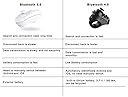
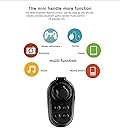
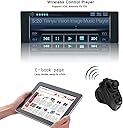
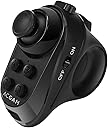
The ACGAM R1 Bluetooth Joystick is a versatile wireless gaming controller compatible with both iOS and Android devices. It features Bluetooth 4.0 technology for quick connections and low battery consumption, making it ideal for gaming, music control, and more. With a 12-month warranty and a compact design, it's perfect for gamers on the move.
| ASIN | B01NBDM4AJ |
| Brand | Virtoba |
| Brand Name | Virtoba |
| Button Quantity | 16 |
| Colour | R1 |
| Compatible Devices | Television |
| Compatible devices | Television |
| Connectivity Technology | Bluetooth |
| Connectivity technology | Bluetooth |
| Controller Type | Gamepad, Joystick |
| Controller type | Gamepad, Joystick |
| Customer Reviews | 3.2 out of 5 stars 331 Reviews |
| Hardware Platform | Smartphone, Tablet |
| Item Dimensions | 7.1 x 4.1 x 7.1 centimetres |
| Item Weight | 72 Grams |
| Manufacturer | Virtoba |
| Package Quantity | 1 |
| Power Source | Battery Powered |
| Special Features | Wireless |
| Special feature | Wireless |
| UPC | 714757815243 |
4**E
Not efficient for iPhone users
Doesn't work with an iphone the Bluetooth remote can only reduce and increase volume and cannot control games
W**S
Barely works at all
Honestly, this is a terrible controller, after trying to pair with both my phone (Galaxy S10) and PC (Windows 10 Pro 64-bit), I got a pairing, but none of the features worked EXCEPT volume control (which works no matter what mode or software you're running with, even when it's supposed to do something else)l, it definitely does NOT work for any sort of VR apps, including SteamVR and RidgeCatVR. Do not waste money on this product.
M**X
handy little controller
Works well with my Huawei phone, but will not work with my Oculus Go, even though I checked the specs and they matched the requirements. Obviously an Oculus issue not the gamepad.
P**S
it is ok - but you might want to think twice if you really need it
Not that happy with it, though it is not the seller's fault or the product's. Turns out the game I bought it for (titan's quest) on Android does not work with gamepads and on some of my windows computers it is not recognizable at all (was hoping to use it as a mouse - kinda like the gamepad on my gpd win works as a mouse). Where it works, it works like all gamepads used as a mouse - unoptimized for windows. This is my fault, was not advertized that it works with windows - and found out that many games on android are not made to work with a gamepad which is to blame on developers - so you have to research in advance if it is going to work with the game of your choice or not. You can make it work in other ways with Android - like for instance a makeshift mouse with pointer and so on ... but is painful to use that way. I decided to keep it and use it in some projects I have in the future.
A**R
cannot pair correctly
Should be a fine device. But it is constantly being unpaired and has to be manually paired over and over and over and over. It's pretty excrutiating.
C**U
Quite a useful gadget
Having read some of the other reviews I need to clarify some things about this cutie. It is true that when you hook up to your phone you will only see control of the volume with the joystick. You have to follow the manufacturers instructions and set the device into different modes. E.g. press M (Left side button) and D (on the top, bottom right) and it will give you a cursor on your phone. Experimenting a little further, I found that M + B will give you joystick horizontal and vertical axes and the front triggers are Button_L1 and Button L2. Download Gamepad Tester from Playstore and test it. Developers can code the axes and the buttons control movement and shooting zombies in their Cardboard games. Have fun!
D**E
Useless for IOS (Apple) users!!!!
I wish I’d read the reviews before buying, rather than just looking at the start count :( The description says it’s ok for IOS & Android, but it’s nit until you open the box & read the leaflet that comes with it, that it tells you IT CANNOT CONTROL IOS GAMES!!! It can only adjust sound volume (quite why you’d need a joystick for volume control is beyond me). I’d go as far as to say the this item is being mis sold (bad show Amazon)!
R**S
FANTASTIC!!!!!
This works well with most of my vr games. Was very easy to pair up. Fits nicely in my hand and very responsive. A bit confusing at first, only took moments to work out. That is part of the fun. Great product.
Trustpilot
2 months ago
2 weeks ago