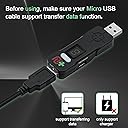
🎯 Unlock your ultimate gaming edge—any controller, any console, zero limits!
The CronusMAX Plus 2017 Edition is a cutting-edge gaming adapter that enables cross-console controller compatibility and full button remapping. Compatible with PS4, PS3, Xbox One, Xbox 360, and PC, it offers 9 memory slots for custom scripts and comes with Bluetooth 4.0 and USB sound card add-ons. Designed for gamers seeking ultimate customization and control, it transforms any controller into a powerhouse across multiple platforms.
| ASIN | B00T76ZGDY |
| Best Sellers Rank | 17,714 in PC & Video Games ( See Top 100 in PC & Video Games ) 525 in PlayStation 3 Consoles, Games & Accessories |
| Brand | Collective Minds |
| Colour | black |
| Customer Reviews | 3.0 3.0 out of 5 stars (1,471) |
| Date First Available | 25 Feb. 2015 |
| Guaranteed software updates until | unknown |
| Item Weight | 100 Grams |
| Item model number | 1131Plus |
| Package Dimensions L x W x H | 17.2 x 10.5 x 3.9 centimetres |
| Package Weight | 0.12 Kilograms |
| Part number | 1131Plus |
| Product Dimensions L x W x H | 20 x 15 x 40 centimetres |
J**H
Awful product!
After purchasing the Cronusmax plus I had difficulty setting it up, I eventually got there only to realise you had to have your PC on at all times in order to use it as a ‘pass through’. Having said this I dealt with it because it was working. After a day however a flashing icon on my Cronusmax appeared saying “E3” which after some research meant that the device was bricked. This wasn’t always the case however, in 2016 there was a fix for the E3 error which was to downgrade the Cronus max, delete everything and then reinstall it, however Cronusmax has removed this fix (probably to get people to re-buy the CM). Upon discovering this I found out the cause of the issue, which was the fact that I had the CM plugged into 2 power sources and turned one of them off. The manual however doesn’t state this and even doesn’t tell you what the E3 error is which is a perfect example of false product promotion and planned obsolescence.
D**K
A fabulous piece of kit that is the perfect answer to my left-handed dreams!
I bought the CronusMAX Plus yesterday after wanting to play a number of games I've bought for my Xbox 360 that simply do not allow me to play them left-handed. They've been on my shelf for a long time as I wasn't keen on performing permanent mods to my gamepads with a scalpel and soldering iron etc. With the CronusMAX Plus I simply wanted to swap the left and right analogue sticks by remapping them. At first I was a bit overwhelmed by the Cronus Pro 1.2 software (downloadable) and online manual, but I struck gold when I ran a CronusMAX Plus plugin called MAX Mapper which comes with the program. (NOTE: Using the Xbox 360 software to switch how the gamepad analogue sticks function does not always override the settings in some games like Dead Space, hence being stuck with the default right stick for looking and left stick for moving which is totally unnatural for me and many other lefties.) With the CronusMAX Plus dongle connected to my laptop and an official, wired Xbox 360 controller connected to the CronusMAX Plus, I set about creating a new script in MAX Mapper by selecting the Xbox 360 controller as the input and an Xbox 360 console as the output. An image of the Xbox 360 controller appeared on the screen with simple drop down menus next to the buttons and sticks. Remapping the left and right sticks by changing the mapping in this way was a doddle and took about a minute to complete. I then saved the script I had created in MAX Mapper and loaded it into the CronusMax Pro 'Programmer' window. In the 'Programmer' window I then simply dragged the script I had created onto the first of nine memory slots that are displayed in the right-hand side of the screen. (NOTE: These slots reflect the fact there are nine available memory slots on the CronusMAX Plus dongle which can be selected by pressing a small butting on the dongle when it is plugged into a console.) Programming the dongle with my script was simply a case of ticking a box next to Memory Slot 1 and selecting the 'Program Device' button on screen. Once the dongle was programmed with my script (it took a few seconds) I unplugged it and plugged it into my Xbox 360. The Xbox 360 controller remained plugged into the dongle. The dongle immediately lit up and I could see a green '0' on the small LED display which I changed to '1' with a press of the button on the dongle in order to activate my script in the first memory slot. Hey presto! It worked a treat. No lag (Cronus say it is under 2ms and I don't doubt them) and perfect, left-handed control over Dead Space and other games I can't wait to play properly. There are many ways you can use this wonderful piece of technology with various controllers and consoles etc. but for me, what I have been able to achieve with a bit of tinkering today is amazing, and the CronusMAX Plus has already paid for itself. NOTE: To use my Xbox 360 wireless controller I need to use an Xbox wireless receiver plugged into the CronusMAX dongle before it can then pass the modified control data through to the Xbox. I have just ordered a new, official Microsoft one for approx £16 which will arrive tomorrow. There are two other USB dongles that are supplied in the package that perform extra functions and appear to be for Sony controllers and/or consoles so I have not needed to look into these yet. In conclusion, I highly recommend this product, especially if you are prepared to put in the time to learn how to use it properly.
V**T
A good product.
my original review was negative. i was a bit hasty. give it time with this product. when you install the software it will appear like a "Trojan Virus Attack" . this put me right off. allow the program through the virus checker , (its a hair raising moment) but all is well and the product works very well. my apologies to Cronusmax , the key to using this product is patience and balls to begin with. it does work. not all mods work as they say , but enough do to make it a worthwhile buy.
J**K
Xbox one controller on PS4, awesome!
Amazing piece of tech as I can now play fps's on my PS4 using my Xbox one controller...alot more comfortable. The only reason I didn't give this 5 stars is because I found the setup a bit fiddly and with regards to the game packs, scripts etc it's quite confusing until you have watched about 5-10 videos on how they work and I can honestly I'm still not sure im using this efficiently. Also the adapter does not work with my razor wolverine wired controller which is also a bit of a disappointment.
A**D
This is about the only good that I had from this device
This arrived within the ETA. This is about the only good that I had from this device. It would not connect to my PC for reprogramming, it would not even connect to my PS4 the E1 error and AU kept showing on the device display. I was going to use it to remap some buttons on my DS4. I sent this back for a full refund and to be honest I am not even sure it's worth trying to purchase this device from any retailers because all of the reviews seem to be a mixed bag.
D**N
CronusMAX Plus 2017 - do not buy, useless for controlling Xbox, unsupported by manufacturer
I bought the CronusMAX Plus 2017 to use Playstation controllers (of which I have many) with an Xbox 360 I was given, because I had no Xbox remotes. Lo and behold, you must leave a legit Xbox 360 plugged in to the CronusMAX Plus to "authenticate" at all times, otherwise your Playstation controller will randomly disconnect. You also need one dongle per controller. Long story short, per PS controller with Xbox with this tool, you must have 1x dongle and 1x Xbox 360 controller, which completely defeats the purpose and is not affordable. It's also stupidly expensive for what it does, and is a "legacy" product, so unsupported by the manufacturers and the driver software is online-only and a pain to use. I recommend the Brook Wingman XB2, which works out of the box; buy second-hand if possible, as it is also very expensive. Avoid the CronusMAX Plus (janky, complicated), Mayflash Magic X, NS2 (neither works with Xbox 360, though they work with Xbox One and XInput; Mayflash support said they're launching a product that will work with Xbox 360 sometime in 2024/25) and the 8Bitdo USB Wireless adapter (doesn't work with Xbox 360).
G**X
Funziona veramente bene ...... stupefatto .... sia su pc che ps4 pro.... ha il ritorno di forza sulla maggior parte di giochi .... facile da configurare ...... hai bisogno di un pc o di un Mac per poterlo configurare se vuoi usarlo su ps4
T**N
Vielseitigkeit: Der CronusMAX PLUS eröffnet eine Welt der Gaming-Vielseitigkeit. Mit der Fähigkeit, Controller verschiedener Konsolen zu nutzen, bietet er grenzenlose Möglichkeiten für Spielefans. Einfache Einrichtung: Die Einrichtung ist relativ einfach, und das beiliegende Handbuch macht den Prozess noch zugänglicher. Innerhalb kurzer Zeit kann man den Adapter betriebsbereit machen. Kompatibilität: Die Kompatibilität mit verschiedenen Plattformen ist beeindruckend. Egal, ob Xbox, PlayStation oder PC, der CronusMAX PLUS ermöglicht das nahtlose Wechseln zwischen den Systemen. Anpassungsmöglichkeiten: Fortgeschrittene Benutzer werden die vielen Anpassungsoptionen zu schätzen wissen. Der CronusMAX PLUS bietet eine Vielzahl von Einstellungen, um das Gaming-Erlebnis zu personalisieren. Firmware-Updates: Regelmäßige Firmware-Updates halten den Adapter auf dem neuesten Stand und sorgen für kontinuierliche Verbesserungen und zusätzliche Funktionen. Fazit: Der CronusMAX PLUS 2015 Version Crossover Gaming Adapter ist eine großartige Investition für Gamer, die ihre Spielumgebung erweitern möchten. Die Vielseitigkeit und Anpassungsmöglichkeiten machen ihn zu einem unverzichtbaren Accessoire für Gaming-Enthusiasten. Daumen hoch! 👍
L**S
Produto chegou bem rápido, satisfação
C**R
Fonctionne parfaitement. Tout est impeccable et plutot simple d utilisation pour un ado.
L**A
Es un producto que funciona realmente muy bien. No tienen ningún retraso en la respuesta, tiene muchos parámetros para configurar las sensibilidades y es totalmente personalizable. Además, el paquete es muy completo, incluyendo un conversor Jack 3.5mm a USB para paliar el problema de no poder conectar un headset al mando de PS4; y un cable con la suficiente longitud para usarlo. Incluye, también, un receptor bluetooth para mando como los de Nintendo. La pega es hacer la configuración, que es un poco larga dependiendo del juego, pero una vez hecha va de fábula. Actualmente lo uso en Overwatch para PS4. Tengo que agregar que compré un teclado y ratón baratos desconfiando de la capacidad del Cronusmax y fue un error, ya que va muy bien, por lo que recomiendo comprar también un ratón decente para acompañarlo. En particular, la configuración para Overwatch es algo larga ya que la hice personaje por personaje, pero una vez acostumbrado a los nuevos controles, la experiencia es de otro nivel. Cuando saque tiempo miraré de probarlo con Metroid Prime Trilogy en WiiU a ver qué tal va.
Trustpilot
2 weeks ago
2 months ago