Buy anything from 5,000+ international stores. One checkout price. No surprise fees. Join 2M+ shoppers on Desertcart.
Desertcart purchases this item on your behalf and handles shipping, customs, and support to Denmark.
โก Power your 8th Gen Intel build with speed, style, and unstoppable overclocking!
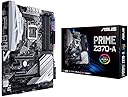
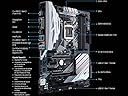
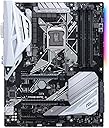
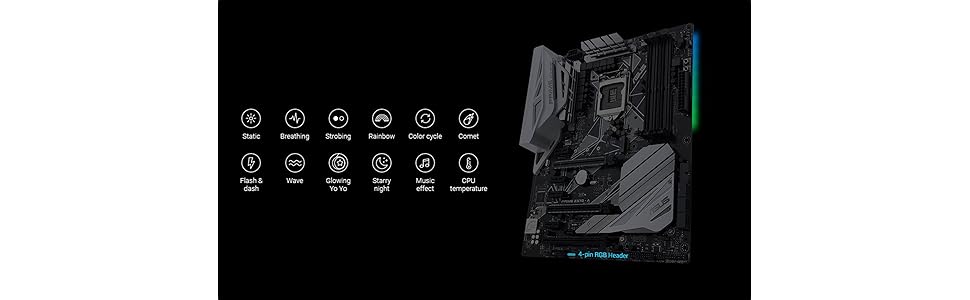
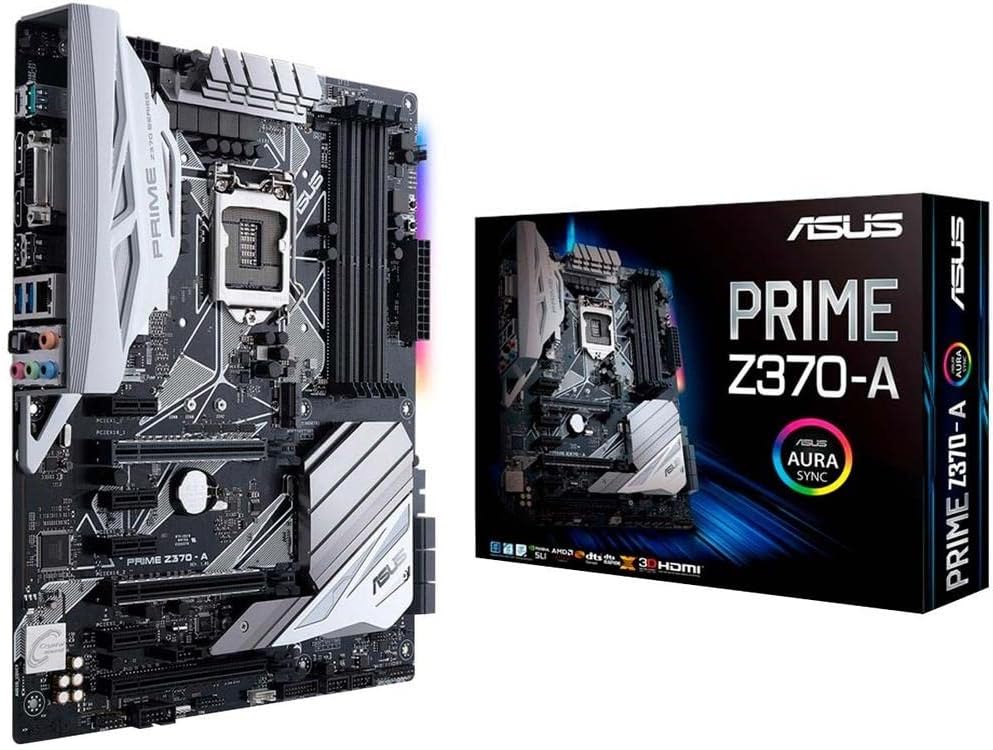
The ASUS Prime Z370-A motherboard is engineered exclusively for 8th Gen Intel Core processors, combining advanced 5-Way Optimization for dynamic overclocking and cooling, dual M.2 and USB 3.1 Gen2 for ultra-fast connectivity, and customizable AURA Sync RGB lighting. Its reinforced Safe Slots and premium audio components make it a reliable, high-performance foundation for gaming, content creation, and professional workloads.


| ASIN | B075RJHN2D |
| Best Sellers Rank | #839 in Computer Motherboards |
| Brand | ASUS |
| Built-In Media | ASUS 2T2R Dual band Wi-Fi moving antennas (Wi-Fi 802. |
| CPU Model | Core i5 |
| Chipset Type | Intel Z370 |
| Compatible Devices | Personal Computer |
| Compatible Processors | 8th Generation Intel Core |
| Customer Reviews | 4.6 4.6 out of 5 stars (550) |
| Global Trade Identification Number | 00889349843376 |
| Graphics Card Interface | PCI Express |
| Item Type Name | ASUS PRIME Z370-A LGA1151 DDR4 DP HDMI DVI M.2 USB 3.1 Z370 ATX Motherboard with USB 3.1 |
| Item Weight | 2.5 Pounds |
| Main Power Connector Type | 4-pin |
| Manufacturer | ASUS Computer International Direct |
| Memory Clock Speed | 2133 MHz |
| Memory Slots Available | 4.0 |
| Memory Storage Capacity | 64 GB |
| Model Name | Prime Z370-A |
| Model Number | Prime Z370-A |
| Number of Ports | 4 |
| Platform | Windows 10 |
| Processor Socket | LGA 1151 |
| RAM Memory Technology | DDR4 |
| Ram Memory Maximum Size | 64 GB |
| System Bus Standard Supported | SATA 3 |
| Total Number of HDMI Ports | 1 |
| Total PCIe Ports | 2 |
| Total SATA Ports | 6 |
| Total Usb Ports | 9 |
| UPC | 190198496737 889349843376 |
| USB 2.0 | 2 |
| Warranty Description | 3 Year Warranty |
T**N
Great Motherboard!
I've been building computers for myself and other people since the the late 80's and I have build many different brands over the years such as A-Bit, MSI, Gigabyte, Asrock, and Asus. But the last 3 personal builds for myself have been the Asus Brand because of reliability and ease of setup. This motherboard was no different and the quality of the motherboard looked to be superb! It's quality through and through. At about $165.00 this board is a bargain, the Intel i5 8th Gen CPU cost a hundred dollars more! The only issue I had was a tight fit around the back connector plate, and I had to remove a chassis cooling fan in order to not force the connector cover under it. Still that wasn't hard to remove the fan and re-install it after that. It does fit well, but tight. Again, this was on my Corsair Brand Case, yours will probably be different? Other than that, I had no "Murphy's Law" happen. Probably the most difficult thing to do was install the CPU bracket, and you should go to YouTube to see how to do it. If you don't do it correctly, you could damage the MB, and the CPU won't sit evenly on the heat-sink. You also need to use the plastic spacers on each the 4 jack-screws or you won't be able to screw them down. The MB also comes with very good thermal grease, so don't waste your money buying the Arctic Silver, the Asus supplies thermal grease is fine and there is enough to do 3 CPU's. After a week using this motherboard, I'm more than happy, it is extremely fast! My system has the Samsung SSD MNVe M2.1 500GB, Samsumg EVO SSD Drive for the other drive. I use a 1TB Seagate Disc Hard drive for backup up only. I have the 8th Gen Intel i5 8600K 6-core CPU that is faster than a 7th Gen i7 CPU. This system is blistering fast, it boots from stone cold in less that 20 secs. and a warm boot (reset) is faster than that! I'd recommend this board highly for graphics use and video editing and it is also a good gaming MB too although it is not considered the top Asus gaming board. This MB also has 4K video on board, although I use an after market GTX Nvidea Card that is a faster and more powerful card instead of the onboard video.
R**D
Asus Prime Z370-A LGA 1151
One of the best motherboards I have used to build my hard drive. Overlooking. Stability. Great value for the price.
W**H
Like it, but MINOR issue using NVMe with SATA 5 & 6
There is a problem with this board when using NVMe that isn't evident until you build the machine... it doesn't allow SATA 5 & 6 to be used with NVMe (SEE UPDATE BELOW). I had to search after trying cables and pulling hair out - others found problem also. That's the reason I took off a star - a 6 SATA board should give 6 SATA ports even if you use both M.2 drives imho. Or at least CLEARLY disclose this. My build: ASUS Prime Z370-A / Intel i7-8700 / Samsung NVMe 960 / case, etc.. Pros: Wow is this fast! Amazing performance with the NVMe - about 6x over a SATA drive. The UEFI (what used to be BIOS for old timers) is amazing also - mouse and keyboard work fine - I assembled this in stages and without the drive(s) booted into the UEFI. Really nice EZ mode and Advanced. Board has nice lighting on the side, and 4 leds show boot sequence (on the board) - nice touch. Cons: Not thrilled with the fit of the connector plate in my case, but that may be a case issue. Manual was just OK - not as bad as some, but not wonderful either. Omission of lack of SATA 5 & 6 when using NVMe. Overall - I like it, the speed is wonderful (amazing really with NVMe), the user interface is great but I'd probably opt for a 8 SATA board next time so I get at least 6 after the NVMe install. (Apparently other boards do the same thing - might be an Intel architecture thing...). *EDIT* - OK,after further research I'm raising my review to 5 stars. Turns out the loss of SATA 5 & 6 is listed in the manual (was confusing in my defense) and you CAN use all 6 SATA ports if you are happy in X2 mode on the M2.2 socket ONLY. So double the NVMe speed at loss of 2 SATA ports (5 and 6) on M2.2 socket. The X2/X4 setting does NOT affect the speed of an NVM3 drive in the M.2_1 slot... which is my configuration... so I have all 6 SATA ports and a super fast 500GB NVME drive. I'm ok with that. It would only affect you/me if you have 2 NVMe drives, one in both M.2 slots, and even then only if you want the X4 max speed (which of course you would want).
N**M
It's sturdy too. While installing I accidentally dropped my screwdriver ...
What can I say? This thing fired right up and has a slew of features for a mid-tier ASUS board. It's sturdy too. While installing I accidentally dropped my screwdriver on it and it didn't even notice. The UEFI BIOS is also a nice touch, and is designed well. This is replacing a Z77 Sabertooth and I couldn't be happier. I had a bad experience with my first motherboard so I bought the Sabertooth to ensure nothing would go wrong. Probably would have done the same thing this time around if the other high-end ASUS 370 boards had higher availability at the time when I bought this, but I honestly couldn't be happier with this board. Definitely recommend! Pros: Works just fine, even after dropping my screwdriver on it during install UEFI BIOS designed well Good amount of features for a mid-tier board Cons: I/O Shield feels cheaply made and gave me trouble during install Not a lot of USB's but makes up for it with 2 USB3 and 2 USB2 headers on the board
K**.
Good board. Has very good configuration option in BIOS to control the other hardware.
S**N
ASUS makes some of the best, if not the best, motherboards around. They maintain a high standard of quality from the top of the range to the bottom. Over the years I've used many ASUS motherboards and have always been satisfied with not only their performance but their endurance. This board is a nice middle of the road board and an excellent option for someone looking for a good Z370 board but doesn't want lowest price point stuff. Stable and feature packed with a very good power delivery system this board is the perfect pairing for a build using any of Intel's unlocked 8th gen processors (ie. i3-8350K , i5-8600K or i7-8700K ).
J**L
LED's light up but doesn't even boot, I took all anti-esd procedures and even then didnt boot, can not recommend, I can't even get a refund because I bought it at the start of the year, waste of money.
A**ใผ
็งใฏๅฃใใใใฎใจๅ จใๅใใใฎใ่ฒทใใพใใใฎใงไปๅฑๅใชใฉใฏใพใฃใใๆฐใซใใฆใใพใใใงใใใ็ขบ่ชใใฆใใใจ ใชใ่ฏใใจๆใใพใw ใใใใซใฏใชใผใใณใฐใใใฆใใ่ชฌๆ้ใๅไฝใใพใใใ
C**R
Best entry-level mother board for Intel core 8th gen CPU.
Trustpilot
2 weeks ago
2 months ago