Buy anything from 5,000+ international stores. One checkout price. No surprise fees. Join 2M+ shoppers on Desertcart.
Desertcart purchases this item on your behalf and handles shipping, customs, and support to Denmark.
⌨️ Type anywhere, anytime—small keyboard, big impact!
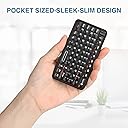
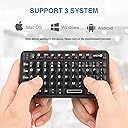
The Rii Mini Bluetooth Keyboard is a compact, rechargeable wireless keyboard featuring 78 mechanical keys with a QWERTY layout and white LED backlighting. Equipped with Bluetooth 5.0, it offers stable, fast connectivity and up to two months of battery life per charge. Designed for professionals on the go, it supports a wide range of devices including Smart TVs, Android and iOS smartphones, VR glasses, and HTPCs, making it the ultimate portable typing companion.


| ASIN | B0B46F8RS6 |
| Additional Features | Backlit, Rechargeable |
| Antenna Location | Everyday Use |
| Best Sellers Rank | #105 in Computer Keyboards |
| Brand | Rii |
| Built-In Media | USB Cable |
| Button Quantity | 78 |
| Compatible Devices | Laptop |
| Compatible Operating System Family | Linux, MacOS, Windows |
| Connectivity Technology | Bluetooth, RF |
| Customer Reviews | 4.4 out of 5 stars 351 Reviews |
| Enclosure Material | Acrylonitrile Butadiene Styrene |
| Hand Orientation | Ambidextrous |
| Is Electric | Yes |
| Item Dimensions L x W x H | 4"L x 2"W x 1"H |
| Item Weight | 116 Grams |
| Keyboard Description | Mini Keyboard Size:4.3*2.3*0.4in |
| Keyboard Layout | QWERTY |
| Manufacturer | Rii |
| Model Number | 518BT |
| Number of Batteries Required | 1 |
| Number of Keys | 78 |
| Power Source | Battery Powered |
| Recommended Uses For Product | Everyday Use |
| Special Feature | Backlit, Rechargeable |
| Switch Type | Mechanical |
S**E
Best mini I've owned
I'm kind of a keyboard nut. Not obsessively but I love trying different styles. So far this is beyond the best in terms of responsiveness and quality of use. It's super small, but not wafer thin so you don't feel like it's going to snap in half. Connects immediately and flawlessly every time. Functions like a normal keyboard... If you want shift you have to hold it down. I like that, some might not because it's a two-handed function normally. There's an easy button for backlighting, which is a huge bonus to me. Function lights so you know what's happening and when to charge it. Snap buttons provide good feedback so you know when you've hit a key but not so sensitive that you accidently hit more than you need. Truly a work of the K.I.S.S. ideology - keep it simple, stupid. Works every time.
G**R
Tiny, Sturdy, and Inexpensive!
This is (almost) exactly what I what I was looking for! I have a couple minor complaints (mainly about the placement of the keys—the fact that they're a square grid instead of being slightly offset like a normal keyboard is very confusing for my fingers) but overall I'm impressed! The keyboard is the perfect size to use your thumbs to type like on an actual phone, AND it's sturdy enough to hold up to such use. (All I wanted was physical keys. I miss my non-smart phone) The fact that this is one of the cheapest mini-keyboards I could find is mind-boggling. If this brand made another keyboard just like this but with keys that are actually laid out normally, I'd buy it in a heartbeat. Also, some things to note: - the keyboard works with ios no problem - the shift key must be held down (like on a computer keyboard) to be used. - Same with the FN key - most keyboard shortcuts (like copy/pasting) work - alt tab (to change apps) does NOT work, at least not on ios - the arrow keys, while useful, are laid out in a VERY weird, unintuitive way. I'm grateful they're there at all but goodness the down and left arrows need to be switched - the backlight automatically turns off after the keyboard has not been used for a bit. It turns back on when you hit a key.
S**Y
Almost perfect 👌
This is almost perfect for what I needed. It takes some getting use to but it does its job. I'm taking 1 star away only because of the way the . and , are set up. With these being some of the most used keys I feel they should have been placed next to the space key, so you don't have to use the function key to use them it's hard to use if you're typing fast. If they switch this it will be perfect. If you want mini quality keyboard this is a good one. I like that it has the arrows but no mouse this was a main selling point for me. The charge is ok so far I've had it for 2 weeks and haven't had to charge it again. Connected right to my S9+ tablet.
A**E
Awesome little keyboard!
I bought this keyboard to use with my new phone. I detest touchscreens and refuse to type on them. So when I couldn't use my Blackberry anymore, I had to figure out an alternative. The layout takes a little getting used to, and pairing requires you to push a very tiny button on the underside of the keyboard. But you only have to do it once... at least on an android. It pairs very quickly everytime it's turned on. It has a sleep feature that kicks in if you don't touch any keys for a few minutes. I have had this keyboard for almost two weeks, and other than the initial charge i gave it when I unboxed it. I haven't had to charge it again yet. I have a zipper pocket on my Moto G5 case, and this keyboard fits right inside it. If I have one complaint, it would be that I can't dial phone numbers with it. I haven't figured out why. So I have to use the touchscreen for that. Other than that little oddity, I love this keyboard. I'm considering buying another to have as backup. And why not? The price isn't bad for such a handy little gadget. ***UPDATE*** I have had this keyboard now for over a year. I have absolutely no complaints about it. I have since upgraded to a Google Pixel 8A, and it works just as well with that as it did with my Motorola. I get about a whopping two months out of one charge! Again, I do have to emphasize that I never use the backlit feature. There hasn't been any decline in battery life, performance, or anything else about this little keyboard. Seriously... if you want a qwerty option for your phone, tablet, or whatever you happen to be using, I can't say it enough. BUY THIS KEYBOARD!
S**Y
Goes clicky clicky (
Just got one and I’m immediately buying another. The buttons are satisfying and not too small that you always press more than one at a time. Im honestly going to use it at half use and half fidget toy. It connects to any device and most keyboard commands work (besides Apple obviously but that’s because it’s Apple)
L**R
Perfect, super useful
This is as cool as it looks, I promise. It connects to any of my devices. Everyone is like whoa what is that? I’ve never seen a keyboard that small are you using your phone? I was surprised with how compact it really was. So convenient to be able to use with your phone. I was super pleased with it. It made me miss my keyboard phone, which you really can’t find anymore.
J**.
It Functions
I would love to get a Cosmo Communicator or a FxTec Pro but I'll be honest, their specs aren't that much better than my 6 year old phone. Now onto this thing. It turns on. The keys work. The bluetooth connection is good. The battery is fine. The keys are mushy but tactile and still light-years better than a touchscreen keyboard. Unfortunately, all this good is negated by the awful backspace key, which gets stuck under the bezel of the case if you happen to press up on the key wrong, potentially wiping an entire line of text as you try to un-stick it. I desperately want this to work, so I sprayed some heavy duty lubricant in there above the backspace key. It somewhat helped, but it still gets stuck. Edit: I got fed up and took a craft knife to the bezel around the key. It's ugly but the backspace no longer sticks. Other hang-ups include the lack of dedicated period or comma keys. Like what the? These are the most common punctuation symbols in the English language. You're gonna make me press and hold FN for them??? At least forward slash has a dedicated key. (Lmao.) It would've been fine if this keyboard was just a centimeter longer, if they were that needing for space. It's worth mentioning that this thing has backlit keys. You can also charge it and use it at the same time. You can't connect to it without using bluetooth, the mini usb port is for charging only (I tried using its cord and a micro usb to usb hub for connecting it to my phone and it didn't detect it). If you're not picky and you can live with these issues, get it. In the meantime, I'm going to contemplate a Cosmo.
T**A
A Great Little Keybaord
The keyboard on my laptop broke months ago, and I deal with joint pain in my shoulders, so using a full sized keyboard was just a bit too clunky and painful for some tasks. That's why I finally bought this mini keyboard. It's so small (a little smaller than most TV remotes) and that means I can grab it without aggravating my shoulders! With that said, I don't use this little keyboard for typing many words; I use it for short commands like (Ctrl Z), changing one or two words in a sentence, or adding a comma where needed. You can certainly use it to type more than that by using your thumbs as if you're texting, but it is slower than normal and will take an adjustment. PROS: 1. The size is just what I wanted. 2. It is a full QWERTY keyboard! There are no missing letters or symbols. CONS: 1. I wish the comma and period were more accessible. As it is, you have to push Fn to use them. I realize that this is a tiny keyboard...so, what could the manufacturer do? But I do admit, it isn't super convenient this way. 2. For me, the F1, F2, F3 etc., keys aren't working. Maybe I'm not doing something right? Maybe I just got a lemon? But when I press Fn and one of the F1 keys, nothing happens. This isn't a bit problem for me because I seldom use those keys. But it's something to note.
D**T
Teclado exclusivamente por Bluetooth
Es un buen teclado si lo que buscas es usarlo exclusivamente por Bluetooth. Sin embargo, es importante considerar que el puerto USB-C solo funciona para alimentación eléctrica y no para transmisión de datos, por lo que el teclado no es detectado como periférico al conectarlo por cable. Es una lástima porque el tamaño es ideal para lo que yo buscaba, especialmente en situaciones donde necesito usar el teclado antes de entrar al sistema operativo.
Trustpilot
2 weeks ago
1 month ago