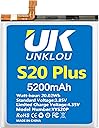
![Galaxy S20 Plus Battery, [Upgraded] UNKLOU 5200mAh Li-Polymer Replacement Battery for Samsung Galaxy S20 Plus SM-G985 SM-G985F S20+ 5G EB-BG985ABY with Repair Replacement Tool Kit](https://m.media-amazon.com/images/I/41+YT+ipezL.jpg)


🔋 Power up your Galaxy, power up your life!
The UNKLOU 5200mAh Li-Polymer replacement battery is a high-quality, certified upgrade designed exclusively for Samsung Galaxy S20 Plus models SM-G985 and SM-G985F. Featuring built-in microchip safety protections and a comprehensive repair toolkit, it delivers extended battery life with up to 800 charge cycles and a 24-month warranty, ensuring your phone feels brand new again.
| ASIN | B09TWCXZYD |
| Best Sellers Rank | #50,751 in Cell Phones & Accessories ( See Top 100 in Cell Phones & Accessories ) #260 in Cell Phone Replacement Batteries |
| Customer Reviews | 3.8 3.8 out of 5 stars (265) |
| Date First Available | August 10, 2021 |
| Item Weight | 4.6 ounces |
| Item model number | YYS20P |
| Manufacturer | UNKLOU |
| Other display features | Wireless |
| Package Dimensions | 6.1 x 3.35 x 1.02 inches |
A**R
Good Battery - Needs Calibration
I installed this battery in my phone a week ago. At first it was draining fast, so I looked up how to calibrate a new battery, went through the process of calibrating it twice and now it is running great in my phone.
T**N
Perfect
Installed new battery and phone chargers and stays charged like new!
J**B
Poor battery life amps is not what is stated
I installed this in my phone and rather battery reset did the normal battery cycling to get the most out of the battery and then checked the stats of the battery and my phone stated the battery was only a 4300mA battery not a 5000mA as stated on the product if I could it would get no stars and I'm not paying to have this one pulled from my phone and turn around and pay again to have a new one installed phone is too old to keep adding money to it
E**P
Better than old battery
The instructions say watch a video of battery replacement, but there is several different videos, maybe there is different models of the G6, the one I chose had you remove a cover with many screws to remove battery leads, there is covers over both ends, the cover it showed was the wrong end for my G6, the video said it was about a ten minute job to replace the battery, took me about 1 1/2 hrs, the hard part was removing the old battery from the adhesive I used alcohol it was still very tuff. So far new battery has been good but it has only been a few days.
B**S
It works just fine!
Seemed to take a long time to arrive but installation was swift and simple!
J**R
Decent battery, tools could be better quality.
Doing good so far, but doesn't seem like a upgrade over original. Better than a bad battery, but about the same as original. Screw driver broke.
M**F
This battery is a BIG improvement over the 7yo original battery
The hardest step to installing this battery is removing the glued back. Follow the YouTube videos. I used a heat gun on low heat. A hair dryer on high would also work. I put the phone face-down on a kitchen hot pad and used a 2nd pad to hold the phone. I heated only a third of the bottom starting near one corner. I used a triangular blade Xacto knife to gently cut the heated glue. Once I got the point (only the pointed tip) of the blade under the cover I continued heating toward the corner until I could slowly drag the knife tip into that corner. Then I pried the back enough to insert the plastic cutting tool. I removed the knife and heated the remainder of the bottom; inserted the 2nd cutting tool and dragged it into the other bottom corner. From there it was heat - cut in steps. Once the back cover is free the rest is easy; follow the videos. I'm currently conditioning the battery (drain to 0; charge to 100; repeat). I added 2 steps prior the reassembling: clean the camera lenses and flash as well as the lens protector inside the cover; use DustOff or pure air to blow out the phone and cover. I did NOT remove the residue glue and found that it resealed the cover. A little heat would likely have helped but I use a case which keeps the cover tight.
C**T
Works great...
Thankfully, when the original battery swelled it popped off the back cover so I didn't have to go through that process when replacing the battery (which typically results in the glass back cracking). I also didn't have to remove the mainboard to replace the battery like the YouTube instructions say to do. Everything reassembled perfectly and working good as new. When battery swelled, I talked my son into making the big jump and switching from an Android phone to an iPhone 12, but I'm keeping this phone (which is now in perfect condition) as backup phone for my Moto G Stylus 2020.
Trustpilot
1 month ago
5 days ago