
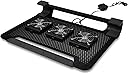


Cooler Master NotePal U3 - Laptop Cooling Pad with 3 Movable Fans
Product ID: 431983
💻up to 17 inch
⚙️1500 RPM
❄️3 fans
Stay Cool, Stay Ahead! ❄️
The Cooler Master NotePal U3 is a high-performance laptop cooling pad featuring three movable fans that can spin up to 1800 RPM. Its aluminum surface supports laptops up to 17 inches, providing excellent heat dissipation while maintaining a lightweight and portable design. The ergonomic structure ensures a comfortable viewing angle, making it an essential accessory for gamers and professionals alike.
| ASIN | B003ZMF27G |
| Brand | Cooler Master |
| Built-In Media | 1 |
| Color | Black |
| Cooling Method | Air |
| Customer Reviews | 4.3 out of 5 stars 1,061 Reviews |
| Enclosure Material | Aluminum |
| Global Trade Identification Number | 00191120082288, 00884102009662 |
| Item Weight | 2.3 pounds |
| Manufacturer | Cooler Master |
| Material | Aluminum |
| Mfr Part Number | R9-NBC-8PCK-GP |
| Model Number | R9-NBC-8PCK-GP |
| Number of Fans | 3 |
| Number of Items | 1 |
| Number of Packs | 1 |
| UPC | 191120082288 884102009662 |
| Unit Count | 3 Count |
| Warranty Description | 1 year |
S**K
Absolutely the best cooling pad out there!
"Cooler Master NotePal U3 Notebook Cooler with 3 Fans R9-NBC-8PCK-G" I purchased this in the 19 inch after reading many reviews about the size of laptop vs. size of cooling pad, I decided the worst case scenario would be that it was a little large for my 17" laptop. I was pleasantly suprized, the 19 inch Cooler Master was a perfect fit, I personally like my cooling pad to be slightly larger than my laptop, the 19 inch Cooler Master extends a perfect half inch past the sides of my Laptop when it is centered on it. My laptop weighs a whopping 12 pounds, and this cooler master takes it like a champ! I own a gaming laptop, and it runs very hot, I run my laptop like a desktop, almost 24-7. The Cooler Master has kept my laptop ice cold, it is the best on the market and the price is unbeatable. I love the design, durable, and open form, the fans are good quality and will be easy to replace should one ever die, they aren't enclosed in the cooling pad like many others, this design makes it easy to clean them if needed and allows for the maximum air flow and heat dissipation to be achieved. The adjustable fans included in this design are a must, not only are the fans adjustable in speed but they are also moveable, you can place them under whichever area of your laptop that get's the hottest. This cooling pad plugs into any USB port on your laptop and won't hog the port, because the USB is double sided, meaning once you plug the cooler master into your USB port, you can then plug anything else into that port as well. I hope my review has helped you and your future customers, you have a customer for life now!
G**4
Works Great, super quiet.
The 3-Fan Notebook Cooler #R9-NBC-8PCK-G arrived quickly from Carlisle, Pa. Nice inner & outer packaging. I easily mapped out the best fan locations for my fairly new 17.3" HP Pavilion g7 w/ Intel Core i3 & Win7. The fans were easy to clip into place, then I clipped the speed control in a convenient location. I did add some slightly taller rubber feet to my computer (this is more of an HP issue - feet are too shallow even without a cooler) to increase the gap between the cooler screen and computer base. The notebook cooler is for-real wider than my computer (a lot of so-called 17" coolers are really not wide enough for 17" computers ... but the flat surface of this cooler extends beyond this computer!) Notebook Cooler surface, along with proper rubber feet, eliminate computer slippage - it stays firmly in place on the cooler. The Pass-thru USB connector was handy as I routed my USB mouse through it without any problem. Tilt angle of the Notebook Cooler is fine - I thought before arrival it might be too steep but this concern proved unnecessary. The fans, at full speed, produce a mild, quiet air flow. I could quickly tell the computer was running cooler than in the past. The front left computer surface was cooler and the exhaust from the rear left fan was actually cool vs. being warm in the past. I downloaded free 'Core Temp' software to monitor CPU temp. Both cores are running in the 30-40 degree C range which is great. This should extend the life of the computer. This is all new, out-of-the-box, so let's see how it holds up over time.
D**I
Innovative, Effective, and Quiet
This is definitely an innovative design allowing the user to position the fans where most needed! Far better than the thermaltake with the huge fan located in the center that I purchased before this one. To be fair, if your notebook gets hot in the center, then the thermaltake could work fine for you. And it is certainly quite "stunning" with the blue light and its very contemporary design. But my notebook gets hot on the peripherals and the thermaltake did little to help. This cooler is more effective and is still nearly silent. I purchased the U3 made for notebooks up to 19" even though I only have a 15" notebook because this came with 3 fans. I also considered the design because I felt that I could even add my own fan if needed since I'm able to with my skills in electronics. Not necessary so far. The uniquely mounted speed adjustment dial was also a very nice plus. Now if you're looking for a "pretty" cooler, then this is not the one for you. Very simple yet innovative design, all aluminum and black with rubber stops on the front and corners, this cooler's appearance is quite boring. But that's not the reason I purchased the cooler. There are three things that would probably have made this cooler absolutely the best. First the rubber stops are not in best place for my application. Could be because its for bigger notebooks. But this was easy to solve-I added my own. Second, if you need to place a fan way up in the front like I did, then the cooler rests on the fan. Hmm, design error? Anyway again easily fixable. I added spacers up on the bottom front. By the way, these fixes were fast and cheap-probably no more than a dollar and 5 minutes. Finally, a switch to change the direction of the fans. Not an issue for me, these fans blow air towards the notebook. Also since the fan positions are adjustable, you could place the fan away from the notebook fan if yours blows out. Bottom line, this is a keeper! PS-I don't use the cooler on my lap (always sits on my desk) so I don't know how comfortable it would be using it that way. Gave it 4 stars since I'm overall impressed with this cooler.
W**4
Manually directed airflow--a good tihng!
It is difficult to select a decent laptop cooler in light of the varying descriptions and reviews, especially if you're looking to save money and solve your problems at the same time. I purchased this Coolermaster because of the variable speeds and the one aspect I deemed worthy of consideration; I liked the idea of manually positioned fans. I am now using the Coolermaster, which Amazon had made sure I received in great time and excellent condition, and I find the positioning aspect a very good thing. It goes together like a breeze, with pushbuttons on each of the three fans that release it or attach it to any part of the underside of the platform. This cooler is an open structure, allowing natural airflow underneath, so there is nothing to impede the movement of air like there might be in more closed types of coolers once dust collects around the vents. I use my laptop mostly for the usual things, mostly some writing, which do not overly tax the components. But, I do play a few games on it, and it does have a strong graphics card and CPU to drive those games, which is what I wanted in a laptop. Mine is an Envy 17 inch, so the size was important as well, and this computer will heat up once I start running the games. I'm not using those games that push the components to the max, but I do use maximum reolution, so the graphics card does get a workout. Many is the time that the computer would overheat and shut down, so I had been using another cooler in order to help prevent that. With the Coolmaster, I now can direct the airflow right at the various vents I want, to force more air through rather than passively due to the computer's internal exhaust fan. At first, although I thought I had the little dial on the handy clip-on control set to the max, the airflow seemed almost nonexistent. I discovered that the more intuitive setting, which would be to turn the dial clockwise to increase the speed, worked in the opposite way. Once I dialed it back in a counterclockwise direction, the speed picked up and the flow was great, and I can now play those games without my laptop deck becoming so hot I cannot rest my palms on it. It is still quite new, so I cannot vouch for how long this cooler will last, but I personally do like the operation and the fact that I can place the fans in precisely the best locations for the maximum cooling of the key parts of my laptop. So far, I am quite satisfied with it. This purchase did not break the bank, and if it can continue to keep my machine running much cooler, that savings alone, both in wear and tear of an expensive laptop and the ability to continue working it without shutdowns, means it will be well worth the meager cost of the Coolermaster.
S**L
WHAT A COOLING PAD!!
I am floored, absolutely giddy with this cooling pad. For those of you like me that order IT items online and hope for the best only to be disappointed...not this time. I have a decent laptop that has been overheating and would shut off after 15 minutes of playing the latest Call of Duty. I bought this cooling pad, set up the fans where I wanted them, and started gaming. The metal frame actually became so cold, it felt like it had been placed in a refrigerator and stayed cold during operation. The fans were very quiet and sturdy with a metal frame over them to prevent things form interfering with them. The fact that you can put the fans wherever you want is wonderful. After an hour of playing, my laptop fan had not turned on, the bottom of my laptop was cool to the touch and the air blowing on my legs from the fans was cold. It has also allowed me to raise the graphics level as my system does not glitch now that it stays cool. Actually, it does not stay cool, the system actually gets colder. My CPU temperature gauge before the cooling pad was a steady 102 degrees and then jumped to 120 and cut off to protect the CPU. With the pad my CPU temp is steady at 93 and never goes over 98, even after one hour of solid game play.
E**T
Definitely Worth It
I'm a college student that uses my laptop for a lot of things. I blast music out of it, watch lots of movies, do school work, and avidly play video games. My laptop, an 18.4" Sony VAIO, has been a powerhouse for the last four years I've had it, and has recently been experiencing overheating issues. I've tried thermal paste, I've tried other fans, and nothing has worked so far. At least not as well as this fan. It's great because you can detach the fans to place them on the hot spots. I have noticed that my computer is significantly cooler, as in I can touch it now and it will literally feel cool. Before using this fan, the base of my laptop would be too hot to touch. Also, you can adjust the power of the fans with a little dial, so when I'm surfing and doing homework I keep them down.. but when I'm gaming with friends I crank these bad boys up. The only spot on my laptop that isn't cool still is the left side where the internal fan outtake is.. but I suppose that can't be helped with these bottom fans anyway. Regardless of that, I definitely have noticed a performance improvement. I do not crash anymore due to overheating, and my games are running smoother. Not to mention this fan deck is large enough to hold my laptop comfortably, which is gigantic. I definitely recommend this product, especially for the cheap price. I have heard from others that the fans quit out way too early than is acceptable.. but after two months with mine so far I'm still going strong, so I'm giving it the benefit of the doubt for now. But honestly, this is working so well, that if a fan does die, I'll just buy a replacement and be happy about it.
B**8
A "better" laptop cooler / stand
After constant use on my desk and 3 trips since Feb. 2011, it died May 2014. Wiggle the thin power cable and the fans spurt to life for seconds only. Can not find replacement parts at manufactures web site so its trash, replaced by a Thermaltake. I received my Cooler Master NotePal U3 yesterday and had it running within 2 minutes. This is my second laptop cooler. I replaced my smaller laptop and its Cooler Master NotePal X2. My comments do not address the U3's longevity. Here are four U3 features that I like. The U3 is a better fit for my 18" laptop. The dv7 has two spinner drives and a very large battery that also serves as a tilt mechanism. The battery perfectly fits the U3's top edge battery cut out to anchor it in place. Without the clever cut out, my dv7 would have an extreme tilt. The U3's two rubber feet perfectly match the top edge of the dv7 to further anchor. Unlike my former Cooler Master X2 (gave it to friend still working), my dv7 does not slip around its U3 cooler. The U3's lower portion is an anti-slip rubber stick. My wrists comfortably rest on that piece, not on a cold desk top. That position allows easy reach to all dv7 keys except the top two rows. If it were not for the great fit of my battery, this stick would keep the dv7 from slipping off, a problem with my former cooler. OK, two 500GB spinners plus a core i720 means a lot of heat, only exhausted from the top left side of the dv7. There are three areas of mesh on the bottom of the dv7 to draw air in. The U3 is designed with three moveable fans so perfect match up. Since the U3's base is fully perforated cooling aluminum, the fans can fit anywhere using a row of fixed pins on one upper fan end and a matching set of spring tensioner pins opposing. All three fans are pre-wired to a fan speed control clip with heavy gauge wire. The clip fits on any edge. No science here but the dv7's exhaust is noticeably cooler using about 1/3 of available fan speed. The three fans are very quiet too. I saved my favorite feature for last. Most laptop coolers use a USB port for power, eliminating 25% to 50% of your available USB ports. The U3 allows you to connect a USB device thru its USB power source. I tested both a wireless USB and flash drive device with no problems thru the port. As usual, Amazon packed it well for shipment. I received the shipment a day earlier than projected.
J**C
Great cooling, very quiet, awkward for travel
I've had the 19" model with 3 fans for about 4 months now. Previously I'd been using the Antec USB-Powered Notebook Cooler , but after a year or so that became so loud as to be unusable, so I had to replace it. I hadn't realized how great the Cooler Master is at cooling my laptop until I decided not to take it with me for a 2 day trip. I discovered that without it the bottom of my laptop gets too hot for me to touch it. With it the bottom of my laptop is actually cool to the touch, and the keyboard area is just slightly warm. So I'm extremely impressed with the cooling ability. It's also very quiet, particularly compared to the Antec. It's very sturdy - my 17" laptop is quite stable on it, with about an inch extra side to side, and about a half inch extra front to back. (I got the 19" model because I wanted the 3 fans.) The nonslip pads are absolutely non-slip - I can't push hard enough to make the laptop budge. It's really nice to be able to place the fans where needed. When I first got it, I ran my laptop without it for several minutes until the computer got hot, then I put the fans under the hottest spots. And, as I said, the laptop went from being too hot to touch to being cool to the touch. Sweet! My only issue with it is traveling. Really, the only reasonable way to pack this is to remove the fans and slip your laptop into the curve of the stand. Like that, it will just barely fit in my Targus XL Backpack Designed for 17 Inch Notebooks TXL617 (Black with Blue Accents) . But then I have to pack the 3 loose fans that are dangling from the USB connector. They're a little awkward to pack, and I have to detach and reattach them every time I pack / unpack the laptop. I've been traveling almost every week for the last six months, so it's gotten kind of annoying to me, which is why last week I decided to skip it for the short trip. But after discovering how hot my laptop actually gets without it, I'm now willing to deal with the inconvenience every trip. Overall, it's a great unit, and I'd happily recommend it to anyone, especially folks who won't be traveling with it very often.
S**S
Excellent
I found my laptop ran at 80 degrees C on idle and just shy of 105 degrees c when under load so I decided to get this laptop stand/cooler. It is absolutely fantastic and now it runs at the high 40s when idle and just shy of 80 under load. This laptop stand is a must have and I've also notice a substantial performance increase due to all this cooling! The movable fans are a great idea as I can now position them directly onto the CPU, the GPU, and the copper heat sink in between the two. Build quality is good and solid and it doesn't take up a USB port as it has an adapter on the end of it.
M**O
Cooler Master NotePal U3 Notebook Cooler Black (17 -19)
Ho un Acer di grosse dimensioni, 19" e nonostante l'abbia fatto pulire internamente scaldava come non mai. Era impossibile mettere la mano sulla tastiera nella parte sinistra, rischiavi di bruciarti!!! Ho letto di questa apparecchiatura anche perché per i 19" di dimensione video, non ve ne sono tanti, (forse due) e leggendo anche le recensioni degli altri mi ero detto: " va bene provo anche io". Ho acquistato l'oggetto ed in due giorni mi è arrivato. Come diceva qualcuno la base di alluminio nera è un poco leggerina ma funziona perfettamente per il lavoro che deve svolgere (sostenere il portatile). In un primo momento le tre ventole le avevo appoggiate sulla scrivania ma poi rileggendo sulla scatola, ho scoperto che cliccando su un lato di ogni singola ventola aderiscono perfettamente alle forature della piastra che sostiene il portatile. Quindi adesso rimangono attaccate nella parte inferiore della piastra mentre dove si congiungono i tre fili delle ventole c'è una specie di mollettone che va inserito lateralmente alla piastra reggi portatile. Comodo anche l'USB 2.0 che non porta via alcuna porta USB perché sul dorso dell'innesto USB, la restituisce. Sono poche ore che sto provando l'oggetto e ne sono già entusiasta, il portatile, un Acer 8942g, largo 44 cm x 30 di profondità ha perso almeno 8-10 gradi di calore e la parte sinistra incandescente e diventata tiepida/caldo ma decisamente una mano messa dove prima scottava adesso non dà più alcun problema. La temperatura è scesa come dicevo prima di almeno 8-10 gradi, proprio come già qualcun altro nelle altre recensioni asseriva. E' VERO!!!!!! Il portatile sulla base si alza di circa 4 cm. e sul tavolo è anche più comodo da usare in quanto la lieve pendenza da schermo a tastiera aiuta a non stancare le mani nella scrittura come adesso sto facendo. Insomma un ottimo prodotto che consiglio vivamente. Per chi ha un portatile più piccolo c'è anche la versione fino a 17". Al contrario di altri che hanno recensito l'oggetto, il mio è arrivato perfetto senza nessuna macchia sulla base nera, forse loro avevano acquistato la base argentata e quindi probabilmente qualche macchia dovuta all'alluminio o all'argentatura effettuata da una macchina spazzolatrice poteva anche esserci. Io giudico l'oggetto interessante e mi auguro duraturo, ma questo si saprà solo in futuro, certo che ha risolto il mio problema, avevo una stufa e non un computer!!!! Questa è la mia recensione e spero che aiuti altri nello scegliere un ottimo prodotto. Marco
A**P
Worth Buy!!!
Item in Great Condition. Quality is really good.
J**Y
Simple et efficace
Le produit remplit bien son contrat: refroidir nos chers laptop. Ici pas de fioritures, conception épurée et solide, positionnements des ventilos précis et bien pensé, et assez silencieux pour être oublié. Bref un produit qui va droit au but pour un prix raisonnable.
A**C
Nice Customization
The nice thing about this cooling pad is this that you can put the fan anywhere on the base. This is useful since some computers have their vent/cooling system on one side, and some on the other. Unfortunately this is more of a desk cooling pad, sitting on your knees it will dig in and hurt. Can't really be helped considering the design, I guess!
Trustpilot
2 months ago
5 days ago