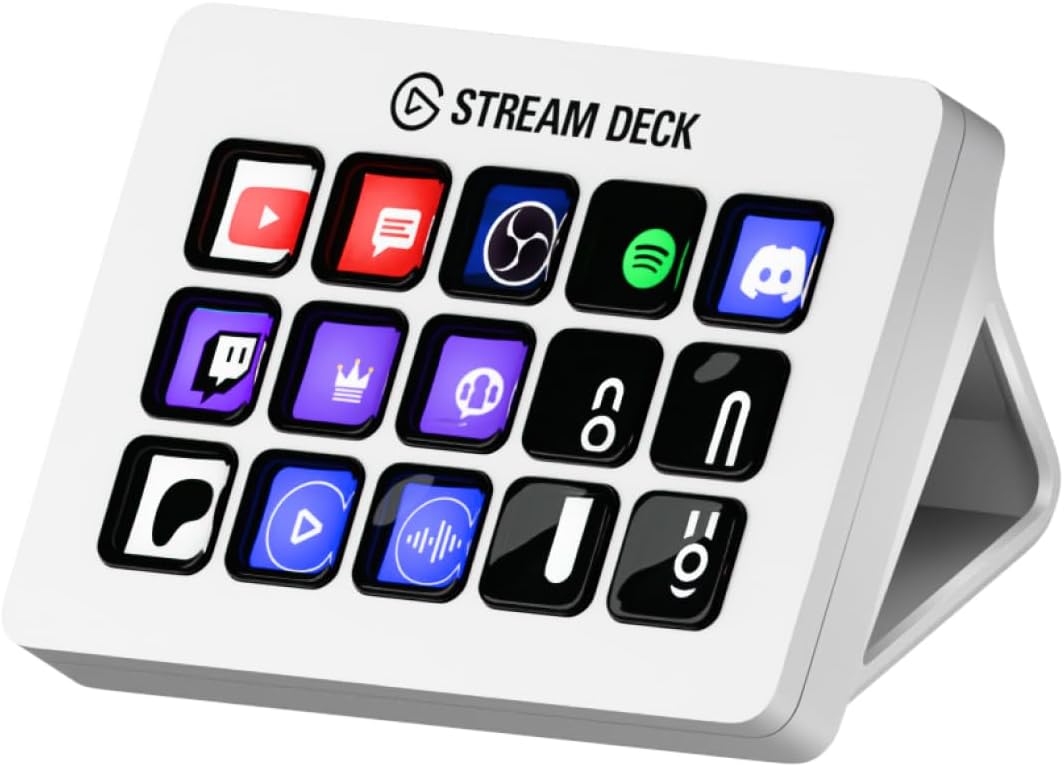
🎥 Elevate your stream, own your desk, and never miss a beat!
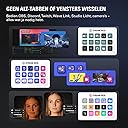
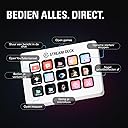
The Elgato Stream Deck MK.2 White is a compact, USB-powered studio controller featuring 15 fully customizable LCD keys designed for professional streamers and content creators. Compatible with Mac and PC, it enables instant multi-action triggers across popular apps like OBS, Twitch, and YouTube. With powerful plugin support and visual feedback, it streamlines workflows, boosts productivity, and adds a sleek, modern touch to any creative setup.


| ASIN | B09RMXK59C |
| Additional Features | Backlit |
| Antenna Location | Office |
| Best Sellers Rank | #914 in Video Games ( See Top 100 in Video Games ) #271 in PC Accessories |
| Brand | Elgato |
| Built-In Media | USB Cable |
| Button Quantity | 6 |
| Color | White |
| Compatible Devices | PC |
| Connectivity Technology | USB |
| Customer Reviews | 4.8 out of 5 stars 11,667 Reviews |
| Enclosure Material | Plastic |
| External Testing Certification | Não Aplicável |
| Hand Orientation | Ambidextrous |
| Item Dimensions L x W x H | 4.65"L x 3.31"W x 0.98"H |
| Item Height | 25 millimeters |
| Item Weight | 0.15 Kilograms |
| Keyboard Backlighting Color Support | Single Color |
| Keyboard Description | Gaming |
| Keyboard Layout | QWERTY |
| Language | English |
| Manufacturer | Corsair |
| Model Name | MK.2 |
| Model Number | 10GBA9911 |
| Number of Keys | 15 |
| Power Source | USB Powered |
| Recommended Uses For Product | Office |
| Special Feature | Backlit |
| Style Name | Stream Deck White |
| UPC | 840006654209 |
| Warranty Description | 2 year manufacturer |
D**A
Best desk accessory ever
I LOVE this gadget!! Is it required? No. Do I use it every day may times a day? YES! It’s got a small profile so it’s not obtrusive on the desk. I really do feel like it saves me time as accessing apps and such is very easy. What I didn’t realize was that the buttons are menu options. For example, for one of them I have it set to apps. When I select that it goes down into a sub menu where I have 9 apps configured for quick access. I thought each button would only have one shortcut use. I didn’t realize there was an option for submenus. It’s fairly easy to set up, the buttons are easy to use and it seems durable. I’ve noticed very little lag. What I haven’t been able to figure out is quick ways to mute. I have a MuteMe which I was hoping to replace with this, but so far it be not figured that out. I’ve had it for around 2 months and it’s my favorite desk accessory.
A**N
Game-Changer for Streamers and Content Creators
The Elgato Stream Deck is an essential tool for anyone serious about streaming or content creation. The customizable LCD keys let me control scenes, launch apps, and trigger commands instantly, all without leaving my workflow. Setup was straightforward, and the software is intuitive, making it easy to personalize buttons exactly how I want. It saves me so much time and makes my streams look professional and seamless. The build quality feels solid and durable, and the compact size fits perfectly on my desk. I highly recommend the Elgato Stream Deck to streamers, YouTubers, and anyone who wants to boost productivity with customizable shortcuts.
J**N
Elgato Stream Deck: Boosts Productivity Effortlessly
The Elgato Stream Deck MK.2 15-Key is more useful than I realized at first. Its customization options make it perfect for streamlining tasks, shortcuts, and creative workflows. While this particular model doesn’t allow you to adjust the viewing angle, it still performs extremely well and makes managing applications, streaming, and productivity a breeze. A fantastic tool for anyone looking to simplify their setup.
A**9
⭐⭐⭐⭐⭐ A total game changer for my setup
I bought the Stream Deck MK.2 after a lot of back and forth (not exactly cheap, let’s be real), and the conclusion is simple: once you start using it, there’s no going back. It completely changes how you work and create. The buttons feel solid and responsive, the screens are sharp and easy to read even in bright light, and the level of customization is honestly ridiculous—in the best way. I use it for streaming, editing, system shortcuts, macros, and audio control, and I still feel like I haven’t unlocked its full potential yet. The software is intuitive, stable, and integrates flawlessly with OBS, Discord, Spotify, Photoshop, and pretty much any tool you’d use daily. Multiple profiles, instant scene switching, complex actions with a single press—pure productivity. The time savings are immediate. Is it expensive? Yes. Is it worth it? Absolutely. It saves time, reduces mistakes, and instantly makes your workflow feel more professional. This isn’t just a nice-looking gadget; it’s a serious productivity tool. Bottom line: if you’re a content creator, streamer, or just someone who wants full control of their PC with less friction and more efficiency, this is a smart purchase.
M**R
Very useful even if you are not an streamer
It is a versatile and powerful tool that goes beyond streaming. It's an excellent choice for non-streamers looking to enhance their productivity and creative workflows. 1- I used to keep an eye on my CPU and GPU Temperature, GPU/CPU Load, and CPU Usage, so if my PC is getting pretty hot, I could turn on the AC and bring down the temperature. 2- I can use the discord setting to Mute my mic or Deaf myself as well as to share my screen and join different channels with just one touch, also a plus with the soundboard you can have your favorite ones without the need to look for them inside the discord app. 3- For Zoom meetings, Webex meetings, etc... I have all the buttons set up so I can easily share my screen, mute my mic, view the members inside the meeting, the chat, all in a couple of touch. 4- I can access my games directly with just one touch like my Steam games, GamePass, Battlenet, Epic, and GOG. 5- I can make a profile when I'm developing a program to take actions that will take me many steps to reach with one click. Conclusion: The Elgato Stream Deck MK.2 is a fantastic tool for non-streamers who want to streamline their workflows and boost productivity. Its customizable keys and seamless software integration make it valuable to any creative professional's toolkit.
T**T
A Game-Changer for Streamers and Content Creators with Room for Improvement
I have been using the Elgato Stream Deck MK.2 for a variety of tasks, such as video production with OBS, facilitating Zoom meetings, and podcasting. While the product is truly innovative and has been a great addition to my setup, it does have a significant bug that needs addressing. The 15 customizable LCD keys are a fantastic feature, allowing me to instantly control my apps, tools, and platforms with ease. The one-touch operation makes triggering single or multiple actions incredibly simple, and the visual feedback confirms that my commands are executed successfully. The Stream Deck MK.2 also boasts compatibility with powerful plugins like Elgato 4KCU, OBS, Twitch, YouTube, Twitter, Discord, Spotify, and Philips Hue, making it an indispensable tool for content creators. The hotkey actions streamline workflows in film editing, music production, and photography. However, I have encountered a major issue when using multiple monitors in certain circumstances. My Stream Deck often freezes up, and attempting to end the process and restart it in Windows 11 does not resolve the problem. The only solution I've found is rebooting my computer, which can be quite inconvenient. Despite this bug, I'm giving the Elgato Stream Deck MK.2 a four-star rating because of its immense potential and usefulness when it functions correctly. I believe that Elgato will address this issue in future updates, making it an even more powerful tool for streamers and content creators. Overall, the Elgato Stream Deck MK.2 is a fantastic concept with room for improvement. Once the freezing issue is resolved, I have no doubt that it will become an indispensable tool for streamers and content creators everywhere.
B**A
Perfect device for developers
I bought this for my husband since he recently started learning development, and he really enjoys using it. It’s easy to set up and makes his work and shortcuts much faster. The buttons feel solid and everything works smoothly. He uses it every day and is very happy with it.
C**Z
Best non-essential accessory for PC
The definitive macro pad. I recommend sticking to the original MK.2 and not the scissor switch. The screen on the scissor switch version had extreme backlight bleed on the corners. Almost as bad, it's incompatible with the fun faceplates of the original MK.2. Also has a different stand that I don't like resting my fingers in as much. Should prob be advertised as a MK.3 or something. The Stream Deck easily lets you make macros without having to turn to pretentious people on forums. You can also make each icon a dancing GIF. What more could you want?
Trustpilot
3 weeks ago
1 month ago