


🔒 Elevate your home security & smart living — all in one sleek hub!
The Aqara Security Camera Hub Indoor G2H Pro is a cutting-edge 1080p HD indoor security camera with a 146° wide-angle lens and infrared night vision. It doubles as a Zigbee 3.0 smart home hub, supporting up to 128 Aqara devices for seamless automation. Featuring two-way audio, local face and package recognition, and encrypted data streams with WPA3 Wi-Fi security, it ensures privacy and real-time alerts without monthly fees. Compatible with Apple HomeKit Secure Video, Alexa, and Google Assistant, it offers flexible storage options including iCloud, microSD, and NAS, making it the ultimate all-in-one smart home security solution.
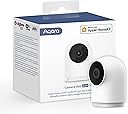

| ASIN | B09N6KDX5K |
| Alert Type | Motion Only |
| Antenna Location | Indoor Security |
| Best Sellers Rank | #1,610 in Home Security Systems |
| Brand | Aqara |
| Color | White |
| Compatible Devices | Alexa |
| Connectivity Protocol | Wi-Fi |
| Connectivity Technology | Wireless |
| Control Method | Remote |
| Controller Type | Apple HomeKit |
| Customer Reviews | 4.3 out of 5 stars 2,171 Reviews |
| Effective Still Resolution | 2 mp |
| Effective Video Resolution | 1080 |
| Field Of View | 146 degrees |
| Flash Memory Installed Size | 8 GB |
| Global Trade Identification Number | 06970504215986 |
| Indoor Outdoor Usage | Indoor |
| Indoor/Outdoor Usage | Indoor |
| Item Dimensions | 3.24 x 2.22 x 1.99 inches |
| Item Highlight | WiFi Camera for Baby & Pet, HomeKit Secure Video, Night Vision, Two-Way Audio, Plug-In, Compatible with Alexa Google |
| Item Weight | 4 ounces |
| Manufacturer | Aqara |
| Memory Storage Capacity | 512 GB |
| Mfr Part Number | CH-C01 |
| Model Name | CH-C01 |
| Model Number | CH-C01 |
| Mount Type | Wall Mount |
| Night Vision | Night Color |
| Number of Channels | 2 |
| Number of Items | 1 |
| Optical Zoom | 2 x |
| Other Special Features of the Product | 2-Way Audio, Night Vision |
| Photo Sensor Resolution | 2 mp |
| Photo Sensor Technology | CMOS |
| Power Source | AC |
| Recommended Uses For Product | Indoor Security |
| Room Type | Bedroom, Kitchen, Living Room, Nursery, Office |
| Screen Size | 75 |
| Special Feature | 2-Way Audio, Night Vision |
| Specific Uses For Product | Indoor |
| Unit Count | 1 Count |
| Video Capture Format | MPEG-4 |
| Video Capture Resolution | 1080p |
| Viewing Angle | 146 degrees |
| Voltage | 5 volts |
| Waterproof Rating | IP66 |
| Wattage | 5 watt-hours |
| Wireless Technology | Wi-Fi |
J**S
The Perfect All-in-One Security Camera and Smart Hub!
The Aqara Security Camera Hub Indoor G2H Pro has completely exceeded my expectations. It’s not just a security camera but also a smart home hub, making it one of the most versatile devices I’ve ever owned. The video quality is excellent, with crystal-clear 1080p resolution and a wide-angle lens that captures the entire room. The night vision is equally impressive, ensuring that I can monitor my home 24/7, even in total darkness. The motion detection works like a charm, and I appreciate the ability to customize activity zones to reduce unnecessary alerts. What really sets the G2H Pro apart is its dual functionality as a hub for Aqara devices. It integrates seamlessly with my existing Aqara smart home ecosystem, including sensors and automation routines. I can control everything through the Aqara app, and the compatibility with HomeKit, Alexa, and Google Assistant is a huge bonus. Another standout feature is the secure local storage option via a microSD card, as well as iCloud support for HomeKit Secure Video. This gives me peace of mind that my footage is both private and easily accessible. Setting up the camera was quick and easy, and the sleek, compact design blends beautifully into my home. It’s unobtrusive yet highly functional. Whether you need a reliable security camera, a smart hub, or both, the Aqara G2H Pro is an incredible choice. I highly recommend it to anyone looking to upgrade their smart home setup with enhanced security!
C**L
Work awesome when they work updated!
The g2h pro is a phenomenal camera when it works. Our backyard camera tends to fall off the network one to two times a week and we can’t figure out why. Unplug and plug back in and it works fine for a while. Also, within the HomeKit app, once in a while we cannot access the cameras when on WiFi, but switch to 5G and the feeds come through. Again, we can’t figure out why. When the hiccups aren’t there the cameras are awesome. When the hiccups happen, pretty annoying but easily fixed. UPDATE! And changed to 5 star review from 3 Aqara reached out to me and fixed the problem by sending me a replacement camera. The new camera arrived today, connected easier than my original one and seems to be much better quality video and audio wise. I must have had a defective one. Thank you Aqara 1 for reaching out and 2 for still honoring everything though incident respond to you for 6 months!
G**E
Improved over regular G2H by exposing security system to HomeKit
I have been running 5 regular G2H cameras both indoors and outdoors under my roof for a few months already. I have now added 3 more G2H Pro cameras to my HomeKit system. I do not see much difference between the two cameras when it comes to image quality. Dimensions are pretty much the same and so are the mounting options. Night light images are also very comparable. Both cameras use the micro USB port for charging. Both cameras can act as a hub for sensors such as door sensors, motion detectors, etc. The G2H Pro can handle more child devices but even the G2H can handle a large number of them. However, there is a downside with the G2H as I will elaborate below. The big difference between the two cameras is that the G2H Pro exposes the Security System to HomeKit. See, the G2H camera also has a security system that is exposed to Aqara but not HomeKit. So assuming that you have an M2 or M1S hub, whenever these hubs get triggered for the alert, the signal is also transmitted to the cameras assigned to the same house. So, all G2H cameras start playing the siren sound. However, when you disarm the M2/M1S hub, sometimes the G2H camera keeps playing the alarm. I can only imagine that this is some kind of bug but it is very annoying. You would have to either use the Aqara app to turn them off or basically unplug them from the wall to have them shut up. Since I also have cameras mounted outside, I cannot have them play a siren indefinitely, especially when I am not at home. Once the G2H gets trapped playing the alarm, there is no way to turn it off from HomeKit since the security system functionality is not exposed. So in the Aqara app, I was forced to assign the cameras to a separate house, this way the G2H cameras do not play the alarm whenever the hub alarm goes off. Instead, I have installed a dedicated and very loud horn that gets triggered by a switch. This leads to the downside of this approach. Since the G2H cameras are assigned to a separate house, they also do not function as a hub. See, any sensors that get triggered through the camera is not visible by the M2 or M1S hubs. So I ended up adding all sensors to the hardwired M2 hub and do not use the hub functionality on the G2H cameras. The G2H Pro basically fixes this issue. You can now put the cameras on the same network as the M2 or M1S hub, and the camera will play the alarm sound together with the hub, but it will also turn off the alarm reliably. Now, I haven't tested it long enough yet so I will update this description if I run into more problems down the road. But it is safe to say, that since the security system is exposed to HomeKit, you are able to turn it off from your phone remotely. There is also a small advantage when it comes to the default ringtones. The G2H can also play a few ringtones, but it does not have the same capability as other hubs or the G2H Pro. Most notably, there is no doorbell sound on the G2H but there is on the G2H Pro. It is also possible to trigger playing the alarm through the Aqara app, whereas on the G2H the alarm sounds are also handled as ringtones. If you live in a small apartment or college dorm and need a very simple system, the G2H Pro is all you need. One camera can cover the entrance door, and it can also act as a parent for the child sensor devices such as door sensors or motion sensors. It can also trigger to play the alarm and notify you through the phone. So you basically don't need to buy another hub. The G2H cannot do this and requires and external hub for the alarm functionality. Finally, there is one more downside with the G2H Pro vs the G2H. The G2H Pro does not include the USB power plug, whereas the G2H does. So they basically make the install process more annoying just to save a buck. I would still recommend the G2H Pro as long as the price is close enough, just don't forget to order a pack of USB plugs with all the cameras. Overall I think the G2H Pro is still the best camera for HomeKit right now.
N**.
Incredible value and excellent HomeKit integration
I’ve been looking for a camera that works well with HomeKit without a monthly subscription fee, and this is it. The local storage options are great, and the privacy masking is a thoughtful touch. It’s compact, looks premium, and the magnetic base makes installation a breeze.
D**E
Excellent value for money - is a Chinese brand
For $70 plus a $15 coupon ($55), this is a steal. A HomeKit smart camera with iCloud encrypted video support, build in zigbee hub (never had one before), and the camera is not an eyesore. Big thing to note for all HomeKit users is this is 2 devices in one: a smart camera, and a security alarm. You can separate them as two separate devices within HomeKit settings. You can only program the security alarm with the Aqara app. Obviously you want an Apple “Home Hub” (homepod mini, homepod 2, or Apple TV 4K) to be able to view from the Home app remotely, as well as at least the $0.99 subscription to iCloud to save a week-long rolling recording for a single camera (more premium subscriptions for recording on more cameras) Aqara is a Chinese brand, which is my only gripe with it. Many people will be turned off by this alone despite it seeming to be a reputable brand, but I am trusting of the product and have no suspicions that my security is compromised. My background is not in information security, but I am an engineer familiar with computer networks fwiw. The Aqara app itself is a little complex when trying to adjust the settings - you will want a week to trial and error things. Overall happy with it, and I can now be notified and see when anyone enters the property via a Home app notification, and monitor our pets while we’re away. Very well done.
D**M
Unexpectedly great - especially with HomeKit
These cameras are really quite awesome. I’ve tried several WiFi offerings from Eufy, Eve and of course, Logitech (which was awful), but the G2H Pro outperforms all of them. HomeKit setup is as easy as can be. Connectivity is so much better than any camera I’ve tried. There really isn't anything to complain about (other than using an outdated micro USB cable). These cameras just work.
R**C
Unreliable camera
Wish I had paid more attention to the negative reviews. When it works it works. But set up is not at all intuitive even for someone pretty adept at this stuff. But more importantly—it constantly drops off line! There are long gaps when it just isn’t picking anything up.
A**R
Works fantastic… when it works…
I bought this because the Eufy I got originally didn’t allow tilt/pan control through HomeKit, only through its native app which I found to be not very user friendly. I saw the ratings for this one and thought I would give it a shot. I love the image quality, both in daytime and night vision. The speaker is loud and clear, and the built in security system with HomeKit is an added bonus. I don’t love how it will randomly disconnect for anywhere from 5 minutes to an hour at a time randomly throughout the day and night. I have it set to notify me when it goes offline and comes back online and I’m at the point of getting so many notifications that it’s starting to become more trouble than it’s worth, not to mention the point of a camera is to see and record things when I am not there and it obviously can’t do that if it is constantly going offline. If anyone has had this issue and fixed it successfully or if Aqara reads these reviews then please reach out to me because I like this camera and want to keep it but if this issue isn’t fixed soon I don’t know if I can.
D**N
Compact and Versatile Security Camera with HomeKit Integration
The Aqara Security Camera Hub G2H Pro is an excellent all-in-one device, serving both as a reliable security camera and a smart home hub. Pros: HomeKit Secure Video: Seamlessly integrates with Apple HomeKit, offering encrypted video storage, notifications, and automation support. Multi-Functionality: Acts as a smart home hub for Aqara devices, enabling advanced automation and remote control. Clear Video Quality: Offers 1080P resolution with a wide-angle view and excellent low-light performance. Two-Way Audio: Clear and responsive for real-time communication. Flexible Mounting: Compact design with magnetic base for easy positioning anywhere. Cons: Limited Non-HomeKit Features: Works best within the HomeKit ecosystem, with fewer features available outside it. No Pan or Tilt: Fixed angle may require careful placement to cover desired areas fully. Overall, the Aqara G2H Pro is a great choice for Apple users seeking a compact security solution that doubles as a smart home hub. It’s affordable, reliable, and highly functional.
M**L
These are great security camera
Have been using it since over 6 months now. I bought refurbished from Amazon and got it at a pretty good price. I bought a second one because I really liked its functionality. I used to have an Aqara M1S which wasn’t able to onboard all my sensors but with these two camera acting as zigbee hubs I have 16 door and window sensors onboarded and setup up automation. These have in built speaker for two way comms and also acts as siren. I can talk to my cat from work, how cool is that. Setup in HomeKit was a breeze and automations work great. You can also have the camera save event videos and time lapse onto your Network Attached Storage. Overall I like what Aqara had done with this product.
C**N
Unstable connection - useless product
The product is used on a stable network but it keeps déconnecting after few minutes operation. Real disapointment, poor value for money.
I**E
Buena calidad
A priori, funciona, no acabo de entender una segunda función que aparece en la app CASA de apple cuando se instala la cámara que se llama SISTEMA. En general la cámara es de fácil instalación. La imagen que proyecta es muy buena tanto de día como de noche. En ocasiones parece que se queda trabada una imagen fija por horas y resulta imposible desbloquear por el móvil con la app CASA de momento esto me ha pasado un par de veces en menos de 2 semanas. La forma que he encontrado de desbloquearlo es cuando llego a casa y le quito el cable de alimentación y se lo vuelvo a poner, ahí vuelve a funcionar.
L**O
Great cam with little downsides
Good - Nice design that blends in the home - Can be used as an Aqara Hub - Integrates with HomeKit - Support Apple Home Secure Video Bad - Some newer Aqara products use Thread but this camera only supports Zigbee. Which means if you buy any Thread Aqara products you will need a separate Thread Hub for them.
Trustpilot
3 weeks ago
1 month ago