


๐ Elevate Your Productivity with Style!
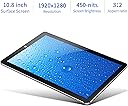
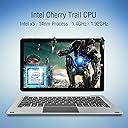
The CHUWI Hi10 Plus is a versatile 2-in-1 tablet PC featuring a 10.8" Full HD display, powered by an Intel X5 Cherry Trail Z8350 Quad Core processor. With 4GB RAM and 64GB ROM, it supports dual operating systemsโWindows 10 and Android 5.1โmaking it perfect for both work and play. Its lightweight design and expandable storage options ensure you can take your digital life on the go.


| ASIN | B01NCO6P93 |
| Age Range Description | Adult |
| Aspect Ratio | 16:10 |
| Brand | CHUWI |
| Built-In Media | 1 x Windows 10 Pro license |
| Camera Description | Front, Rear |
| Cellular Technology | 2G |
| Compatible Devices | Keyboard, Stylus Pen, External Display |
| Customer Reviews | 3.5 out of 5 stars 188 Reviews |
| Display Resolution Maximum | 1920x1280 |
| Display Type | LED |
| Generation | Android 5 |
| Graphics Description | Integrated |
| Hard-Drive Size | 64 GB |
| Hardware Interface | Micro-HDMI |
| Human-Interface Input | Keyboard |
| Item Weight | 1.5 Pounds |
| Lithium-Battery Energy Content | 24.05 Watt Hours |
| Manufacturer | Chuwi |
| Memory Slots Available | 1 |
| Memory Storage Capacity | 64 GB |
| Mfr Part Number | CWHi10PLUS464 |
| Model Name | Hi10 Plus |
| Model Number | Hi10 Plus |
| Native Resolution | 1920x1280 |
| Operating System | Windows 10;Android 5.1 Lollipop |
| Operating System Family | Windows |
| Other Special Features of the Product | Fast Charging |
| Photo Sensor Resolution | 2 MP |
| Processor Brand | Intel |
| Processor Description | Intel X5 |
| RAM Memory Installed | 4 GB |
| RAM Size | 4 GB |
| Rear Facing Camera Photo Sensor Resolution | 2 MP |
| Screen Size | 10.8 Inches |
| Specific Uses For Product | Productivity, Entertainment |
| Total Usb Ports | 1 |
| Video Capture Resolution | HD 720p |
| Warranty Type | Limited |
| Wireless Compability | 802.11bgn |
| Wireless Technology | Bluetooth, Cellular, Wi-Fi |
S**6
Excellent Quality and Value for the Money, Convenient Dual OS
This is an update of an earlier negative review. The first device I received did not come with a Windows 10 activation code. Nor did it have an instruction book or warranty card. I returned the item, since it was not as advertised. I wrote a negative review and the manufacturer contacted me and promised a fully functional replacement. In a few days it arrived and this is my assessment. This time the product came with an instruction book, warranty and support information. As soon as I turned it on I was greeted by the proper introduction to Windows 10 and the tablet went through an extensive but automatic update process. While it took hours to download all the cumulative updates, a standard Windows feature, it was fully current and properly licensed when complete. The tablet itself is impressively constructed with a metal frame, metal switches, and magnetic contacts for the keyboard. The dual OS with both Windows and Android 5.1 works well and is convenient for travel - only one device for most needs. While switching between systems is easy, it is not instantaneous because it fully reboots each time. But unlike an Android emulator, the processor is fully dedicated to the OS, not shared between systems - an important consideration with only 4GB of memory and an Adam processor. The distinctive features of the CHUWI Hi10 Plus compared to other Adam processor tablets are 64GB of SSD, dual OS, high quality materials, very thin dimensions, 10.8 rather than 10.1 inch screen, available magnetic connected keyboard that is thin and serves as a cover, and expandable to 128GB SD card. It has snappy performance when not over taxed with multi-tasking, but does not have the strongest WiFi radio compared to a more expensive laptop. I would not expect to be able to run graphic intensive Windows games, but in Android mode should be able to match the power of any cellphone or Android tablet. The screen is very sharp and bright, on the high points of the product. The Android OS is frozen at version 5.1 but with a few tweaks can make it behave like a newer version. I replaced the Launcher with the Google launcher and add the SwiftKey keyboard for swipe-style typing. These two apps make the Android platform function much like my smartphone on version 7. UPDATE 2: I have added the keyboard case and will update my review. This accessory is a convenient way to enclose the table in a protective case and add a keyboard that connects directly to the contacts on the side of that table with magnets. I am doing this review with touch typing on the keyboard. It is pretty good and remarkably easy to touch type. This keyboard case is similar to that offered with the Surface Pro 3 but less durable and does not fold back flat behind the table. But compared to a Bluetooth keyboard, it will not require additional power or drain the main battery. In normal use around the house, I have removed the keyboard and use a conventional case that folds back conveniently behind the table. But for travel when a keyboard might be nice to have, the keyboard case is an attractive, functional and inexpensive accessory. I also compared this tablet to the similar NuVision table sold on the Microsoft web site. They have similar specs, but the NuVision has only 32GB of SSD and no Android OS. But I found the NuVision to be less stable and more "buggy" than the Chewi. For example, it frequently lost contact with the necessary SD card, requiring me to pull it and reinstall for the OS to recognize it. That was a real inconvenience as the SD card was used for OneDrive documents. For the additional $79, I would get the Chewi. I have returned the NuVision to Microsoft as defective. Overall, the Chewi Hi10 Plus is a convenient tablet to supplement your main laptop. It is not a substitute for a Surface Pro 3 or other more powerful computers, but it is a very reasonable tablet to do the sorts of things you might do on a smartphone, but with a 10.8 in screen.
A**R
Buyer beware. You get what you pay for.
I want to love this device, but, there are just too many problems. I bought it assuming that if any problems were to arise, I would be able to return it. I purchased this device in March 2017. Within 3 weeks from receiving it, the SD card reader suddenly stopped functioning. It is not recognized as being installed. I am a church musician and bought the device to function as a music reader in church.. Without the SC card reader, it is pretty much useless to me because I need the extra storage. I have had intermittent shutdowns and black screens.. My screen mysteriously developed a crack after about 6 weeks. I have been exceptionally careful with the device since day one, so I do not know how the screen cracked. I decided to replace the screen myself because I figured it would be the quickest and figured I didn't have much to lose and didn't want to pay to get it fixed. The screen is working now. It wasn't the smoothest repair job as it was difficult to get the old screen off. I learned a few things in the process. The device continues to have intermittent shut downs and black screens. Recently, all of the component local services somehow became disabled, rendering the device pretty much nonfunctional. Once I started to compare the settings with my windows laptop, I figured out what the problem was and had to reset them all. The wireless does not always connect or may lose connection. Recently, I had to uninstall and reinstall to get it to function. The charger and cable that is supplied with the unit is of poor quality and the connector bent very easily. I have invested in a $20 charging cable, keyboard, protective case, new screen, external card reader, SD cards, adapters to convert from regular size USB to jacks available. I have a fair amount of money invested and hate to give up on it now. Apparently, Chuwi does not offer remote support, which might be a way to fix the SD card reader which I have read has to do with the upgrade to Windows 10. Chuwi stopped communicating with me after I received a couple of emails from them. They initially told me to flash the bios. I am not a computer expert, and am worried that I may cause more problems if I tackle this on my own. As a plus, I will say that the display quality is very nice. I like having the Windows 10 operating system. If you are looking for a device that is reliable and dependable, I do not recommend wasting your money on the Chuwi Hi10 plus. Chuwi likes to compare it to a Windows Surface which is quite a stretch from the truth.
A**1
Great Productivity on the Go!
I purchased the CHUWI Hi10Plus tablet in conjunction with the magnetic keyboard docking case (reviewed separately) to replace both my 5yr old tablet (which died) and my 6yr old laptop (which is dying). I selected this device because I wanted to combine the productivity of my Windows laptop with the mobility of my Android tablet, so the dual boot was a major factor in my purchase. Other important considerations were the RAM (4GB), screen size & ability to dock magnetically. I had read several positive in depth reviews of CHUWI products from independent sources before making my purchase. 1. Battery Life. WOW! All I can say is WOW. I just returned from a 2 day road trip where I was using the device most of the time in the vehicle and I never had to charge it. I can easily get 12 hours of use (actual screen time working with the PC) off a single battery charge. The negative side of this is it takes a long time to charge and I recommend putting it on android and charging overnight, but once it's charged it holds extremely well. Battery Life: 5 stars 2. Display: Coming from the 5+ yr. old devices I mentioned earlier, I might not be the best judge of resolution and graphics quality. Coupled with the fact that I use the device strictly for productivity (word & excel), I'm hardly testing it's graphical limits, but my home screen pic looks amazing. My con here is there's not enough versatility on the brightness. (Minimum brightness is still really bright) I initially had some trouble with the screen flickering, but the folks a the official CHUWI forum have a fix for that. The other difficulty is that sometimes if you have the device angled wrong the screen will go off because it thinks it's in a bag or case. Display: 3.5 stars 3.Capacitive Screen: Easily the biggest letdown with this device. The screen is nowhere near as capacitative sensitive as say, my phone. A fiber tipped mesh stylus will barely operate it and only after several tries of each touch. This is a big disappointment as I was looking forward to working with Windows Ink. Capacitive Screen: 1 star Firmware: Oooohhhh. Having both Windows and Android is awesome, and the switching process is flawless. Yes, as some have complained you have to reboot each time, but this means that the hard drive is genuinely partitioned and you aren't being tricked by an emulator. Both OS's run beautifully, and I've had no problems with lagging or locking. Firmware: 5 stars Dockability: As I mentioned a big draw for this device was its ability to magnetically dock to its keyboard instead of relying on Bluetooth (always a game of Russian Roulette) So far I've had no issues with docking (I've reviewed the keyboard separately); the connection is good, and the magnet in the tablet is really strong, so it's actually pretty secure on the keyboard. Dockability: 5 stars Connections: Wifi: No problems Bluetooth: Hit and miss, but mostly hit which is in itself impressive. Conntections: 4 stars. Overall I am extremely pleased with this device (have owned for a month and a half). I love that CHUWI has an official forum where I can get device specific troubleshooting. This machine is perfect for my needs and the price is amazing. If you are looking for a powerhouse laptop, this isn't it- you're going to have to spend 3 or 4 times as much for that. If you need a good productivity 2 in 1 for working on the go, I recommend giving Chuwi's products a try. (I am not affiliated with CHUWI and was in no way compensated (cash or discounted/free product) to write this review. I purchased the product at list price and all opinions are my own)
P**G
Good deal for $200 -- some caution
This is a $200 device and your expectations may be tainted by the $500...$1700 devices. For $200, you get a good tablet with 1080p display, oldish Android plus MS Win10 and Micro-SD card slot plus easy connection to external KBD-cover ($$ extra). Compared to the similar devices, the "Hi10 PLUS" has a larger 10.8" display and 1980x1200 pixel screen (as opposed to 1080). This wider aspect ratio is more suitable for photo, web & map display than the 16x9 displays. Android V5 (Lollipop) is not recent and there is no update in sight -- OTOH, many phones & tablets still run KitKat (V4.x). POSITIVE : The forums at CHUWI and elsewhere contain working instructions on how to modify the stock setup POSITIVE : Available backup images in case you need to reflash your device (need to download >6GB tor W10, 1GB for Android) NEGATIVE : Switching between W10 & Android takes a long time (full shutdown + reboot) NEGATIVE : No data exchange between the two OS -- unless you add a FAT32 Micro-SDcard (max 64GB) CLARIFICATION : The spec from CHUWI lists 64GB eMMC storage. Free space : 8GB for Android & ~25GB free for W10. You can fine-tune W10 to increase that to ~35GB Missing features & problems -) NO BUILT-IN GPS ==> that is my biggest complaint -) USB-C connector sits to far inside the chassis ==> charger is okay but all data-devices need grinding or cutting to make them fit -) Screen prone to glare, reflections & fingerprints. Contrast not strong enough in bright sunlight ==> that is expected -) Will charge ONLY via USB-C ==> need for new cables & chargers to use in a car -) The built-in speakers aren't strong enough ==> many speakers need USB2 connector for power. This tablet lacks such connector. -) You can add external headset via 3.5mm plug ==> you cannot add external MIC !! -) in landscape orientation, the "Start"/"Home" button is prone to cause unwanted activation ==> why didn't they de-activate it ? The lack of GPS is what bothers me the most. The USB-C mechanical issue is another serious problem. The other issues are not uncommon and I can work around them. There are positive comments as well +) Android and W10 do not contain "bloatware" 0) TBD : other vendors have had spyware embedded -- so far I have seen none but I'm not a security expert +) Under W10, 128GB cards and all USB devices I tried were recognized without problems (adding drivers as needed) +) Under Android plus OTG-adapter, 64GB cards were recognized plus some USB devices. Sorry, NO GPS !! 0) the processor is a slowish-laptop kind for W10 -- it is sufficient for Web, Office, media-playback & most image editing. +) a slower processor means less heat ==> no fan in this tablet +) 4GB RAM is generous for Android and okay for W10 unless you try PhotoChop or other heavy-weight apps. +) Win10 works and touchscreen too. External Micro-HDMI I didn't test You have to decide if combining Android & W10 really is that useful to you -- switching isn't quick and data-exchange requires an external card. Maybe use a Android phone plus a separate W10 tablet is a better option. GOOD NEWS : You can remove Android and build a larger W10 installation -- if you are willing to follow the instructions on CHUWI forums ALTERNATIVE : You can turn this tablet into an Android with 64GB flash plus Micro-SD -- also DIY
H**R
Despite a few cons this is great tablet for under $200
I bought the tablet a few days ago and here are my thoughts. Despite a few cons I have to give this tablet 5 stars as it is a bargain for the price and everything that it does. If you are still not sure whether you should get it or not, you have to consider what you will be using it for. If you want to run MS Office, browse Facebook and watch Youtube, Netfix, Hulu, Prime, etc. this will be a great tablet. If you want to run any sort of modern games, it will most likely suck and that's what most people complain about. I bought a keyboard case cover and a 128GB micro SD card to make this a complete package. It took several hours to set everything up but I can't fault the tablet for this. I encrypted the micro SD card with Bitlocker on another Windows 10 Pro system as this one has Windows 10 Home. I then downloaded all of the Windows 10 updates and set up OneDrive on the card. I also installed MS Office 2016. I set up the Outlook files on the SD card as well. After all said and done I had 24GB free out of 40GB available. It has a total of 64GB for storage but some of the space is taken up by the Android system. The overall performance is pretty snappy. Browsing and working on documents is very easy and I haven't seen any lag. It takes longer to open documents than on my i7 laptop but it's not too bad considering the fact that I am pulling the files from the encrypted SD card. I was able to play GoPro 4k movie files with no issues to my surprise. By the way, the screen is gorgeous. I believe they are using the same screen as Microsoft Surface 3. I didn't use Android much on it but I was able to log in and download a few apps. Everything worked just fine. I did encounter a couple of issues: - Wifi is slow. I ended up using a USB wifi dongle that I had lying around. That fixed the issue. I may need to update the BIOS but I haven't gotten to it yet. - If I plug in an external drive, I lose connection to it every time the tablet is idle for more than a few minutes. This prevents me from doing a system image backup. I tried using USB-c and Micro USB connection. I ended up backing up the system on the inserted SD card and then making an image of the card. I updated power management settings so that the power is not cut to the USB at any point but that didn't fix it. I think this has to do either with the adapters I am using or some other power management features in Windows. Overall, I still think this tablet deserves 5 stars as the few issues that I had can be fixed or bypassed.
M**R
Buyer Beware: You Get What You Pay For
I was excited to find a tablet that had both Android and Windows at this price point. But the problems are many. 1. The keyboard is flimsy. The entire right side will sometimes refuse to register. I eventually found that if I turned the tablet off then on, it resolved the issue. But it happens maybe 20% of the time, which is extremely annoying. 2. It's severely underpowered. The advertisement says it is powerful enough to handle programs that require a lot of processing power. Don't believe it. This machine is not strong at all. 3. Bluetooth connectivity. It is atrocious. It is by far the worst electronic device I have ever owned in terms of bluetooth connectivity. If you want to connect a bluetooth mouse you're okay. Anything headphones related...forget it. 4. Sketchy USB-C connectivity. I've read many reports complaining about the charging (or lack thereof). I echo those sentiments. At times it seems like it charges, but at other times it doesn't. It would be nice to...you know...have an LED light that told you when it was charging or fully charged. This has a light, but I found it unreliable for telling you anything. 5. SLOW to power-up. 6. Really poor wi-fi connectivity. Overall this gets a 2-star rating. You've been warned.
M**K
This just may be the number 1 Windows 10/Android device out to tthis day
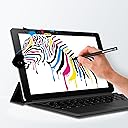
I have a Bachelor's degree in computer information Science/computer programming from Everest University. A MSM - Master of Science in Management Information Systems Security from Colorado Technical University, and now I am working for my Doctored in Computer Science also at CTU. I believe that this qualifies me to give my response about this device. I have seen this same Notebook PC elsewhere on the Internet for as high as $449.00. So I thought that I would investigate it a little more. Then I found it on the Amazon website for $199.99. I also found the CHUWI H10 Plus/VITO Plus Keyboard C ase for $32.99 and the Active Stylus Pennsylvania for CHUWI Hi10 Plus Tablet for $19.99. I ended up paying only $257.97 for all 3 items. This is my first Windows 10/ Android Dual Boot 2 in one Tablet PC that I ever had.They will have OS updates on the Android side of the tablet up to Android 7.0 Nougat coming soon. You can also upgraded the Windows side to Windows 10 Pro or Enterprise if you wish. The tablet has a beautiful 10.8 Full HD Display. Windows 10/Android 5.1. Two Operating System which can be easily switched from one to the other. The 10.8 inch 3.2 Ratio 1920 x 1280 IPS Screen is great choice for people who want a bigger screen for their tablet or who prefer 3:2 Ratio Screen. The specs on it is really great. Brand: CHUWI Type: Tablet PC OS: Windows 10 Home/Android 5.1 CPU: Intel Z8350 GPU Intel HD Graphics Gen8 Uo to 500MHz Core Quad Core 1.44GHz Storage: 4GB RAM, 64GB ROM External Memory: TF Card up to 128GB Screen Type: Capacitive 10-Point touch Screen size: 10.8 inch IPS Screen resolution: 1920 x 1280 (WUXGA) Interfaces: TF Card, Type-C Micro USB, Micro HDMI, 3.9mm Headphone jack, Docking interface Network: WiFi(802.11b/g/n wireless Internet Bluetooth 4.0 Camera: Front camera 2.0MP Rear camera 2.0 MPLAYER 8400mAh Battery Package contents: Tablet PC, 1 Charger, 1 type C Data/charging Cable, 1 User Manual You can't beat the price for what you get. Take it from someone that has over 30 years of experience in IT. I would recommend this item to anyone that don't want to spend a lot of money for a Tablet PC that is worth a lot more then the price that I paid for mine. It is an high end tablet for a low end price. I would like to thank everyone that read this post.
L**E
Unbeatable values for a budget tablet
I have the Chuwi Vi10 for several years which has been working great without any problems. I recently bought this newer version Chuwi Hi10 Plus based on the availability of the Windows 10 and more recent version of the Android OS. I started using the tablet in the Android mode. It was pretty straight forward to transfer my existing Android applications from my other tablet. Everything worked fine including the Wi-Fi connection, Bluetooth, and HDMI connection to my TV. The sound quality is also pretty good and is about the same as my more expensive Samsung tablet. The display is pretty decent and I have no problem with the touch screen operations. The camera quality however, is about average. I use this tablet mainly for watching videos, reading e-books, and surfing on the web. This tablet works very well for such purposes. The 10.8" screen size works quite well for web surfing as I was able to access many websites in desktop display mode which provides more contents than the mobile mode. The Windows 10 setup also went pretty well. The tablet automatically goes through the Windows setup process and upgrading to the latest Windows 10 release. Be aware that this process could take several hours to complete. Make sure that you connect the tablet to the charger and disable the automatic sleep function while Windows is doing all the set up and upgrade. I also connected an external DVD drive to the micro USB port for installing some of my essential software and was able to play DVD video from it without problems. For less than $200, I think it is a great investment for a budget tablet with dual-boot functionality. And the HDMI port is something that even the more expensive brand does not have. It's also serves well as a backup laptop while I am traveling
J**L
Tablet muy completa
La ventaja de tener 2 sistemas operativos es muy prรกctico, mas a la hora de tener aplicaciones de diferentes sistemas operativos.
Trustpilot
4 days ago
5 days ago