Desertcart purchases this item on your behalf and handles shipping, customs, and support to Denmark.
💼 Backup like a boss—powerful, portable, and professional.
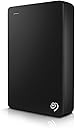
The Seagate Backup Plus Portable 5TB External Hard Drive combines massive storage capacity with USB 3.0 high-speed connectivity in a sleek metal enclosure. Compatible with both PC and Mac, it offers effortless one-click or scheduled backups and includes a 2-month Adobe Creative Cloud Photography Plan subscription. Backed by a 2-year limited warranty, it’s the ultimate on-the-go storage solution for professionals who demand reliability and style.


| ASIN | B01LZP2B23 |
| Additional Features | Alcohol-Free |
| Best Sellers Rank | #136 in External Hard Drives |
| Brand | Seagate |
| Built-In Media | Seagate® Backup Plus Portable Drive - Black 5TB USB3.0 |
| Cache Memory Installed Size | 5 |
| Color | Black |
| Compatible Devices | Laptop, PC |
| Connectivity Technology | USB |
| Customer Package Type | Standard Packaging |
| Customer Reviews | 4.5 out of 5 stars 46,893 Reviews |
| Data Transfer Rate | 960 Megabits Per Second |
| Digital Storage Capacity | 5 TB |
| Enclosure Material | Metal Design |
| Form Factor | Portable |
| Global Trade Identification Number | 00763649112939, 10763649112936 |
| Hard Disk Description | Portable |
| Hard Disk Form Factor | 2.5 Inches |
| Hard Disk Interface | USB 3.0 |
| Hard-Drive Size | 5 TB |
| Hardware Connectivity | USB 3.0 |
| Hardware Platform | PC;Mac |
| Installation Type | Plug In |
| Item Type Name | Seagate Backup Plus 5TB Portable External Hard Drive with 200GB of Cloud Storage USB 3.0, Black (STDR5000100) |
| Item Weight | 0.55 Pounds |
| Manufacturer | SEAGATE |
| Media Speed | 625 MB/s |
| Mfr Part Number | STDR5000100 |
| Model Name | Segate Backup Plus Portable |
| Model Number | STDR5000100 |
| Number of Items | 1 |
| Special Feature | Alcohol-Free |
| Specific Uses For Product | business, personal |
| UPC | 763649112939 |
| Unit Count | 1.0 Count |
| Warranty Description | 2 Year Limited |
A**R
Excellent Hard Drive - Great Price. Pull drives for use in Laptop/PS4.
Hard to go wrong here. If you are using this as an external drive, this product has 2TB in very small space and is USB powered. The drive itself only takes 0.7-2.3W to operate! On Mac OSX 10.9.2 running the included Paragon NTFS driver, I was able to see write rates in 8-10 MB/sec with USB 2.0. On a Windows 7 Machine I averaged 18 MB/Sec; 14 MB/sec running the latest 8.1 update. I pulled the drives from two of these units (instructions below - photos to be added soon) for use in my laptop. This product is the only way I know of to obtain the 9.5mm tall, 2.5-in 2T Samsung Spinpoint M9T drive(s). Note: the 2TB version has 1 drive, the 4TB has 2 drives. After installing them in my laptop (has 3 internal HDD bays with SATA connections, 1st bay has OS, apps, etc. on 500GB SSD), I tested data txfr speeds. I moved 1.5 TB of data from one drive to another with average speeds of 194 MB/Sec in Windows 8.1. Laptop now has 4.5 TB of hard drive capacity. Have also successfully installed one in a PS4! Next project will be to install one in a Macbook Pro. Great way to get a lot of internal storage space for little money (Purchased early April 2014 for $103.99 directly from Amazon with 2-day Prime shipping). Removal Instructions (WARNING -THIS WILL VOID YOUR WARRANTY - BUYER BEWARE): 1. Obtain small, flat-bladed screw driver and gently insert between the aluminum top and the plastic bottom. 2. Rotate screwdriver slightly to pry the top off. At this point slide the screwdriver around the perimeter and the top will come off. 3. Once the top is off, you will see the top of the internal drive. Carefully remove from the plastic lower without prying or subjecting the drive to significant shock. It is easiest to remove by lifting the side opposite the USB connector. 4. Once the drive is out of the plastic enclosure, you'll need to remove some aluminum tape and wax paper from the drive. Be careful when doing this to avoid ESD which may damage drive circuitry. 5. Once the tape and paper are removed, the USB to SATA board can be carefully removed from the drive. It is an interference fit without any fasteners. 6. You now have a bare 2TB, Samsung Spinpoint M9T drive that is only 9.5 mm tall! Great for laptops and the PS4. 7. Install in your new device per your device manufacturer's instructions. Enjoy!
A**I
Durable, reliable, and excellent quality 😍😍
I bought the Seagate Backup Plus Slim in 2018, and to this day, it's still working like new. Over the years, I've never had any issues: it hasn't corrupted any files, it's always been reliable, and its performance remains consistent. The design is compact and elegant, easy to carry, and the connection is fast and stable. I love that I can take it with me and use it to back up important information without worrying about failures. It's definitely been a worthwhile investment. I highly recommend it to anyone looking for a durable and reliable external drive.
P**R
Seagate 2TB Slim Red - Doing What I Wanted
My "Seagate 2TB Slim Red", as I renamed it, came a day early well packaged & pretty in red. Its 18" USB 3.0 cable fits tightly on both ends. This Dell Inspiron i5 3542, Win 8.1, immediately put a "Safely Remove..." icon on the Taskbar & chirped. I DO use that icon when I want to disconnect it, although I see, in Device Manager, Windows set it for "quick removal". And I leave it set that way. (Aready I've rebooted & let the laptop sleep forgetting to use that icon with no detectable ill effects - but no writing was going on that I know of.) Quick Removal: Disables write caching, but supposedly no need to use icon. Better Performance: Enables write caching, but must use the icon. (Dell Diagnostics says... Cache Size: >= 32.0 MB.) I ran Dell's performance tests: smart status, 2 smart thresholds tests, targeted read, random seek, funnel seek, 2 linear read tests - & it passed each. The optional SMART Extended Self Test ran for 6+ hours, & it passed. I'm extremely pleased the drive got only midling warm (it has no vent holes) & never clinked or clanked the whole time. I could only hear it spinning by getting close. And I lifted & tilted & held it an hour+ during the tests, but never turned it upside down. (Now/then I felt a tiny kick in there; hence, the cesarians some here have performed on theirs. But I'll let mine come to term on its own!) Left plugged in for 10+ hours today - but little/no activity - it isn't even midling warm, though the 2.5" disk is spinning. Pursuant to my main reason for getting the drive, I did a MS System Image Backup. It offered to backup the EFI System partition, C:, & WINRETOOLS to "Seagate 2TB Slim Red" & took just a tad over 7 minutes to do it. I see the WindowsImageBackup folder that was created is 28.5 GB huge & the drive's used space increased accordingly. I did reboot to System Image Recovery & was pleased to see the 2TB Slim listed as a recovery drive with the image shown by date for selection. So, I must say I'm very pleased through four days of ownership. Definitely, I will update this review should anything go wrong. But I fully expect I'm invincible now... (1) Dell recovery image partition (to factory install) (2) MS Recovery USB Flash drive (Control Panel\All Control Panel Items\Recovery - Create a recovery drive) This is necessary to boot without engaging partitions you intend to overwrite with the Current System Image during a restore. This also has a copy of my Dell factory image for refresh/reset purposes. (3) Current System Image on my Seagate 2TB Slim Red (Control Panel\System and Security\File History - System Image Backup) So, I'm all signed up to get the Win 10 upgrade! - UPDATE 8/8/15: All continues to work well with my Seagate 2TB Slim RED. In addition to two for Win 8.1, it now holds two full system backups for Win 10. Back in July, I gave it a brother: Seagate 2TB Slim Blue. It too worked well out of the box, w/o installing the Seagate software. I put a clone of Win 8.1 onto it, before taking the upgrade to Win 10. Before that, I did run... PS C:\Windows\system32> chkdsk E: /R The type of the file system is NTFS. Volume label is Seagate 2TB Slim Blue. Stage 1: Examining basic file system structure ... 256 file records processed. File verification completed. 0 large file records processed. 0 bad file records processed. Stage 2: Examining file name linkage ... 282 index entries processed. Index verification completed. 0 unindexed files scanned. 0 unindexed files recovered. Stage 3: Examining security descriptors ... Security descriptor verification completed. 13 data files processed. Stage 4: Looking for bad clusters in user file data ... 240 files processed. File data verification completed. Stage 5: Looking for bad, free clusters ... 488318496 free clusters processed. Free space verification is complete. Windows has scanned the file system and found no problems. No further action is required. 1953513559 KB total disk space. 113728 KB in 7 files. 20 KB in 15 indexes. 0 KB in bad sectors. 125823 KB in use by the system. 65536 KB occupied by the log file. 1953273988 KB available on disk. 4096 bytes in each allocation unit. 488378389 total allocation units on disk. 488318497 allocation units available on disk. PS C:\Windows\system32> exit So, I remain overjoyed with Seagate.
C**D
Good drive; noisier than I had hoped; USB cord far too short.
An update: Sadly, I did lean back the other day in my chair, with my laptop, and overlooked that this was attached! It slipped off the desk, dangled by the USB cable, and then stopped working! Now makes beeps, then goes quiet. There are some great videos on the web that show how to take this apart. Sure enough, the head was stuck, but freeing that up has not helped. Now, it just clicks. I wonder if there are other small, external drives that are more fall resistant. I remember reading that the hard drives inside Macs automatically lift the head (or park it) when they fall… that'd be great to have in an external HD. I did notice that, unlike some of the videos of the HD, this had no side bumpers inside the case and no side screws. Assembly line issue? Or, newer design? In any event, as I noted in my original review, the drive is slim, lightweight, and fast-- and a tad noisy. I'm not taking off a star for this (operator error! :-) ), but it's worth highlighting how short the cable is and how smart it is to unplug it after backing up with it! Original review: This is a very fast external drive. It's also small (3" x 4 ½" by '"), making it quite portable (easily "tossed" into a briefcase or backpack). The blue color is great looking. If you're getting more than one of these (as I did) be sure to get different colors, so you can easily tell which is which, especially for a backup rotation. (I got blue and black. The black is fine, but the blue, special, deep and rich.) On the downside, there is a noticeable noise when it's in operation--a combination of swooshing and a higher pitch. I've had other external drives whose noise is virtually undetectable. If your hearing is average or you are insensitive to noises, it's likely no big deal. (Or, if you work in an office or like having music on, those should drown this out.) However, if you have good hearing, are sensitive to noises, and work in a quiet environment, it is a distraction. The USB cord is also short, meaning that the drive is right beside you and your ears (well, at least one of them!). I also could see music aficionados not liking the noise in the background of the songs or classical music they are listening to! I'm in the good hearing, prefer quiet group, but the drive is fast enough (updating backups of, say, 1 gb in about 7 minutes) that it's too bad a problem. One can leave the room or try to ignore it! OTOH, watch out! That short USB cord means that when you lean back in your chair with your laptop, you will likely pull the drive off your desktop! The only solution is to religiously unplug the drive after it finishes its backup.
A**W
Still working after 10+ years, but the price has gone up
I bought this external hard drive back in 2014, and I am still using it today. After more than 10 years, it still works, which says a lot about the quality and reliability. For a storage device, long-term durability is one of the most important things to me, and this has held up very well over the years. I have not had to replace it, and it has continued to be useful for storing and backing up files. Considering how long it has lasted, I feel like it was a very good value for the money when I purchased it. The only thing I noticed is that the price seems to have gone up a lot compared with what I originally paid, so I would compare the current price with newer options before buying. Overall, based on my long-term experience, it has been a dependable hard drive.
K**R
For non-geek,non-tech,Busy People.It's easy and *thorough*.
I've used this since April 2016 and carried it several times in my purse while away -- no problems (yet no banging it around, either, of course). It arrives in a proper manufacturer's original, sealed little box with the data transfer cord and a Guide. This is "back up for ordinary people". This is the one to get because it has the user interface: stuff to click upon to make stuff happen. In other words, you don't know how to make a backup happen on your own, so buy this one -- not the cheaper one(s) that is great for the geeks, not so much the busy person or the non-techy-geek. It is the area of 1 1/2 standard sized PostIt Notes, and very slim. Hard to notice beside your computer. This is the Seagate Backup Plus Slim 2TB Portable External Hard Drive with Mobile Device Backup USB 3.0 (Silver) STDR2000101 ---2 terabytes for at the time of this writing, $89. You could watch for a lower price, etc, but in the meantime your hard drive (your computer) could fail, as mine did while out of town, w/o a decent backup saved. Learn from my woes. I've used this one for long enough now to see that it works great and is EASY to use. To unplug it from your computer, first click on that little icon that will appear near the clock at the bottom of the screen, which allows for safe removal -- this shuts it down even further than what you have already done when you x'd it off, so you will retain your data and changes. Also, do not allow anyone to "format" this device, this drive -- this will erase forever the drivers that make it work and the dashboard user interface, along with every byte of your files and stuff. I did not use the OneDrive feature. When you travel, just take the thing with you. Try to have "off site" backup;I use SpiderOak. If you lose the cord or need another, buy the $5.56 connecting cord, it's the proper type, here: Bargains Depot® Products USB 3.0 PC Power Charger Data Transfer Cable/Cord/Lead For Seagate Backup Plus External Hard Drive Disks 1TB / 2TB / 3TB / 4TB, Seagate External Hard Drive Disks Backup Plus Desktop For Mac, Seagate External Hard Drive Disks Expansion Desktop, Seagate Backup Plus Portable External Hard Drive Disks 500GB / 750GB / 1TB, Seagate Slim Portable For Mac 500GB / 750GB / 1TB, Seagate Expansion Portable 500GB / 1TB, Seagate GoFlex Desk Desktop Adaptor and Seagate External / Portable Hard Drive Disks that have a USB 3.0 jack + Free Gift If the thing fails in less than two yrs,and you haven't flung it around and dropped it 4 feet to a hard floor and all that, just communicate w the Seagate people, and read the included Quick Start Guide --all hard drives fail at some point, or no one would ever need a backup, duh, and they state a 2-Year Limited Warranty and the web address to read it. FOR MACINTOSH users: this is a reply from Seagate to a Mac-user customer: (just copy&paste the link into your address bar, unless they're live, then just click on them) "For future reference, here is a link that shows how to reformat the drive for use with a Mac: [...] We also wanted to note that we make a drive that is set up from the box in a Mac format. Please reference the following link: [...] If you have additional questions or concerns, please contact our support staff directly and we will be happy to assist further: [...] Best Regards, Seagate Support "
K**N
Received a Corrupt Hard Drive and My FIles are Now Missing - AGAIN - Tech Support OK, BUT NOT OPEN ON WEEKENDS!!!
I purchased this specifically because I wanted to use it on two separate computers , both running Windows 10. On December 25, I copied my files from my last external hard drive to the Seagate, and then began using it as my storage drive for all my working files. For two weeks, it worked great except for one problem - I could never get it to eject. Every time I tried to eject it, I was told that the drive was still in use, even though all my programs were off and the light on the hard drive was off. After two weeks, I decided to work on my Surface Pro 4 so I removed the USB connection from my other computer, which was off. My Surface Pro did not recognize the hard drive and I could not access anything. I powered down the Surface Pro and tried to open my files on my original computer. That computer suddenly said that access to the external hard drive was denied, and it also switched port names from H to I - meaning that somehow it no longer recognized H as being an available/active port. Now I could not access my files on either computer. I was very upset as I had my last two weeks of graphic design work on the hard drive. My husband tried to access the files on his computer, which runs Windows 7. We were able to see the files, but could not access them. Unfortunately, it was the weekend and, guess what? SEAGATE SUPPORT IS NOT OPEN ON WEEKENDS - which is totally ridiculous because people should not have to wait two days to get help accessing their files. On Monday, I called Seagate support and for the next two hours, a support tech took over my computer. He finally was able to re-establish connection to my files, but he told me to copy them to another hard drive somewhere and then to re-format the Seagate hard drive, thereby wiping it clean, and re-using it. He said that the problem with the drive not ejecting was probably that back ground programs were still running. He had me shut down the "move files to the recycle bin" and instead have deleted files automatically permanently be deleted (so no chance to save them if you mistakenly delete). He said that the recycle bin working in the background could be why the drive could not be ejected and why I had to wait until the entire computer was turned off to remove the drive. While in my computer - via remote link - he checked all the permissions. I had full permissions to access the drive, so that wasn't the problem. He checked the ports and all were fine. The problem was with the Seagate. He told me that the hard drive was corrupt but that re-formatting it would fix it. He assured me that could use the hard drive on different computers. So, for the past week, I have been working using the drive, which seemed to be fine. Until I tried to eject it on Friday night to use on my Surface Pro. No go. Even after waiting an hour, it would not eject. So, I shut down the computer and waited. Later, I turned on the Surface Pro wtih the Seagate attached and, guess what? Access was denied. Not only that, but I could not even find reference to 90% of the files I had copied to it - nor to the new files I had created over the past week. Because we could see the files on my husband's Windows 7 computer, I took the Seagate to it. Unfortunately, it did not show any of the files either. AND BECAUSE SEAGATE SUPPORT IS CLOSED ON THE WEEKENDS, I had to resolve myself to wait until Monday morning to get help. I did write to Seagate - and got a very nice email back from their overseas support that said I should probably send the drive in for an exchange as obviously something is wrong with it. The email then went on to explain that I could ask Seagate to recover my lost files for me - FOR $550.00 plus a $40.00 access fee!!!! So I waited until Monday morning and called Seagate Support - and listened to a message that said basically, "Sorry, we're closed for the holiday (MLK Day). Call back tomorrow." Click. Absolutely the WORST customer support for any computer related company, IMO. Meanwhile, I went to Staples and spoke with their techs. They reassured me that Seagate makes good products (which I had believed) and agreed with the first Seagate tech support person I spoke with the first time the thing broke down that I had probably received a bad drive (a lemon). It is now Monday afternoon and I not only have not been able to work because I need the files I created last week, but I am afraid to install the new personal cloud storage on my home network I purchased because I don't want to change anything that might affect the Seagate - which I am hoping a service tech will be able to access tomorrow (3 days later) and save my work for me before I wipe the thing clean and send it back for a re-fund.
A**G
Perfect for My Netbook!
I bought an HP Stream 13 so that I would have a way to browse the web, work, and watch movies on my downtime while away from home. If you have a laptop similar to this, you surely understand that you don’t have a lot in the way of internal storage. You can install a micro SD card, but anything above 128GB starts to get too expensive. This leads us to the solution of an external hard drive just like this one. I have been using the hard drive for about a week now and am very pleased with the way that it has been performing. The main features that I like about it is its portability. It is very small, very light, and requires no external power source. This means that it is powered by the USB port on the laptop. It isn’t the fastest external hard drive on the market, but to get 4TB of storage for this price, it is pretty amazing. I have also noticed that this hard drive runs very quiet, in fact, I can’t hear it at all. It doesn’t even vibrate much or produce hardly any heat. It is just a little warm to the touch which is great. I also really like the color options available. I got a blue one because it matches the color of my laptop. The construction of the hard drive seems to be of good quality. The majority of its casing is made of aluminum. I have been able to run full PC programs from this drive to my little netbook which is great. I have noticed that the programs don’t run quite as fast as if they were installed on the internal SSD. But hey, if I can get all of my programs to work on my netbook without compromising the storage on the factory SSD, then I call that a win. Here is how I have been installing programs to my external hard drive and running them on my netbook. 1: Make a folder in your external hard drive. I prefer to name the file "Program Files (x86)" because that is what the file is named where you normally save programs to anyway. 2: Get your program, you need to either have a download code from the internet, or since this laptop has no disk drive, you need an external disc drive to initially install the program you want. Treat it as you are installing anything else you would normally install. 3: When installing the program, it will ask you where you want to install it which is set at Drive (C:) Program Files (x86) by default. All you have to do is change the location of the programs installation which now will be on your external hard drive under the new file you named "Program Files (x86)" 4: Proceed with the rest of the install. 5: Repeat these steps for other programs it is literally that easy. Seagate Hard Drive Reliability: Obviously I have not had this hard drive long enough to say anything about its reliability. However, every hard drive I currently own are made by Seagate. This includes 4 external hard drives, a hybrid SSD, and a 3.5” desktop hard drive. I have yet to have any of them fail. The oldest one I have is 7 years old, but I don’t use it all that often. The 3.5” internal hard drive has been in my custom built gaming PC for about 4 years. It is under use quite often and is still holding up well. The one that is used the most is the External hard drive on my Xbox One. Between my wife and I, it will run for hours every single day. That has been working well for almost 2 years now. As you can see, I have had a great experience when it comes to using Seagate hard drives. This is why I have so many of them. Over the course of 7 years using multiple different hard drives under varying conditions, I have yet to have a failure. Obviously any hard drive will fail, it is an eventuality. It is nice to have them work for a while before they do though, and Seagate has impressed me.
A**A
Ottimo, niente da segnalare
Silenzioso, velocità nella norma per un disco meccanico usb 3.0, cavo lungo una trentina di centimetri. Ho trasferito un tera di dati e non ho sentito nessun "click" strano (che non è indicativo ma è un suono che evoca brutti ricordi)
C**N
Satisfied
It's very nice working. easee to carry.
M**H
Good product
Good product
J**R
Buen elemento para guardar documentación.
Estupenda compra.
P**R
Huge 5TB, Good USB 3.0 speeds and good price
I got this on special when it was advertised on OzBargain website in Australia. It has 5TB of space and great speed with USB 3.0 interface. This is a portable drive, so no power brick is needed. It's thicker than my old drives and the USB 3.0 cable is a bit short, but it functions perfectly for what I bought it, which is storing large video files!
Trustpilot
2 weeks ago
1 week ago