

Buy anything from 5,000+ international stores. One checkout price. No surprise fees. Join 2M+ shoppers on Desertcart.
Desertcart purchases this item on your behalf and handles shipping, customs, and support to Denmark.
🚀 Upgrade your rig, dominate your game, and never look back!
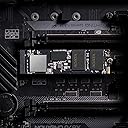
The XPG GAMMIX S70 BLADE is a cutting-edge PCIe Gen4 NVMe SSD delivering up to 7400MB/s read and 6800MB/s write speeds, housed in a sleek aluminum heatsink for superior cooling. With 1TB of high-speed storage, it’s designed for gamers, creators, and PC builders seeking seamless compatibility with PS5, laptops, and desktops. Backed by advanced SLC cache technology and robust data protection, this SSD offers a reliable, high-performance storage solution with a 5-year warranty.





| ASIN | B093DP3X4H |
| Additional Features | Portable |
| Best Sellers Rank | #203 in Internal Solid State Drives |
| Brand | XPG |
| Built-In Media | SSD |
| Cache Memory Installed Size | 1 |
| Color | 7400/6800MB/s [S70 Blade] |
| Compatible Devices | Desktop, Gaming Console, Laptop |
| Compatible Video Game Console Models | Sony PlayStation 5 |
| Connectivity Technology | PCIe |
| Customer Package Type | FFP |
| Customer Reviews | 4.6 out of 5 stars 12,439 Reviews |
| Data Transfer Rate | 7400 Megabytes Per Second |
| Digital Storage Capacity | 1 TB |
| Enclosure Material | Metall |
| Global Trade Identification Number | 04711085933065 |
| Hard Disk Description | Solid State Drive |
| Hard Disk Form Factor | 2280 Inches |
| Hard Disk Interface | NVMe |
| Hard-Drive Size | 1 TB |
| Hardware Connectivity | PCIE x 4 |
| Hardware Platform | PC, laptop |
| Installation Type | Internal Hard Drive |
| Item Dimensions L x W x Thickness | 3.15"L x 0.87"W x 0.14"Th |
| Item Weight | 0.4 Ounces |
| Manufacturer | ADATA |
| Media Speed | 6800 |
| Mfr Part Number | AGAMMIXS70B-1T-CS |
| Model Name | GAMMIX S70 BLADE |
| Model Number | AGAMMIXS70B-1T-CS |
| Number of Items | 1 |
| Read Speed | 7400 Megabytes Per Second |
| Special Feature | Portable |
| Specific Uses For Product | Gaming |
| UPC | 842243025484 |
| Warranty Description | 5 year manufacturer limited warranty |
P**.
This SSD Is Legit For PS5/Best Bang For Your Buck
I originally sat on getting an SSD because they were so pricey. I get the 1TB SSD aren’t to steep in price but I feel like with PS5 and next gen 1TB isn’t enough and will take all that space up quickly. Especially if you are a gamer like myself. Plus I had a external 2TB hard drive(from the PS4 generation) granted you could only play PS4 games on it and store PS5 games but not play them. I finally pulled the trigger seeing the 2TB XPG Gammix S70 Blade was on sale for $249. Had some Christmas money to spend so out of pocket I paid maybe $125. This thing is a beast and worth my money if you ask me. I didn’t use the heat sink that comes with the SSD and instead opted to get the MHQJRH M.2 2280 SSD Heatsink, Double Sided Heat Sink With Thermal Silicone Pad For PC/PS5. The only part that was difficult was putting the heatsink and SSD together and installing it into the PS5 and even that isn’t very difficult. There are a lot of how to videos online and even on Amazon. The heatsink I mentioned has a video of someone installing that heat sink with a SSD and I went off that. Worked like a charm and I was able to install it my first try. When you boot your PS5 your prompted with a message saying you have a M.2 SSD and it needs to be formatted. I formatted it and I was given a read speed of 6270. Which is 700 more than the SSD on your PS5 motherboard. When I went to settings and checked the storage it was there with my external hard drive and it said I had 2.05TB free. Good to see that you actually get 2TB and a tad bit more. First thing I did was transfer games from SSD to SSD. I took Horizon Zero Dawn moved it from internal to the newly installed SSD and it transferred in 10 seconds. No joke 10 seconds. Than I took The Uncharted Collection from my external hard drive and transferred it to the new SSD that one took a bit longer due to the external not being no where near as fast as a SSD but even that took about 7-10 minutes. Last I took three games from my library Hollow Knight, Darksiders 3 and Far Cry 6 and installed them(not transfer actually install from scratch) and those three games took about 20 minutes tops. That being said this is a affordable SSD and it is legit in speed. I played Horizon Zero Dawn and Far Cry 6 and load times were identical to the mother board SSD. Can’t complain I’m a happy camper with my purchase. I now have the internal SSD of 667GB with a 2TB extra storage installed along with a external hard drive giving me 4.6TB of space. Which I personally think is more than enough to last the PS5 generation. That being said do yourself a favor and get this product it’s worth every penny if you ask me. Hardest part is the installation process but even than, it’s not that difficult.
N**E
Great SSD for the price & YES it i compatible with mac.
For a budget NVME drive its great. Honestly i was on the edge ordering this thing because of the following on the product page "This SSD is not compatible with Mac. Additional parts may be required to use on Mac system.". This statement is confusing and should be removed. I did all kinds of research before ordering this ssd to see why in the world it would not be compatible with the Mac. Thankfully the statement is wrong. My best guess is people are confusing and ordering this for their mac and expect to replace their internal mac ssd (which is proprietary and you can not change) and end up returning the drive. So yes if your computer/mac doesn't have a nvme slot then of course this will not work but it is, in fact, compatible with a mac. I just received my m1 mac mini I ordered the smallest ssd space apple offers (256GB) because apple charges way to much for upgrading the storage (i think ~$800 for 2TB). So i wanted increase my storage with a Thunderbolt 3. So i ordered an OWC Envoy Express Thunderbolt 3 SSD enclosure. I did send a message to adata about their statement it not being compatible with Macs and explaining to them what i was planning to do (external thunderbolt 3 enclosure) and they pretty much sent me a caned response that the drive is made to be directly on a motherboard. I didn't listen and ordered it anyways. There is no reason any nvme ssd shouldn't work correctly unless it has a firmware issue. It not working didn't make any sense at all. So anyways i received the drive and its working great. The speeds aren't as fast as advertised but that was expected as its not a limitation of the drive but of the owc enclosure. So purchasing a more expensive ssd would have been a waste of money because i can't even max out this ssd. Its not as fast as the internal mac ssd but close enough where most people aren't going to notice a difference. The slc cache is pretty big on this drive so your not going to see big speed decreases very often unless your pushing some huge files to drive often (say like VMs or something like that). The speed does decrease quite a bit once the slc cache gets exhausted but recovery is very quick. I'm very happy and its a great price for a 2TB SSD. One thing to note if you are using on a mac the only pain is going to be that your not going to be able to use adata software suite (its only made for windows). Before i used the ssd i popped it into my windows desktop but it was running the latest firmware. I think you could update it if you have a windows PC with an external thunderbolt connector but i'm not 100% sure because i haven't tried it. To bad they don't have the software available for mac.
R**D
PS5's secret
Heat sink version works brilliantly in the PS5, intentionally WITHOUT the slot cover (read below). It fits clean under the system's outer shell, which is all that actually matters for space sake. Speeds are noticeably (but not by much) faster, than the built-in drive. What no one, save for those truly tech-savvy in these matters (i.e., have built high-performance or gaming PCs from components, or the like), seems to understand about the PS5's expansion drive slot cover, is that it is ONLY to protect the empty slot, and it is not needed (nor should it be used*) once a drive is actually installed. Why, you ask? One answer: AIR FLOW! Heat sinks work by drawing the heat of the device into itself, then allowing open air to flow through the heat sink and remove that heat (often supplemented by fans). The slot space has NO air flow available to it whatsoever. Just check around the inside of the space and you'll realize that there are no gaps or slots for air to enter or exit the space, especially when the cover is in place. Meaning? Any drive added to the slot, w/ or w/o a heat sink, will stew in its own heat while it is entombed in the slot w/ the cover on. *Moreover, the drive will run HOTTER than intended and likely begin to fail (run noticeably slower, until no longer accessing some, then any data) within months, depending on frequency of use. Also note that said slot, having no air spaces, also protects the PS5 from the heat of the drive, which has immediate access to the air duct on that side of the system (UNLESS the cover is in place). Take it for what you will, but we hardware tech-heads know that speeding up a microprocessor, RAM solid-state storage unit means causing it to run with more power and generate more heat, but for these NVMe super high-speed drives, skin-burning levels of heat are quickly and easily generated. Though they are spec'd for high heat, this much potential heat is likely failure-fatal. For a drive that can cost about half to 3/4s (or more) of the the price of the PS5, itself, it's your call...
L**O
I need to save for more. I love this brand
I brought a 2tb first. Now im at the 4tb. It does what it need to do for storage. Easy to install. No slow down speeds. Design is nice. Storage is there. Compare to other brands. Price is great
J**S
Quick and easy
Quick and easy to set up with no problems at all very reliable
S**M
Fit in my HP-OMEN17 Laptop
I needed this to fit in my HP-OMEN laptop. I had a spare PCIe Gen-4 slot and it went in fairly well even with the included heat sink installed. I was nervous about installing the heat sink myself, but it turned out not to be a big deal. After watching a few tutorial videos I was fairly confident enough to install it myself. *There was one big issue with this drive.* After physically installing the drive I thought it would be a good idea to check the website and make sure to download the current/up to date drivers. I do this with any new component, so I went to the XPG/ADATA website and found the link to download the most current software needed to properly update the drive for the highest optimization. In addition the program is supposed to be able to monitor the health of the drive and other various processes; however, when I tried installing “ADATA Toolkit”, it gave me a warning and I couldn’t proceed. It said something along the lines of: “No SATA drive Detected”, and to “Make sure my SATA drive is connected.” This is a PCIe drive though, so why would this software be listed to download underneath a drive that it is incompatible with? Makes no sense… The “ADATA toolkit” software could only be used with a SATA drive and not with this PCIE drive, even tho their website says this is the software you need. I made sure I had the right link and everything, I am 100% sure it was listed under this exact drive on the ADATA website. I read some more about similar issues online and it honestly made my head spin, some people said it’s caused by a setting in the bios, some said that ADATA/XPG removed and discontinued all previous + future software updates. The bottom line is *It just should not be this hard to get the current update for any new component.* Now I’m not sure if this is affecting the performance in any way but it’s always reassuring to have the current software for any new pc component (It makes a big difference in optimization for Graphics Cards) At the end of the day, formatting the drive was easy enough, and using crystal disk benchmark I am getting close to the 7000mb speeds as advertised, somewhat of a great product for the money, but also has been somewhat of a headache. I can’t exactly leave a terrible review despite the above mentioned issue, I’d say it’s probably going to give you the most bang for buck when used as memory expansion in a ps5 like it advertises, not so much in a top tier gaming pc.
O**S
Very good drive that delivers big numbers, just be aware that this is ADATA that we are dealing with
I got this as a storage upgrade for my XPS 17 9710 that I got as a review unit from the Micron 2300 (which is the OEM version of the Crucial P5), so sinking a lot of money on a gen 4 SSD was somewhat justified. In a best-case scenario this drive will hit >7000mbps sequential read and >6500mbps sequential write in CrystalDiskMark, so it's an excellent drive for looking at big numbers. The random speeds also look pretty good in CrystalDiskMark. Be aware that the best-case scenario will always be the higher-capacity models (so 2TB) when the drive is practically empty, and when the device supports PCIE 4. Like most XPG SSDs, ADATA has included a pretty nice heat spreader that you can tape to the top of the SSD. Since the XPS 17 comes with its heat spreader in the laptop I didn't install it, but it doesn't seem to run too hot in my use cases, and if your motherboard doesn't have a heatsink for a SSD, this will at least help with what will be pretty excessive thermals when this drive is hit hard. ADATA is using an Innogrit ig5236 controller, which comes from a relatively new company but seems to be providing some very good controllers (if I remember Innogrit was founded by a bunch of former Marvell engineers) ADATA has a SSD toolbox which I do suggest downloading. In the case that you get an older model of the S70 Blade, the toolbox lets you directly update the drive's firmware, which apparently does give it a substantial boost in performance. Mine came with the latest firmware out of the box, but just something to mindful of. The major concern I have about this drive is that ADATA is one of the SSD companies notorious for swapping lower-quality parts later down in the product line, basically gaming off of reviews at launch-time. At the time of the review this is a relatively new product so I doubt ADATA has already done that, but it's just something to be aware of. So overall just remember that gen 4 SSDs will make almost no difference in everyday use for the typical consumer. A good gen 3 drive will provide the exact same performance in everyday tasks, but if you know you'll benefit from a gen 4 drive, then this thing is pretty good, just get whatever is on sale between this, the 980 Pro, the SN850, the P5 Plus, etc. I doubt Samsung, Western Digital, and Micron will swap cheaper parts for their flagship SSD, so I guess there's that the longer this drive is on the market, but ADATA does have a price advantage even when not on sale, so this is still a very good option for a proper gen4 ssd.
J**R
Perfect for your PS5!
We're one of the lucky ones who have managed to score a PS5, so we were super happy when they finally turned on the ability to add another SSD. This came highly recommended by a couple tech sites as the perfect all-in-one kit for the non-tech minded, and the price was very competitive with buying pieces individually. I will say the heat sink doesn't inspire a lot of confidence at first glance. It's a strip of metal stuck on with thermal double-sided tape, instead of being an entire enclosure. That said, I've seen a few sites saying this is all you need, so I guess why over-engineer something? It was a snap to put on, and the whole thing was easy to install. My PS5 found it right away and had no problem formatting it. The read/write speeds registered a bit slower than advertised, something like 6900 instead of 7400, but still completely adequate to the task. Files copy to it lightning fast, and playing from it is just like playing from the built-in SSD. Get this for a fast, easy solution to your storage needs!
Trustpilot
4 days ago
3 days ago