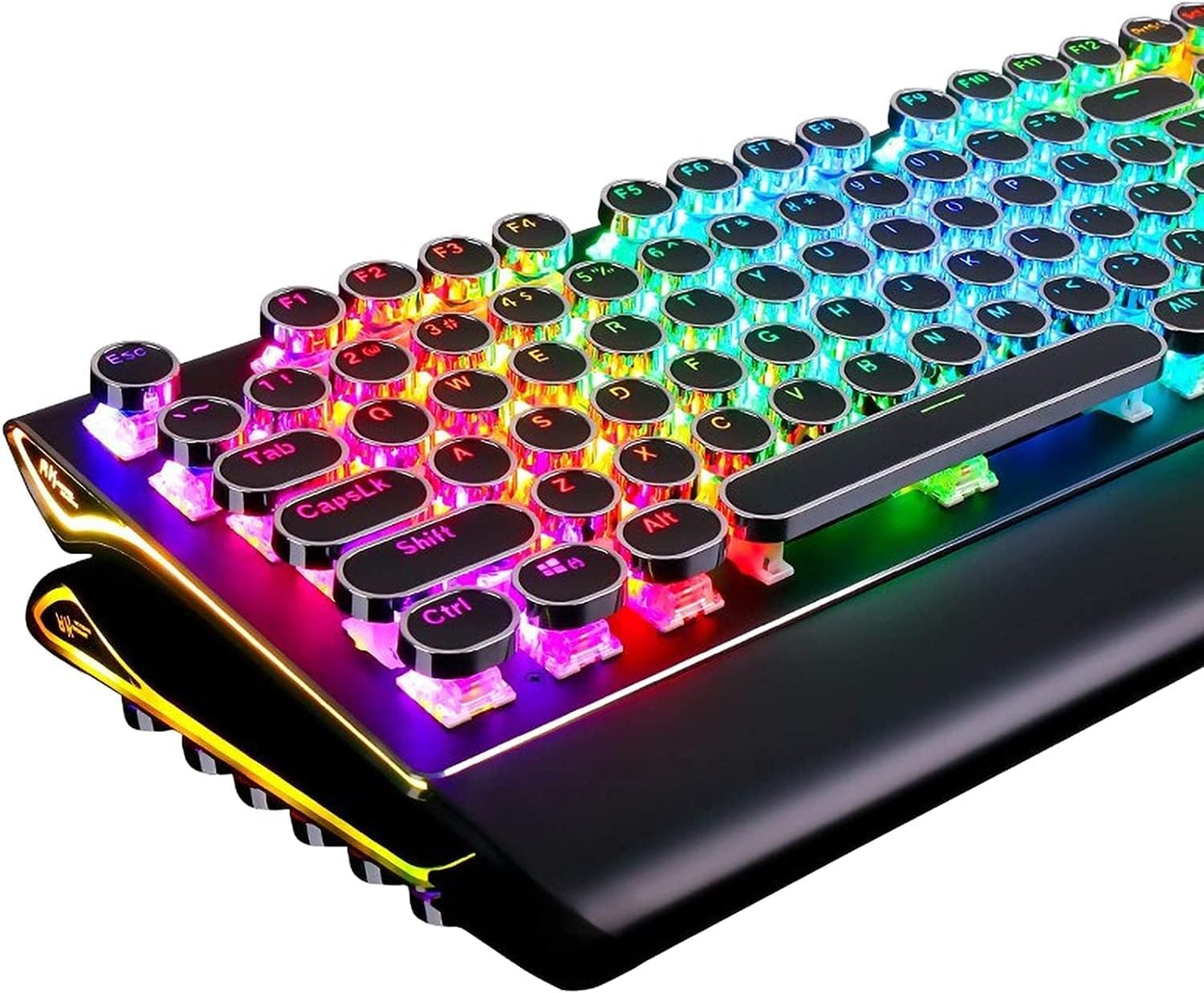
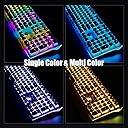
I was a little hesitant to purchase this keyboard after reading the reviews, especially considering the frequent mention of typing difficulty with the keys on the keyboard. I mean it looked great, but the whole purpose of a keyboard is typing on it and if it poses problems in that area, it could be a real deal-breaker. I went ahead and ordered it anyway because it just looked so cool. After receiving it, I plugged it in and, with a little trepidation, began typing on it. I found that getting accustomed to the keys was a very minor concern. In fact, I would not even consider it an issue at all. I think it caused me to hit another key in addition to the one I was typing once or twice; however, I’m not a great at keyboarding, so it could very well have been me. On the best keyboards, I use the backspace key quite frequently. At the same time, I have had training in using a keyboard and can type without the hunt and peck method. It helps that this keyboard also has a little raised line on the F and J keys so you can get the correct hand placement without looking. I think the thing that throws people off is not the size of the keys as much as the feel. Because they are circular, with a raised edge around the outside of the key, they feel different underneath your fingers, so it takes a little getting used to in that respect. It’s a bit of a distraction at first. It has a generous six feet of cord, which is usually ample for most setups. The cord also has a hook and loop strip which keeps the cord together when not in use. The cord is not braided, but it should hold up under regular use. The video for this keyboard was taken under very bright lighting and the RGB colors show very well. I purchased this for my work office, where I have bright lighting, so this was a big plus. Upon plugging in a second time, it remembered my RGB settings I had on it before it was unplugged. I read a lot of reviews that mention the audible click for the Cherry red mechanical keys. While certainly different than a non-mechanical keyboard, when I began typing on this keyboard, I really did not notice the sound until I was writing the review, and what had been said by other reviewers called my attention to it. The switches I have on my keyboard for my home computer are mechanical Cherry brown, and I did not notice a lot of difference in the loudness of the sound. In fact, for an office environment, even with others around, I don’t think it would be that much of an issue, unless of course a co-worker has misophonia, then any keyboard would probably be difficult for them to tolerate. Overall, I really like this keyboard. It is very bright and has a lot of onboard color options. There are a lot of RGB keyboards that can be had for cheaper, but as the saying goes, you get what you pay for, and in this instance, I am happy with what I had paid for. Not having disappointments is worth something in itself. ADDENDUM After further typing with this keyboard, I decided to amend my review. I still really like it, but there is a little getting used to the keyboard before one is comfortable with it. Since the space of the keys took up more space than the keyboard I replaced, on the vertical plane anyway, I figured that the size of the keys could not be the problem. If anything, they were spaced further apart than a regular keyboard. So, I began to think of other factors that might affect the feel of this keyboard. First, I tried folding a couple of pieces of paper and raising the wrist rest by about 1/8 of an inch. This seemed to help, but it still wasn't where I wanted to be. I finally got somewhere very close to perfect when I folded the attached wrist rest under the keyboard, took my 3/4-inch-high traditional wrist rest, set it about ½” inch to an inch from the keyboard, and put the feet on the top of the keyboard down so the top is elevated. That pretty much did the trick, though there will probably be a little tweaking I'll do along the way. It still takes a little getting used to; however, the change in hand positioning has made so much difference. After some experimentation, I believe that the awkward feel of the keyboard was not due to the size of the keys as some reviewers had said. In fact, as I mentioned, the keys took up more space on the keyboard than the keyboard I was using. If anything, the keys were spaced a little too far apart. I think this is because they are round and do not fit together like square keys. But, after doing some trying of different things, I think what I found was a way to successfully type with much less adjustment of style or a learning curve. For me, it has much more to do with my hand position in relation to the keyboard than the keyboard itself. Furthermore, I think the provided wrist rest is too low and too close to the keyboard for optimal functioning. So, for me, I think the best answer was to use a traditional wrist rest and have the back legs of the keyboard extended. That seemed to provide a more natural position for my hands in typing. With a little help from AutoCorrect, and the occasional gratuitous use of the backspace key, I was flying across the keyboard in no time. If you purchase this keyboard, which I would recommend, I encourage you to try some experimentation yourself and find what works best for you.