
Buy anything from 5,000+ international stores. One checkout price. No surprise fees. Join 2M+ shoppers on Desertcart.
Desertcart purchases this item on your behalf and handles shipping, customs, and support to Denmark.
🚀 Elevate your creative game with the ultimate Photoshop CS6 learning companion!
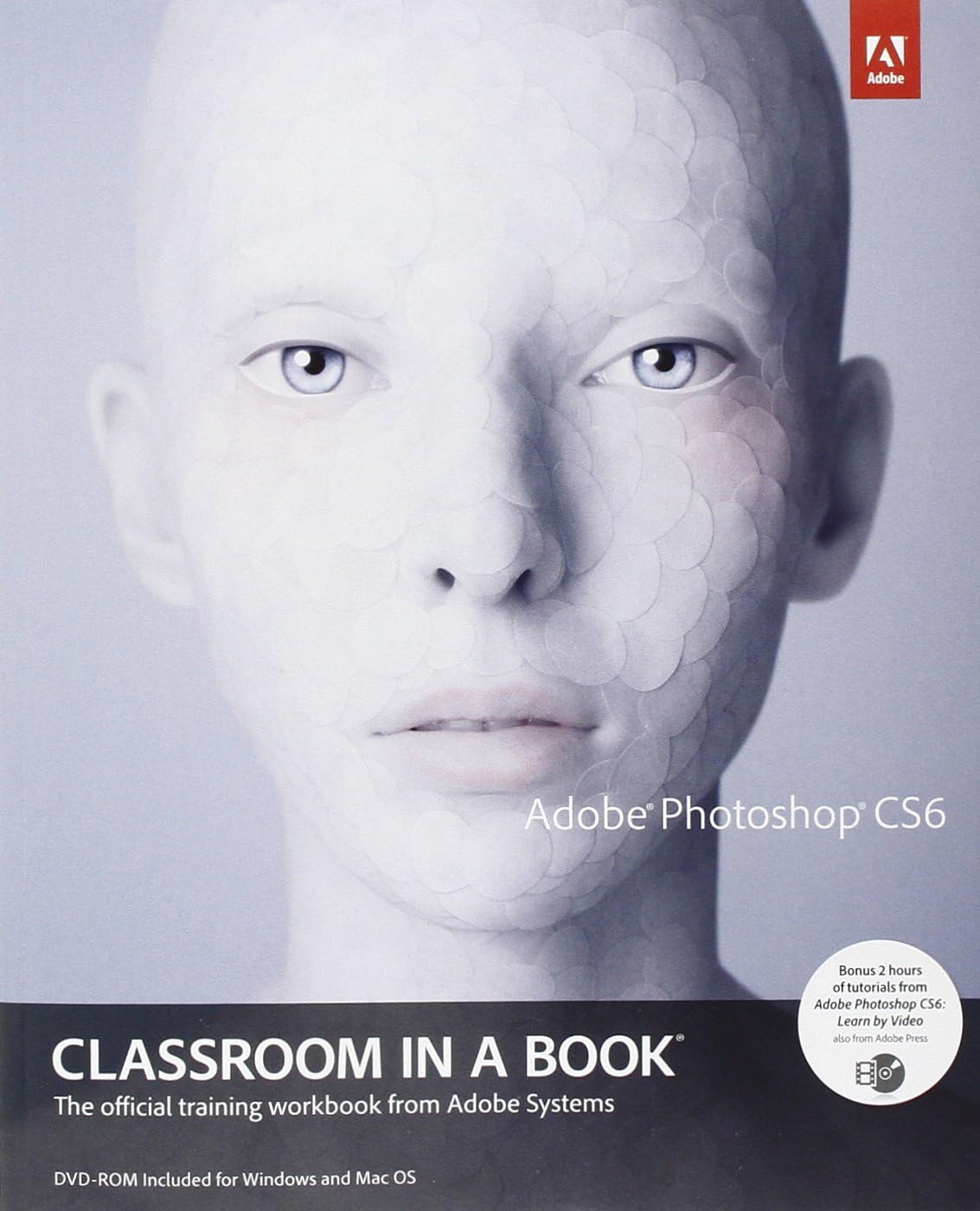
Adobe Photoshop CS6 Classroom in a Book is the official, comprehensive training workbook from Adobe, featuring 14 hands-on lessons that teach key Photoshop CS6 features including advanced cropping, content-aware tools, video editing, and 3D interface simplification. It includes downloadable project files and 2 hours of expert video tutorials, making it the go-to resource for professionals and beginners aiming to master Photoshop efficiently and stay updated with the latest Creative Cloud enhancements.
| Best Sellers Rank | #1,162,306 in Books ( See Top 100 in Books ) #126 in Adobe Photoshop #335 in Design & Graphics Software Books #734 in Computer Graphics |
| Customer Reviews | 4.4 out of 5 stars 620 Reviews |
W**S
Great for beginners!
Before I bought this book, I tried to look up various tutorials on Photoshop online, but had a hard time following them because I had no previous knowledge of Photoshop. This book helped a lot, and here's why: 1) It is organized by chapters, going from the basics to more advanced topics. I found that structure easy to follow and easy to learn from. 2) Lots of illustration and screen shots -- that helped, too. Photoshop is not an easy software to use, and screen shots, especially in early chapters made it much more manageable and enjoyable to use. 3) I liked the link to download many of the images used in the book to use for practice. Keep in mind that these images are copyrighted and low-resolution, but their intent is to help you learn the software, not use them for any other purpose. And for that purpose, they work just fine. 4) Now that I've gone through the lessons, I use it as a reference/refresher -- and that's excellent, too. Everything is clearly indexed and easy to find. I cannot comment on how it compares to CS5 book or how much detail other people might need about the new CS6 features because I don't have the CS5 book. But this one is perfect for me, a beginner who had never used Photoshop before now.
N**R
Great Book for Beginners
I think this is a great book for beginners learning about Photoshop, because it can be really hard when first coming into a program as intimidating as this is. The book really does help break down some of the features Photoshop requires, and I am glad I bought it for my class. I have only read a few chapters thus far, but so far they have been very detailed and helpful; especially in Camera Raw. Some of the concepts (Resolution and the ppi's) are a little more difficult to understand, but I think after working with them some more it will be easier and easier to understand. Also, the explanation I think was good. Overall, though I have only read a few chapters thus far, I think this is a good book for those just starting out in Photoshop, because they take it one step at a time and the explanations of each tool was a nice touch; I refer to it often.
J**E
OVERALL, DOES NOT DISAPPOINT!
This is an excellent tool for beginners and even experienced designers. However, in doing the exercises, a few tiny details left unmentioned here and there, causes one to have to waste time searching to figure out what one did incorrectly. Nevertheless, for the most part this is an excellent book-- as are all, in the Classroom in a Book series. If you haven't used these before, you will find that they're very well laid out in a step-by-step manner, with tons of photos and illustrations so you can see right away whether you've done a step correctly or not. Definitely be sure you get the CD of lessons included with your copy. You can use the book without the CD lessons, but it's more difficult, and you will not have as thorough an experience.
L**G
Very Informative and in Depth
If you have no idea how to use photoshop this book will show you how to use every tool. Or if you know how to use photoshop, this book is a great asset in using the tools for manipulative imagery. It could be a refresher on how to do certain aspects of photoshop as well. I like how it comes with the CD with all the lessons from the book that you can use on your computer if you have photoshop CS6. So you don't have to worry about providing your own work material to practice all the techniques in the lessons, it's all there in the CD and you can follow along quite easily.
C**E
If you want to learn Photoshop CS6 this is your book.
I originally learned to use Photoshop when version 4.1 came out in the early 90’s. I was taught using Adobe’s Classroom in a Book and found it to be the best way to learn Photoshop. Now that I have Photoshop CS 6 (version 13) I quickly realized that it was time to go back to start and the best way to do that is to use Classroom in a book. Easy to follow directions, step by step tutorials and it includes a disk with all of the examples. Lastly, I would recommend this book for those who are new to Photoshop, to those have skipped a few versions of Photoshop, and those who want to eventually become ACA or ACE certified in Photoshop.
J**Y
The best way to learn Adobe Photoshop!
I've used the classroom in a book series since CS4. This series (not just for Photoshop but any Adobe product) is the most direct approach to learning Adobe products. The books always comes with supporting files (and sometimes videos) to help guide you through using the product. You create projects with pre-created elements so you can focus on learning the software without having to worry so much about being too creative. I recommend this product to anyone who wants to know the ins and outs of Adobe Photoshop starting from the very basic. I think anyone with patience to teach themselves new software will do fine making their way through this book. I do not recommend this book for beginning computer users. Adobe has a steep learning curve, so it's best if you start with a good understanding of basic computer skills.
P**N
A Helpful Book that Will Teach You the Basics of CS6
I’m taking a college course on Photoshop CS6. The primary text for this course is this textbook, Adobe Photoshop CS6 Classroom In A Book. This is a self-directed course that has me working independently along with a primary mentor, so there are no other students or formal classes. I was instructed in the learning contract to complete this book along with eight projects and a paper. I ordered this book on Amazon and have been working my way through it one chapter at a time. I’ve finally completed it. Not having a class to go to or other students to confer with makes this review a good one because it provides an account that is representative of one man’s experience working with the content provided by the team of authors. There are no outside influences to sway my learning abilities. No professor to guide me, no students to correct me, no other resources, just me and this book. With all that said, I will state that this book is well written. It has been carefully thought out and edited. As a professional writer myself, there are a few things I could polish in terms of the editing, but that’s out of the scope of this review. I’ve learned a lot from this book and walked away from it having a much better understanding of the capabilities of CS6 and the things I can do with the software. It is extremely powerful software that can be an enormous asset to both a layperson and a seasoned professional. It is not without its faults. There were many times I labored over some of the chapters because the authors make certain assumptions about the knowledge base of the reader. Not all menu options and features are clearly communicated and it can be rather daunting trying to figure out what menu button, feature, option drop down box, or items I need to access and where they’re located. Screen captures aren’t consistently supplied to help guide you through the lessons. A few times menu selections or features were not available at all, which I learned later is because certain plugins had not been installed on my computer (Zoomify, Flash, etc.). On more than one occasion, menu selections were named something a little different, which leads me to believe the book may have been written from an earlier release of CS6. On one occasion a screen selection wasn’t available at all. I was able to work around this by digging into other menu drop downs to locate it elsewhere. The beginning of each chapter provides a time estimate for the chapter. “This chapter will take less than an hour to complete,” for example. I found these estimates to be very inaccurate. For me, if it said an hour, I’d estimate two hours, minimum. Add the frustrations described above, and this amounted to more time. In my experience, their estimates were not well determined for those inexperienced with the software, carefully trying to work through each lesson. The book comes with a supplied disk that contains lessons for each chapter. These are extremely helpful and offer excellent opportunities for the user to learn and practice the lessons in the book. Each lesson provides a start and end file. The end file is the completed project. The start file is what you start with. Each chapter instructs you to save and rename this file to a working copy that you use as your sandbox for learning. You follow the chapter to complete the lesson and create exactly what you see in the end file. This learning paradigm is an excellent platform to ingrain each lesson into the user’s mind and fingers. If you follow it faithfully, you will learn a wealth of features, tips, and tricks about CS6. A previous reviewer criticized this book by stating it is really just the CS5 book renamed as CS6. I kept this in mind while working through the book. This is incorrect. I found a number of CS6-specific features discussed. I’m sure the publisher started with CS5 as a launching pad to develop, added CS6 features, and then ran it though a number of reviews to vet it for content accuracy. Adobe Photoshop is an extremely rich and powerful product that can be used to do much more than this book instructs. The intent of this book is to acquaint a user with a broad cross section of its most powerful features. Don’t expect it to teach you everything about the product. It’s designed to get you to a very comfortable starting point from which to learn more. If it weren’t for the many frustrations I bumped into while working through the various chapters, I’d give this book a solid 4 stars.
C**D
A great title that's as good for beginners as for those upgrading
I'll be honest - before I upgraded to Photoshop CS6, I had been using CS3 for eons. So CS6 was, in many ways, a totally new animal to me. I've always enjoyed both the format and the lesson chapters in the Adobe CIB series, and this one doesn't let you down. Not only have I become familiar with the new features in the product, it was helpful to review some of the ways that I had been doing things for years. As I have the Extended version of Photoshop CS6, I was also pleased to find references and lesson materials about those features - completely alien to me until now. As a day-in, day-out Photoshop user I found this book to be of tremendous value. As with other CIB books, this is another winner.
A**L
This book should be issued with every installation of Photoshop
Being new to Adobe Photoshop, I wanted something which would teach me the basics. Video tutorials are far and wide, and while useful, cannot easily be collated into one assembly. As a complete novice to Photoshop, I also found some of them confusing, making the whole prospect of mastering something as “complex” as an advanced photo-imaging software, very daunting and almost off-putting. Having said that, now I'm familiar with Photoshop, videos and articles make much more sense. That’s all thanks to this book, Adobe Photoshop: classroom in a book. Having gone through the entire book, I'd say this is a must-read for anyone wanting to learn Adobe Photoshop starting from scratch, and, in my opinion, should be provided with every installation of Photoshop. The authors take you by the hand and move you through each chapter, first making sure you can crawl, then teaching you how to walk your way through lessons. The photographs and images in the lessons are all very clearly labeled and correspond well to the nearby text, making it extremely helpful for someone who doesn’t know their way around the interface. There are mini questionnaires at the end of every chapter, probing your memory to see if you have learnt anything. What this book doesn’t do is blind you with the science of how images are manipulated focusing, rather, on getting the steps right in achieving that end. Directions are straight to the point with minimal digression, yet hold your attention to the end of the chapter. Diagrams of layouts are extremely well presented with precise indications as to where everything is on the Photoshop Interface. If I had to pick faults, I’d say some of the images you’re given to work with are bland and uninspiring. You are given seashells to move off a plate using Photoshop tools (?). In addition, if you are an experienced Photoshop user then this book may offer little. I happen to have bought both the CS6 and CC version of the paperbacks and aside from a few different illustrations and the few updates relevant to CC, the books are identical. These minor points aside, this book is thoroughly recommended if you have no experience of using Adobe Photoshop.
B**D
Adobe Photoshop CS6 Classroom in a Book (English)
Très bons exercices sur le CD, pour apprendre par la pratique, à son propre rythme. Dommage que l'on retrouve plusieurs exercices repris du livre Photoshop CS5
F**A
Valoración sobre el libro Adobe Photoshop CS6 Clasroom in a Book
Cumple con crees todas las espectavias por las que compre el libro. Muy interesante para aprender todo sobre el programa Photoshop.
R**I
GENUSS
ALLES SEHR GUT
A**A
Boyo did I ever need this Book
If you've tried to teach yourself PhotoShop you're braver than me. I was taught one aspect of it, and it's complicated if you're not a computer graphics geek. I'm an artist and use it for photographs of my pieces, for promoting and cataloging them. Without this book I'd have bought a very expensive program without the steering wheel.
Trustpilot
1 month ago
1 month ago