We remain fully operational. Our teams are working around the clock to ensure your deliveries continue safely.

DOWNLOAD THE APP


Customer Services
Copyright © 2025 Desertcart Holdings Limited
DOWNLOAD THE APP


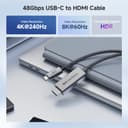


🚀 Elevate your display game with next-gen clarity and speed!
The Cable Matters 6ft USB-C to HDMI 2.1 cable delivers cutting-edge 48Gbps bandwidth supporting up to 8K@60Hz and 4K@240Hz HDR. Compatible with Thunderbolt 3/4, USB4, and a wide range of devices including the latest iPhone and MacBook models, it features a durable braided design with metal connectors for premium performance and longevity.


| ASIN | B08QDV5H4M |
| Best Sellers Rank | #799 in HDMI Cables |
| Brand | Cable Matters |
| Cable Type | HDMI |
| Color | Gray |
| Compatible Devices | Laptop |
| Compatible Phone Models | IPhone |
| Connector Gender | Male-to-Female |
| Connector Type | Usb Type C, Hdmi |
| Customer Package Type | Standard Packaging |
| Data Transfer Rate | 48 Gigabits Per Second |
| Date First Available | December 11, 2020 |
| Frequency | 120 Hz |
| Indoor/Outdoor Usage | Indoor |
| Is Discontinued By Manufacturer | No |
| Item Weight | 3.52 ounces |
| Item model number | 201362-GRY-1.8m |
| Manufacturer | Cable Matters |
| Model Name | USB-C to 8K HDMI Cable |
| Number of Items | 1 |
| Number of Pins | 24 |
| Outer Material | Textile or synthetic |
| Package Dimensions | 6.89 x 5.71 x 0.83 inches |
| Recommended Uses For Product | connecting USB-C devices to HDMI displays |
| Shape | Round |
| Special Feature | Braided |
| UPC | 818707029725 |
| Unit Count | 1.0 Count |
J**R
120 hz 32:9 1440p on Macbook Pro 2020 Intel
Bought this cable to connect my Macbook to a Samsung G9 ultrawide. Cable works at 120hz I use BetterDisplay to set the proper resolution as MacOS can't do it through the setting app. I was not expecting this to work at more than 60hz but I was pleasantly surprised. Didn't need to update firmware either!
K**I
Excellent product. Make sure your device can handle it.
I have an ASUS laptop featuring Thunderbolt 4 with one having DisplayPort alt mode. Bought a Dell WD22TB4 dock to use with it to have a one cable solution for my laptop docking. The dock could not output 4K@60hz on its HDMI port as it should have per the listed standards compliance. I didn’t really think it would, since the product documentation didn’t explicitly say so and it has three DisplayPorts as well. Therefore I bought two of these cables, one for my wife’s laptop and one for mine — we have the same laptop. It worked on hers, but the dock’s TB4 port labeled for DisplayPort would cause the monitor to be recognized as a Synaptics device @1080p every time the display would sleep. I moved the cable to one of the dock’s other TB4 ports and it works perfectly now. As of the time of this review, updating the dock’s firmware and gfx drivers didn’t change the issue. Fault of the dock, not the cable. Still a good dock and would recommend it vs other TB4 docks. Then I had an issue on my laptop as well. There was a BIOS/UEFI update recently for our laptops, that I noticed had reduced my previous USB-C dock’s speed (noticeable by Ethernet speeds). I didn’t try to investigate past this observance at the time, though it was one motivator for me to get a TB4 dock and this cable sooner rather than later. I watched update and noticed it also included TB4 controller firmware. With the Dell dock attached and updated, DisplayPort alt mode did not work at all. I thought ok, I’ll move it to the other TB4 port and use DisplayLink until I could troubleshoot further. The other port didn’t work at all. I tried connecting this cable directly to my TB4 DP alt mode port and got nothing. I swapped cables between my wife’s machine and mine, and the cable was fine. That’s when it occurred to me. A lot of the peripheral controllers on a motherboard don’t ever lose power, especially in the case of a laptop that never reaches 0% battery level. If some issue occurred initializing the TB4 controller after the update, the only way to re-initialize it, would be to pull the battery. Of course my laptop has an internal battery that, thankfully, isn’t too much of a pain to get to. I unplugged the battery cable, held the power button down for a minute, put it back together, and everything works perfectly now. The point of my story… if this cable doesn’t seem to be working as described, it’s probably not the cable. It could be, but it’s less likely than some connectivity issue or bus limitation.
W**.
MacBook Pro M1 Pro to 1440p Ultrawide at 240hz
This cable did not work for my use case out of the box. However, I saw another reviewer mention a custom firmware! After googling "cablematters 201362 m1 pro firmware" I was taken to a guide on the Cable Matters website with a custom firmware which has appeared to work for me. I did not have a Windows machine with USB-C that could do DP Alt Mode, but I was able to leverage Parallels to get the job done. Be sure to download "VmmHIDTool" from the Microsoft Store, as the "VmmDPTool 64" that came from Cable Matters would not work for me. After following their instructions with the tool from MS Store to flash the cable with the custom firmware I simply unplugged the cable and plugged it back in and was able to select 240hz refresh rate on my monitor! Hopefully this review helps others cut to the chase. Once I had everything I needed, the flashing of the firmware could not have been simpler. Will update this review if the cable begins to exhibit any issues, but so far the custom firmware appears to have solved the issues on my MacBook Pro with M1 Pro chip!
Z**D
This does not run 4k120hz. Barely runs 4k100hz
I've tried multiple computers/laptops and multiple monitors/TVs with this cable and none of them work at 4k120hz. I can get output to the TV for a few seconds, but on every connection i've tried, the screen blanks out. The output lasts a few minutes at 4k100hz, but will eventually drop the connection. 4k60hz works fine, but I bought this for 4k120hz. I'll be looking elsewhere for a 4k120hz cable.
D**E
Not as good with my Macbook as hoped....
Got this cable for my work issued 2021 Macbook Pro 16 M1, to run on a new Samsung Neo G9 57" display. My setup is my work Macbook and a personal laptop both connected to this display. The Mac is connected via the HDMI input, and the gaming laptop via DP (reason: G-Synch). Everything worked fine with this cable once I configured the display at either 7680x2160 or 3840x2160 -- both at 120Hz -- when in PBP mode. But if I disabled PBP, and then switched the sole input from HDMI to DP, and then back again, the HDMI input stopped working and wouldn't provide any input until I disconnected and reconnected the cable. The MacOS settings/display panel showed the external display as connected at the correct resolution & refresh the entire time, but I couldn't get it to display anything even after changing resolution, refresh, or config relative to the laptop display. Before testing at 120Hz I visited Cable Matter's support site applied 3 firmware updates that can be applied to the cable for my use case (2021 MBP 16 M1 at 7680x2160@120Hz). I had no issue in applying the updates, though I had to do it from the Windows machine (Mac anti-malware). Because I often have need for an available USB-C port, I switched the MBP back to a generic HDMI 2.1 cable. It works fine, but it only supports 60Hz in all modes. Frankly, I don't really need 120Hz on the work laptop, but it would have been nice to have.
F**E
Fixes 49” Ultra Wide Display Problems
Exactly what I needed! I’m running a MacBook Air M2 and a Samsung 49” OLED ultra wide (LS49CG954SNXZA). I think the dongle running HDMI to HDMI was the constraint and why I wasn’t getting 5120x1440. Ran this cable straight from USB-C to HDMI and I was able to get the full screen without any stretching.
M**6
Einstecken - läuft
N**.
Lo adquiri para conectar un portatil con un intel 12th y una Iris Xe y obtener los 4K 120Hz en una LG C3 42. Inicialmente no llegó a funcionar pero una vez actualizado el firmware los alcanza sin problemas. Lástima que estos cables sean tan caros pero al menos este funciona.
G**L
Connecting pc to 8K Samsung 65 inch tv. Incredible image.
L**O
L'ho acquistato per collegare il mio smartphone al televisore tramite Samsung Dex con HDMI. Funziona benissimo!
J**H
They have articles stating it works on m1 mac 4k@120hz, but you need a windows machine to get that that set up, and it's a PITA to do so. Don't waste your money on this when there are plug and play products available with no dependency on having multiple computers and flashing firmware or any kind of setup needed!
Trustpilot
2 weeks ago
1 month ago