We remain fully operational. Our teams are working around the clock to ensure your deliveries continue safely.

DOWNLOAD THE APP


Customer Services
Copyright © 2025 Desertcart Holdings Limited
DOWNLOAD THE APP


🚀 Supercharge your Mac with Crucial RAM — because speed waits for no one!
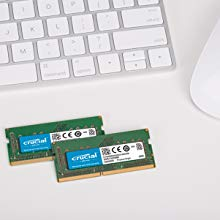
The Crucial 16GB DDR3 1600 MHz CL11 RAM kit (2x8GB) is a high-performance memory upgrade designed specifically for select Mac systems. It offers fast data transfer speeds, easy installation, and meets Apple’s rigorous quality standards. Environmentally conscious with lead- and halogen-free components, this kit is trusted by thousands for reliable, efficient multitasking and enhanced system responsiveness.




| ASIN | B008LTBJFW |
| Additional Features | Lightweight |
| Best Sellers Rank | #50,398 in Computers ( See Top 100 in Computers ) #351 in Computer Memory |
| Brand | Micron |
| Column Address Strobe Latency | 11 |
| Compatible Devices | Laptop |
| Customer Reviews | 4.7 4.7 out of 5 stars (9,972) |
| Data Transfer Rate | 1600 MHz |
| Form Factor | SO-DIMM |
| Global Trade Identification Number | 00649528762122, 00649528762139 |
| Item Weight | 9 g |
| Manufacturer | Micron Consumer Products Group |
| Memory Speed | 1600 MHz |
| Model Name | CT2K8G3S160BM |
| Number of Pins | 204 |
| RAM Memory Technology | DDR3L |
| RAM Size | 16 GB |
| UPC | 100177437200 012300514866 163120438143 793936394618 780746836018 649528762122 012303270998 803982798008 080850194920 649528762139 088021512276 |
| Unit Count | 1 Count |
| Voltage | 1.4 Volts |
J**.
Perfect, works flawlessly on iMac
Easy install and work flawlessly on iMac mid-2015
D**H
Worked as expected.
The RAM was delivered within 2 days. Fitted to two slots of Dell Inspiron i5 and sped up all processes and start up to a great extent.
D**L
Easy to use and install.. great value.
Easy to use and install. Packaging was very good and clean. Also a good value.
D**N
works perfect
The Ram fit to my MAcMini late2012 perfect. Now my Mac is super fast. I'm so happy.
M**H
This item is good - thank you No issues
A**O
I overstretched my budget when I bought my MacBook Pro and ended up getting a unit with only 4GB of ram. Even though I really love using it, It really bothered me that it had so little ram. Every once in a while, whenever I was running multiple apps, the mouse would turn to a turning wheel and the app would freeze for a long time. Sometime for 5 minutes or more. This would usually happen while I was switching between apps and my first guess was - paging (or swapping, whatever you want to call it). My work also requires me to run windows every now and then and I was hesitant to install a VM on a machine that was so limited in ram. I googled "memory for mac" and the first match I had was from Crucial who also had a small app that runs on your system and tells you what the recommended memory for your system is. It recommended that I upgrade to 16G (even though apple says they support only up to 8G) and suggested two 8G dimms as follows: Brand: Crucial Module Type: SODIMM Module Size: 8GB Specs: DDR3 PC3-12800 • CL=11 • Unbuffered • NON-ECC • DDR3-1600 • 1.35V • 1024Meg x 64 • lead free • halogen free • for Mac Series: Crucial part number: CT3373653 I have worked before with Micron memory and I really liked it. The only problem was the price - they wanted $79+tax per dimm, free shipping, whereas Amazon only charge $139 for the pair. The technical specs are identical - but the two have different part numbers - and the one on the Amazon site cannot be found on the Crucial web site. I decided to go with the one from Amazon. Got the 2x8GB dimms (16G altogether) and they arrived in two days (prime). Installation took 3 minutes. Removed the cover and popped out the old ones - then pushed in the new ones. The only two things you need to worry about are: 1) Make sure that you turn off the laptop first (not hibernate) and remove the charger cord. 2) Beware of static electricity - I did that by keeping one hand on the laptop at all times, work slowly. Other reviewers warned about bad dimms - memory errors. It is true that some chips can be bad, but the talk about changing the pixels on your pictures is nonsense. Most systems detect those errors and halt (not that this is much better than corrupting your data), or fail during boot. Just to be on the safe side, I had my Mac run an exhaustive memory test when I booted (see here for details [...]). It took about an hour and came out clean. On bootup my Mac detected and used all 16 G. Performance is great. I think that I notice a slightly longer bootup from hibernate - and that's because it has to read 4x the amount it did before from disk during boot. Rotating wheel experience and freezing apps problems are gone. and the Windows VM is running great. I am really happy with this purchase.
N**I
Dopo aver acquistato un SSD della CRUCIAL per il S.O. del mio iMac, che và splendidamente, non ho esitato ad acquistare anche l'espansione di memoria e dare una spinta in più ad una macchina del 2013 che và ottimamente. Il sito della CRUCIAL è molto dettagliato e guida alla scelta della memoria necessaria per la propria macchina. Il tempo di installazione è di 10 min. Ho preferito investire sul nome per evitare problemi di cattivo funzionamento. Ad installazione effettuata, le app si aprono visibilmente più veloci. L'apgrade della memoria, come è noto, migliora la gestione delle app, più che la velocità complessiva della macchina quindi consiglio prima di fare l'upgrade dell'HDD con un SSD e poi della RAM. Consiglio l'aquito a tutti.
R**A
I replaced an older iMac with a Late 2013 27" iMac (3.2 GHz i7, GTX 780M 4GB, 1.28TB Fusion Drive) with 16GB of RAM in November. I planned on upgrading to the max 32GB of RAM at a later date. I held off upgrading due to mixed messages about the differences between the Crucial RAM Amazon was selling here and the recommended RAM on Crucial's website (which was more expensive). It seems like the dust had settled so I ordered two individual 8GB modules since the price was slightly less than the two-pack package at the time. Although I had concerns about fit, etc., my main concern was voltage requirements since higher voltage generally means more heat; heat being an enemy of electronics, particularly computer components. My understanding is that my particular model of iMac employs 1.35v RAM. Crucial's website specifically states that their recommend RAM is 1.35v. The Crucial RAM Amazon sells here is listed as 1.35v/1.5v. Just prior to ordering I contacted Crucial directly to be sure the RAM Amazon was selling was compatible with my model of iMac. MY EMAIL TO CRUCIAL: "Hello, Can you please tell me what the difference is between Crucial Part Number CT4951624 and Crucial Part Number CT2K8G3S160BM? Specifically I want to buy a 1.35v model. Part Number CT2K8G3S160BM is listed as 1.35V/1.5V. Thank you very much!" CRUCIAL'S REPLY: "Thank you for contacting Crucial. I have looked at both of the part numbers you sent in your email, and these are actually the same. The difference between the number CT4951624 and CT2K8G3S160BM is that the smaller one tells us that CT2K8G3S160BM is guaranteed compatible with your specific system. The longer part number, is considered a general part number that can be compatible with thousands of types of computers. That smaller number can vary from system to system, but the the general part number will not change. Essentially, CT4951624 simply tells us that this module is compatible with your system. Regarding the voltage, the fact that it is listed as 1.35v/1.5v means that it will work with either voltage. So, if you are looking for a module compatible with 1.35v you can buy that part. Additionally, if you were looking for one that worked at 1.5v this part would still be compatible. I hope this information has been helpful. " I also read several reports about the Crucial/Amazon modules being hard to seat...needing some force to get them in. Mine slipped in without any pressure at all, a perfect and easy fit. Other reviewers also mentioned having to wait a long time for a reboot or having to reboot twice with the Crucial/Amazon RAM. My iMac booted up normally the first time. So Crucial may have changed some of the specs from what was being sold here early on. SUMMARY: Since installing this Crucial RAM my iMac has been running flawlessly. So based on my personal experience the Crucial RAM being sold here by Amazon is a perfect fit! I'll update my post should I run into anything unusual. Hope that helps anyone that follows!
M**E
Works great, my 'late 2012' mac mini is running much faster now; no more lagging. It is simple to install yourself but check 'About this mac' after to make sure both are working ok. My first attempt at installing resulting in only one connecting properly so it said only 8GB. The computer was still running ok even though it was only using one slot, but using only one slot is NOT recommended. I shut it down, disconnected all cables again and reinstalled them again and thankfully I got them in the slot properly on the second attempt. It now reads 16GB (8 GB each slot) and works great. The 'Activity' monitor now reads around 5GB of (ram) memory being used so its easy to see that when I only had 4 GB of ram, it was a problem. You have to be careful, when removing the old ones and installing the new ones, they are in snug (not loose) so you will need to use just a little pressure to remove the old ones and to push the new ones back in place but be very careful not to bend or break anything. Its worth checking out a 'how to' youtube video. 'Prime' took 10 days to deliver to St.John's, NL, so if you want it faster, you might want to pay for shipping if you are ordering from this end of Canada. Recommended!
Trustpilot
3 weeks ago
1 month ago