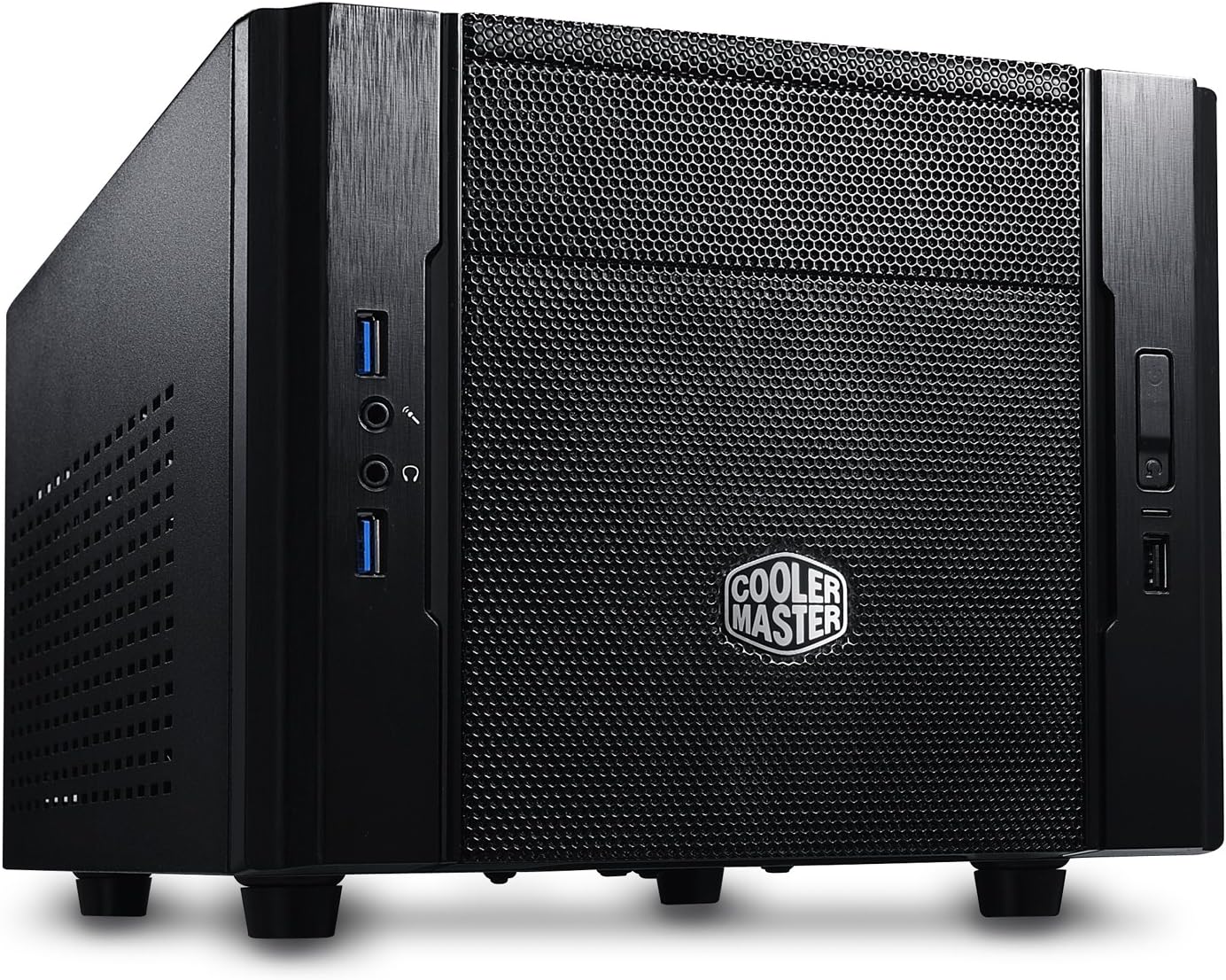
❄️ Compact Cooling Meets Big Performance — Your Mini-ITX Masterpiece Awaits!
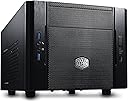
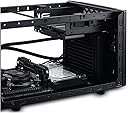
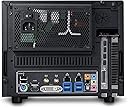
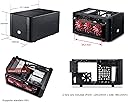
The Cooler Master RC-130-KKN1 Elite 130 is a sleek Mini-ITX tower case designed for professionals craving high performance in a compact footprint. Featuring a mesh front panel for superior airflow, support for 120mm water cooling radiators, and compatibility with full-size ATX power supplies and long GPUs, it balances power and portability. With dual USB 3.0 ports and a steel alloy build, it’s the ultimate budget-friendly choice for efficient, stylish small-form-factor PC builds.
| ASIN | B00DJ6A88G |
| Antenna Location | Gaming |
| Best Sellers Rank | #3,992 in Computer Cases |
| Brand | Cooler Master |
| Case Type | Full Tower |
| Color | Black |
| Compatible Devices | ATX, mATX, ITX |
| Cooling Method | Air |
| Customer Reviews | 4.4 out of 5 stars 1,509 Reviews |
| Enclosure Material | Steel Alloy |
| Fan Size | 120 Millimeters |
| Global Trade Identification Number | 00884102024221, 04719512045176 |
| Hard Disk Form Factor | 2.5 Inches |
| Internal Bays Quantity | 3 |
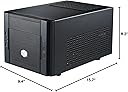
| Item Dimensions D x W x H | 15.7"D x 9.4"W x 8.2"H |
| Manufacturer | Cooler Master USA, Inc. |
| Material | Steel Alloy |
| Model Name | RC-130-KKN1 |
| Motherboard Compatability | Mini ITX |
| Number of Fans | 1 |
| Other Special Features of the Product | 120mm Radiator Support in Front |
| Power Supply Mounting Type | Bottom Mount |
| Recommended Uses For Product | Gaming |
| Supported Motherboard | Mini ITX |
| Total Expansion Slots Quantity | 2 |
| Total USB 2.0 Ports | 1 |
| Total USB 3.0 Ports | 2 |
| Total Usb Ports | 3 |
| UPC | 031112550909 884102024542 884102024221 803982775139 |
C**E
A Great Small-Form-Factor Case
Let me start off by saying this is a great case for the money. For $50 you get a great small-form-factor case which will easily fit into smaller nooks and crannies of your home theater setup. I've seen it as low as $35 with mail-in rebate, so it can purchased very cheaply. Specs: It comes with two fans a front intake 120mm fan and an 80mm exhaust. The case's dimensions are as follows (W x H x D) 9.4 x 8.2 x 15.7 inch. The whole thing is slightly bigger than a normal sized show box, which is impressive, as it fits a full size power supply and supports uber-long video cards like the AMD 7990. I really like that the video card in this chassis points the GPU fan to directly exhaust out of the case. The GPU exhaust is great because it directly shoots out hot air from the video card straight out of the case. The case comes with two USB 3.0 ports, a USB 2.0 port and front audio and mic inputs. It's pretty amazing that it offers all these I/O Panel ports at such a low price point. CoolerMaster has brought consumers a ton of value by doing this! Motherboard Support: This case only supports Mini-ITX boards, so you'll need to make sure you order a smaller motherboard for it before you decide to use it in your next computer build. Advice: If you are thinking of purchasing this case do yourself a favor and buy a modular power supply. Honestly, you will thank me later. I used an old normal non-modular power supply I had laying around and I had one heck of a time doing cable management in this thing. It is possible to do a build with a non-modular PSU, but if you're new to building PCs seriously get a modular one for this case it will make your life a whole lot easier when putting together your rig. Anyways, if you have the budget to purchase a small case this is a great option for you! It only supports Mini-ITX boards, but it has a great I/O panel and a size that will fit in almost any home theater setup or desktop space. At $50 I still think it is a steal and should be looked at as the best budget SFF case on the market!
E**C
Excellent value and fits a lot of components
NOTE: some of the photos these reviews don't seem to be for the CM Elite 130, but another similar model. Check PCPartPicker, YouTube, reddit, or other sites to see photos of example builds! I only have photos without cable management, so I'm shy to share. Mini-ITX cases tend to be pretty expensive, so the CM Elite 130 is great value. I've had it for over a month now and I'm very happy! Installing parts was straightforward. Make sure you do a test build outside your case and make a plan for cable management ahead of time. YouTube has a lot of videos on installing in this case. My main main concerns when porting my parts from a mid-tower to a mini-ITX were: 1. having good airflow to keep the components cool 2. having space for a Bluray/CD drive 3. having space for my old, 2015 video card, which is about 11" long 4. having space for an additional SSD drive, which I plan to purchase when I have more money :) Regarding my concerns: 1. I decided to use a liquid cooler to keep the case quiet and better cooling efficiency.. I replaced the front panel 120mm fan with the radiator fan for the MasterLiquid120L. I kept the case fan to give my components additional airflow. I pointed my power supply fan towards the motherboard to act as an exhaust. It's been over a month now, and the case has been pretty quiet and cool. 2. Most videos you find on YouTube do not involve a Bluray/CD drive, but I have need for one. This fit easily. and will instead use the bay to install an HDD or two SSDs. I have need for the drive, so I added it. 3. Video card fit just fine. If I buy a new graphics card, I'll probably get a shorter one and see if it makes sense to squeeze in another case fan. 4. I removed the hard drive mount on the side of the case because I had no need for it. Removing it also made installation easier. I might add it back when I buy an additional SSD. ## Other notes ## The Cooler Master Elite 130 supports ATX power supplies, but I wanted a smaller, SFX power supply so I would have more airflow. You can easily use SFX power supplies on this case by buying a SFX to ATX Power Supply Adapter for ~$10. ## Build ## This build's value is close to $1000 because of the motherboard and CPU. [CPU] Intel i7-9700K 8-Core 3.6 GHz LGA 1151 [Motherboard] Gigabyte Z390 AORUS PRO WIFI [RAM] G.Skill 16GB (2 x 8 GB) 3000 MHz DDR4 [CPU Cooler] Cooler Master MasterLiquid Lite ML 120L, 120mm RGB [Video Card/GPU] MSI GeForce GTX 970 4 GB Video Card [PSU] PSU Corsair SF600, Modular, 80+ Gold [Optical Drive] Asus DVD/Bluray Drive [Storage] 3.5"" HDD and 2.5" Solid State Drive [Accessories] Silverstone SFX to ATX Power Supply Adapter, additional Corsair Power Cable for SATA connection
A**Y
For your mobile power-rig.
The Cooler Master 130 is a nice little case, I believe it's one of the smallest m-itx cases you can get that still fits a full sized psu, and gpu. If you are building some kind of mobile power-gaming rig, then I recommend the 130. There is a good amount of room for cable management, I still recommend a semi/fully modular psu though. I have a semi-modular psu and still had to get creative with the cables. The amount of space for the gpu is awesome too, you don't have to worry about if your card will fit. There are some options for mounting your hard drives as well, you can work 2 SSDs, and 2 HDDs if you wanted to. The main reason I got this case is for mobility, especially if you are flying. It is just the right size to fit in a carry-on, that way you don't have to ship anything or worry about it in a check-on. The 130 M-ITX isn't my main mini case though, I only got it so I can carry it on a plane. I have a Thermaltake Core V1 as my home rig. Comparing it to the Thermaltake, I don't like how claustrophobic everything in inside the 130. The PSU sits right above the mobo, so I hope didn't forget to plug anything in your mobo or you'll have to unscrew the psu out, or only the gpu if you're lucky. You will be limited to the type of aftermarkget cpu cooler you might get. There is not a lot of vertical clearance at all. I don't really like the airflow on it either, however I am basing this with only the fans the case comes with. My GPU under load is ~77. With the Thermaltake V1, underload is 66-70c, which is awesome. I also don't like that the psu sits above the mobo. The V1 sits under the mobo and has awesome cable management. Although I like that the psu can be flipped either way, and can be placed right at the top to bring fresh air in on the 130. I miss the clear side too, I like to look inside my case and rework some cables if I see something. Overall, 130 is great mini-itx case, great for mobility, also a great price.
A**Y
Great mini-ITX case with 5.25 inch bay and full sized video card slot.
I literally own 3 of these now -- they're perfect for any/all mini-ITX motherboards that I've came across. Everytime I build a new PC, I buy one since I can't find a design I like better (not with a 5.25 inch bay, anyway), and have just naturally aquired them over the last 3-4 years. There's other cases like this online and on Amazon, but this is the only one (I think) that I've come across that still has the 5.25 inch bay for full-sized optical/DVD/BD drives. Sure, you could always hook up USB optical drives, but they're usually a little more expensive, and I just hate doing that when I could have it practically out-of-sight. The only drawback, that I see, is the space inside the case, which can be made better by using modular power supplies, or power supplies that don't have lots of cables or cables that are bulky. I found a power supply from an old Dell XPS 400 tower (I believe that was the model) that fits better than my two modular power supplies, strangely enough (the cables for my modular power supplies are much more bulky, even if there are fewer). Has front fan filters, even though I don't think they advertise it, also (You can see them when you look close enough through the mesh bezel in front of the front 120mm fan). There's no hard drive bay, but the case includes special rubber washers you screw into the bottom of 2.5 and 3.5 inch drives, which you then slide into holes on the side and bottom of the case. It's not the most time efficient process since you need to screw 4 screws in each drive and attach the washers, but it's also very space and cooling efficient, so it might be better than having a designated drive bay anyway. I actually just leave the drives in there loose since the cables are stiff enough on most power supplies to keep them away from everything else (I have plastic SSD drives which are light so don't move much). I really can't stress enough that finding a power supply with the least amount of cabling and/or the least bulky cabling will payoff so much in the end, in terms of working inside the machine, etc., and you'll easily see why if you ever buy this. Just take my word for this. I don't know if there's a way to locate a power supply that excels in this area, but if there is, use it to find one with some really flexible and conservative cabling. You will be thankful later. This is the biggest complaint I have, but is also nobody's fault.
S**E
One of the best HTPC cases I have seen, and priced very well.
This is a fantastic little case. I have been building computers for 15 years or so. How they managed to cram everything in here is genius. Stuck a mini ITX board, core i7 on a stock cooler (no overclock) full size gfx card, an over sized Seasonic 850W modular PSU from my full tower, two mechanical drives and an SSD. The PSU really does make it tight in there, a smaller one would be sensible, but i didn't want to spend to replace something that worked just fine, and managed, with a little persuasion to get it in there. This possibly hampers airflow some and doesn't do cable management any favors, but my temps are good, I have what i need in there and I am a happy camper. For the cash if your building a HTPC or small footprint rig, this is a no brainer, you would be hard pushed to find a better case to get full size components in. Its well thought out, nicely finished with no sharp edges in there, and looks pretty trick also. If i had a gripe, it would be the mounting mechanism for the hard drives, they push in on rubber grommets on one side only, so they tend to flop about a bit. I suppose its a pretty good idea really, and does keep them mostly solid, but once you have a lot of cables in there it does push them over some, still functional though and my larger power supply probably is a contributing factor to that.
J**E
A great little case if you're on a very, very tight budget.
I struggled choosing between the Silverstone SG13 and this case. I picked this one. Glad I did. Only annoyed at this case because the Cooler Master logo on the front, which is also a power switch, has a BRIGHT blue LED in it. I can disconnect the LED, which I will probably do, because it's obnoxiously bright. Otherwise it's a great case. Lots of airflow. I have a Silverstone Strider 550 watt fully modular PSU in it (ATX) with their custom short cable set, highly recommended. I would also have been happy going with an SFX PSU from Corsair (they come in both 450 and 600 watt versions) for that little extra bit of case room. I replaced the stock non-PWM fan on the front (120mm) with a Noctua 120mm PWM fan so it would ramp up and down per motherboard control. Great decision! Have the ATX PSU fan facing upward to draw in fresh air to the PSU, so it does not help exhaust hot air from the case interior, because with the Noctua low-profile CPU cooler I chose there's little space between it and the bottom of the PSU and I didn't want them to fight each other for airflow. So there's no active ventilation in the case which isn't a problem because I have components that produce little heat. UPDATE 3/27/17: Ultimately I retired this case pretty quickly. The blazing obnoxious blue LED in the case badge/power switch really turned me off. Yes, I can disconnect the LED, but should I have to? I ended up replacing it with a Thermaltake Suppressor F1 mini-ITX case. The F1 is not much bigger, but is bigger in all the right places. The F1 has a separate zone for the PSU, bigger intake fan, room for more drives, can accommodate a taller CPU cooler, and is generally an all-around better case. But if you're REALLY on a very tight budget, the Elite 110 is probably your best buy.
A**H
and it was easy and painless
This was the second time I've built into an Elite 130, and it was easy and painless. The case is very small however, so I would definitely recommend at least going with a semi-modular power supply. There was ample room for a Gigabyte G1 Gaming GTX 960, which made installation a breeze. As far as quality of the case goes, the front feels a little cheap and scratch-prone, but beyond that, the rest of the case feels very high quality. There are no side panels on the case, the top, left, and right siding all slide off as one unit, which can be a little awkward, but it does fasten very securely onto the frame. If you are planning on making a higher end build, I would definitely recommend a water cooler for this case, as temps can get relatively high with a stock cooler. A small 120mm water cooler would work, I know that a Corsair H80i worked flawlessly. Temps with just the stock cooler were high, but never to the extent that I feared damage to the processor, or felt like I had a small space heater next to me. If I had to go ahead and list the pros and cons, they would be as follows: Cons: - Awkward access to internals based on there being one large removeable panel - The included 80mm fan does nothing to cool the internals, and was better off just removed - The front of the case did feel cheap and scratch-prone Pros: + A great case for the price + Enough room for cable management with a semi-modular power supply + Enough room for full length GPUs + Very compact and space efficient Overall, I would definitely recommend the case.
R**D
Monstrous Mini ITX Case for even high end builds
Before I get started, I should note I run a pretty high end custom watercooled system inside this Elite 130, so I guess I'll list what I'm packing in this mini monster: Conventional Parts CPU - Intel I5 3570k Motherboard - MSI Z77IA-E53 Graphics Card - MSI Twinfrozer Radeon 7950 (7970 Reference PCB) Power Supply - Silverstone Strider 550 Watt Hard Drive - Western Digital Cavalier Green 1TB SSD - Samsung 840 Pro 128GB Unconventional Parts Radiators - 2x Alphacool NexXxoS XT45 Single 120mm Pumps - 2x Swiftech MCP35X Resevoir - Koolance RP-401X2 CPU Block - Koolance CPU-380I Graphics Card Block - Heatkiller GPU-X³ 79X0 Fans - 3x Scythe Gentle Typhoon AP-45 2150RPM (GT's are best fans out there, no joke. Also the AP-45's are a little tough to find now but AP-15's are just as great and abundant.) With that outta the way... Coming off of the Elite 120, I had very high expectations for this case, and it did not disappoint. Again, coming off the Elite 120, doing a side by side comparison between the 2 cases I found them to be the exact same dimensions even though the product numbers say different. From the numbers, the elite 130 should almost be 1 inch shorter in length which its not. The only difference in size may be the front panel by a couple of millimeters. Speaking of the front panel, it has been changed to a full mesh front which is thee biggest change from the Elite 120, and what a huge improvement it is. My GT's are breathing much more comfortably and are moving monstrous amount of air now thanks to the full mesh front. Also from doing measurements, it looks like that front panels between the 120 and 130 are NOT interchangeable. Some people say that this case is a little to big to be a Mini ITX case, and why this may hold some truth, going any smaller of a case would keep one from installing full length graphics cards. That said, there so much room to work with in this case that u can fit everything one would want into it. And yes, I was able to fit all the stuff listed in this case. And that's 2x 45mm radiators with 3x 25mm fans fitted to them. However the side drive bracket did have to come out for the HDD to fit in its place. HOWEVER, (and this is a big however, notice the caps), the side drive bracket does fit with a watercooling setup and has enough room left on either side to mount an SSD, so if your rocking just SSD's or have external drives, this bracket still maintains functionality in watercooled setups. When selecting the radiators it should be noted that you should pay attention to radiator thickness and graphics card length when the rad inlets are on the graphics card side as they may intersect. The airflow of the case is fantastic when coupled with a Power supply with fan down, which creates a wind tunnel effect where the front fans pull air straight in and the psu pulls in out back. If your going the aircooling route, it should be noted that u have a 65mm clearance for a heatsink. The stock heatsinks that comes with most processors will fit. The Cooler Master GeminII M4 - CPU Cooler with 4 Direct Contact Heat Pipes (RR-GMM4-16PK-R2) is a great choice for an aftermarket cooler, and as far as I've seen in pictures, will fit even with a graphics card installed. So in conclusion, this case has a ton of different options to which you could build it, whether it be a light and small office computer, a quiet and appealing HTPC, or a full bore, no holds bar, cancer curing, old people punching, etc etc, monstrous gaming Lan Box. I will say however that if your going with multiple drives (3+), I would still recommend the Elite 120 for its optimize drive cage, and if your looking to go any smaller, say bye to that graphics card you have sitting in your wish list. I also uploaded some pics of my build to amazon so u can get an idea of what this little monster can do, as well as a couple measurement for reference.
Trustpilot
3 days ago
1 month ago