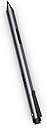
Desertcart purchases this item on your behalf and handles shipping, customs, and support to Denmark.
✍️ Elevate your digital creativity—because your ideas deserve precision.
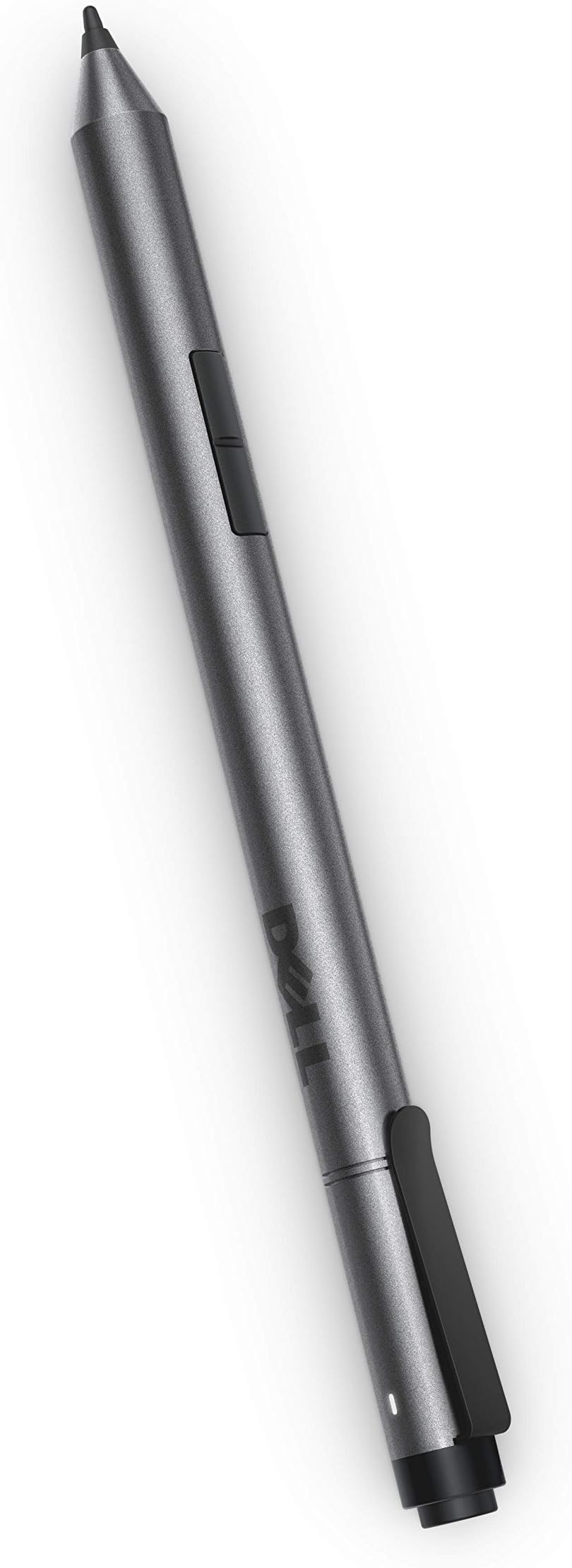
The Dell Active Pen PN556W is a high-precision digital stylus designed specifically for Dell 2-in-1 tablets running Windows 10. Featuring 2048 levels of pressure sensitivity powered by Wacom technology, it delivers a natural writing experience and quick screen interaction. Compatible with multiple Dell models including XPS and Latitude series, it combines sleek aluminum construction with professional-grade functionality to enhance productivity and creativity on the go.

| ASIN | B01BA5JT6O |
| Best Sellers Rank | #187 in Digital Pens |
| Brand | Dell |
| Color | Black |
| Compatible Devices | Tablet |
| Compatible Tablet Computer Models | Dell Venue 8 Pro 5855 |
| Customer Reviews | 3.5 out of 5 stars 237 Reviews |
| Enclosure Material | Aluminum |
| Global Trade Identification Number | 00884116196488 |
| Item Dimensions | 7.28 x 0.51 x 2.24 inches |
| Item Weight | 10 g |
| Manufacturer | Dell |
| Material | Aluminum |
| Mfr Part Number | 4901157 |
| Minimum Required Operating System Version | Windows 10 |
| Model Number | 4901157 |
| Number of Batteries | 1 AAAA batteries required. (included) |
| Number of Packs | 1 |
| Pressure Sensitivity | 2048 levels |
| UPC | 884116196488 |
| Unit Count | 1 Count |
A**S
Five Stars
great penn too bad it was not compatible with my laptop
A**R
Buy Lenovo instead
This pen worked inconsistently, even while writing. It requires three batteries:1 AAAA and two small 319 Renata batteries. Replacing them costs about $10--almost a fourth of the price of a new pen. And since the pen does not have an off switch, the battery life is shortened. One can loosen the barrel to disengage the battery connection, but then the barrel strips, and screwing it back into place is an ordeal. I bought the Lenovo Active Pen last week. It works with my Dell XPS just fine, costs less, and uses only one AAAA battery. P.S. I was never able to get the pen to work as a remote for use with PowerPoint, although Dell promotional materials promote that as one use. There were other similar glitches as well.
E**C
works great- be aware of battery life
Be aware that different Dell laptops use different pens. They are not inter-operable. I use this stylus for my Dell xps 13 inch. It works effortlessly. However, be aware of the batteries. The 2 small coin batteries in the top half of the pen drive the bluetooth. This is the battery that is shown in the capacity on the blue tooth interface. It is not related to the AAAA battery in the base. This AAAA battery is what drives the screen touch sensor. My battery lasts about 6 months. If you find the screen is not reacting to the pen, hi chance it is a low AAAA battery. I bought a bunch of them on amazon and carry an extra one around with me. Other than the battery issue, this pen works effortlessly.
F**G
Works with 2017 Dell XPS 13 2 in 1 ( not XPS 13)
Works as expected. It is fine for note taking. Probably not too bad and not too great for art. I would prefer if the tip did not telescope at all... Make sure your Dell is compatible before you buy. It can be confusing, so do your due diligence before you leave a bad review. Buy a mess of cheap aaaa batteries... UPDATE: Dropped it once. The pen cap threads are a separate piece from the cap. Those two pieces are press fit together, and that assembly threads into the barrel. The press fit failed upon impact, and my Bluetooth stopped working. I'm not sure if the two are related, but I am certainly disappointed in the build quality, or should I say fragility. The good news is the pen still works, so I'm not stranded.. The barrel buttons work, but not the Bluetooth click top button. I need to find another set of 916-type (913? can't recall...) cell batteries (not easy in a crunch) to confirm whether or not the Bluetooth is permanently broken. (I did poke around in there before gluing it back together. There is a tiny chip in there with battery contacts and a small blue led. Nothing looked obviously broken.) In other news, the pen and Windows Ink experience are great after about 6 weeks of solid use. Would still recommend, but be careful with your pen. I may try a Bamboo Smart For 2 In 1s as a backup.
J**E
Dead batteries
The pen is fine but the batteries were all dead. Kind of put a damper on the excitement of a new thing
V**.
Works well with the inspiron 7568, you can actually ...
Works well with the inspiron 7568, you can actually draw with this pen. The only issue is that the buttons are really hard to press and to find without actually looking for them, they lack a tactile, clicky feeling. Another issue is that once you set one of the buttons to act as the right click it is hard to actually make it work, you sort of have to tap with the pencil on the screen very slightly and briefly and then press the pen barrel button at the same time for the brush menu to pop up in photoshop or the contextual menu in windows, and that can get really hard to do.
O**E
Works great (with a new battery)
The pen that I purchased was listed as "Used-Like New". It came in the original packaging and appeared to be "Like New" but it didn't work at first. Before I returned it for credit, I decided to try a new AAAA battery and that was all it needed. The cost savings I got ordering used rather than new more than made up for the minor cost of a new battery.
A**1
The worst stylus ever! I bought this stylus twice for just last 6 months. The last one was broken down in 3 months........
I have Dell 7568 full screen model. I bought this stylus for my laptop. Oh my god, this stylus is so useless. It is easy to break. Just for last 6 months, I bought this stylus twice. The first one came off top part of the stylus, and the laptop did not recognize the stylus. The second one was the tip of stylus was so unstable while I was using. So I decided to change another stylus which is Lenovo 4X80H34887. It works pretty well. My laptop recognize the Lenovo stylus all the time. I definitely like Lenovo one. I definitely would not recommend Dell Active Pen for 7568 model.
F**9
Práctico, funcional, muy bueno
Muy buen producto, se prende hasta que presionas un botón y se apaga automático después de no usarlo para ahorrar bateria. Práctico yo que uso mi laptop en modo tablet.
F**D
It works
Works perfectly on Dell Latitude.
V**T
amazing product. But unlucky me
amazing product. But unlucky me.. it fell down and broke the nib from inside the barrel.. cant even pull it out and replace with another it seems.. I couldn't evn find a service point in India (after googling) where i can hand it over for nib replacement. Can anybody please help me with some info??
K**S
material return due to non compatibility but amount not received
P**R
One Star
Did not work for Dell Inspiron 7000
Trustpilot
3 weeks ago
1 month ago