🔌 Plug into the future — smart control, zero hassle!
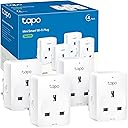
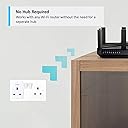
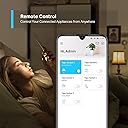
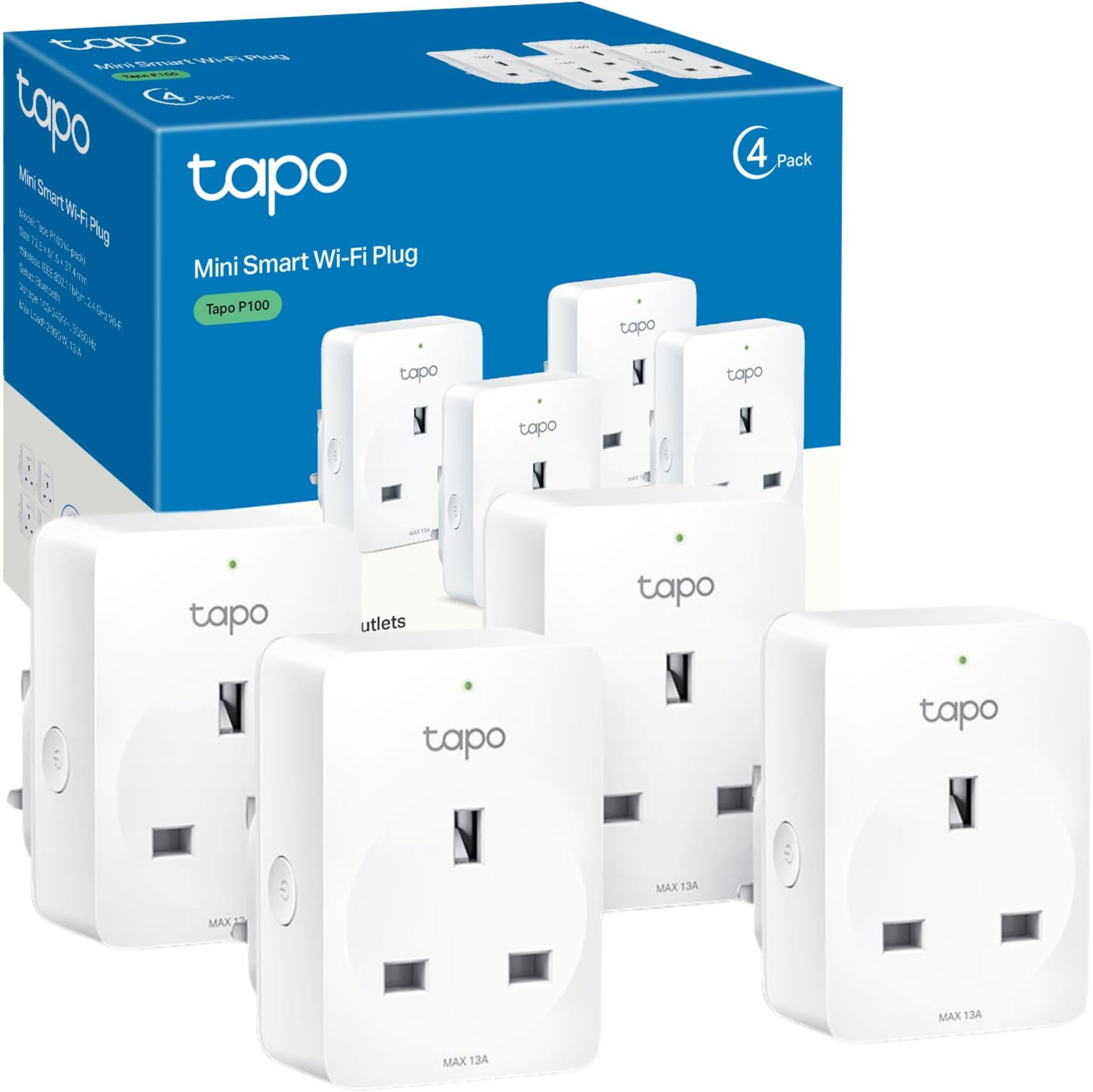
The Tapo P100 (4-Pack) Smart Plug offers robust 2.4GHz Wi-Fi connectivity with a 13A max output, enabling voice control via Alexa and Google Assistant. Featuring app-based remote control, customizable scheduling, device sharing, and an away mode for enhanced home security, these compact plugs require no hub and are designed for easy setup and reliable smart home automation.


| ASIN | B0875CTMGH |
| Amperage | 13 Amps |
| Batteries Required? | No |
| Batteries included? | No |
| Best Sellers Rank | 143 in DIY & Tools ( See Top 100 in DIY & Tools ) 3 in Smart & Remote Controlled Plugs |
| Connector type | Type A or Type B |
| Customer Reviews | 4.7 4.7 out of 5 stars (17,367) |
| Date First Available | 16 April 2020 |
| Included Components | Smart Wi-Fi Plug -Tapo P100*4 |
| Item Package Quantity | 1 |
| Item Weight | 370 g |
| Item model number | Tapo P100 (4-pack) |
| Manufacturer | Tapo |
| No. of wires | 3 |
| Number of poles | 1 |
| Part Number | Tapo P100 (4-pack) |
| Pattern | Single |
| Plug profile | Wall Mount |
| Plug type | Type A or Type B |
| Product Dimensions | 5.1 x 7.2 x 4 cm; 370 g |
| Product grade | new |
| Size | 4-pack |
| Specification met | CE, CSA, NEMA, UL, cUL, cULus |
| Style | Smart Mini Plug|4-pack |
| Usage | Business, Multimedia, Personal |
M**S
Work great, easy to set up
Great smart plugs. Connect instantly via the app.very easy to use and set up. Definitely recommend them.
P**S
Perfect for linking up with Alexa
I bought these after having so many issues with another make that I was at my wits end (constantly going unresponsive, needing to reset them every few months and even then, reconnecting took ages!). The reviews were good, so I took a chance. These were excellent. It was so quick and easy to set them up, I had them up and running in a matter of a minute or two for each plug. I had to install the Tapo app, which was painless, and the guidance and instructions through the app were spot. No need for the manual in the box. It was instantly compatible with Alex too. I connected them into my Alexa system and use routines to turn them on and off, and it was so easy to hook them up with Alexa. I use them for things like heated blankets so having a timer on them is perfect - the Alexa system makes it easy - and these plugs fit right in. Also great for your Christmas lights! I wrote a number on each one with a sharpie just to make identification easier. They are also so small that they don't black plugs next to them. Very impressed.
M**E
Setup was amazingly easy
I bought the 4 Tapo plugs because some of my Calex plugs had stopped working after 5 years of use. The design of the plugs is basic but functional with a button on the side which I didn’t need to use, and a small light on the front. The plugs do extend a couple of inches from the wall so be aware of what you plug into them. I have a big wall-wart with a couple of sockets and half a dozen usb points that I will need to replace as it’ll drag the Tapo out of the wall over time if I don’t. Normal plugs and extensions with cables should be fine but the block extensions will need to be used with caution (if at all). Having looked at the plugs, I was prepared for the usual fight to set them up… because that’s what it’s always like with these kind-of things. I scanned the QR code in the instructions booklet and installed the app. There was the usual faff of setting up and verifying an account, but once that had been done, I could begin. I plugged in the first plug and hit the ‘Add device’ button. The setup started with the (iPhone) app asking me to ‘enable permissions’, ‘enable Bluetooth’, ‘Choose Network’, etc. So far, so familiar! as this was identical to all of the other devices that I’ve setup in the past… but then something new, something different… something special. The developers of the app have added a simple ‘Save Network’ option which meant that after the first plug, I just held my phone next to the socket for a short while. I then chose an icon, tapped in a name for the device (eg: Television’, chose the name of the room (Living Room), clicked to check the firmware, and finally clicked to acknowledge that the setup was complete. The whole process of setting up 4 sockets literally took about 5 minutes. What a breath of fresh air! Using the app is incredibly easy: there is a simple column layout with panels for each device. Clicking/tapping on the top left icon (the one I chose during setup) in the panel opens the device page (where you can set timers and perform other actions). Clicking/tapping on the power icon on the top right of the panel switches the device on or off. When the device is on, the panel lights up a pale blue with the device icon a medium blue and the power icon a brighter blue. When the device is off, the panel returns to white with grey icons. The colour doesn’t appear to be customisable but maybe I just haven’t found the option to do so yet. Other sections of the app screen allow you to select favourite devices, or devices by room. I am very impressed by the UI/UX of this system and hope that the reliability of the plugs is just as good. Only time will tell! However, my initial feeling is that this is a quality product being sold for a reasonable price. I will definitely add more plugs and other devices over time.
T**U
What You Need to Know About the Smart Plug - Pros, Cons, and Features
If you are looking for a simple and affordable way to make your home smarter, the TP-Link Smart Plug might be a good option for you. This plug allows you to control your devices from anywhere using the Tapo app or your voice with Amazon Alexa or Google Assistant. You can also set schedules, timers, and countdowns to automate your appliances and save energy. The plug is easy to set up and use. You just need to plug it into a wall socket, download the Tapo app, and follow the instructions to connect it to your Wi-Fi network. You can then name your plug and assign it to a room or a group. You can also create scenes to control multiple devices with one tap or voice command. The plug works well with most devices, such as lamps, fans, heaters, coffee makers, and more. However, it is not compatible with some high-power appliances, such as air conditioners, microwaves, or hair dryers. The plug also does not support 5 GHz Wi-Fi networks, so you need to have a 2.4 GHz network available. The plug is small and compact, so it does not block the adjacent sockets. It also has a button on the side that allows you to manually turn it on or off. The plug has a LED indicator that shows its status, but it can be turned off in the app if you find it too bright at night. The Tapo app is user-friendly and intuitive. It allows you to monitor the power consumption of your devices, set up smart actions based on conditions, and share the control with other family members or guests. The app also supports firmware updates to keep your plug secure and up-to-date. The plug is compatible with Amazon Alexa and Google Assistant, so you can use your voice to control your devices. You just need to enable the Tapo skill or service in the Alexa or Google Home app and link your account. You can then use commands like “Alexa, turn on the lamp” or “Hey Google, turn off the fan”. Pros: 1- Easy to set up and use 2- Affordable and reliable 3- Supports remote control, scheduling, timers, and countdowns 4- Works with Amazon Alexa and Google Assistant 5- Has a power monitoring feature 6- Has a manual switch and a LED indicator Cons: 1- Not compatible with high-power appliances 2- Does not support 5 GHz Wi-Fi networks 3- LED indicator might be too bright for some users Reasons to buy: If you want to make your home smarter without spending too much money If you want to control your devices from anywhere using your phone or your voice If you want to save energy and automate your appliances Reasons to avoid: If you have high-power appliances that need more than 10 A of current If you only have a 5 GHz Wi-Fi network at home If you prefer a plug that does not have a LED indicator Conclusion: The TP-Link Tapo Smart Plug is a smart and easy way to control your devices remotely. It offers many features and functions that make your life more convenient and comfortable. It is also compatible with Amazon Alexa and Google Assistant, so you can use your voice to manage your devices. However, it is not suitable for high-power appliances or 5 GHz Wi-Fi networks, so you need to check the compatibility before buying. Overall, it is a great product for its price and performance.
M**S
Perfectly working and easy to pair
These tapo plugs do exactly as you'd expect. Easy to app or alexa control and the set up takes less than a minute. We've experienced no problems with them at all so will definitely be buying some more. They seem well made and are more slimline than other smart plugs I have had so a winner all round
J**S
Great smart plug
Great product, first try at a smart plug but it was so easy to set up. Download the app and away you go. Great for my Christmas lights and lamps in the house. So easy to navigate and change timers for each plug.
K**N
Simple to set up, fairly easy to integrate with Alexa once you find the right menu and assign to the right room / device. My kids’ minds were blown when I renamed Alexa to “Ghost” and asked to turn off the lights. Worth it just for that.
J**E
Excellent. Arrived early.
J**N
Great for around the house, turning your home into a smart home, I use them to turn standard lights into smart lights instead of using smart bulbs, alot easier and a great for extension leads. Timer function also great, due to it being winter I have an electric fire, I have it set to come on 30 mins before we are home from work and it's great!
N**G
Highly recommended smart plug for almost all appliance you have. Can easily time it or switch on/off by voice command. Another good thing is if you forgot to switch off or unplug any of your connected appliances, you can just switch off remotely via app.
G**E
Very happy with these perfect for automating my Christmas lights.
Trustpilot
3 weeks ago
1 week ago