Buy anything from 5,000+ international stores. One checkout price. No surprise fees. Join 2M+ shoppers on Desertcart.
Desertcart purchases this item on your behalf and handles shipping, customs, and support to Denmark.
๐พ Elevate your storage game โ speed, space, and security in one sleek card!
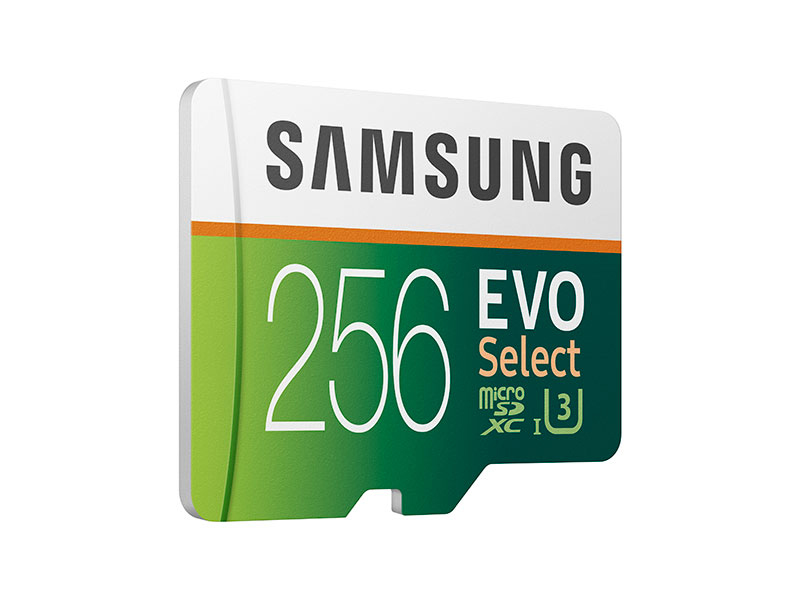
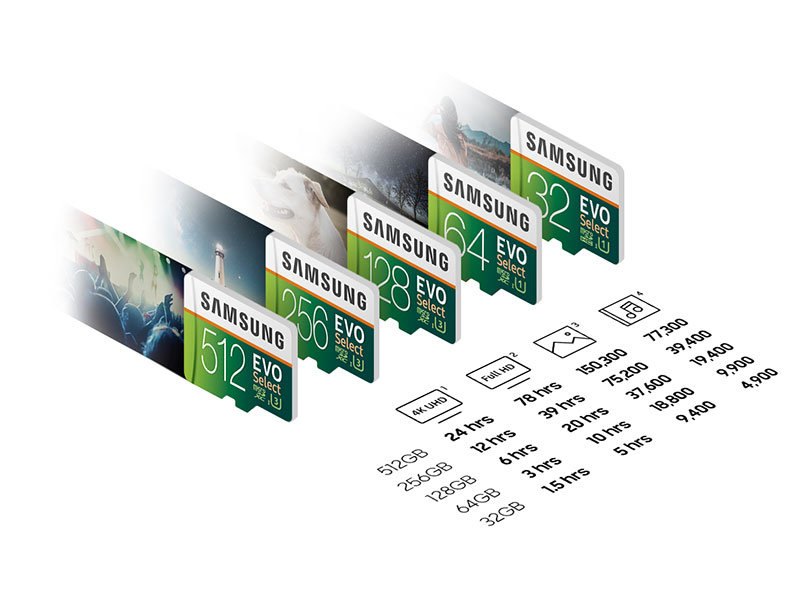
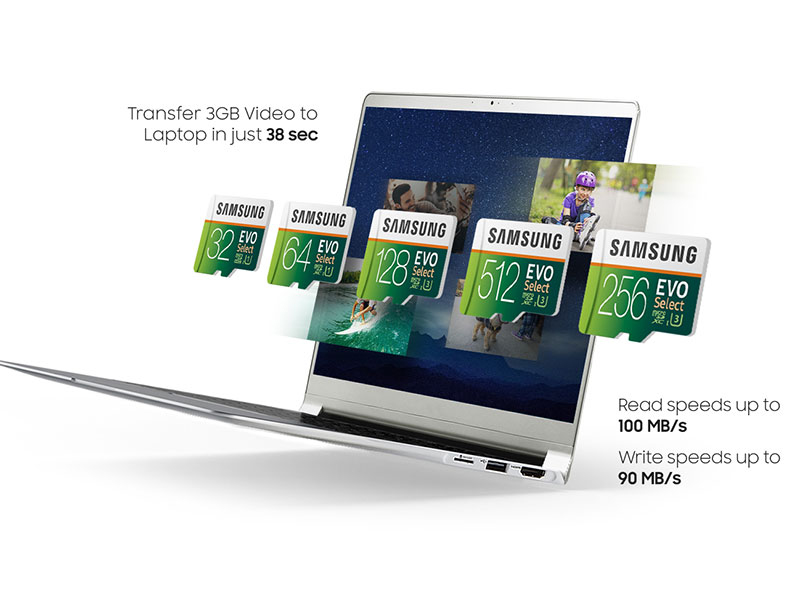
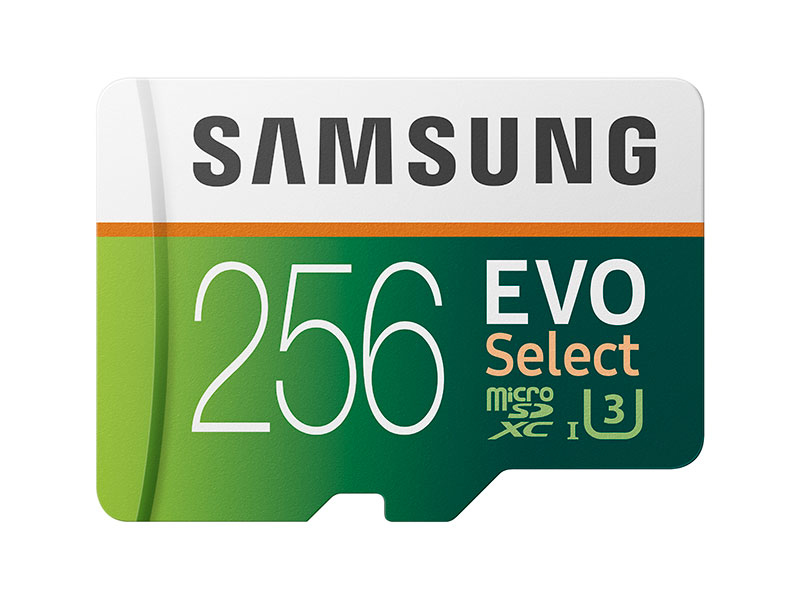
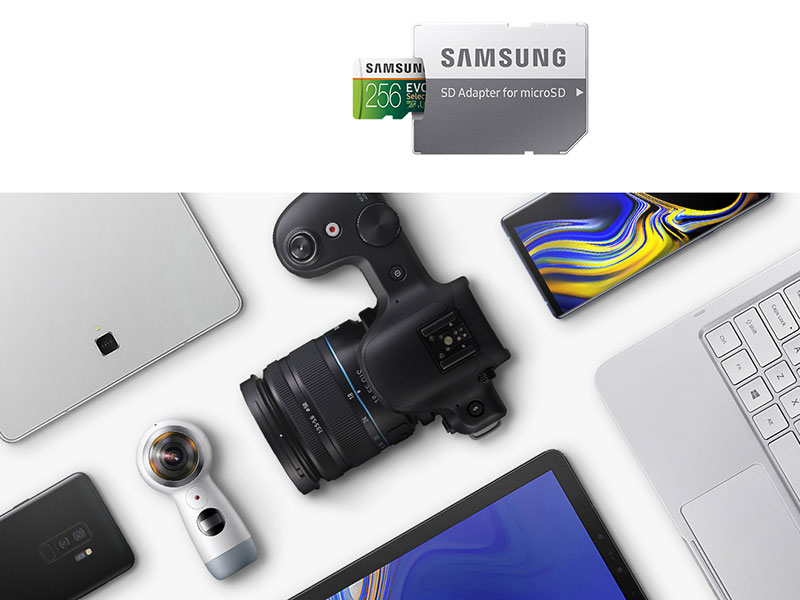
The Samsung EVO Select 256GB MicroSDXC UHS-I U3 memory card delivers ultra-fast 100MB/s read speeds and 90MB/s write speeds, ideal for 4K UHD video recording and high-res photography. With 256GB of storage, it supports extensive media libraries and comes with a full-size SD adapter for versatile device compatibility. Engineered with four-proof protectionโwaterproof, temperature-proof, X-ray-proof, and magnetic-proofโthis card ensures your data stays safe in extreme conditions. Perfect for professionals and tech-savvy users seeking reliable, high-performance storage solutions.


| ASIN | B0887P21Z2 |
| Additional Features | Magnetic Proof, Temperature Proof, Water Proof, X Ray Proof |
| Best Sellers Rank | #356 in Micro SD Memory Cards |
| Brand | Samsung |
| Color | Green, White |
| Compatible Devices | Camera, Laptop, Personal Computer, Smartphone, Tablet |
| Customer Reviews | 4.8 out of 5 stars 215,841 Reviews |
| Flash Memory Type | SDXC |
| Hardware Connectivity | MicroSD, microSDXC |
| Item Dimensions L x W | 0.59"L x 0.04"W |
| Item Type Name | MicroSD Memory Card |
| Item Weight | 13.6 Grams |
| Manufacturer | Samsung |
| Media Speed | 90 |
| Memory Storage Capacity | 256 GB |
| Mfr Part Number | MB-ME256HA/AM |
| Model Name | Samsung EVO Select |
| Model Number | MB-ME256HA/AM |
| Read Speed | 100 Megabytes Per Second |
| Secure Digital Association Speed Class | Class 10 |
| UPC | 887276373331 |
| Unit Count | 1.0 Count |
| Warranty Description | 1 year manufacturer |
| Warranty Type | Limited |
R**L
Fast and Reliable Storage Solution!
The SAMSUNG EVO Select 128GB MicroSDXC Memory Card with Adapter has been a game-changer for me when it comes to expanding storage for my devices. From smartphones and tablets to action cameras and drones, this memory card has proven to be a reliable and high-performing solution. One of the standout features of this memory card is its impressive speed. With UHS-I U3 technology and a read speed of up to 100MB/s, it handles data transfer with lightning-fast efficiency. Whether I'm capturing 4K UHD videos or shooting burst-mode photos, the card ensures smooth and seamless performance, without any lag or hiccups. The generous 128GB capacity provides ample space for storing large amounts of data, making it perfect for content creators, photographers, and anyone who needs to store a substantial amount of media files. With this card, I no longer have to worry about running out of space during extended recording sessions or photo shoots. Another great advantage of the SAMSUNG EVO Select is its compatibility with a wide range of devices. The included adapter allows for easy use with SD card slots, making it versatile and suitable for various gadgets. I appreciate the convenience of being able to transfer files from the card to my laptop or other devices without the need for extra adapters. Durability is also a key aspect of this memory card. It is designed to withstand extreme conditions, including water, temperature, and magnetic exposure, ensuring the safety of my valuable data. This rugged build gives me peace of mind, especially when using the card in adventurous outdoor activities or traveling to different environments. Moreover, the SAMSUNG EVO Select comes at a reasonable price point, making it a cost-effective option for expanding storage. The value it provides in terms of speed, capacity, and reliability is well worth the investment. In conclusion, the card with adapter has exceeded my expectations in every way. It's a top-notch storage solution for all my devices, offering exceptional speed and performance for high-quality video recording and photo storage. If you're looking for a dependable and efficient memory card to enhance your multimedia experience, I highly recommend considering the SAMSUNG EVO Select!
S**E
Face it, you own something that needs a card...
I'm a wedding photographer. Here is a comment I read on an industry forum just the other day: "Hey guys. Do any of you get really nervous formatting cards when you have back-to-back weddings? Like you get home after the first one, download all of your photos and make sure they are good, but then you have to format your cards for the next day? I hate that." Um... huh? Look, memory cards are about the least costly expense for a professional wedding photographer. Case in point, these Samsung cards, which at the time of this writing are less than $10 for 32gb. Why in the world would anyone not buy enough of these to cover an entire weekend worth of shooting? An entire month worth of shooting?? These things are so inexpensive that they you could almost buy them to hand out to trick or treaters on Halloween! Ok, ok... maybe a slight exaggeration. But still... To be totally honest, I was a little bit nervous the first time I used a micro card with an SD adapter. But the first one I used (full disclosure, not this brand) was well over a year ago, in multiple cameras, and I've never had an issue with either writing data to the cards or transferring photos to a computer. Maybe I'll never use the cards without the adapters, but I have the option if it comes up. I have one of these cards in my Fuji x100 (my "take everywhere" camera) and it works absolutely perfectly. The write speed is fast enough that there's barely any lag between taking the photo and being able to preview it. I have other cards that I give to my second shooters, so they get plugged into a variety of cameras, and I've never had an issue. I have a couple more that serve as my backup cards for my dual slot (Compact Flash and SD) Canon 5D Mark III's. Again, so far no issues. Look, in this day and age, you're going to need either a micro SD or an SD card for *something.* This is a good buy.
O**N
It's a winner!
The genuine Samsung Evo Select line of Micro SD cards are great. They are reliable and they live up to the speed and capacity classifications they claim to. I've been using Samsung cards for years and they are the only brand that consistently doesn't give me any issues year after year. This 32GB card is no exception. However, by default the card is formatted as FAT32, but I prefer exFAT as FAT32 won't allow you to transfer a folder containing more than 4GB to the card. That's annoying if you are moving data from an old card to a new one. FAT32 has 4GB file size limitations, but on a transfer it recognizes a directory containing lots of files as 1 thing, and applies the 4GB limit. This will give you an error (in Windows anyway) that there isn't enough space available for the transfer. But if you copy the files individually it works fine. Or just format the card to exFAT and it will accept the folder that exceeds 4GB easily. exFAT will work just fine in an Android phone as well (Android 5.1 or higher. Earlier versions may have some issues with the exFAT formatting) This card handles full HD Video at 60FPS without faulting. It's write speeds are fine to use for HD video. But be sure to authenticate the card upon arrival to make sure it's a genuine Samsung card with the stated capacity. Micro SD cards are a favorite thing for fraudsters to counterfeit because it's cheap and easy to do it. In the past the regular Evo line of Samsung cards (the white and orange colored ones) where the popular cards to counterfeit. Though with these higher grade cards (Evo Select line with the white and green color scheme) starting to be more popular......well it behooves anyone buying a new SD card to check it's authenticity upon arrival. The 2 tone fade of the green coloring adds an additional anti-counterfeiting measure over the previous solid colors. This makes it more expensive to counterfeit a Samsung card convincingly. What happens is that fraudulent card makers will take a 4GB Class 1 card that costs $1 to make, and hack the control chip that tells the computer what the capacity of the card is so your computer thinks it's a much larger card. Your computer will even try to write well over 4GB of data, but the data doesn't actually go anywhere. It's the same idea as putting a 100 gallon label on a 10 gallon bucket. You can pour 100 gallons into it, but 90 of those gallons are just going to flow out over the top and be lost forever. Below are some steps to help you ensure that you get a legitimate Samsung card. โ For the last several years Samsung has made it's micro SD cards with white plastic. That means the actual card itself behind the colorful label on front is white. You can see the white plastic on the sides. Fake cards are almost always all black, because they are generically produced low cost cards that are given a fancy Samsung looking label on the front. If the card you get it black ON THE SIDES, it's not a Samsung. White plastic is more expensive to make, and fraudsters are all about doing it cheap. (See my images below of a real Samsung card with the white sides and back showing) The back should be black. The sides should be white. And the front should be colorful with the 2 tone green fade. โ Buy only from reputable vendors. Amazon is a reliable vendor. And if there is a problem, they will take it back without hassle. There are dozens of other 3rd party vendors who are just as trustworthy. But make sure you are buying from one of those. Read their seller feedback. If there are numerous complaints from people who bought fake capacity cards or even cards that didn't work properly, find a different seller. โ Make sure the listing looks right. This one is fine. It's a legitimate Samsung card. (I've personally bought it and tested it) But scammers will post nearly identical looking listings on Amazon that have cards that look nearly identical buy don't have the Samsung logo at the top. (Recently another scammer replaced Samsung with Sanshen on fake cards. Other than that they were identical. They used the same font any everything, including the A in Samsung that doesn't have the bar in the middle) โ Be careful of the price. If the price of the card you are looking at is significantly below the price of other listings for similar capacity cards, something is wrong. One of the biggest tricks scammers play is to make the price WAY lower than it should be in hopes of getting you to spend more time looking at the price tag than looking at the other things that don't add up right on the listing. Unusually low priced flash storage almost never works out well. โ Test the card once you buy it! Regardless of who you buy your Micro SD card from or what brand it is, test it out. A thorough way to test it is with a utility app called "h2testw". You can download it free. Just do a search for it on any search engine and you'll find it. That app writes single bit data to the drive until it's full, then it reads that data back to make sure it's readable. It will tell you what the actual capacity of this disk is. The default language on that utility is German, but you can switch to English easily. It is not fast. It will take about 45 minutes to test a 32GB card, and several hours to test a 256GB card. Just run it overnight and check the results in the morning. This is smart to do even if you have no doubts that you have an authentic Samsung (or other brand name) product. Sometimes things go wrong in manufacturing and quality control and a dud gets through. An app like h2testw will verify that your legitimate brand name card is working properly. And if it's not, you'll know right away while you are still in your 30 day exchange window.
M**.
Definitely NOT fake flash!
For funsies, I bought a couple of microSD cards that were obviously "fake flash" (where the card misrepresents itself as a higher capacity than it actually is) and ran them through some tests to see what capacity they really were and how reliable they were. I bought this card as my control. My rig for doing these tests was an Orange Pi 4 running Armbian (a Ubuntu-based distro tuned towards single board computers). I used AltraMayor's f3 suite of tools, along with ncw's stressdisk tool (both of which you can find on Github). Step 1 was to see how the card represented itself to the operating system. You can see from the dmesg logs that it presented itself as a 256 GB card to the OS. (It technically presented itself as having 500,695,040 512-byte blocks -- which would come out to 256,355,860,480 bytes. Most computer programs measure a gigabyte as 1024^3, whereas most products are advertised using 1000^3. So by the latter definition, this card is 256 GB; but by the former definition, it's only 239 GB. It's annoying, but not unexpected.) Step 2 was use to use f3probe to see what the card's actual capacity is. (This program works by writing pseudorandom data to different places on the card, then reading it back to see if it matches what's expected. Genuine flash will always return the data that's expected, whereas fake flash will return the expected data up to a point -- after which it'll start returning bad data.) The good news here is that it only took f3probe 29 seconds to tell me that yes, this card is actually 256 GB. (For comparison, it took it over three hours to tell me that my two "fake flash" cards -- which were advertised as 1024 GB -- were actually only about 8 GB in size.) Step 3 was to use f3write and f3read. (These programs fill up all of the available space on the card with pseudorandom data -- as opposed to f3probe, which just writes data to strategic points on the card -- and the read it back to see if it matches what's expected, to check that the flash cells are working properly.) Again, nothing but good news here -- this card passed with flying colors. Step 4 was to run a stress test on the card using stressdisk. (This program fills up the card with pseudorandom data, then reads it back a couple of times to check to see if it matches what's expected. It then writes new data to the card, reads it back a couple of times, and repeats this process over and over again for 24 hours -- watching to see if any errors crop up.) Once again, this card passed with flying colors -- not a single error during the entire 24 hours. (One of my "fake flash" cards started showing errors about halfway through the test; the other one started showing errors before the 2-hour mark.) The last thing to look at is read/write speeds. Both f3read/f3write and stressdisk will tell us what read/write speeds it was able to attain -- so all we have to do is look at the output from those programs. This card carries the UHS-3 mark -- which means that it must be able to sustain read/write speeds of at least 30 MB/sec -- and this card blew that out of the water. Both tools said that it was able to attain over 67 MB/sec write speed and over 87 MB/sec read speed. Heck, that's enough to qualify for the next highest speed rating, V60 -- which requires read/write speeds of at least 60 MB/sec. (Samsung advertises that this card can get over 90 MB/sec write speed and 100 MB/sec read speed -- I'm going to chalk up the difference to limitations in my rig.) So if you're looking for a good quality SD card...in my opinion, this is it!
J**H
Decent memory card
Does what it says it does it worked in my dashcam Seemed true to claimed storage. Didn't have issues in the summer heat. Worked for a couple years till I stopped using the dash cam
E**S
Works Great in my Samsung S7
I purchased this SD card for my new (well used but new to me) Samsung Galaxy S7. Previously I owned the S6, which did not take an SD card, and was always having to delete stuff to avoid filling up the base memory. I don't know what prompted me to get a 256 gb card as I could have easily gotten by with half as much or even less. I basically just use it to hold music files I download to it from my laptop. But at least now I can put more music on it and use the larger files too since I have so much room. I can also stop having to shrink photos or deleting them so it might end up being worth the price. I am using it now to backup my contacts versus having to use the cloud. I am not a fan of having Google hold my contact information. Although they probably still are. That said, it works just fine which is what I would expect from Samsung. I recently copied 2.7 gb of music files over and it was done in no time. I have not noticed any lag when playing music so it's operating fine. It installed in a snap and was recognized by the OS without any special required steps. I would not hesitate to by another SD card from Samsung in the future. The price was right compared to others and it was 100% compatible with my S7.
R**S
Good for dash cams
Great !
R**.
Quality excellent
Works flawless
N**Z
Producto excelente
Buena calidad
D**W
Still good & reliable
Good reliable SD card (so far...). Working well with olympus pen-f and insta360 X2. I don't do storage speed tests.
J**H
Excellent Quality
Great quality, still going strong after years.
A**R
Samsung EVO Select 128GB microSDXC Memory Card - Your Memory Storage Solution
Rating: โ โ โ โ โ (5/5) The Samsung EVO Select 128GB microSDXC Memory Card is a powerful and reliable solution for all your data storage needs. Here's why I believe this memory card deserves a glowing review: Ample Storage: With a generous 128GB capacity, this memory card provides ample storage space for all your photos, videos, music, and files. You'll never have to worry about running out of space again. High-Speed Performance: With UHS-I U3 and a read speed of up to 100MB/s, this memory card ensures lightning-fast data transfer, making it perfect for 4K UHD video recording, high-resolution photography, and smooth app performance. Versatile Compatibility: This memory card is compatible with a wide range of devices, including smartphones, tablets, cameras, drones, and more. Plus, the included adapter allows you to use it with various devices, making it incredibly versatile. Reliable and Durable: Samsung is known for its reliability, and this memory card is no exception. It's built to withstand tough conditions, from extreme temperatures to water and X-rays, ensuring your data remains safe. A Name You Can Trust: Samsung is a trusted name in technology, and their memory cards are no exception. You can rely on the quality and performance of this memory card for all your storage needs. In conclusion, the Samsung EVO Select 128GB microSDXC Memory Card is an excellent choice for anyone in need of reliable and high-capacity storage. Whether you're a professional photographer, a 4K video enthusiast, or simply want more space for your files, this memory card delivers on all fronts. Its high-speed performance, versatile compatibility, and robust build make it a top-tier choice for your data storage needs. Don't compromise on storage qualityโtrust Samsung to keep your data safe and easily accessible. This memory card is a smart investment for your tech arsenal.
A**X
Legitimate 32GB SD Card
Used F3 to verify the legitimacy of the 32GB SD Cards I ordered, came back perfect.
Trustpilot
3 weeks ago
3 weeks ago