Buy anything from 5,000+ international stores. One checkout price. No surprise fees. Join 2M+ shoppers on Desertcart.
Desertcart purchases this item on your behalf and handles shipping, customs, and support to Denmark.
🔗 Connect, Switch, and Conquer!
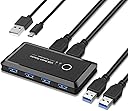
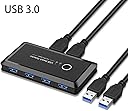
The USB 3.0 Switcher Selector is a versatile KVM switch hub that allows seamless sharing of up to 4 USB devices between 2 computers. With plug-and-play functionality and no need for external power, it supports fast data transfer rates of up to 5 GB/s and is compatible with all major operating systems. Ideal for professionals looking to streamline their workspace.
| ASIN | B082K87B87 |
| Actuator Type | Push Button |
| Best Sellers Rank | #766 in KVM Switches |
| Brand Name | KSWLLO |
| Circuit Type | 2-way |
| Connectivity Protocol | Usb |
| Connector Type | Plug In |
| Contact Material | Plastic |
| Contact Type | Normally Open |
| Control Method | Voice |
| Current Rating | 2 Amps |
| Customer Reviews | 4.4 4.4 out of 5 stars (2,888) |
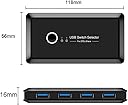
| Item Dimensions | 4.3 x 2.5 x 0.8 inches |
| Item Weight | 0.6 Pounds |
| Manufacturer | kersen |
| Material Type | Polycarbonate |
| Model | Makida |
| Mounting Type | Plug-In Mount |
| Number of Items | 1 |
| Number of Positions | 2 |
| Operating Voltage | 5 Volts |
| Operation Mode | ON-OFF |
| Switch Type | Push Button |
| Terminal | Button |
| UPC | 702004633597 |
| Unit Count | 1 Count |
| Wattage | 10 watts |
T**0
Additional Functionality At a Good Price
It does exactly what it needs to! I'll agree with others that the design could be better by having all ports (input and output) coming out of one side rather than input on one side and output on the other. If the manufacturer really wants to outsell anyone else, it seems this is the desired configuration people would want which would massively increase profits. This would be great for a new version of this KM Switch. For those with Corsair devices that use iCUE; it does work! At first I had some issues because once the LED's on my keyboard were turned on, both the mouse and keyboard would not work correctly such as keys continuously being pressed after a single press of the keyboard or the mouse cursor jumping around. I tried a few different things (different power supply, cables, etc.) and almost gave up by buying a powered USB extender or a new switch, but I found out that the USB cable that plugs into the Input of the Switch had to be plugged directly into my motherboard USB ports rather than the PCI-E expansion card that gave me additional USB 3.0 ports. This made it more difficult due to the length of the cables they give you, but it works. IF you are still having issues with iCUE products, these are your options: 1. Exit iCUE software as your devices will work fine with the KM switch then. You can configure the devices for Hardware Lighting and Hardware Key Assignments so that certain functions will still work without iCUE, but you'll still be limited on what you can do. If you choose this option, you lose Macros and such as well as game integration, but lighting will work as well as KM Switch functionality. 2. Keep iCUE software open but turn off your keyboard LED's (mouse is fine). Everything else will work fine, you just won't have keyboard LED's. You can't even turn the LED's to low, they have to be completely off. As soon as your keyboard LED's turn on, the issues occur. The KM Switch will work fine with this route too. Pros: - Works great - Small footprint - No Power needed (not required) - Low power draw (if used) - No drivers needed - USB cables provided - 4 USB 3.0 ports (others tend to be 2.0) - Price Cons: - No power brick provided - Short USB Cables - Odd design (though no different from other options)
S**N
It works, only minor complaint about LED
The product is great and works exactly as I had hoped. It connects my keyboard, Logitech wireless receiver, webcam, and headset to my workstation and gaming PC. It does switch between them with ease. My gaming PC is asleep during the day, but I use it at night after I finish work. My concern was I would not be able to switch to the sleeping PC and be able to wake it with the spacebar as normal. However this does not cause any issues and I am able to switch between the two PCs with no issues. It works well enough I'm considering buying another one just to test daisy-chaining to see if I can get 3 PCs connected. Complaint: The text on the device, and for the LEDs, is upside down in what I would consider the "normal" position with the device inputs facing towards me and the PC connections on the back side. I worked it out by having the LED orientation match the configuration of the two PCs (Left LED = Left PC, Right LED = Right PC), but the text is upside down. This is a very minor complaint with an easy, effortless fix (plus, I know which computer I'm working on, but may be handy if you don't use them often) so the product still gets 5-stars.
N**O
It Works (design caused me to return it)
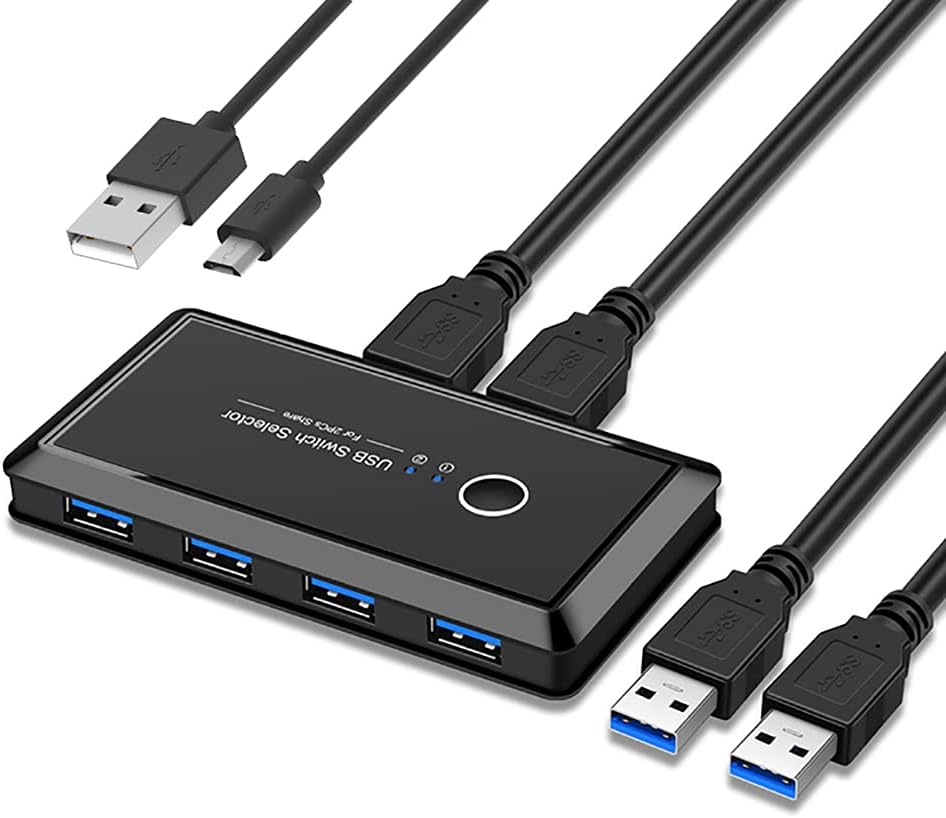
I purchased 2 different USB switches (the one we chose to keep is listed below) after endless scrolling through listings on Amazon. It needed to be able to switch a keyboard, mouse, headset, and microphone between a work laptop and personal desktop computer. Basically all the switches are 2/4 and in a similar price range so it was a matter of choosing based on reviews/cords included/design. If I hadn't purchased another switch to have as a comparison my husband probably would have just stuck with this one since it does work. However we found the other switch had a better design. Pros: - Cables: 2 USB cords for connecting to your PC of choice, 1 Micro USB cord for powering the device if needed, the cables appear to be good quality, they are solid and thick (a bit thicker than the cables included with the switch we ended up keeping) - Very small footprint (narrower than a deck of cards but slightly longer) - Works as intended, switches your peripherals from device to another, basically the device recognizes it as unplugging and plugging back in a peripheral each time Cons/Design Flaws: - Very lightweight plastic (weighs 55 grams which is less than the deck of cards, 96 grams, used for size comparison) because of this it moves around and is easily pulled out of place by the weight of the cables plugged into it, the other switch has a metal case and more weight to it which makes it feel studier and better quality - Button for switching between devices is recessed and can be difficult to find if you have it sitting towards the back of the desk and reach without looking to press it, this is something my husband didn't realize mattered until he tried the other switch - Indicator lights are too small & close together, again another design feature that wouldn't have been as obvious without comparing to the other switch, there are two blue lights to show which device is currently connected to the peripherals but if the switch is sitting towards the back of the desk the lights are too small & close together for you to tell at a glance which device is connected This switch did occasionally seem to have an issue switching the peripheral inputs from one device to another and the button would need to be pressed again to get the input to show up on the correct device. This hasn't happened yet with the other switch. Switch we chose instead: SGEYR USB 3.0 Switch Selector, Metal USB Switcher Box with 2 Computers Sharing 4 USB Devices KVM Switch Box for Printer, Mouse, Scanner, PCs with One-Button Swapping and 2 Pack USB Cables (the one in the pictures with blue lettering)
K**0
Great switch
The items works as intended, and I have not encountered any significant issues. It requires 5V power which I get from an Anker multi-charger. So far the setup works well, and my 2 PCs are detecting my peripherals pretty quickly after switching the output. Overall, I'm satisfied with this switch.
M**É
Très pratique pour utiliser plusieurs périphériques USB d'un ordinateur à un autre, sans être obligé de rebrancher à chaque fois. Après avoir appuyé sur le bouton, il y a un délai de 1 à 2 secondes pour que le transfert s'effectue. J'ai le produit depuis plus d'un an et je n'ai pas constaté de bogue. Je le recommande.
Trustpilot
2 months ago
4 days ago