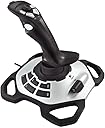
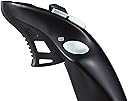
🕹️ Elevate your game with precision that commands respect!
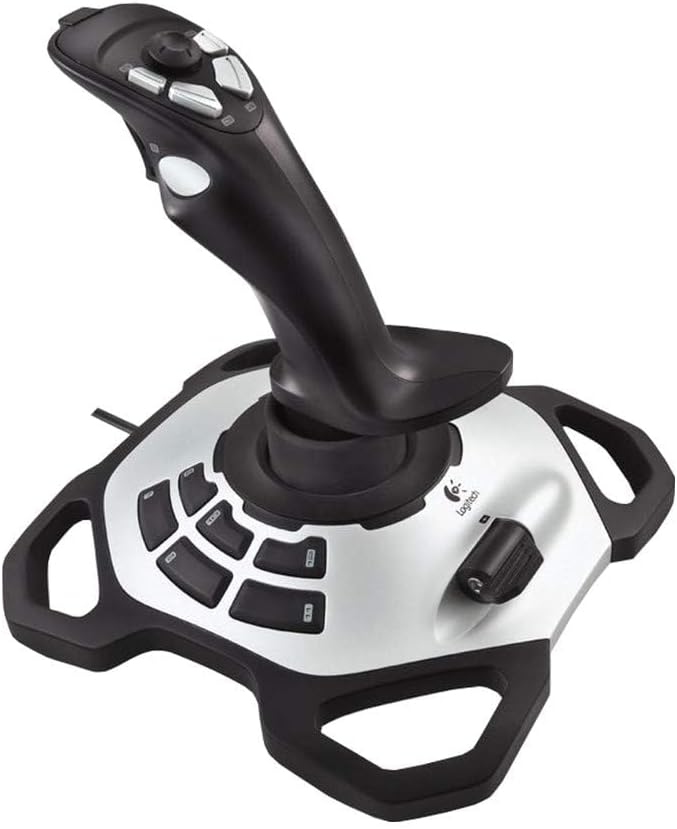
The Logitech Extreme 3D Pro Precision Fightstick is a high-performance joystick designed for PC and Mac gamers seeking precise control and durability. Featuring a 12-button layout, 360° twist rudder control, and 16-bit high-resolution accuracy, it delivers professional-grade responsiveness in a sleek, ergonomic design.
| ASIN | B00CJ5FPTA |
| Additional Features | Ergonomic |
| Best Sellers Rank | #10,798 in Video Games ( See Top 100 in Video Games ) #78 in PC Game Joysticks |
| Brand Name | Logitech G |
| Button Quantity | 12 |
| Color | Black |
| Compatible Devices | PC |
| Connectivity Technology | USB |
| Controller Type | Joystick |
| Customer Reviews | 4.3 4.3 out of 5 stars (4,310) |
| Global Trade Identification Number | 05099206041912 |
| Hardware Platform | pc |
| Item Dimensions | 9.06 x 8.27 x 9.13 inches |
| Item Weight | 2.2 Pounds |
| Manufacturer | Logitech |
| Manufacturer Part Number | 942-000031 |
| Model Name | Extreme 3D Pro |
| Model Number | 942-000031 |
| Package Quantity | 1 |
J**E
Good Cheap simulator Flight stick
Got this one back in 2020 on a really good discount price. It's been working great since I got it. It might not be the best next to advanced flight sticks but this one does the job right. I used it a lot playing Star Wars Squadrons and it worked fine
T**R
Works great but best for right-handed people
I just replaced my new Thrustmaster T-stick joystick with this as that turned out to be defective...the rudder control signals were erratic and after trying everything under the sun (software, hardware calibrations and devices and tweaks), I opted for Logitech...which is cheaper and feels cheaper than the Thurstmaster. However, that doesn't matter much when controls are working perfectly...all signals are perfect and precise, which is crucial for flying simulators I use it for. My only gripe is that all buttons are on the left side of yoke...that means for left-handed folks like me who use left hand for the yoke control, I have to move my right hand over to engage speed brakes, gears, brakes, reverse thrusts and other critical controls. If there was a model where buttons where spread out or one where buttons are on the right side of yoke, I would have given it 5 stars.
J**Z
Joystick works fine. Too bad they wear out so quickly
Working just fine
J**R
Sensitive, versatile, and durable
I love this thing! At this price point it's incredibly sensitive and versatile. I bought one that lasted 7 years before it failed completely, which is pretty good for an electromechanical device, so I ordered another. I've been using it with X-Plane and it gives me all the controls I need in a single low-cost device.
J**Y
Windows 10 issues...Updated, again
UPDATE3: Issues of my screen going black as if turned of and on is still ongoing. At this point i have to conclude that it is the driver for this Joystick as it is the only thing that i have installed lately. I will return it tomorrow because what is the use of keeping it. UPDATE 2: While the Joystick no works, it has caused an issue. My screen goes black from time to time as if has been turned off and on. The only thing that i have installed is the driver and software for the Joystick, so i am sure that is what has caused the problem. UPDATE: So after researching online for hours and trying somethings on my own, i think i have found the issue. Some say to update the driver, some say to add a different driver, and some say to use a different software. Not sure what rating to give as it took me hours of my time to figure this out. I actually noticed that my issue was my wireless mouse. Long story short. Do not connect the Joystick on any usb where you might have connected other usb devices. I connected mine on the back on one of the usb slots where i have never connected anything to it, and kept my wireless mouse on the front usb slots. Since than i haven't had an issue. Will up date if that changes. This works great, when windows 10 actually picks it up. The first time i connected it said drivers were installed, and it worked fine. The next time i turned on my PC and tried to use it, i wouldn't work. After looking online to see what the issue might be, turns out windows 10 is the issue. I have to uninstall the drivers and than reinstall it just so that i can use it. It means i would have to do it before every use. Why doesn't this product not say that it isn't compatible with Windows 10. Returning it as i can't use it as is.
S**E
ITs ok, but not more then Ok
I was stated as new. It was not but I get it. old hardware. Doesn't work 100% with windows 11
B**Y
Logitech quality
Logitech produces a wide array of quality electronic products, and I use this Flight Simulator joystick with the 2020 edition of Microsoft FS. The joystick has 12 programmable buttons covering flaps, trim, and power as well as camera and instrument views. It has a high sensitivity level out of the box which requires a more delicate flying experience, but even this can be modified in the FS settings. All is good here.
D**N
Best Generic stick available, and it's Logitech.
Used this stick for about 6 years, thru many sims. Finaly wore it out. Still works fine but one button is if'y. So bought a new one. Awesome perfomance for the price. And I don't have to learn new controls.
J**R
Wirklich eine sehr gute Qualität so wie man es von Logitech nicht anders kennt. Er liegt wirklich gut in der Hand und lässt sich auch schon mit wenigem Kraftaufwand bedienen was das spielen sehr entspannt macht. Außerdem kann man ihn in jedem Spiel sehr gut so einstellen wie man ihn braucht. Sehr gutes Produkt kann ich nur weiter empfehlen!!
G**M
Mooie Joystick maar voor win11 geen drivers beschikbaar en werkt helaqas niet op win11. Win10 weet ik niet, die heb ik niet. Jammer, maar helaas onbruikbaar dus gaat retour
G**S
Works fine on Windows 11, but make sure you disable core isolation protection. Using for ms flight simulator, great value
R**D
good product delivery and price
O**P
I bought this joystick as a replacement of my old logitech attack 3 joystick and after using it a bit I wished I had upgraded earlier. As expected from logitech, the Extreme 3D Pro offers excellent build quality and value for money. Compared to the quality of other joysticks in this price range I can't understand why you would buy anything else. The joystick offers eleven programmable buttons as well as a trigger, hat stick and throttle control. All the buttons very really solid and the sheer number of them means you can keep your hand near the joystick as opposed to the keyboard for longer. The throttle feels really nice and has a large flap that makes it easier to make more precise movements. The stick itself feels very expensive and works perfectly in games. I know lots of people aren't keen on the yaw function being incorporated into joysticks and I was initially sceptical myself, however I have found it to be very useful and easy to use. Beneath all the buttons the joystick has a very large and heavy base making it very stable. The only downside is that it's only really practical for right handed users so left handed people are probably better off opting for an ambidextrous joystick. Overall, I couldn't recommend this joystick enough and would highly advise choosing it over other models in a similar price range.
Trustpilot
3 weeks ago
1 month ago