We remain fully operational. Our teams are working around the clock to ensure your deliveries continue safely.

DOWNLOAD THE APP


Copyright © 2025 Desertcart Holdings Limited
DOWNLOAD THE APP


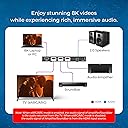
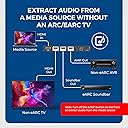

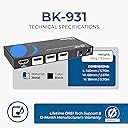


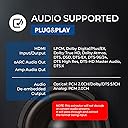

🎬 Elevate your home theater game with crystal-clear 4K visuals and immersive Dolby Atmos sound!
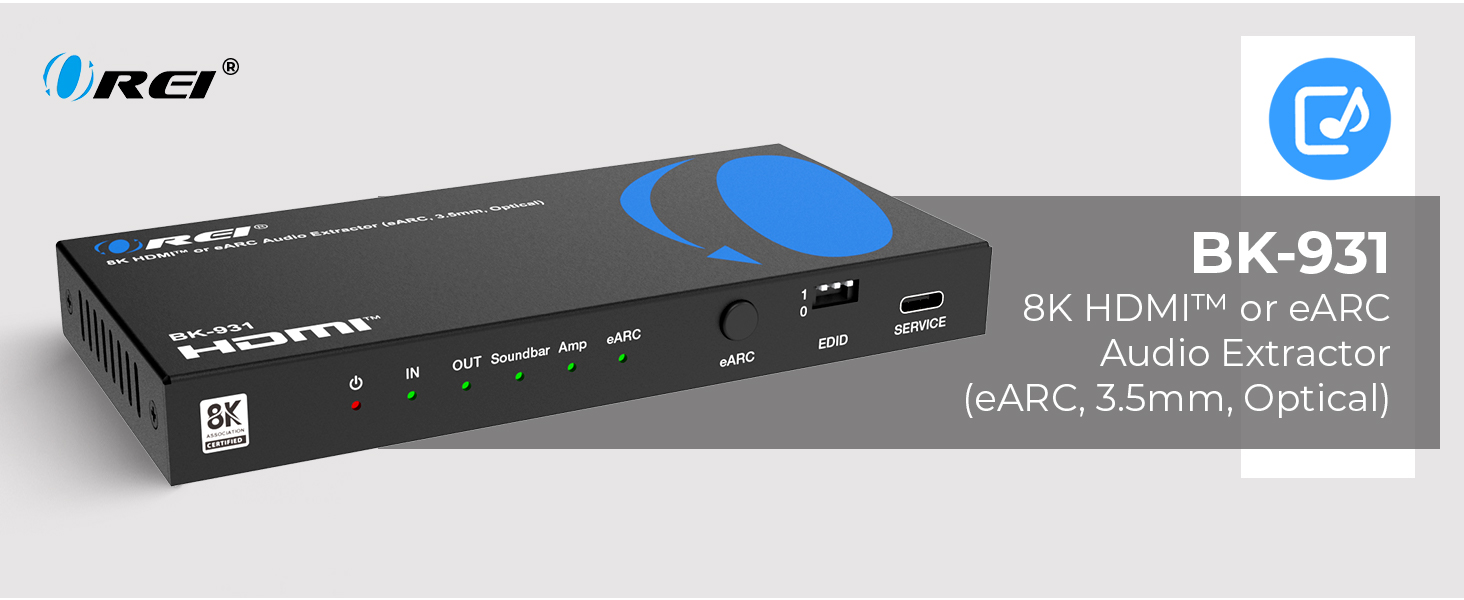
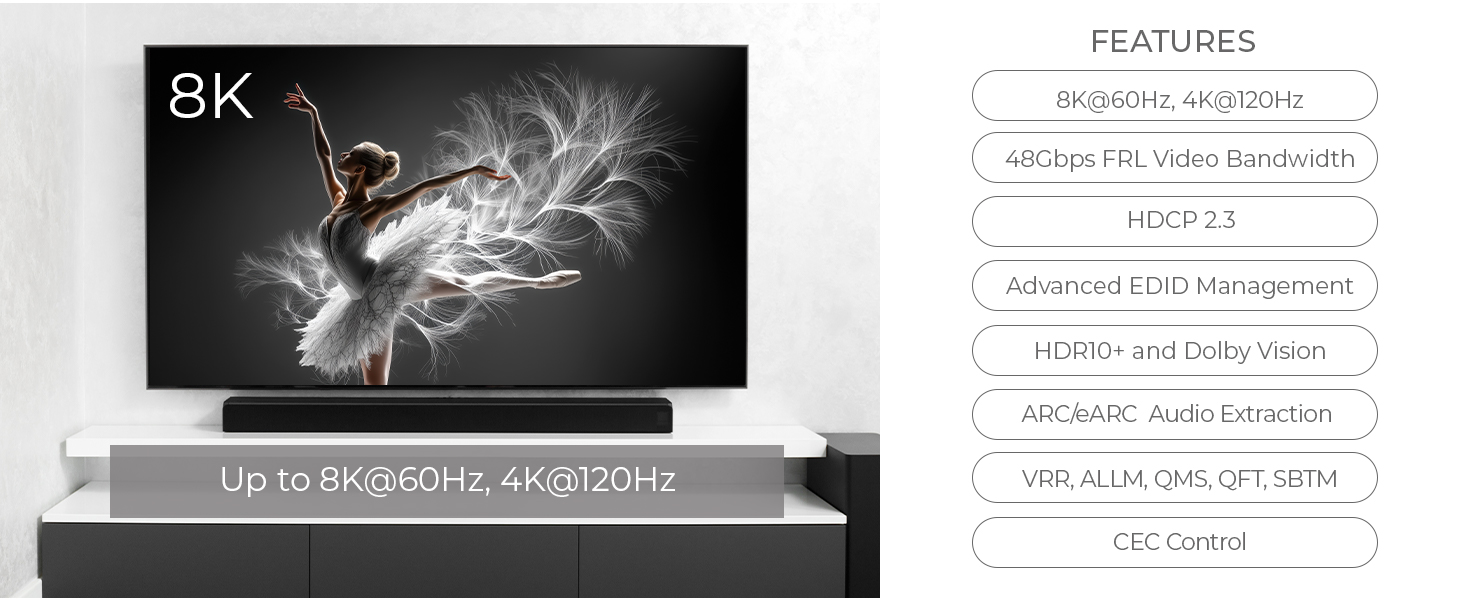
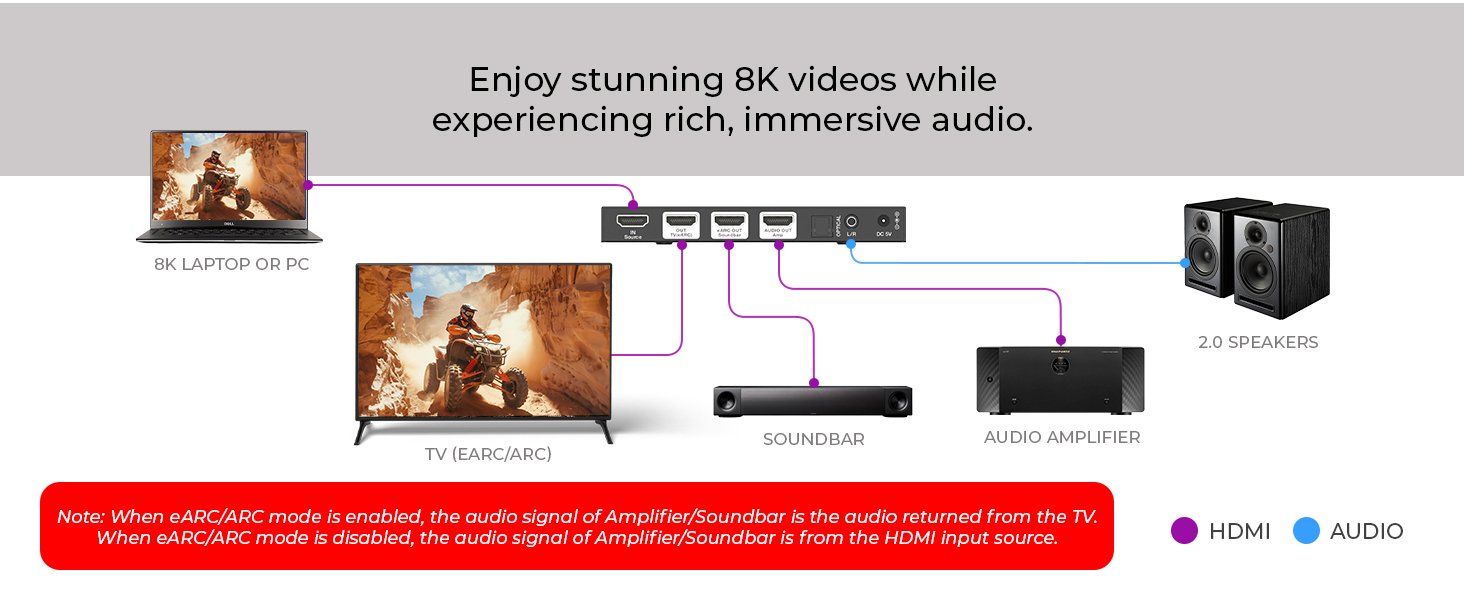
The OREI 4K 120Hz eARC HDMI Audio Extractor is a cutting-edge device designed to extract high-resolution audio from HDMI sources, supporting Dolby Atmos, DTS-HD Master Audio, and HDR10+/Dolby Vision video formats. It features HDMI 2.1 with 48Gbps bandwidth for 8K@60Hz and 4K@120Hz video, multiple audio output options including HDMI, Optical, and 3.5mm analog, and auto eARC detection for seamless switching. Compatible with top-tier devices like Apple TV, PS5, and Xbox Series X, it comes with a global dual voltage adapter and a 1-year warranty, making it a future-proof solution for premium home theater setups.






| ASIN | B07T6CDPQJ |
| Best Sellers Rank | #1,108 in Video Converters |
| Brand Name | OREI |
| Customer Reviews | 3.4 3.4 out of 5 stars (194) |
| Global Trade Identification Number | 00854339007953 |
| Included Components | Audio |
| Interface | HDMI |
| Manufacturer | OREI |
| Material Type | Metal |
| Maximum Supply Voltage | 104 Volts (DC) |
| Model | HDA-925 |
| Mounting Type | Bar Mount |
| Number of Channels | 2 |
| Number of Pins | 19 |
| Part Number | HDA-925 |
| Smart Home Compatibility | Not Smart Home Compatible |
| UPC | 854339007953 |
| Unit Count | 1 Count |
| Upper Temperature Rating | 104 Degrees Fahrenheit |
| Warranty Description | 1 Year Warranty |
B**3
Worked great with PS5 and Hue Sync for 4K HDR
My Pioneer receiver is a few years old and can't do HDMI 4K, so I bypassed it with my PS4 Pro with a direct HDMI connection to my display and then used the PS4's optical out to tie my receiver right back into the setup. The PS5 dropped an audio optical out, ouch. So now I needed a box like this. I felt like this product was currently a little expensive at $55 for "just an" audio extractor. I was tempted by Orei's HDMI 1x2 Splitter with same built-in audio extraction capabilities that was actually less expensive. However, the unique ARC support in this unit told me this was cutting edge (and these days format compatibility is all about "bandwidth"). And I've had terrible luck with splitting an HDMI signal with HDR10 so I went for this. I am glad I did. After a full day of use I experienced no video artifacts, cut-outs, or anything negative that too often happens with HDMI cabling and equipment add-ons like this. I also use a Hue Sync and if you do a lot with HDMI you know that each additional cable interconnection (I'll call that a "hop") adds the possibility of things not working correctly anymore. As I said, not the case for me with this device. I connected this inline in the last hop, between the Hue Sync's output and before the display's input. This way I could utilize any of the 4 input ports on the Hue Sync to send high quality audio to my receiver and the Hue Sync acts like an HDMI switch. So for those looking for verification before purchase my setup goes like this: PS5 HDMI out to PSVR in, PSVR out to Hue Sync in, Hue Sync out to Orei Audio Extractor in, Orei HDMI out to display in (and optical audio to receiver of course). Switched EDID setting accordingly, and voila!, I have full DTS sound coming out of my receiver from the PS5 and 4K (2180p) HDR10 on my display. One thing that may be worth noting is this is not an HDMI splitter despite the two output ports. The second HDMI port is audio only, and will send a 720P black screen as output. However, you could use that hook up to another HDMI supported device like a sound bar if you need the flexibility. The only con is that the manual is super tiny (actual text size required a magnifying glass) and super basic. It doesn't actually explain the functions of -using- the EDID or ARC selection buttons. I'm going to try looking on Orei's site but that seemed rather silly to me, especially for those less familiar with the "technical stuff". The device is other-wise physically plug and play (and yes, it requires the included power adapter). Final note, I did not have the need for ARC so I did not test that functionality. I know that may sound silly but that was not the point of my buying this device. Knowing it could support ARC told me it was very likely using the latest standards and that assumption appears to have paid off for me. I have no reason to assume it would not support ARC properly however, as it really seems like a very well built device that just lacks a decent -manual-.
S**K
Not worth the money, bad customer service!!
Bought this item to get Dolby atmos with my Bose 600 sound bar. Im using an Apple TV 4K as my media player, a Samsung 4K tv with ARC, and using 4K certified HDMI cables, Pros: when it works you will get true Dolby Atmos. Picture quality and sound are great(WHEN IT WORKS). Cons: it’s very inconsistent. The sound will drop out when switching from content that’s playing in 5.1 to content in 7.1 or Dolby Atmos. After three months I have found a new problem, it no longer wants to turn on. I have change usb plugs and cables several times! Customer support was not helpful at all. Don’t even try calling they won’t answer or call you back!!! Just don’t buy the product!!
J**O
Dolby Atmos splitting
Works great. Able to use E arc on stereo systems with only Arc t.v. Don't think it's full because it takes signal from content but still works. Every few weeks it will make a strange noise or won't work until you disconnect all cables , turn off then on Arc setting in t.v. , reconnect everything then turn everything on again. It took a few days to figure this out. I think it's due to it being powered on 24/7. There's no on/ off switch. Also would be perfect if it would split this signal more than once but have it connected to an e Arc soundbar and an e Arc receiver simultaneously but separately.
C**T
HDA925 It works well when it doesn't blow out or flake out
Update: I suspect the unit is not completely compatible with the Apple TV 4K. I have found that I need to reset it by literally unplugging the HDMI cable [source] from the Apple TV after powering the unit off. Then it works. The EDID light and ARC light (when set) stays on when the source cable is connected even when its power cable is disconnected. This unit does precisely what I want. I wish it could do 40Gbs / 48Gbs but its all I could find. It's audio extraction port fowards multipcm pass through to my NuForce surround sound processor from Japan. It sends everything through precisely as it should. The HDA925 supports Dolby Vision 4:2:2 as well as other video formats. The audio supports Dolby Atmosphere and on down. When streaming you get a multiplicity of audio formats and it seems to pass them all through unaltered for the sound processor to handle. The picture and audio quality are superior at 18Gbs. However, it is very sensitive. It seems to be powered by the source HDMI port not the external power supply? When I unplug the power supply the unit is still active. It doesn't mention this anywhere in the documentation. So, you must be very careful to power down all attached devices even if they are indirectly attached before moving/removing HDMI cables otherwise you can easily blow the audio extraction segment. Sometimes when your components sleep and you wake them up to use them it produces a blurry picture. You then have to reset the device by plugging and unplugging it. And you lose the audio! I gave it only 3 stars due to its extreme sensitivity and inconsistent performance. But, its the ONLY audio extraction video forwarding device that supports Dolby Vision and correct audio extraction. I have a couple of Go Fanco devices that are true HDMI splitters that require a lot of adjustment of the DIP switches to get everything to work and they don't support Dolby Vision. But, they are very sturdy, reliable and consistent when you get them into the right configuration. The HDA925 does exactly what I need without having to tweak DIP switches but it is far more fragile and sensitive even when plugged in to a surge suppressor as they recommend.
D**E
It stopped working after 1 month after the return policy.
M**A
Can confirm all HD audio sources bit streamed perfectly! 4k video on new tv and full audio hd master audio and atoms codecs to older a/v equipment. Excellent support on email from before buying it. If you have 4k source and older a/v receiver this is all u need to split audio !
J**A
Tengo un Serie X conectado a una Sony X900H y de ahí a un receptor AVR Onkyo. El problema es que en esta configuración hay un retraso en la sincronización del audio con el video al usar la consola y si conecto el xbox directo al Onkyo, el procesador de video del Onkyo distorsiona la imagen de salida al televisor. Instalé este aparato donde conecto a él con HDMI al Xbox, un cable HDMI a la televisión y otro cbablee HDMI de salida de audio al receptor AVR. En esta configuración todo funciona perfecto, excelente calidad de video, el sonido Dolby ATMOS sincronizado perfectamente con el video, todo bien. Pero... Al regresar a la pantalla de Home de la televisión se pierde el sonido. En la televisión, la configuración para la entrada HDMI me lo detecta como PTV o 4K HFR device, no me lo detecta como un Xbox por lo cual no es "transparente" en cuanto a como transmite la señal del aparato que tiene uno conectado y causa conflicto con el aparato de sonido. Aún y cuando intento usar la salida óptica se presenta el problema así que el problema es entre el HDMI out del aparato y el HDMI IN de la TV . La documentación que trae es prácticamente nula y no explica para que sirven los botones de enfrente, aunque en primera instancia puedan parecer claros pero ¿Que significan Out1 y Out2? Trae un botón de on/off para ARC pero no noto que haga realmente algo. Existe un video en youtube explicando el funcionamiento pero realmente no resuelve dudas y a mi parecer solo muestra pasos obvios. En mi caso sí cumple con el uso que le quiero dar, pero creo muchos problemas al resolver otros. En cuestión de transmisión de calidad de imagen y sonido es perfecto, no hay duda, pero consideren que es HDMI 2.0, no es 2.1 y no serviría de puente para 4K@120Hz si es su intención en el futuro. A lo mejor en la configuración de tele/consola/AVR de otras personas pueda funcionar sin tantos problemas pero a mi desgraciadamente no me funcionó bien por cuestiones de comunicación entre el aparato y la TV. Repito, probablemente si el aparato mandara la identificación real del aparato que se está conectando no habría problema de conflictos. En conclusión, para mi es demasiado el estar malabareando de conectar y configurar cada que quiera usar la consola y desconectarlo y reiniciar para usar cualquier otra cosa de la tele así que optaré por regresarlo.
S**H
I have a projector, Fire TV stick and JBL cinema 150. Since there is no audio return function with projector and Fire TV stick, I have been looking for improving the audio . This OREI product is perfect partner with this setup, We are enjoying Dolby and 5.1 audio from Prime, HOTstar and other apps. Though priced little high, It does the job well and fitted my audio requirements. Best part is its Optical output that produces some of the best sounds with my audio system. Overall I am happy. Looking for long lasting performance.
J**T
Used it for 4days with Xbox one X after that it couldnt detect HDMI signal anymore. Tested with other devices same result .. hope my request for a refund is successful
Trustpilot
2 weeks ago
3 days ago