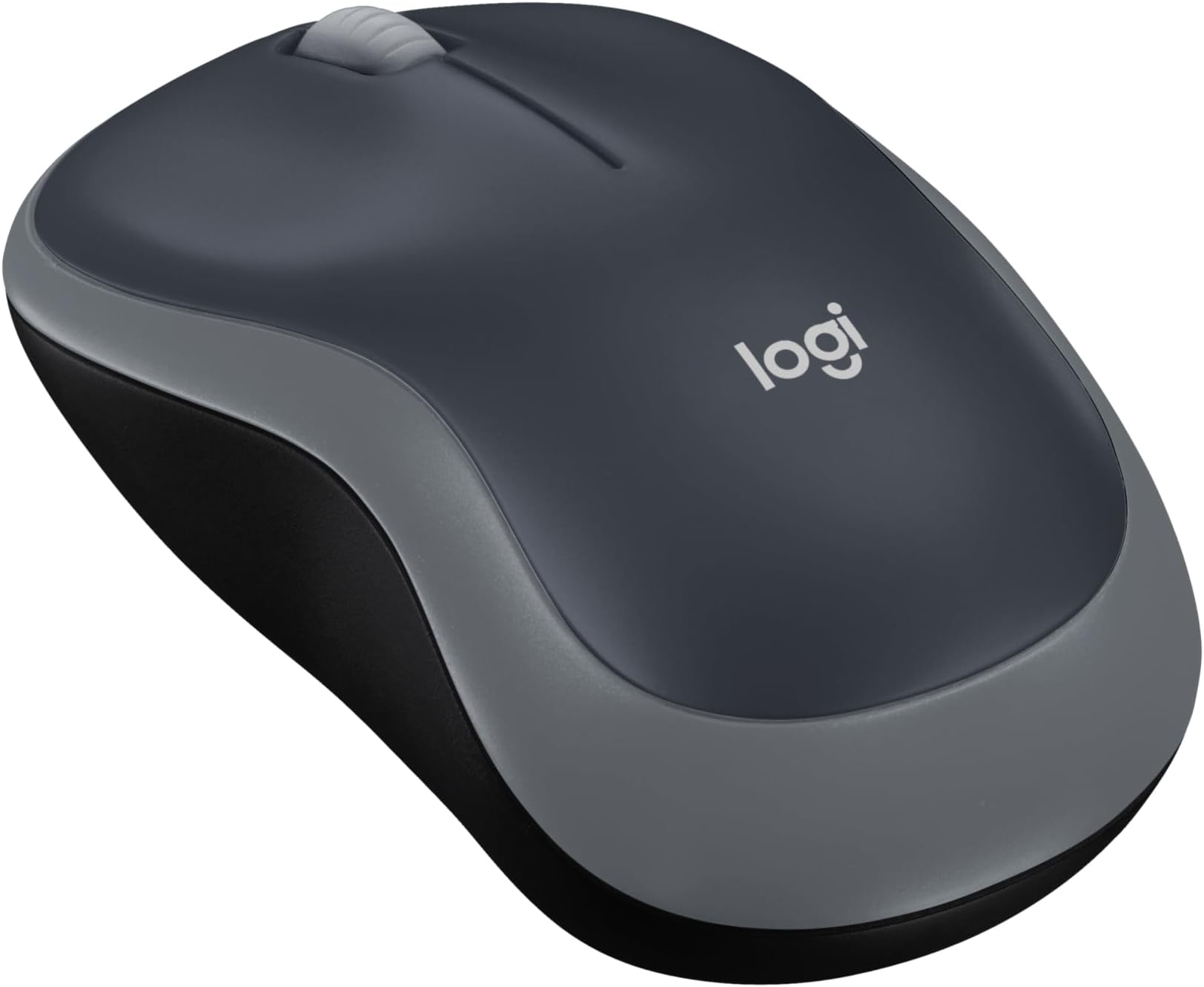
🚀 Elevate your workflow with wireless freedom and precision!
The Logitech M185 Wireless Mouse delivers reliable 2.4GHz wireless connectivity with a compact, ambidextrous design. Featuring 1000 DPI optical tracking and a 12-month battery life, it ensures smooth, precise control for Windows, Mac, and Linux users. Its plug-and-play nano USB receiver offers hassle-free setup, making it the perfect productivity companion for professionals seeking comfort, durability, and portability.


| ASIN | B004YAVF8I |
| Batteries | 1 AA batteries required. (included) |
| Best Sellers Rank | #1 in Computer Mice |
| Customer Reviews | 4.5 4.5 out of 5 stars (45,131) |
| Date First Available | August 3, 2017 |
| Department | mouse |
| Is Discontinued By Manufacturer | No |
| Item Weight | 1.06 ounces |
| Item model number | 910-002225 |
| Manufacturer | Logitech, Inc |
| Product Dimensions | 1.54 x 3.89 x 2.36 inches |
J**Y
Good value wireless mouse
A basic mouse to be sure. It is comfortable to use for extended periods of time. Its easy to use , plug the reciever into a usb port and turn the mouse on and youre ready to go.. it seems pretty durable, been using mine for over a year and it works as well as the day I got it. I definitly recommend it for on the go laptop use.g
A**X
Super silent and reliable. Works great with easy Bluetooth connection!
This Logitech M240 Silent mouse in Graphite is exactly what I wanted for quiet work. The clicks are truly silent. No annoying noise at all, which is perfect for offices, libraries, or late-night use without disturbing anyone. It connected to my laptop via Bluetooth instantly. No dongle needed, and pairing was effortless. Tracking is smooth on most surfaces, and the compact size makes it great for travel or small desks. Battery life is impressive too (still going strong after months on the included battery). Overall, it works great right out of the box. Solid build for the price, compatible with Windows and macOS. Highly recommend if you want a quiet, no-fuss wireless mouse!
C**R
It’s a good mouse.
Got it an about a year ago, it gets used a lot every day, it’s been dropped a few times, and it’s still working like a champ. I’ve only had to change the battery once. It fits my hand perfectly. The color matches my laptop, it’s accurate, fast scrolling speed, no noise at all, easy to use, a good value.
I**A
Great mouse. Great value.
Love this mouse. I have been using it for years. I think it's lasted be 10 years to be precise. Then I lost my usb piece so I bought another exact same mouse. This is a buy and forget. It's super durable and affordable.
B**G
Reliable, Smooth, and Great for Travel
The Logitech M185 is the perfect on-the-go mouse. It’s compact, easy to carry, and feels very smooth during use. It tracks well and works on almost any surface without issues. Battery life has been excellent — it’s still going strong almost a year later. Simple, reliable, and does exactly what you need.
A**R
Mouse is amazing, works well
Im using it to write this review right now. It's really goodand easy to use, andmakes little noise
R**L
Basic mouse that works - - for now.
I ordered this mouse (in blue) to replace the recently deceased exact same model that I've used for the past 2 or 3 years. I like the simplicity of the M185 mouse and mostly the best bang for your buck! I caught this one on sale for less than a ten-spot, so I thought, "why not." I'm hoping that this one will last a bit longer than my two previous M185 models, that averaged about 3 years each. This model seems plagued by a short life span and is predisposed to mysteriously and suddenly dying, without any obvious symptoms or warning of any kind - - you're working and clicking along, going about your day, when suddenly the cursor on the computer screen freezes and that's it. Nothing, zero, nada. Funny thing, I'm very careful not to abuse or drop the mouse, and keep a fresh battery installed and watch for leakage and all that stuff - - they just stop working, and I assume it is caused by some sort of inherent electronic fault in the circuitry of the previous M185's. Due to my loyalty to the brand and model (and since it was on sale) I decided to give it one more shot. They say that "third time's a charm". I like the fact that the M185 is simple and uncluttered with extra buttons that I would never use for my purpose, which is simple web-browsing and the occasional text document production. The feel is solid, not heavy, but not cheap feeling, either. I'm used to the shape of this mouse, which to me is quite comfortable for long sessions, another reason why I kind of wanted to stay with this model. The buttons have an audible "click", which doesn't bother me at all, and the wheel moves smoothly and also has a clicking operation (which I rarely ever use). The overall surface of the mouse has a matte finish, but like my previous models I'm sure it will eventually wear shiny spots where my fingers reside and will attain a more "well-used" look in time. Connecting it was a breeze, too. I just plugged the dongle into a spare rear usb port of my desktop, and the mouse connected instantly, no problem. The dongle can be stored safely inside the battery compartment, so you can take the whole thing out of the house if needed for use elsewhere. The speed of 1000 dpi seems just right for my purposes. The one I ordered even came with its own AA Duracell battery, which I wasn't really expecting. This mouse also enters "sleep mode" when you don't use it for a while, and I can't say how many times I've got up and left it on all night. And that's not hard to do, as I'll explain next. The only real negative to this mouse is the absence of any easily visible status indicator of it's on / off switch. The rear housing of this mouse is matte black, including the tiny switch where you turn it on and off with your fingernail, with only a very faint "on" lettering (also black), and very hard to see with my aging eyes. The laser is not lighted or visible when on, also adding to the confusion, especially in a darkened room. So, as a workaround, I took a tiny drop of green paint and placed it down inside the switch slider to visibly help indicate the "on" position, and likewise a dot of bright orange for the "off" position. Many of Logitech's more expensive models (and a few other manufacturers) include this color-coded switch indication. I guess for the $$, they had to cut corners somewhere - - a minor complaint. In summary, this is a good basic mouse that works - - let's hope that this one will last longer than its two predecessors.
C**S
Great for the price! Just a little small.
Works very well, Bluetooth connects flawlessly to my Dell computer. Only downside is the size, it’s a little small for my big hands. But it has quality and quite clicking sound.
C**A
Mouse muito bom! Ele é leve, tem resposta e conexão rápidas, a pilha dura muito tempo e realmente o barulho do clique em muito baixo e suave. Otimopara quem utiliza por muito tempo e diariamente.
O**.
ممتاز و منتج اصلي
馬**あ
サイズが小さいので手が大きい人には向かないかもしれませんが、使用感としては十分です。値段のわりに良い商品だと思います。
A**H
Value for money, no USD jack needed, when disconnect, for troubleshoot - Put the mouse in pairing mode Turn the mouse OFF Press and hold the Bluetooth / Pair button (usually under the mouse) Turn it ON while holding until the light blinks (blue/white) 👉 Blinking light = ready to connect
L**E
Able to easily use across my devices MacBook and iPad
Trustpilot
1 week ago
2 days ago