Buy anything from 5,000+ international stores. One checkout price. No surprise fees. Join 2M+ shoppers on Desertcart.
Desertcart purchases this item on your behalf and handles shipping, customs, and support to Denmark.
🎧 Elevate your sound game—pro audio, zero fuss.
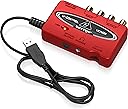
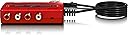
The Behringer U-CONTROL UCA222 is a compact, ultra-low latency 2 In/2 Out USB audio interface with digital output, designed for seamless plug-and-play use on PC and Mac. It delivers clear, professional-grade audio at up to 48kHz sample rate and includes a massive software bundle featuring over 150 virtual instruments, effects, and the Audacity audio editor. Ideal for musicians, podcasters, and audio enthusiasts seeking a budget-friendly upgrade to their sound setup.


| ASIN | B0023BYDHK |
| Audio Input | USB |
| Best Sellers Rank | #5,178 in Musical Instruments ( See Top 100 in Musical Instruments ) #45 in Computer Recording Audio Interfaces |
| Brand | Behringer |
| Brand Name | Behringer |
| Compatible Devices | Personal Computer, Mac |
| Connectivity Technology | USB |
| Customer Reviews | 4.5 out of 5 stars 5,849 Reviews |
| Global Trade Identification Number | 04033653030618 |
| Item Dimensions D x W x H | 5.5"D x 7.2"W x 1.4"H |
| Manufacturer | Music Tribe US |
| Manufacturer Part Number | P0A31 |
| Maximum Sample Rate | 48 KHz |
| Model Number | UCA222 |
| Number of Channels | 2 |
| Operating System | Mac |
| Product Dimensions | 5.5"D x 7.2"W x 1.4"H |
| Supported Software | Audacity audio editor, |
| UPC | 736211578945 |
| Warranty Description | Please refer to http://www. Music-group. Com/warranty. Aspx. |
J**N
Great as a DAC/external sound card.
I bought this with the intention of using it as a DAC/external sound card for my laptop. I expected better sound quality overall, and got exactly what I wanted and then some. I was hoping this just plugs right into a USB port and you can plug headphones right in to the port and that was indeed the case. The I/O is as simple as it looks in the picture. As for the sound quality, don't expect $80 ASUS Xonar quality, as that is specifically a sound card, while this is a DAC. This did preform as good as I hoped it would. It pulled things out of songs I never knew were there...and indirectly revealed how crappy my headphones sounded. With a good pair of cans and a good amp, this should preform very well for the price. I bought this over the UCA202 version for the added software, but apparently it is free for anyone on Behringer's site, good thing it was the same price as the UCA202. Overall, this is worth every penny...this thing works for quite a bit of audio related stuff. I was skeptical at first because it's cheap and it looks to be just another product, but this thing is capable of quite a bit. My only gripe is the plastic is of very cheap quality, but can't expect much for it being so cheap. I haven't used any other feature, so I cannot really say if it does x and y that well, but I can vouch for the sound quality. UPDATE: I didn't realize this at first, but on the back of the unit it claims the device is a UCA202, not that it really matters as the UCA222 and 202 are similar/the same, but thought that was pretty odd. Regardless, I do have an update. I was using this as a DAC/external soundcard and had crackling when using heavy bass...so I decided to try my USB 3.0 port (had it in a 2.0 before) and what happened next simply made my jaw drop. Not only did it fix the problem...but it sounded 10x better. It was good at first, but now it is magical compared to an old ALC269 Realtek on board soundcard. If you have USB 3.0 then use it if you can, it will benefit tremendously. This turned my normally average Numark Electrowaves into a pretty good pair of cans...they sound more open than they were before. The silence was tamed, the bass was bumped up slightly and the vocals now come out so clear it's ridiculous. I am excited to see what these sound like when I get a pair of Fidelio X2s. NOTE: It also does not say that these have a built in amplifier. This only works with the headphone jack, but it's there if you need it. While I'd recommend springing for something better (i.e. A Schiit Magni 2 for desktop, or any FiiO amplifier for portable) it is nice to have when my amplifier runs out of juice. If I could give this 6 stars, I would. This is a great device for the price, don't disregard it because of how cheap it is...I certainly would have if I had not decided to look into it. As a member of Head-Fi, it has my seal of approval for a budget oriented portable DAC.
S**R
Practical, simple with good sound
The most attractive feature of this product is probably the price. Thirty bucks won't set anyone too far back as long as the UCA222 really works. I've been burned on a few more expensive audio interfaces by well known brands that just did not sound very good, but I am happy to report that Behringer delivers. I'm a musician, and good sound is important to me. I expect to have to pay more for good sound, and you can do better than this product if you pay more, but for the price, this is a steal. Advantages: 1. It is pocket size, light and durably built. 2. It sounds quite good, especially if you install the ASIO drivers that are included with the software. Actually, the drivers are unnecessary to run it, and the basic sound is still probably better than what is produced by your on board laptop card even without the ASIO drivers. 3. It is incredibly simple to use. Just plug it in your USB slot and either attach your speakers or plug in your headphones (mini jack only). The drivers are optional. 4. It works automatically with Windows, Mac or Linux. The optional drivers, however, are only for Windows and Mac. 5. It's USB powered and requires no wall wart. Disadvantages: 1. Obvious functional limitations, hence the low price. It is designed for recording and playing back through analogue inputs and outputs. It is great for digitizing vinyl albums or old cassettes. I recorded some old minidisc recordings to my hard drive (remember minidiscs?), and the results using Adobe Audition were excellent. Very simple and quiet. 2. Some reviewers have bemoaned the loss of a larger headphone input. This is not a problem for me. Most current headphones use mini jacks with adapters. 3. The optical slot is only for output. When I was copying my minidiscs, since they are digital it would have been nice to use an optical cable for input. No biggy. It just afforded the recordings a little analogue warmth. They sound great. 4. If you are copying from an older turntable, the UCA222 has no grounding screw. For that, you will need the Behringer UFO202, which costs about ten dollars more. If you are under 40 years old, you probably have no idea what I'm talking about. That's OK. For many newer turntables and other analogue sources, the UCA222 is fine. For what it does, the UCA222 is effective and inexpensive. It is great for copying analogue media to your hard drive and for hooking up powered analogue speakers. The USB interface dramatically improves your PC sound by bypassing the internal sound card, making the UCA222 an inexpensive DAC. For a whole lot more money, you can certainly purchase a better DAC, but I suspect that for most listeners, this will be a very satisfactory interface--much better than some of the name big box brands out there. Behringer designs reasonably priced gear mostly for musicians, so the emphasis is not on gimmicky surround sound settings and 3D audio trickery, but just clean unsweetened stereo audio. If that floats your boat, then for the price, this is hard to beat. You will almost surely hear a dramatic improvement over your factory installed sound card, especially on a laptop.
R**Y
Evaluation of Behringer UCA222 Stereo to USB interface (be wary of Audacity on Win 8.0 64-bit)
Although it can be physically connected to an iPad via the USB port on a camera connection kit, it is not recognized (at least not by the iPad 2), as the camera connection kit does not provide USB power, which the unit requires to function. The ability to do this is suggested by the illustration on the front (top) of the box, coupled with a footnote on the bottom right of the box back (bottom). The unit is a Windows class-compliant USB-driver, and is automatically recognized and installed when first plugged in. I'm using Audacity 2.0.5 on Windows 8.0 64-bit. Although the input is recognized, and it will record (both in and out of pass-through monitoring mode: which means you can use the headphones attached to your computer in lieu of plugging them directly into the UCA222), I discovered much to my surprise that all recordings are converted to monaural: even though it is recognized as a "USB-mic" input, at 48K and stereo. Checking and trying to change the settings in Audacity appeared to effect no change. Part of the problem in this case may have been that I have also tested an Innovative Technologies USB turntable on this system (too trebly when run direct), and that I also have a USB GigWare audio/video capture device installed. For those who have systems without these extra USB audio devices installed (or perhaps in earlier versions of Windows, i.e., 7 or XP ,and perhaps at 32-bit versus a pure 64-bit environment as I use), it is possible that Audacity will record properly from stereo sources. My solution was to try using another free recording application: PreSonus Studio ONE (Free), which can be downloaded from the PreSonus web site. By opening an empty "song" in Studio ONE, turning off the input monitoring in the software (if you don't you'll get an annoying delay in the headphones), and monitoring by plugging headphones directly into the UCA222 vs the computer, I was able to get proper stereo recordings from the unit. Also, the downloads from Behringer's site for the software (which you have to do a bit of looking around for), no longer provides you with Behringer's own recording software, but rather, requires you to register the serial number of your unit, and then click through a link to Mackie's site, to download a copy of Tracktion v4. A very cost-effective solution to bringing high-quality analog stereo audio into your system, but set up definitely requires some time, and the expertise of the a medium to advanced experienced Windows user. Although I also have a Mac, I have not tested this on the Mac side as of yet. For Windows 8.x 64-bit with multiple USB audio devices installed, it can be made to work, but it isn't quite as plug-and-play as one might think. Update 5/22/2014: I have now tested it on the Mac side, using Audacity for analog (vinyl) audio capture, going through a processing rack of a BBE Sonic Maximizer and a limiter/compressor/gate. The sound is pristine. I also have it working in Garageband and Logic Express 8 - it works fine for playback. I still have to run it through its paces to test sync with existing tracks for recording.
D**0
Good product for live recording with Windows 7
I record live musical instruments using Audacity on the computer and needed a solution to the problem that Windows 7 has an inherent audio latency defect. When using the Line In audio jacks on a PC with Windows 7 there is about a quarter of a second delay between the time you hit a note on an instrument or sing into a microphone and when you hear the sound come out of your speakers. This makes Windows 7 useless for live recording or karaoke applications. Microsoft's tech support went so far as to suggest that the problem can be solved by using a shorter cable between the mixer and the PC. My rough calculations show that the cable would have to be 46,500 miles long to cause a quarter second delay, but that's getting off the point, which is to review this Behringer USB device and not to criticize, no matter how justly, the arrogance of Microsoft. The UCA 222 is described as an ultra low latency audio interface. Since high latency is the problem I was trying to solve, 30 bucks or so seemed like a reasonable gamble to me. When I received the UCA 222 I first tried to run the driver setup on the provided CD. It didn't work, giving an error message that the setup wasn't functional for Windows 7. I couldn't find any Windows 7 or 64 bit OS version of the setup program on the CD. So I thought, what the heck, I'll just plug it into the PC and see what happens. Voila! Windows said it detected and installed the device with no problem. I thought, hmm, fine, but let's see if it actually works. I hooked up the mixer and my headphones and picked up a guitar for a test. Bingo, no latency problem so far. The notes are coming through as fast as I can play them. The next test was to actually record a new track in Audacity playing along with a pre-recorded track and see if there is any latency. Ugh, the same old quarter of a second delay showed up in the recording. However, Audacity - and most recording software - has a latency control where you can adjust it's latency period. With a little trial and error I found that setting it to -275 resulted in perfect synchronization between recorded and live tracks. THIS SOLUTION DID NOT WORK PRIOR TO GETTING THE UCA222. No latency or buffer adjustment in Audacity was able to eliminate the delay. So.... I'm a happy consumer. This low cost UCA222 gizmo from Behringer did exactly what I hoped it would, and solved a difficult problem which was rendering my expensive new PC more or less useless. Furthermore, no setup was needed. Just plug it in and you're good to go! Speaking of plugs, the USB cable on the UCA222 is about 5 feet long (I haven't actually measured it, just an approximation) so there's plenty of length to route it around from your computer to somewhere else on a typical office-sized desk. The UCA222 is small and light, though, so you might want to use some velcro to keep it in place wherever you locate it. There are, however, a few points to consider before purchasing this product. First of all, when it's plugged into your PC, it routes all of the PC sound through itself, instead of through the Line Out and Headphone jacks of your PC. If you have a 5.1 or 7.1 sound card with analog jacks to a sound system with front, rear, side, and sub-woofer speakers you won't get any sound out of them while the UCA222 is plugged in. (The sound comes back when you unplug it, though.) So if you want to hear sound through speakers you have to hook your sound system up through RCA jacks on the UCA222 and those are only single Left and Right channels. This wasn't a problem for me since I use a different PA system for live monitoring but it could be an issue for someone else. The other thing is that the speakers don't shut off when you plug your headphones into it. Again, this isn't a deal breaker for me since my sound system has a mute button on the remote, so it's not too much effort to just mute the speakers when I want to. The UCA222 comes "massively" bundled with a bunch of audio effects software on a CD, mostly freeware stuff you can download off the net. I looked at it, but there was nothing really of use to me, personally. But I got this thing for the hardware, not the software, anyway. All in all, if you want a very simple low cost solution to the Windows 7 audio latency problem when recording live input from an external mixer, and can live with plain old stereo instead of surround sound output, or with having to unplug the UCA222 when you do want to just listen to your surround sound system, or you don't mind the headphones not automatically muting the speakers, then, like me, you will be very satisfied with the performance, and simplicity of installation, of this product.
A**N
Review for Techies: This Thing is Great, Here's the Scoop
The Behringer UCA222 is an excellent improvement over the usual audio hardware present on most desktop motherboards and laptops. The device is suitable for production use, and multiple devices on the same machine work well. It is identical to the UCA-202 except the UCA202 has a grey case and a green LED. Packaging and manufacture codes for the UCA-222 are more recent; otherwise there is no difference. Playback applications: Each device provides very high quality 16-bit playback. Recording applications: the 16 bit limitation limits its use to applications where input levels will be well controlled and/or pre-processed (like by a compressor and/or limiter) and/or there won't be much manipulation during the editing phase. It may help to upconvert to 24-bits for editing, and down convert the final product after processing and editing. Cons: 16 bit only. For really serious work, you may want to record at 24bits even if you mix down to 16bits for the final product (e.g. CD). Your skill may be a more important factor than this limitation. Pros: Very high quality conversion. Realtime (latency, read 'delay' - free) monitoring via built-in monitor jack with switch and level control. You can listen to what you're recording without there being a delay as is in the case with ALL analog-to-digital converters such as this. This can be a critical feature, and is missing from some of the competing devices. The headphone level provided is limited at maximum volume, but should be adequate in the majority of applications. PC Users: Note that this device, and others like it that are designed to record line levels, won't work well for recording with default Windows drivers. If you want to record with windows using this device, you MUST use the Behringer driver. You'll be glad you went to the trouble. The driver works fine and requires no attention after installation. This is a limitation of the generic Windows driver, not the Behringer device. Linux Users: Works fine by default. I tested with Debian and Ubuntu with Audacity. A note about the Windows driver: it replaces the Windows driver permanently for the USB port the device is connected to when the driver is installed. The driver can be removed later. If you're going to use multiple devices, connect them to a USB hub that connects to the port the driver was originally configured to. Multiple devices connected to the USB hub can share the driver, leaving your other USB ports in virginal condition (default Windows USB Audio driver). This is a characteristic of USB architecture.
D**H
Great Device
This little device works right out of the box. No drivers were needed and it was effortless set up! Years ago I used the model 202 when I first started digitizing an extensive LP and reel to reel tape library as built in sound cards at the time were very noisy on both the input and output. I have since moved on to higher resolution recordings, but fondly remember how well the older 202 worked for standard home CD recording and hard disk archiving. The UCA222 is being used for a flea power hobby radio station. The automation computer has Beats Audio, even though it was turned off, with every Windows 8.1 update, it got reset. Also the HP PC's internal sound card is noisy and hisses and has a low level AC buzz that I could not filter. Since I added the UCA222, I now have quiet and decent sound for the transmitter. Again it is high fidelity enough for FM radio, which has a limited dynamic range as compared to CD audio and a limited low end of 50 hertz and a roll off at 15 khz for the stereo pilot at 19 khz. One of the other nice driver features is a limiter / loudness control, virtual surround encoding, and bass extension as part of the driver. Our source music is LAME encoded MP3 files, 320 kilobits, 44.1 resolution, played from an external solid state drive and using iTunes for automation. I use the iTunes auto level function to "politely" smooth out level differences. I can highly recommend this little red box as I have been into audio since I was 4, and that's 60 years ago! Claude Rorabaugh, Washougal, WA.
C**Y
Awesome interface between your laptop and your PA system!
Behringer makes great products and this one does not disappoint! I run my laptop through my PA for weddings and events and wanted to improve the sound being delivered to the PA. Previously I would plug a small stereo cord (3.5mm) into the headphones out port on the laptop and into the mixer on the PA and play the music. I was always bothered with line noise and low hum. This sound card interface works like a dream! Plug and play for me! Hooked up the USB cord and ran RCA cables on the audio OUT jacks and away we GO! The sound is pristine and there is no low end hum or noise. Clean and quiet and I believe that the audio quality is better. There are more tones regarding EQ as a result, the Laptop Headphone jack seemed a bit "flat" when compared to the Behringer. The red finish is quite cool but the functionality is what I am looking for! I have not tried to record with this interface although I suspect it will be impressive. Great little device for a small amount of money! If you DJ or play computer audio through a PA you should get one of these, will not be disappointed!
D**S
Perfect recording solution that doesn't break the bank
This is the perfect product to record just about any analog audio source to your PC. For the most part it is plug and play. Windows 11 users will have to download drivers from the Behringer site and the ASIO drivers work great with any recording software. This product allows me to record using my guitar, keyboard, and even my DJ sets to a PC with ease. I have even been using it to rip my vynle on the computer for a digital copy, and I'm positive you could even rip cassette tapes with it. There may be some configurations that need to be done to record. Be sure the device is your default recording device in the control panel, and make sure it is selected in your recording software. For gamers, this will also work with your headsets and mics. I have used it with gaming and works like a dream. The volume control is a bit touchy but works just fine. For what you get the price is fantastic. You simply can't beat it. This product comes highly recommended for anyone that wants to do simple recording. Please keep in mind you will need recording software. I use Adobe Soundbooth, but if you dig around the internet I'm sure you'll be able to find free recording software.
V**X
Buena relación calidad-precio
Interfaz básica pero perfecta para sintetizadores, ya que no requiero preamplificadores. La calidad llega hasta 16 bits pero nadie notará la diferencia en trabajo casero. Excelente producto.
ど**え
この価格で高音質、ASIO4ALL使うなんちゃってASIO
何世代か古いWindowsでも対応しドライバー要らず、USB接続で直ぐ認識した。壊れたPCIe高音質オーディオカードの代わりを探しこちらの製品コメントを頼って購入。入力端子があるのもポイントだった。視聴してみてこの価格で高音質は驚き。だがASIOはなんちゃってだった。それでもこの高音質。 まず製品のメーカーサイトを検索すると日本語サイトが頭に出るが、ドライバーのリンク先が切れている。改めて英語圏サイトからダウンロードすると、なんと汎用フリーのASIO4ALLで最新版の1つ前。オーディオ編集ソフトで再生するとプチプチノイズが乗るため本家ASIO4ALLから最新版を入手して解消。 コレはアリです!
L**N
ideaal
werkt prima
P**O
Buona qualità audio, istruzioni non perfette
In breve. La mia esperienza col prodotto è molto positiva: in relazione al prezzo speso (ma anche se fosse costato qualcosina in più) si ha tra le mani un prodotto di una discreta qualità costruttiva, bel design, supportato da tutti i recenti (e anche non recentissimi) sistemi operativi e che fa il suo dovere senza dare problemi. Di negativo solo il fatto che il PC Windows7 su cui l'ho installata la indica con un nome diverso rispetto a quanto riportato sui manuali (ossia la vede come "Driver audio..." invece di "Behringer..."): nulla di grave, solo qualche minuto in più perso all'inizio credendo che "Driver audio" esistesse già in precedenza e aspettandosi di trovare un device chiamato "Behringer..." Dettagli aggiuntivi. Lati positivi: - Ingresso e uscita analogiche stereo con materiale di qualità adeguata, uscita cuffie con volume indipendente e switch per decidere se avere in cuffia un direct monitor dell'ongresso o lo stesso segnale mandato sulle uscite. - Alimentazione con USB 1.1 significa grande compatibilità anche per chi abbia ancora dei computer con porte 1.1 e 2.0 e ha molti dispositivi 2.0. - La qualità audio non ha niente da ridire (ok, se la paragono alla mia Avid che costa almeno 50 volte di più parliamo di qualcosa di diverso), ma qui si tratta di ingressi "linea" e non microfonici, per cui Behringer non fa fatica a mettere dei convertitori A/D (e D/A) economici ma molto performanti anche su alte frequenze di campionamento. Come lati negativi, a parte quanto già detto sulla documentazione, direi che abbiamo altri due: - Il "software incluso" di cui si parla sullo scatolo altro non è che software freeware (o shareware) che devi andare a scaricarti sul sito del software stesso. Dal sito Behringer ti fanno solo scaricare una versione di Audacity che non è nemmeno la più aggiornata - Ha un uscita ottica/digitale (spdif) ma purtroppo non un ingresso... avesse avuto anche quello sarebbe stato il massimo ma, ripeto, per quel prezzo non si può pretendere molto.
P**9
Ótimo custo benefício
Muito boa a placa já uso e essa eu uso para o backup se a outra der problema
Trustpilot
1 week ago
1 month ago