Buy anything from 5,000+ international stores. One checkout price. No surprise fees. Join 2M+ shoppers on Desertcart.
Desertcart purchases this item on your behalf and handles shipping, customs, and support to Denmark.
💿 Elevate your media game with speed, style, and universal power!
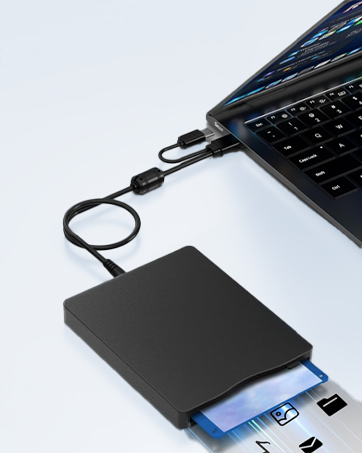
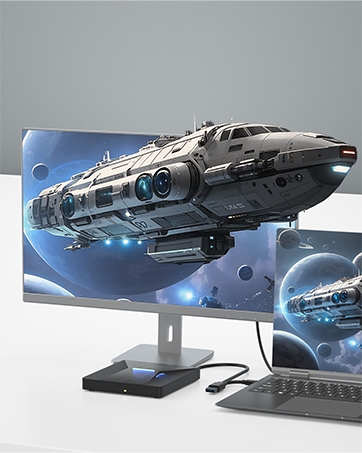
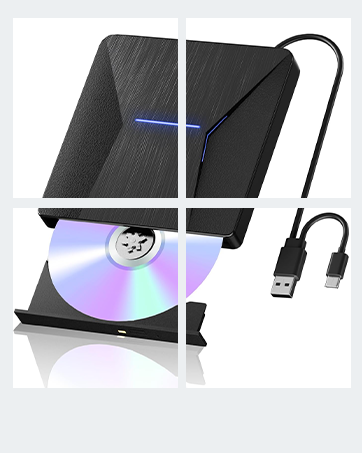
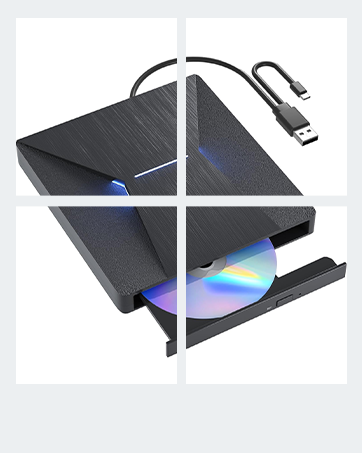
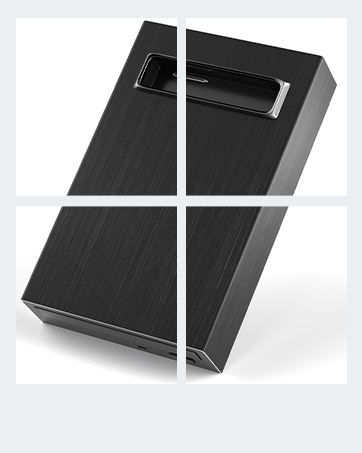
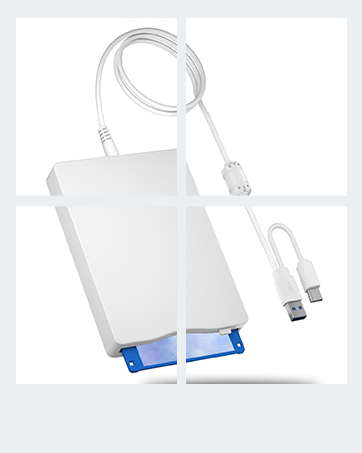
The MthsTec USB 3.0 and Type-C External Blu-ray Drive is a slim, high-performance optical drive supporting up to 6x Blu-ray writing speeds and 24x CD reading speeds. Compatible across Windows XP to 11 and MacOS, it offers plug-and-play convenience for laptops, desktops, and MacBooks. With a 50GB disc capacity and dual USB interfaces, it ensures fast data transfer up to 5Gbps. Its sleek design features a stylish ambient light, making it a perfect blend of functionality and modern aesthetics for professionals managing large media files or backups.


| ASIN | B07SZKNRF2 |
| Additional Features | Lightweight |
| Best Sellers Rank | #20 in External Blu-ray Drives |
| Brand | MthsTec |
| Built-In Media | No |
| Cache Memory Installed Size | 2 |
| Compatible Devices | Laptops, Desktops, Macbooks (Windows XP/7/8/10/11, Mac OS) |
| Connectivity Technology | USB Type-C, USB Type-A |
| Customer Package Type | Box |
| Customer Reviews | 3.7 3.7 out of 5 stars (3,250) |
| Data Transfer Rate | 5 Gigabits Per Second |
| Digital Storage Capacity | 50 GB |
| Enclosure Material | Acrylonitrile Butadiene Styrene (ABS) |
| Form Factor | Slim |
| Hardware Interface | USB 3.0 Type C |
| Hardware Platform | PC |
| Item Dimensions L x W x H | 6.18"L x 5.74"W x 1"H |
| Item Weight | 0.9 Pounds |
| Manufacturer | MthsTec |
| Media Speed | 6x, 2x |
| Mfr Part Number | gertqe-473 |
| Model Name | MC-BW-0001 |
| Model Number | MC-BW-0001 |
| Operating System | Window 11, Windows 10, Windows 7, Windows 8 |
| Optical Storage Read Speed | 6x,8x,24x |
| Optical Storage Write Speed | 6x |
| Specific Uses For Product | Data backup, Movie playback, Software installation, General computer use |
| UPC | 612068424805 |
| Unit Count | 1.0 Count |
| Warranty Description | 3 month warranty |
I**2
Drive works fine now.
I edited my previous review several times but for some reason the edits did not ‘take’. Thus I deleted the old review, collected additional information and now post this replacement. I first bought one of these drives in November 2022. It worked great on an iMac that was, at the time, 10 years old. I imported hundreds of CDs, DVDs and blue-ray disks. It had problems with a few DVDs, but so did every other drive I tried them in. I got a second identical drive in March 2024, just in case of problems, but never needed to use it. I got a new iMac in July 2025 and the first thing I found out was that the second drive did not work when plugged into that iMac’s I/O ports. They are specified as Thunderbolt-4, and supposed to be compatible with USB-C. The first drive just worked when plugged into the same port. Obviously, the second drive was at fault, right? I even swapped the USB cables and interface PCBs inside the drives and the problem stayed with the same drive. I had to plug in a USB-C to USB-A adapter/hub and use the USB-A branch of the drive’s 2-headed cable. That worked, mostly, but not what I would call WELL. Often took multiple tries to load a disk, sometimes lost access to the disk, and was slower than the 2022 drive. The drive was the only device plugged into that hub. So, I got another drive in September 2025. That one also would only work through the USB-A connector. I used it to import 3 blue-ray disks, but when I tried CDs it could not read them. It loaded CDs, with difficulty; after multiple tries they attached to the file system and appeared on the desktop, but the drive could not read data from them. It could not play music, import tracks, or even copy raw data. After failing to read a CD, the drive locked up hard. It had to be unplugged/replugged just to eject the CD it could not read. I tried 4 CDs, they all worked in the first 2 drives, but #3 could not read any of them. Amazon replaced it with another drive that had the exact same failure. So I bought a different brand drive, which turned out to have essentially the same optical drive inside. It also had exactly the same problems. All of that was mighty frustrating. Why was every drive I bought a piece of crap? The first drive still works but it won’t last forever. I posted bad reviews of both drives. Then I began to wonder if it was a power issue. Maybe the newer drives drew more current and the port didn’t like it? I rigged up a power-only USB-A cable and tried plugging that into a second port with the USB-C to USB-A hub. No dice. Sometimes the computer didn’t see the drive, sometimes it exhibited the same old failures. So, I bought a Sabrent externally powered USB-3 hub, to avoid any more problems with cheap no-name Chinesium products. And that seems to have fixed the problem. The drive bought in 2024 now works with the USB-C connector and can read CDs, DVDs and blue-ray disks without issues. I used Mac diagnostics to check the USB bus. It showed the port, the USB-3 hub, a second USB 2.1 hub, then the drive. Both branches of the 2-headed cable are connected to the drive through a USB 2.1 hub inside the case. Bandwidth is limited to USB-2 speed. Not that bad a limitation, though; it’s still 5X faster than the optical drive can stream data. It would appear that the I/O ports on current-model iMacs are not properly compatible with current-model USB optical drives. The older drive works fine, which led me to conclude that the newer drives were entirely at fault. Instead, it was an interactive failure between the computer and the drives. Using an external USB-C hub that supplied more power made them work. Unfortunately, I have not found any way to complain to Apple about this issue.
M**R
Low quality and inconsistent
I'm extremely unhappy with my purchase of this drive. The build quality is quite flimsy, and it should be a red flag to any potential buyers that the USB cable is hard wired to the device, it's not detachable or replaceable. Adding to this questionable design choice is the fact that in order to get the drive to lie flat on a desk, you have to bend the USB cable sharply to get it to fit into a little recess that's been cut out of the frame. Pretty brutal treatment for a cable you can't replace. I suppose I could live with these things since I don't have a lot of physical media these days and this isn't a device I expected to be using often, but the biggest problem is the drive's performance. The few times it worked, everything was fine. No read errors, playback was great... but that's when it worked. Most of the time, the drive seemed to be unaware that a disc had been inserted. It would briefly spin up, spin down, spin up again, spin down, or worse, it would just do nothing. Sometimes it would read the disc upon insertion, but playback or ripping would immediately fail with a "no disc inserted" error. Strangely, another problem was that even though the drive behaved as though no disc had been inserted, it would also refuse to unmount the disc and open the drive bay, whether triggered via software or the physical eject button on the drive. I can't tell you the number of times I had to paperclip this thing to retrieve a disc from the drive. Sometimes I could get the drive to behave by dropping a heavy book on the desk right next to it--the drive seemed to "wake up" and read the disc with no problems after that. But I'm not spending $90 on something where you have to "jiggle the wires" to get it to work properly. That's just pathetic. Given the number of similar complaints I've read about this thing, I have no confidence that a replacement unit will perform any better. Any company that lets this many defective units off the production line isn't getting my money. If you're feeling lucky and want to gamble that maybe you'll receive one of the good ones, then go for it--it's a good price point, and other people seem happy with theirs--but I'd advise you to keep looking.
K**N
Good external disc drive that does the job
Digital media is pretty much the new normal for many devices and many current laptops don't have built disc drives anymore. This external disc drive is a handy solution if you find yourself with a laptop without a disc drive and have some old (or new media) on discs that you would like to play, like music CDs or movies. The drive pretty much does the job at handling disc media and disc data in the same way a built in CD drive does. The drive is a good size, about the size of a standard CD, making it portable. The top surface has a very slick finish with some cool added lighting that changes color. Discs are loaded via a pop out tray, works very similarly to many PC laptops Has a built in USB cable that contains both a USB 3.0 and a USB type C connection at the end for added flexibility. There is also a micro-USB port at the back of the drive for connecting to an additional USB power source, but I haven't found myself really needing it yet since the laptop supplies power through the built USB cable. The drive works both on PCs (Windows 10) and Macs (MacOS Catalina 10.15.3). For both operating systems, the drive is very much plug and play for viewing disc data. For playback on Windows 10, Windows Media Player will play CDs. For DVD playback, I had to do a bit of digging to find something that will work in 2020, but VLC media player is a good free player that will play DVDs on Windows. On MacOS, Apple Music and Apple's DVD Player will automatically play CD and DVD media respectively. For MacOS specifically, I found that you may need to shut down and boot up your computer with the drive plugged in (versus plugging the drive into a computer that's already on) in order for the OS to recognize the external drive's CD and DVD media (versus just viewing the discs as data). You'll know if MacOS can recognize CD and DVD media if you go to System Preferences and you see "CDs & DVDs" listed. If it isn't, restart your machine with the drive plugged in. The drive also functions differently as expected on Macs for ejecting discs, requiring an eject from the MacOS software directly as opposed to the physical eject button (which works with Windows). The included manual for the drive also lists specific programs for Blu Ray playback on both Windows and Mac (PowerDVD for Windows and Macgo Blu Ray for Macs) as well as other important information. I was able to get Blu ray playback on a MacBook Pro running Catalina with the Macgo Blu-ray Player Pro (free version available with paid registration that removes a small watermark). No problems at all, picture and sound quality is top notch. All in all, a solid, capable, and very versatile disc drive that does the job on both operating systems. Very happy with it and I will definitely be using it. It's very nice being able to play some of my old disc media again at home on a computer after not being able to for a while (I normally use a MacBook Air which has no disc drive). Plus if I find other CDs from decades ago lying around containing some long lost data from college or even high school years, it'll be nice to be able to access them again for nostalgia's sake. Which is kind of how I see this device, a way to unlock nostalgia from years past. Plus the added ability to play Blu ray media (something the Apple Superdrive is unable to do) is a huge plus. Digital media is still the future, but there's still a small place for disc media for many of us (my parents especially too), and having a device to make it available on all laptops is very handy. Definitely consider buying.
A**0
Works fine, just need to flip it over
I haven't done extensive testing to make sure this drive will work with all manner of discs, but I can say I got it working after a brief period of extreme frustration that could have been avoided with better product documentation. Here's my tale: I opened the little box this drive came in and found A. the drive itself and B. a short USB cable and C. a very skimpy "manual." After reading the manual, I assumed that I would simply plug the USB cable into the port on the rear of the drive, plug the whole business into an open USB 2.0 or 3.0 port on my computer, and we'd be off to the races. So I did just that. The drive lit up and the disc I'd inserted spun, but the computer did not recognize that I'd just plugged in a drive. I tried another port. Nothing. I tried another computer. Nothing. The drive itself seemed to be working, but did not interface with any Windows machine I had. I started Googling and found many other people with the same issue. There were many prescribed solutions, including editing registry entries (yikes) and uninstalling/reinstalling USB device drivers (less yikes, I tried this, to no avail) and downloading media player software to see if it will interface with the drive (tried this too, nothing). I Googled for MTHS TEC drivers. Nothing. Everything I could find suggested this drive is supposed to be truly plug and play. Many people who said they had problems apparently never found solutions. The situation looked grim. After about 20 minutes of repeated failure, I was getting pretty heated. I'd have to send this dumb thing back and look around for other drives. What a pain, right? Well, just as I was about to give up, I noticed someone on a forum somewhere who was complaining about their drive not working mention that they'd received TWO USB cables with their drive, and he was wondering if both needed to be plugged in for it to work. Two? I only had one. I checked the box again. I only had one. Weird. I unplugged the drive and just happened to turn it over in my hands when I noticed a SECOND USB CORD HARDWIRED TO THE BOTTOM OF THE DRIVE. I plugged the drive back into my computer using this cable and, eureka! The drive spun up AND Windows recognized the drive in the USB port. AND VLC automatically started up and took me to the DVD menu of the disc I was testing. Success! So basically, I have zero idea what that second loose USB cable is for. Use the one that's attached to the bottom of the drive. And if you have problems with that one, well, good luck.
R**Z
Works with Linux after some setup. Worth the Money.
USB 3.0 and Type-C External Blu-Ray Drive sold by MthsTech Store My setup is with Linux Mint. I recently purchased a Mini Computer, and of course had not CD\DVD capabilities any longer. I had read many reviews on this product, and decided it was for me. It has been a challenge. Not the Drive, but just getting everything setup in Linux. First, like many other reviews, I knew I had to change the Region code to #1. This unit comes configured for Region 2. I attached this drive to my old computer running Windows. It told me that the drive as already on Region 2. Great! Nope, when I was setting it up under Linux, my player program was giving me all kinds of weird errors and wouldn't display an image. Well, after hours of working with an online AI engine, I was finally able to get things going. There are many tweaks that had to be made. Note to Linux User: The best play (for me) was the SMPlayer. I tried VLC and it just couldn't pull in my old DVDs correctly. It was no fault of this drive. I had purchased 5 new movies for Wally World's $5 bin. One of the DVD movies I bought was the one I was using to setup this drive. Come to find out, that particular disk wouldn't play in two other players that I have. It caused me hours of unnecessary work trying to get this drive setup in Linux. I'm still tweeking things a bit, but I will say that this drive does work with Linux. As for some of the charactoristics of this particular drive, I will say that it was weird that I would get a sound on my system like a piece of hardware was Connecting and Disconnecting whenever I picked up or moved the drive. I check my cables, and tried to use both the USB A and C connections. Still got the sounds. I don't know what that is all about, because it never appeared on my PC that the hardware (Drive) was ever disconnected. One thing I don't like about any external drives, is that they are so Light Weight. I'm used to internal drives that don't move around when you try to open and insert or remove a disk. This is going to take some getting use to. I've tried about 10 disks, mostly purchased ones, and a couple of self-made disks, this drive recognized them all. Even the disk that wouldn't play on two other devices. All the devices recognized the disk, showed what the Volume Title was, but wouldn't play it. Again, not the Fault of the Drive. Anyway. For the Value of this drive vs any other, I'd say it is worth it the money.
J**S
Quality Control Needs To Improve
Update 10/24/2024 Company reached out to me and offered to replace unit. I appreciate that someone did try to help - because of that Ill change my rating to 3 stars. Update 10/10/2024 Found a card they included which extends the warranty period. If they reply and help me with this issue I will update rating/ review. Update 10/2/ 2024 I should have known better - after two months the player is dead. Just died - no amount of rebooting, reconnecting, re powering - nothing. Im noticing a trend with products being purchased lately- from refrigerators going bad after 1 year, my Western Digital failing after 2 weeks and now this - quality control is at an all time low. Folks read the reviews before purchasing anything - I knew this purchase would probably end in me losing money but at least I got some of my library digitized. It’s sad that these products continue to be sold on the market. May have to start shopping online elsewhere - because the quality on Amazon has suffered tremendously. Id rather pay top dollar and order direct than have to deal with this nonsense. ################## I was a bit apprehensive ordering the player based on the reviews but low and behold the unit is working well. I didn’t do anything special to get it going- just plug and play. I’ve been ripping Bu Rays for a few days and no hiccups. I’m using an old MacBook Pro 2012 using Catalina.
C**W
Good Value and EXCELLENT Customer Service
Kudos to MthsTec for standing behind their product! Out of the box this external Bluray drive did not work as expected. I had inconsistent results with my DVDs and Blu-ray discs and could figure out the problem. MthsTec offered to send me a new drive to see if that would fix the problem. The new drive didn't do much better. However, I found that the drive (which shows up as "Matshita BD-MLT UJ240ES USB Device" on my system) was set to DVD Region 2, and for my use I needed to change it to DVD Region 1. I did that, and now have no problems reading the discs. I also noted that the Windows 10 driver on my system for this drive (cdrom.sys) is as follows: Provider: Microsoft Driver Date: 6/21/2006 Version: 10.0.18362.1 This seems like a very old driver, so if anyone comes across something better please let me know. Last, the instructions for this drive talk about the micro USB cable hooked up for power, but it seems to work fine without it. MthsTec recommends connecting the power cable during use, so the choice is yours, I guess. Overall, I am happy with the product and the customer experience. MthsTec cares about supporting their product and this really does matter. 1. I found that the drive (which shows up as "Matshita BD-MLT UJ240ES USB Device" on my system) was set to DVD Region 2, and for my use I needed to change it to DVD Region 1. I did that, and now have much fewer problems reading the discs. However, the playback on some DVDs is "choppy" and it is not good video. I am still looking into this. 2. The Windows 10 driver on my system for this drive (cdrom.sys) is as follows: Provider: Microsoft Driver Date: 6/21/2006 Version: 10.0.18362.1 Is this correct? It seems like a very old driver. 3. Not related to the problems I am having, but do I need to have the micro USB cable hooked up for power? The drive seems to work just fine without it.
K**N
Continuous failures-updated
I bought this Blue Ray burner, it was delivered the end of October 2019. Seemed a great value for the price. After only two weeks, it stopped reading DVDs. My PC would recognize the drive was attached , but would not read any DVDs. I contacted the company through the email address provided on a card that was inserted in the packaging. They responded quickly seemingly wanting to make things right. they issued me a 99% Coupon without any instructions on how i was to redeem this 99% coupon. After several back and forth emails, they explained the coupon use on Amazon or by my prompting, they would send me a replacement Blue-ray directly. Based on the email grammar, i chose the coupon route, even though I had to pay .87 cents because the coupon was only a 99% coupon, not a 100% coupon. they did offer to refund me the .87 cents. I chose the coupon because their grammar indicated to me that they would probably ship the unit from a far off place like China would would take a long time. Received the replacement drive in typical fast amazon shipping method. It worked great for two days and is now giving me read errors. I tested the brand new DVD I was using in another drive I have, and everything was fine. I move it back to the Blue Ray and get read errors. I recommend steering clear from this product. Updated review 02 Dec 2019 The mfr sent me. Third drive claiming they had made technical improvements but when it arrived, My PC recognized the drive but it would not read any proven good DVD’s. Informed the mfr but I no longer hear anything from them. Confirmed they are a China company based on the return address they shipped the drive from. Steer clear of this drive.
L**N
Does not work with Mac
Very disappointed, it doesn’t work on a Mac. I tried various player software (since it doesn’t come with any) and none of them worked
S**H
Fast delivery, working well
Fast delivery, working well, burned Bluray disks with decent speed. connection cable is attached with it which folds nicely and stored underneath the drive and 1 extra connection cable give. Only thing is it I didn't see the light as shown in pic.
A**T
Customer satisfaction
It works. It is a good buy.
R**A
It’s not working with my Mac so I returned it 2 Weeks ago, but I didn’t get my money back?
S**N
claims of free software available is not true in my research
no software installation cd with the device and with the high cost i have not been able to justify this purchase yet. hope to get back after i succcessfully burn my first blue ray data disc
Trustpilot
3 weeks ago
3 days ago