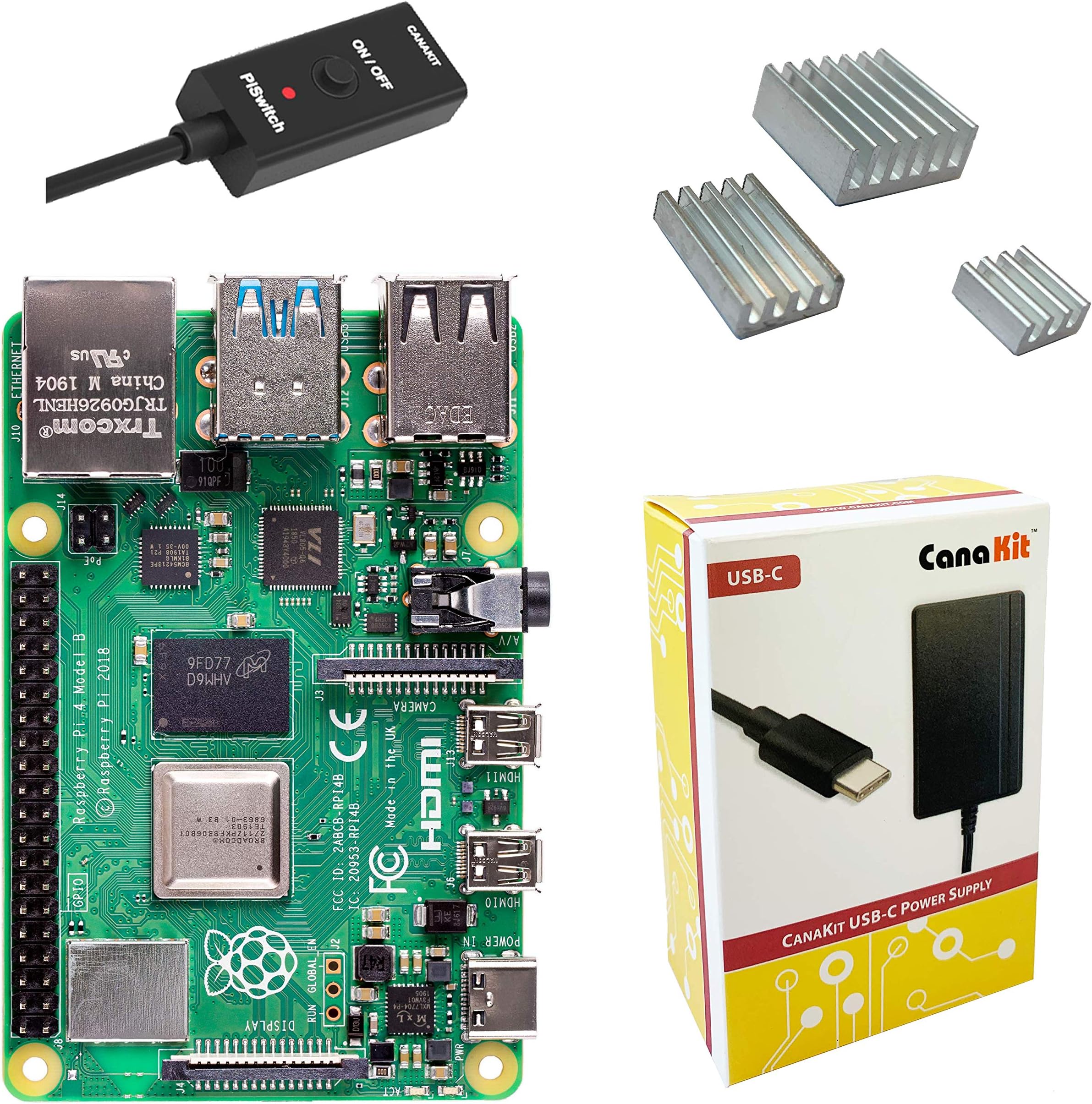
Raspberry Pi 4 Basic Kit (2GB RAM)
Product ID: 140631097
Details
- BrandCanaKit
- CPU ModelARMv7
- Memory Storage Capacity2 GB
- Model NameRaspberry Pi 4
- Ram Memory Installed Size2 GB
⚡1.5GHz quad-core CPU
💾2GB LPDDR4 RAM
❄️3 aluminum heat sinks
Buy anything from 5,000+ international stores. One checkout price. No surprise fees. Join 2M+ shoppers on Desertcart.
Desertcart purchases this item on your behalf and handles shipping, customs, and support to Denmark.
🚀 Unlock your creative potential with the ultimate compact powerhouse!
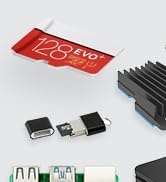
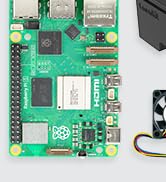
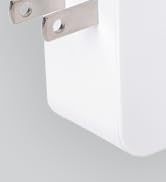
The CanaKit Raspberry Pi 4 Basic Kit features a 1.5GHz 64-bit quad-core ARM CPU paired with 2GB LPDDR4 RAM, delivering reliable performance for coding, media, and IoT projects. It includes a UL-listed 3.5A USB-C power supply with noise filter, a convenient on/off PiSwitch, and three aluminum heat sinks for optimal thermal management. Designed for easy assembly and versatile connectivity, this kit is a top choice for tech enthusiasts and professionals seeking a compact, efficient computing solution.




| ASIN | B07TYK4RL8 |
| Best Sellers Rank | #36 in Single Board Computers (Computers & Accessories) |
| Brand | CanaKit |
| Built-In Media | 1 |
| CPU Model | ARMv7 |
| CPU Speed | 1.5 GHz |
| Compatible Devices | Keyboards, Mice, Displays, Network Devices |
| Connectivity Technology | HDMI, USB |
| Customer Reviews | 4.8 out of 5 stars 2,370 Reviews |
| Manufacturer | CanaKit |
| Memory Storage Capacity | 2 GB |
| Mfr Part Number | 99279 |
| Model Name | Raspberry Pi 4 |
| Model Number | 99279 |
| Operating System | Linux |
| Processor Brand | ARM |
| Processor Count | 4 |
| Processor Speed | 1.5 GHz |
| RAM Memory Installed | 2 GB |
| RAM Memory Technology | LPDDR4 |
| Ram Memory Installed Size | 2 GB |
| Total Usb Ports | 4 |
| UPC | 682710992792 |
| Warranty Description | 1 |
| Wireless Compability | Bluetooth |
R**E
Essential Starter Kit for Makers & Home Labbers!
The CanaKit Raspberry Pi 4 4GB Basic Kit is the gold standard for getting started with single-board computing. It provides the core essentials to get the Pi 4 up and running reliably without the clutter of a full desktop kit. What I liked: Rock-Solid Power: The included 3.5A USB-C power supply is high-quality and features a noise filter, which prevents the "under-voltage" warnings that common phone chargers often cause. PiSwitch Convenience: Having an in-line on/off switch is a lifesaver. It saves the USB-C port from wear and tear since you don't have to constantly unplug the cable to reboot. Thermal Ready: It comes with a set of 3 aluminum heat sinks. While the Pi 4 can run hot, these help significantly with passive cooling for standard tasks like running a Pi-hole or a small media server. Plenty of RAM: The 4GB LPDDR4 version is the "sweet spot" for performance—it’s more than enough for smooth web browsing, light gaming, or hosting multiple Docker containers. Note for Beginners: This is a "Basic Kit," so you will still need a MicroSD card and a Micro HDMI cable to get fully operational. If you want those included, look for the "Starter" or "MAX" versions of the kit! Whether you're building a home VPN, an ad-blocker, or a retro gaming console, this kit provides a stable foundation.
A**5
Does exactly what it says! Surprisingly cool piece of hardware!
Building this wasn't an issue. Cana has made this virtually goof-proof in all honesty and the on off switch is a really valuable addition. My issue with it was the Micro SD slot, it didn't click when my card was inserted so I wasn't sure if it was completely in the way that it's required to be. It in fact was all the way inserted though. Assembly was super-easy and straight forward as it can get. The major issue I had was with the software and setup which isn't Cana's fault. It took several hours because somethings worked and others didn't. Any that claims this is an easy piece of kit to get working isn't being totally honest, in fact it was somewhat of a nightmare solely because of the software, not the machine. Eventually with the help of AI and my own stubbornness I got it running. There are still some software features I have to go through but at least it's doing the job. In all honesty though I did notice that my triple add-on browser extensions has done virtually the same job as best as I can tell. Ad Guard, Privacy Badger and uBlockOrigin seem to do the exact same thing blocking incoming nefarious signals, including telemetry and hacking. That's not to say other things might pop up later in my Pi Dashboard but for now at least that set of browser extensions are doing the job quite well and they're all free. I added a fairly large memory card so I won't have to do much maintenance for a while hopefully. All of the physical parts are excellent and it's VERY WELL built! Assembly couldn't be any easier! Temps are incredibly cool inside my Geekworm case too! Barely even warm without a fan!
G**P
Good purchase for tech students and hobbyists!
Exactly as described, arrived quickly and on time, came with all necessary parts, and booted first try.
C**.
Great kit, just wish it had a Micro HDMI cable or adapter
I've been using Raspberry Pis for years now for various projects. The Pi 4 is still great. The only real complaint I have about this kit is it would be nice if they maybe included a Micro HDMI cable or adapter as those aren't the easiest to come buy in various sizes. For reference, the closest place to me with one is 40 miles and they only have an 8 foot cable. Otherwise, CanaKit is great for getting what you need to get up and running with a Pi!
P**E
Great kit, needs a case.
Works as expected. I have issues with the new revision (as do many others...mostly about the use of microHDMI ports in place of full HDMI ports), but that is a scope outside what I believe these reviews are for. I loaded Arch Linux on mine and (besides being stick on armv7 for the moment) it's functional and performant. Personally I look forward to using the future opencl support for faster visual recognition so I van make a smart doorbell or security cam. For temps, I don't know of the included heatsink does anything to help temps. I've heard people say it actually hurts temps because the tape that holds it on acts as a thermal insulator. This hasn't really been my experience. I just throw it in a case with a tiny 3v3-5v fan and my tps never go over 60°c at synthetic full load (stress -c4 -m 4). I had noticed the USB ports get noticeably warm. With the included power adaptor with power button, I didn't need to source my own USB c charger (which is good because there is apparently a serious comparability issue with the different ones out there.) My only gripe is that it doesn't come with a case. I understand why (sorta) but with a cooling case, it performs a lot better.
C**S
No instructions for heatsinks
As others have said, this didn't ship with instructions as to where you need to put the heatsinks. This kit looks sort of thrown together (because it probably is). BUT - it performs well. I basically took the temp of every module on the surface. There's 4 square modules, and this kit comes with 3 heatsinks I think? So the hottest ones were the CPU, RAM, bluetooth, and USB - I THINK. It's been several months since I've tested this. I disabled bluetooth (since I'm not using it), and I put heatsinks on the other 3. The pi4 runs HOT. It's not CanaKit's fault. I would give them more than 4 stars if the kit was assembled a bit more proper with instructions and such. But the company who makes these needs to figure out their heat problems before they release the pi5s. Anyway, for a new product, this was the best kit out there.
E**K
Do your homework and order HDMI adapters, etc when you order a Rpi 4
Like everything I have purchased from CanaKit, this is a great kit. But the Raspberry Pi 4 uses a slightly different form factor than previous versions (looks slightly smaller) and the Power and HDMI video connectors have changed. Since demand has been way ahead of supply for this Pi, I had plenty of time to explore the changes and ordered an appropriate case, and HDMI adapters for it ahead of time. This kit comes with three heatsinks and while, as others have mentioned, the instructions are lacking for the placement of the heatsinks, a couple of seconds Googling will give you the info you need. The power supply and inline switch have been adequate to run the Pi without any issues. This is the Raspberry Pi I have been waiting for. It has the RAM and IO throughput to perform well as a desktop machine. It doesn't balk at opening up multiple tabs in Chromium, Libre Office apps open quickly, etc. I haven't tested it yet with external drives, etc but I expect that this will make a great little NAS setup. It seems to run a little warmer than the previous Pi's which I expected, so I ordered a case with a tiny almost inaudible fan. With the fan and heatsinks, the CPU temp is around 40c (about 104 degrees f).
B**N
This really can be a deskop computer!
I work in an IT-related field all day and don't feel like messing with computers when I get home. Our Windows desktop is used so infrequently that whenever we do turn it on, it spends an hour downloading and applying updates. That just makes it worse! So I want something that will turn on quickly, allow me to browse the web, do some light text editing, and check my web mail. The Raspberry Pi 3 was passable, but I had to limit my activity to one one browser tab and one other application. But the new Pi 4 is way better! I can have web mail, the company portal, and YouTube running at the same time in the browser (YouTube is a bit jittery but I use it for background noise mainly), have the File Manager open, and have gVim up editing multiple documents. It's not blazing fast, but everything works well and is responsive. Plus, with a fan, the temp hasn't breached 60 degrees, nor has the processor maxed out for an extended period (usually below 60%). This little guy will definitely be my main home PC for the foreseeable future!
P**A
Good perfornance. It Supports native dual monitor
Arrived 5 days later then expected because of Careere's issues, but perfectly on time in Town, from US seller. The product works very well and owning the previous model Raspberry Pi 3b+ I can see the difference and the big performance emprovments.
W**Y
Good
Good kit but no aussie plug
Trustpilot
1 month ago
3 weeks ago