Buy anything from 5,000+ international stores. One checkout price. No surprise fees. Join 2M+ shoppers on Desertcart.
Desertcart purchases this item on your behalf and handles shipping, customs, and support to Denmark.
🖥️ Elevate your workspace, own the view, and never look back!
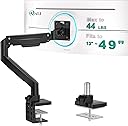
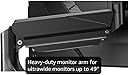
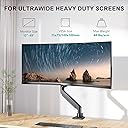
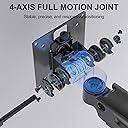
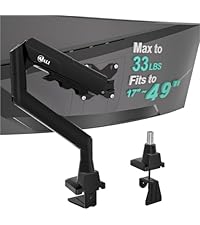
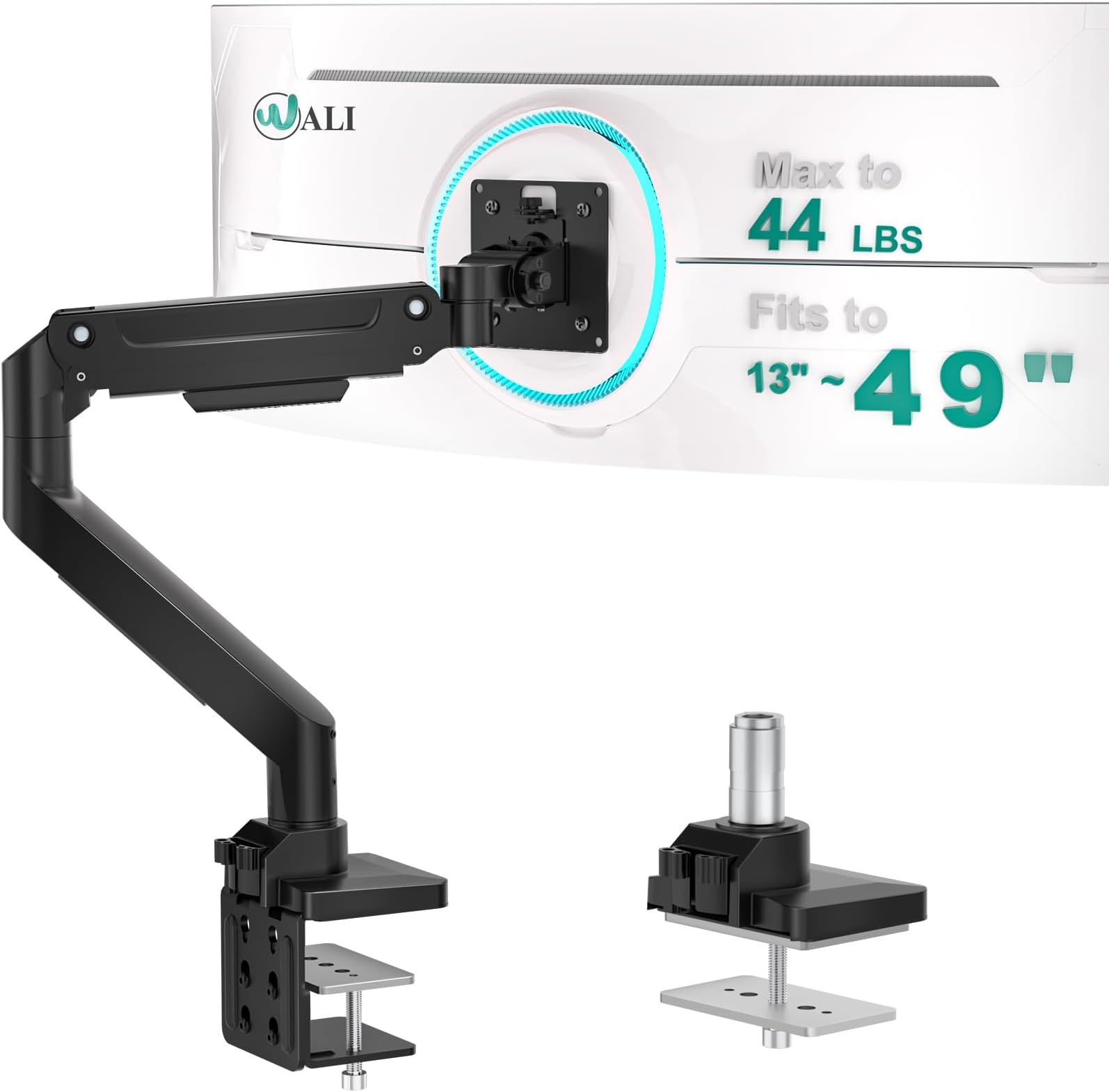
The WALI Ultrawide Single Monitor Arm is a heavy-duty, gas spring desk mount designed for 13-49 inch curved and flat monitors up to 44 lbs. Featuring ±45° tilt, ±90° swivel, and 180° rotation, it offers ergonomic flexibility to reduce strain. Built from high-grade materials, it endures 20,000+ adjustments for long-lasting stability. Easy to install with C-clamp and grommet options, it includes integrated cable management for a clean, professional setup—ideal for remote workers, professionals, and students seeking premium workspace optimization.


| ASIN | B07NLMLLT6 |
| Best Sellers Rank | #2 in Computer Monitor Arms |
| Brand | WALI |
| Color | Black-Ultrawide |
| Compatible Devices | Monitor |
| Customer Reviews | 4.4 out of 5 stars 17,450 Reviews |
| Enclosure Material | Metal |
| Global Trade Identification Number | 00811278022591 |
| Item Type Name | Heavy Duty Single Arm |
| Item Weight | 4.9 Kilograms |
| Manufacturer | WALI |
| Material | Metal |
| Maximum Tilt Angle | 45 Degrees |
| Maximum-Supported Screen Size | 35 Inches |
| Mfr Part Number | GSM001XL |
| Minimum-Supported Screen Size | 13 Inches |
| Model Number | GSM001XL |
| Mounting Type | Tabletop Mount |
| Movement Type | Tilt,Swivel,Rotation |
| UPC | 811278022591 |
| Unit Count | 1.0 Count |
| Warranty Description | 10 Year |
W**I
Cheap, looks good and works good
Mostly painless install, packaging was subpar but everything works well. Holds a 27" monitor and a 24" monitor very well. Adjustable angles and hinges allowing for customization for your needs. Seems to be very sturdy and hasn't dropped since making sure everything is tight. Overall, worth it compared to more expensive options.
M**C
Premium & Affordable
I recently picked up the WALI Single Monitor Mount for my desk setup, and I’m thoroughly impressed with the quality at this price point. It’s a massive upgrade over the stock stand, both in terms of ergonomics and reclaimed desk real estate. What stands out: Smooth Gas Spring Adjustment: The tension is easy to tune using the included hex key. Once dialed in, moving the monitor up, down, or tilting it is effortless, and it stays exactly where I put it without sagging. Sturdy Build: I’m using this with a larger screen near the upper end of the size range, and the mount feels incredibly stable. There’s no wobbling or "bouncing" when I’m typing or gaming. Easy Installation: The choice between the C-clamp and grommet base is great. I went with the C-clamp, and it took less than 15 minutes to get everything mounted and cable-managed. Cable Management: The integrated channels do a great job of hiding the power and DisplayPort cables, keeping the "floating" look clean and professional. Bottom Line: If you're looking for a gas spring arm that can handle 34-inch ultrawides without breaking the bank, this is it. It feels premium, looks sleek, and functions perfectly.
B**N
perfect for my 34” monitor
beast of a monitor mount. holds my 34” ultra wide curved monitor. easy to put together, very heavy duty. really good price for such a good mount
E**N
Not the ideal table mount (ultrawide users).
This is far from the ideal table mount for ultrawide monitors, but it is somewhat serviceable if you can live with some flaws. Please take some time to look at the screenshots I posted for an idea of how you would want your setup to look like. 1. With my monitor flushed back toward the wall as I possibly can, there is still a 8.75 inch distance from the wall to the monitor's screen (not back of the monitor's housing). 2. I have it so that I cannot see the "arm" attached to the pole because it would have been an eye sore to see both the pole and articulation arm. That's the reason why I have it at 5.75 inch from top of the desk to the bottom of the monitor. 3. The clamp method is solid, granted you have support metal framework or a sturdy wood framework that will allow the clamp to station itself properly. I have it just tight enough where I can't twist it any further without causing damage to my desk. It seems sturdy. The weight of my monitor is 18.7 pounds and it is an ultrawide monitor found here: https://www.amazon.com/dp/B06XFXX5JH/?coliid=I18UWY3B4ZBTSR&colid=3NQEL5RPRFI67&psc=0&ref_=lv_ov_lig_dp_it 4. The points of articulation are good, but they do not execute well. Tightening and loosening each articulation point requires a tool (provided), which feels archaic. The gas spring is a nice touch, but I had to find the perfect sweet spot where the arm and articulation point held firmly after using the tool and winding it up several times to get it right without it falling and slamming my monitor against my desk. This isn't necessarily the fault of the articulation points, but just the technology seems dated. 5. Range of motion has good options because of the multiple articulation points, but it feels stiff. Changing each articulation feels rusty. I understand that it shouldn't feel too "oiled up" because it won't have that sturdy feel. It does feel like a trade-off. 6. I went in expecting to get a fully articulated mount for different viewing purposes, but I think I ended up with a table mount that can only stay in one place or else the composition of my desktop setup looks imbalanced. As you will see in the images, the pole is mounted off-center so that I can have my ultrawide monitor centered properly. Because of the arm and how it articulates, there is no other way around it. You will understand this better if you do decide to purchase this mount. 7. For my first time installing a monitor table mount, it was overall an easy-to-moderate experience. There were steps in the installation that were frustrating, but I think that had to do more with how I wanted my setup to look like without compromise. 8. Because of the 8.75 inch distance from wall to monitor screen, the monitor feels to close for my viewing preference. The difference between this table mount and the original monitor mount is, 8.75 inch from wall and 6.75 inch from wall (original mount). The two inches makes a difference when it comes to desktop real estate. If you plan to having it flushed against the wall, especially completely, this isn't the mount for you. If you want smooth and seamless articulation and range of motion, you may need to look elsewhere. Perhaps the Amazon Basics mount or the Ergotron LX. They are both in the $100+ range so I understand those mounts may not be ideal. But I'm an idealist when it comes to my PC gaming and desk setup so I will most likely look at a few other options. 9. VESA mount was easy to install. Even my monitor supports VESA 100x100. Most monitors do, so please check out your monitor and remove its original stand to measure it for yourself. Do not always trust the manufacturer's customer service because LG told me that my monitor is NOT VESA mount compatible. It's 70x70 and 100x100 VESA mount compatible. Final Verdict: I may or may not keep this mount. Perhaps, I need something simpler. Maybe just a pole and VESA adapter mount. I don't think I care so much for the arm and articulation because I found it too much of a hassle to center my monitor. Not to mention, not being able to have my monitor more closer to the wall was probably the deal-breaker for me. A couple of more inches back and I would have been pretty satisfied. To understand more of what I tried to articulate, but done so poorly (haha), please check out the images below. The measurements I listed above are true. It may not look like it in the images, but I measured it. I was not paid to write this review. My opinion is my own. I only hope to help others find good products and hopefully make their lives a little better. I hope my review was helpful. Update: I ended up returning it because the gas spring was not working properly as it should. No matter how much I set it to keep the weight of my monitor up, it would droop and slam my monitor to the desk. It was working just fine for almost two days and then it malfunctioned. As an alternative, I purchased WALI's other mount without the arm. I am able to flush my monitor further back (almost 3 inches further back than than this mount), and I'm very satisfied with it. If you are interested in a excellent desk mount without the articulating arm, check this out: https://www.amazon.com/gp/product/B07MTS4H7P/ref=ppx_yo_dt_b_asin_title_o03_s00?ie=UTF8&psc=1
A**L
Cheap doesn't always mean bad !
Super easy to put together , I didn't even need the instructions . Works great for my 32in OLED monitor & my 27in secondary monitor ! My larger monitor is fairly heavy and my last monitor arm had trouble holding it up , this one has 0 issues and is plenty strong enough .
Z**.
Worth Double what they are charging. Fit and Finish are amazing. Easy to Install and looks great.
I finally bought something I actually needed. This was far better quality than expected. Its fit and finish is amazing. Installation was minimal effort. The price was far lower than I expected to pay for this level of quality. I honestly expected something that would simply work and look horrible and have poor quality. I was pleasantly surprised when I opened the box. This should probably sell for double what they are charging. Height adjustment is easy and moving the monitors around requires minimal effort. Really a great product that I didnt think I would be this excited. If you have been on the fence about getting something like this like I was just do it and get this one. Again its much higher quality than I expected and isnt your run of the mill amazon product.
T**K
Does the job well
Used for a Alienware 34" Curved OLED monitor. I was looking for a quality monitor arm, and this is no slouch. Once I received it, I knew it was going to hold my monitor without an issue. It's also hydraulic and you can adjust the tension with the included hex key. So far it's been 6 months and it's been solid.
S**B
Initial thoughts
Getting everything set up took a bit of time and patience. The adjustment system wasn’t the most intuitive at first, and I ran into some confusion while trying to dial in the right positioning. However, after working with it for a while, I was able to get it pretty close to exactly how I wanted it. One thing to note is that making very fine adjustments can be a bit tricky. The mount is also slightly wobbly, and it’s fairly easy to bump the monitor out of position if you’re not careful. It’s not a dealbreaker, but it’s something to be aware of if you prefer a perfectly stable setup. That said, the overall construction feels solid and well-made, and once it’s in place, it does its job effectively. For the price and functionality, it’s a reliable option that gets the job done—even if it takes a little effort to get there.
R**N
Mount not fit
The mount not fitting into the screen back it’s bigger What could I do ?? Samsung g9 49 inch curved
J**R
works well and is easy to assemble!
I am very bad at assembling anything and it took me 10mns top to install this. It supports my two big screens without any issue. so definitely 5 stars!
M**W
Great for the price, a little clunky, but nothing serious.
Great for the price, a little clunky, but nothing serious. Angle adjustments and rotation work fine, height adjustment could be a bit greater but will be fine for 90% of use-cases. Be careful with cheap office desks, some material might break off the edges due to the weight of the stand and monitor. That is more of a desk issue than a arm issue though... Consider it when setting up the arm, so that you wont damage your desk.
M**I
値段の割には満足度は大きい。
テレビに使用。そんなに微調整をしないなら、これで満足です。 可動範囲が限られているが、使用目的は叶いました。 パソコンのモニターのように、作業により、高さや角度を頻繁に変えたりするのではなく、向きを変える程度の使用ならコスト的に大満足です。
A**A
Excelente soporte para monitor
Excelente producto precio-calidad, fácil de instalar.
Trustpilot
5 days ago
2 days ago