๐ท Elevate your everyday moments with pro-level clarity and instant sharing โ because your story deserves the spotlight.
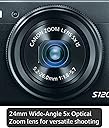
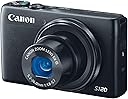
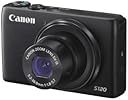
The Canon PowerShot S120 is a compact digital camera featuring a 12.1MP high-sensitivity CMOS sensor paired with the DIGIC 6 processor, enabling exceptional low-light photography and fast autofocus. It offers 5x optical zoom with a bright f/1.8 lens, 1080p/60fps Full HD video recording, and a sharp 3.0-inch capacitive touchscreen LCD. Built-in Wi-Fi allows seamless wireless sharing to smartphones and social platforms. Designed for professionals and enthusiasts seeking portability without sacrificing image quality or creative control.
| ASIN | B00EFILNV8 |
| Age Range Description | All Ages |
| Aperture modes | Av |
| Aspect Ratio | 4:3 |
| Auto Focus Technology | Center, Continuous, Contrast Detection, Face Detection, Live View, Multi-area, Selective single-point, Single, Touch, Tracking |
| Autofocus Points | 9 |
| Best Sellers Rank | #148,369 in Electronics ( See Top 100 in Electronics ) #1,192 in Digital Point & Shoot Cameras |
| Bit Depth | 12 Bit |
| Brand | Canon |
| Built-In Media | CB-2LY Battery Charger for Canon NB-6L Lithium-Ion Battery, NB-6LH Lithium-Ion Battery Pack (3.7V, 1,060mAh), One Year Limited One Year Limited Warranty Card, PowerShot S120 Point-and-Shoot Camera, WS-DC11 Wrist Strap |
| Camera Flash | Built-In |
| Camera Lens | 120 Mm |
| Color | Black |
| Compatible Devices | Canon EF |
| Compatible Flash Memory Type | SDHC, SDXC |
| Compatible Mountings | Canon EF |
| Connectivity Technology | HDMI, USB |
| Continuous Shooting | 60 frames_per_second |
| Crop Mode | 16:9 |
| Customer Reviews | 4.2 out of 5 stars 261 Reviews |
| Digital Scene Transition | zoom |
| Digital Zoom | 4 |
| Display Fixture Type | Fixed |
| Display Maximum Resolution | 1024 x 768 pixels |
| Display Resolution Maximum | 922000 |
| Display Type | LCD |
| Dots Per Screen | 922000 |
| Effective Still Resolution | 12.1 |
| Expanded ISO Minimum | 80 |
| Exposure Control | Aperture priority AE, Automatic, Creative Filters, Custom, Manual, Movie, Program AE, Scene, Shutter priority AE |
| File Format | JPEG, RAW |
| Flash Memory Bus Interface Type | SD |
| Flash Memory Installed Size | 9.7 |
| Flash Memory Speed Class | 10 |
| Flash Memory Type | SD/SDHC/SDXC |
| Flash Memory UHS Speed Class | U1 |
| Flash Memory Video Speed Class | 10 |
| Flash Modes | Auto, On, Off, Slow Synch, Rear Curtain Synch |
| Flash Sync Speed | slower than 1/200 |
| Focal Length Description | 120 millimeters |
| Focus Features | AiAF TTL |
| Focus Mode | Manual Focus (MF) |
| Focus Type | Manual Focus |
| Form Factor | Compact |
| Generation | 1 |
| Global Trade Identification Number | 00138032289916 |
| HDMI Type | Type C Mini HDMI |
| Hardware Interface | USB |
| Image Capture Type | Stills |
| Image Stabilization | Optical |
| Image stabilization | Optical |
| Item Weight | 7.7 ounces |
| JPEG Quality Level | Normal |
| Lens Construction | prime |
| Lens Correction Type | aspherical |
| Lens Type | Fixed-zoom |
| Manufacturer | Canon Cameras US |
| Manufacturer Part Number | 8407B001 |
| Maximum Aperture | 5.7 f_stop |
| Maximum Focal Length | 12 centimeters |
| Maximum Image Size | 4000 pixels |
| Maximum Shutter Speed | Jan-00 seconds |
| Metering Methods | Multi, Center-weighted, Spot |
| Minimum Focal Length | 24 millimeters |
| Minimum Shutter Speed | 15 seconds seconds |
| Model Name | Canon PowerShot S120 |
| Model Number | 8407B001 |
| Model Series | PowerShot S120 |
| Number of Diaphragm Blades | 7 |
| Number of Items | 1 |
| Number of Packs | 1 |
| Optical Zoom | 5 x |
| Photo Sensor Resolution | 12.1 mp |
| Photo Sensor Size | 1/1.7-inch |
| Photo Sensor Technology | CMOS |
| Real Angle Of View | 75 degrees |
| Screen Size | 3 inches |
| Self Timer | 10 seconds |
| Sensor Type | CMOS |
| Series Number | 120 |
| Shooting Modes | Underwater |
| Skill Level | Professional |
| Special Feature | Live View |
| Specific Uses For Product | Photography |
| Supported File Format | JPEG, RAW |
| Supported Image Format | JPEG, RAW |
| Total Still Resolution | 12.1 mp |
| Total USB 2.0 Ports | 1 |
| Total USB Ports | 1 |
| Total Video Out Ports | 1 |
| Touch Screen Type | Yes |
| UPC | 138032289916 013803228991 |
| Unit Count | 1 Count |
| Video Capture Format | MPEG-4, H.264 |
| Video Output | HDMI |
| Video Resolution | FHD 1080p |
| Viewfinder | Electronic |
| White Balance Settings | Auto |
| Wireless Technology | Yes |
| Write Speed | 12 fps |
| Zoom | Optical Zoom |
D**O
Worth the Wait, a Truly Great Pocket Camera!
Ok, here's my take on the wonderful Canon S120. If that opening seems a bit balanced in favor of the S120, it is meant to be. This is the camera I have been waiting for. In fact, I pre-ordered my S120 on September 8th, thirty days before it was forecast to be available on Amazon. I got two notices before the order became final. I received a shipping notice and the camera subsequently arrived via Lasership in perfect order and one day earlier, October 7th, than estimated. Through tracking I found I might not be home when the camera arrived and called Lasership to ask the driver to leave it on my doorstep. Lasership contacted the driver directly at that minute and made it so, a great shipping company. Now for the S120, I am an amateur wanting RAW format and HD, high quality, video in a pocket camera with above average low light capabilities. I also wanted Wi-Fi. I had looked at the Sony DSC-RX100M II but was scared away by the very high price point. Just as I was about to settle for less, Canon announced the S120 which met all of my criteria and then some. I already have a Canon SD 500 and a SD 990, both top of the line pocket cameras but each lacking in HD video and RAW format capabilities. The Digic6 processor put it all over the top for the S120. My expectations have so far been met. For anyone wanting fantastic, very professional results, the S120's built-in special effects, modes and scenes will deliver surprisingly pleasing results with little effort. The High Dynamic Range setting almost eliminates any need for adjustment of brightness, contrast and saturation, effortlessly delivering print-ready photos right out of the camera. The front-located Control Ring around the lens can be set to control several different functions and is knurled, sized and located to make it very easy to control while shooting. I like to use it for step zooming. The videos and photos can now be set to the same, matching aspect ratio (16x9 or 4x3), making videos using photos and video clips very easy to assemble. Speaking of video clips, the very handy Hybrid Auto Mode simultaneously records both a still shot and a short 2 to 4 sec video clip for each shot taken. I am currently exploring this interesting feature which I believe will greatly enhance the videos I assemble. Some downsides I feel are worth mentioning. First there is the lack of a remote audio socket. The auto wind noise reduction feature of the built-in stereo microphone works only marginally well. Users of the S120 that want high quality sound to match the very high quality (HD and 60 fps) video may want to invest in a stand-alone recorder such as the Zoom HN4. I don't yet have one of these and am using the quality cassette recorder from my old stereo set for indoor sound recording. I got the Wi-Fi setup to work but still have plenty of questions on using the system. The Canon instruction booklet (comes with the camera) and Canon User Manual (available only as a *.pdf file) provide enough instruction to make the system work. However to ensure the system is working securely I feel one should be familiar with the meaning of the terms like SSID, WEP, WPA, MAC (Media Access Control, not the Apple Mac), IP, DHCP, etc. I have made the system transfer photos and videos to my PC but still harbor concerns about the possibilities for security leaks. Perhaps someone could address this specifically in another review. As for accessories, I recommend a remote power supply, ACK-DC40 or equivalent. It fits easily to replace the battery. In my opinion there is ample room for most tripod bases to hold the camera and connect the power supply. Others have said this is a problem, I think not. The distance from the mount screw center-line to the outside of the connector on the bottom of the camera is 1 1/2 inches, allowing a tripod base of at least 2 3/4 inches square to be used. I purchased a Sandisk Extreme 32 GB 80MB/s Class 10 UHS-1 memory card which, based on present experience, will be very adequate for any full day of shooting. I plan on getting two more equivalent cards but at 16 GB each. Extra batteries are a must. Based on the large number of positive reviews I bought a Wasabi charger and two spare NB-6LH batteries on Amazon. I will report if any problems in a followup. In any case, at minimum, I will carry one spare battery at all times. The OEM PSC-900 case is a perfect fit, looks great, and is handy to use. The case loops onto my belt and in locations where I worry about having someone rip off the S120 I first run the hand strap under my belt, the camera through the hand strap loop, then place the camera in the case. I can still fairly quickly pull the camera from the case and un-loop it to shoot. The little inconvenience is worth the extra security. There is little protection from rain or dust with this case and in wet or damp situations I place the camera and case in a zip lock bag and into my pocket. Bottom line, this is a great camera and worth the upgrade if you want a true pocket camera and plan to take many photos and videos. Pros and amateurs alike can produce very high quality photos and videos under low light conditions. I feel many pros will find this a better choice for freedom while traveling and still getting top quality results. The S120 compares favorably almost all along the line to the much lauded Sony DSC-RX100M II at 40% less cost. Bob
J**S
S120 first thoughts and vs RX100
Just got this camera and have less than 100 pictures through it and although every year I buy one of these and end up returning it, it looks like this "S" might be a keeper finally. Like most of its predecessors it's built very well, feels good in the hand, and most of the buttons have good feedback. It has gotten a little more rounded over the years but I like it, square camera with smooth edges that don't annoy me in the pocket. Out of the pocket this camera is probably adjustability-overkill for most people that haven't dared of taking their camera out of AUTO mode. Whether you like shooting in AUTO or you do choose to leave AUTO behind, the S120 rewards you with a very fast interface, fast response (focus/shutter), and the ability to view and share your images across other devices quickly. I am a Canon guy. That should not be missed here because I am a little biased, but I have an iphone(5) for my day to day camera. My weekend camera is a Canon 6D and a bag of L lenses. I bought the S120 to bridge the gap between the two. I am not a professional, but sometimes I want professional pics without using my phone or lugging a big DSLR kit around with me - enter the S120. With the S120 Canon FINALLY offers a simple camera that seems to do everything I want well. What do I want? - Ability to capture amazing pictures without carrying 20# of lenses with me. - Ability to hand my wife/kids a camera that they can use too. - Fast power up, fast focus, fast capture. - Great video if the situation calls for it, on the fly, no delay. - EASY way to transfer pictures to my phone (for when I do want to send them elsewhere). - Canon menus, because they make sense to me. It does all of these in my opinion, quite well. If you are looking for a camera that outshines just about anything else on the shelf under 700$ and can avoid bulking your pants pocket - this is the one. Whats in the box: - Canon S120 camera. - Canon (NB6-LH) battery. - Canon wall charger (CB-2LY). - Canon wrist cord. - Registration documents. - Warranty info. A couple other things I wanted to mention... WiFi -- It's actually useful now! This model features a new wifi setup for transferring pictures to your smartphone. I have had this on (2) other units (S110 and EOS 6D) and never use it because it's a pain. With this model I just go into "play" mode on the camera, press the wifi button (up on the D pad) , it immediately asks what I want to connect to, I select "smartphone" and it says start the phone application and point it to this hotspot. Once I do that, I am on the phone browsing pictures. Scrolling through images (large JPEG) on the camera is pretty quick, downloading is pretty quick, disconnecting and getting back to shooting is just as quick. Now you can literally turn wifi on, send a specific image over to your phone, turn wifi off, in the matter of a couple seconds and a few button clicks. I won't go into what the old way was, because if I could remember it I would actually use it! RX100 vs S120 -- Just before the S120 was announced I finally broke down and bought an RX100 (new). Not the M2 model but the original, for 600$. I loved the pictures it took, they were amazing amazing images. Compared to the S120 (in circumstances so far) they are possibly a little better comparing auto mode to auto mode. What I like about the Canon vs the Sony is the Canon seems to capture more how I see things as opposed to the Sony which wanted to make everything look like a carnival if left untouched (it liked to make all the colors exotically vibrant from my perspective). If this were just about images there would have been some tough decisions to make and hairs to split over this. The size and weight of RX100 to S120 it's no contest:S120. I can put the S120 in a pair of khaki's and go sit in meetings or walk around all day with no worries. The RX100 just felt too darn heavy, and it's larger lens tube sticking out from the front was annoying getting in and out of pockets. The S120 is still a true pocket-friendly camera is what I am getting at. Build quality-wise both feel like finely crafted machines. The S120 will remind you of other point and shoot cameras and its finish is something I would feel ok with putting in a bag with no case. The RX100 felt like some sort of surgical tool, I mean in a good way - but I felt like putting down on a desk would damage the desk or possibly the finish on the camera. Another strange thing is the S120 feels good in the hand and has some heft but nothing bad. The RX100 felt a little heftier but in a way that I felt if I dropped it, it's life was over - it was just waiting for an opportunity to spill its guts. I would expect the S120 to take a small hit or some tumbling without ending it. Cost - Although money can be irrelevant to most photographic geeks when it comes to "getting the shot" , I didn't understand why the Sony was hundreds more. The "why" of this is in other parts of the review here so I won't get into it more. I will just say I had a $1,000 budget for my perfect point and shoot, and now I have 550$ to go spend on something else. Software - I left this for last because I suspect this is where Canon bias comes in. It is also something I suspect is different in the newer model Rx-100(M2) so may not be as relevant. The S120 UI is quick and also very efficient. The RX-100 by comparison was a little slow, and (at least for me) I never felt like I could quickly get to the settings I wanted to without forcing some customization. Neither is over-glitzy or annoying to use, but the Sony one just felt like it was fighting me sometimes when I would change something and then have to re-find it. I hope you enjoyed this review and I will update it as relevantly as is feasible. If there is more you'd like to see added or something I missed please comment and let me know, and thanks for reading this! -Chris
I**E
Great Camera, But...
This is an excellent camera! It takes great pictures and the settings are simple and easy to use. It takes fantastic low light photos, which was very important to me. Also very important to me are the small size, so it can fit easily in a pocket, and the very solid construction, since I am notoriously rough on cameras. So why not 5 stars? I decided on this camera, in part for its WiFi capabilities, and as it turns out, the WiFi functions are completely worthless. I'm reasonably tech savvy, and I have spent countless hours trying to make the WiFi function with my Android phone and my Windows desktop and laptop computers. Maybe it works, and I just can't figure it out, but nothing should be that difficult. Canon has made a very solid camera here, but they really dropped the ball with the WiFi functions.
R**N
Superb Pocket Camera
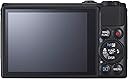
I am a longtime user of the PowerShot S100, but my wife decided to expropriate my S100, so here I am with the S120. I will begin with the end -- I believe that the S120 is possibly the very best choice for a true pocket camera. The first thing that the user will notice about the S120 is the fit and finish. This camera is built very nicely and with reasonable sturdiness. Ergonomically it is very good. Most users can be taking pictures within 60 seconds of taking the camera out of the box. Of course, studying the manual and the built-in menus reveals a host of sophisticated features beyond the taking of simple snapshots. One thing that Canon did with the S120 that is different than my old excellent S100 was to put a switch on the side of the camera to raise the flash. If this switch is disabled, the camera will not select flash no matter what. I actually preferred the S100 system where the user selected the flash setting in the menu and then the camera used the flash based upon that settings and the composition of the shot. I'll grant that the S120 system gives the user even more control, which I suppose was the idea. But it is one more setting to have to remember. The S120 seems to be a solid improvement over the S100 in most respects. The main thing that I like about both of these cameras, the S120 in particular, is that it pretty much lets you shoot the way that you want to. I mainly shoot in Program mode with this camera, but the camera also offers an AUTO mode, which sets absolutely everything, as well as a manual, aperture-priority, and speed priority setting. These options are quite impressive for a camera of this class, and yes I do sometimes use them, especially the speed-priority setting. The camera has various other special settings for various types of shooting and for shooting to achieve various effects. The lens on this camera is very good for a camera of this class. It is the equivalent of a 24-120mm lens on a 35mm camera. The lens is relatively fast, meaning that when shooting in non-zoom situations, i.e. portraits, the lens is an F/1.8 lens, which is able to shoot, for example, portrait type shots without flash under some lighting conditions. (Many lenses require flash for pretty much any indoor scenario in order to achieve a quality photograph.) Canon reports that this is an F/1.8-F/5.7 lens -- which means that as you zoom the lens it will require more light. Nonetheless, these are impressive specifications for a lens of this class. In practice I find that this camera takes very good pictures and it is ideal for vacations, industrial and business uses, and all situations where you do not want to have to carry a full Single Lens Reflex camera. This camera features a generous 3.0 inch capacitive touch LCD on the back, and this is the nerve center of the camera. You will use this LCD to compose shots, review the shots, and set most menu settings. Like all modern cameras, this camera is controlled by menus that you access via the LCD screen. Mostly the menus are intuitive and most users will quickly become familiar with them, especially users who have used other electronic cameras in the past. Years ago most cameras of this class had an optical focusing window, but no more. The user must compose shots using the rear LCD. This LCD is superior to many and as good as any LCDs on the market for this purpose, but I prefer an optical focusing window. Alas, pretty much all camera manufacturers have decided that composing via the LCD is the way to go. Mostly this works fine, and indoor this works superbly, but there are times out in bright sun venues when this becomes tricky. On minor nit -- As with the S100 and S110, Canon relentlessly refuses to put a protective lip or bezel around the edge of the LCD, so if you set the camera down on the LCD you stand a good chance of scratching it. This can be largely solved by buying one of the after-market screen protectors. One of the really nice advances on the S120 is that you can move the focusing square to anywhere in the composition shot simply by placing your finger on the capacitance LCD. In the field this makes for very fast composition, and I like this feature a lot. WI FI CONNECTION! The S120 connects easily to your iPhone by use of the Canon Window App, which is available in the App Store. It will also connect to your computer. SINCE THE CANON INSTRUCTIONS TO DO THIS FOR A WINDOWS COMPUTER ARE WRONG, HERE IS HOW TO DO IT. First follow the Canon directions to connect the S120 to your network. Then, for a Windows computer, follow the Canon directions and begin trying to connect to your computer. (Here is the step Canon omitted) THEN, go into Control Panel/Devices and Printers and select "Add a Device". Your Canon S-120 will show as a new device. As soon as you add it you will be able to see the folders on your S-120's SD card. I hope this helps someone; it took me a long time to figure this out. By the way, ensure that if you have two networks from your router, i.e. a 2.4Ghz and a 5.0 Ghz, your computer needs to be on the 2.4 Ghz network. Once you set your S-120 to be connected to your Windows computer as I just explained, it connects very very easily. Works like a dream. At the end of the day the purpose of this, or any, camera is to take great photographs. You can do that with the S120. It has a very good lens for this class of camera and it will produce excellent images under most conditions. No, this camera is not the best choice for shooting indoor sports, for example -- the combination of low light and high speed subjects really necessitates a full Single Lens Reflex camera with a high-dollar lens. Similarly, an SLR will do a better job on fast-moving wildlife. But for portraits, landscape shots, and many other shots that people typically take on vacations or with family and whatnot, this camera will deliver excellent images and is a great choice. RJB.
A**R
AN EXCELLENT CAMERA
This is the 7th or 8th Canon camera I have purchased and the best so far. I was somewhat hesistant to buy it because I like a larger zoom, but the quality of the photos is excellent-very sharp, excellent and accurate color saturation and very little noise. The construction quality seems sturdy and strong and is somewhat more heavy than my Canon elphs, although the s120 is slightly larger than the elph series. After shooting about 650 pictures from super closeups of insects and flowers to many beach scenes to action photos of my dog, I am REALLY happy with the camera. On top of the camera is the on/off switch that is slightly recessed into the camera body, the photo mode ranging from full auto to full manual and the shutter which is surrounded by the zoom lever. On the back of the camera is located a very bright lcd sreen that allows an easy view of your picture even in bright sunlight at the beach. To right of the screen is the typical Canon controller for settings and viewing/deleting photos. On the left side is the pop up flash that i have used only a few times, but it seems powerful and is rated at 22 feet which is a lot for such a small camera. On the front there is a ring around the lenses for shortcuts and quick settings as well as manual focusing. The lenses on the camera is extremely fast and I have been able to take excellent action photos of my dog who seems to move everytime she sees the camera. I was able to 'stop action' of fans spinning in the house, cars on the road and even birds flying. Close-up photos of flowers show small insects and the stamens and pistals quite clearly. I also took a lot of close-ups of printed material and the print was as clear as on the items I photographed. I have used the aperture priority , full auto setting, and the HDR settings, but primarily use P mode where I can control ISO, light according to full sun, cloudy, tungsten etc. I was somewhat skeptical about the HDR, but the camera takes 3 photos VERY quickly allowing the user to pick the best one. Being used to having at least a 10 X zoom on my other cameras, I was pleasantly surprised to find the zoom was more than sufficient to take excellent distance photos. I even tested the digital zoom and those photos came out clear and sharp despite knowing the limitations of the digital feature. So far I have not used the full manual functions and cannot comment of these. Focusing is excellent and spot on with no distortion and excellent speed. This aspect really pleasantly surprised me. There is a setting on the touch screen that allows you to focus on whatever you want in the viewfinder and works great. The touch screen is as accurate and easy to use as most smartphones. I have not tried the movie or wi-fi features and cannot provide any information. For me, they are not important and I probably won't ever use them. Despite my 10+ years of using Canon digital cameras, I still had a little difficulty in using all the functions and settings. This was easily solved by purchasing an excellent book on the Canon G16 written by David Busch and also available on amazon. The G16 is almost identical to the s120 in terms of controls and settings and I highly recommend the book to get to get the best results from the camera. Lots of great easy tips and tricks written in plain english with many photos for extra explanation and clarity. As always with any electronics product, I thoroughly researched this camera before purchasing it. It got great reviews from many of my usual sources and despite being released in 2013, it still remains in the top 100 best sellers with amazon and averages about 4.3 stars. It is obvious from some of the 1 and 2 star reviews the people did not read the online manual and did not know how to properly use the camera. The battery life is the only negative for me with this camera and for about $6, I purchased an extra battery which gets me through a day of intensive shooting in many different settings and frequent playback/viewing of the pictures. Last, don't be fooled by thinking more megapixels equals better photo quality-just isn't true. I think from 8 to 12 is perfect for my needs with printing mostly 4 x 6 and 5 x 7's with an ocassional 8 x 10. Don't take my word on the number of megapixels-do your own reseach and draw your conclusions. I could not be happier with my purchase and would buy it again if lost or stolen.
S**I
A decent buy
I have mixed feelings. I do photography for a living, bought this for the holidays since I have a hard time carrying my DSLR photo bag around in addition to my two children. I loved how many manual settings this had, and how small it was, but after a few weeks of using this I wasn't too happy with it: - the time that occurs between the moment you press the button and the moment the actual picture is takes is pretty long, you have to learn to adjust to it and even then, it's annoying. A simple iPhone will perform better from this point of view; - You can't freeze the AF point, an involuntary swipe on the screen (can happen) will just move your focus point around without you noticing it, which I found to be really annoying; - it's cool that you can change settings as if this was a reflex camera but obviously that really makes no difference, it obviously doesn't have the optics a reflex so simply put: the pictures that come out of this camera will never look as good as those you can take with a DLSR camera, you shouldn't really expect much similarity; - the paint on the outer body barely stays on. I used to just trow this in my purse and as a result, after only a couple of weeks, a ton of paint came of around the edges of the camera's body. Really Canon?! This said, it's not all bad: - I like that you can regulate the exposure, you can bracket and adjust precisely your white balance; - I like that you can shoot in raw; - and the actual quality of images isn't that bad after all, really, only you really need to find yourself in optimal light conditions or the quality will deteriorate quickly Overall, it's a decent buy. This is a great little camera that can make good quality images, has a good amount of features that will the more advanced photographer feel at home (because it's very frustrating being used to DSLR and then use a digital camera and not being able to make any setting), small, light and very easy to carry around (but do protect it), perfect for family pics on the go. If it were also waterproof it would be almost perfect :)
B**N
Worth carrying another device
I chose the Canon S120 because I wanted a true pocket camera that takes great pictures and videos. The review sites cover the S120 pretty well, so I'll focus more on why I chose it, how I use it, and how I like it. And since a memory card isn't included, I also ordered a 32 GB (80 MB/s) SanDisk Extreme SDHC Class 10 UHS-1 memory card for storage. This card easily handles continuous shooting and the supported HD video modes. My previous digital cameras have also been Canon point and shoots (mostly ELPHs). I've gotten used to putting them in my pocket to take with me on trips and to special events. However, smartphone cameras have improved to the point where I started leaving my aging ELPH at home. But even the best phones have notable limitations, and there are times when I want much better pictures than what my smartphone is capable of taking. I still wanted the convenience of carrying a pocket camera, so I wasn't interested in a bulky camera body and kit lens, or even a compact that doesn't fit in my pocket. So I narrowed it down to the Canon S120 and the Sony RX100 . The Sony's 1" sensor was intriguing; however, this Canon's 1/1.7" sensor is still substantially larger than anything that I've used before. Plus, the S120's image quality typically gets pretty good reviews. I decided that either the Sony or Canon would give me acceptable pictures, and it wasn't necessarily about which one takes the "best" photos. The price was important, but the size was the deciding factor. I looked at a Sony at our local Best Buy; and the (arguably minor) additional thickness made it too big to carry in my front pocket. Sure I could put it in a case; but if wanted to do that, I'd add the Fujifilm X20 , Canon G16 , Panasonic LX7 , and Olympus XZ-2 to my list. I also take pictures of marine reef aquariums, so I appreciate the S120's manual controls which allow me to adjust the white balance, aperture, ISO, and shutter speed. Plus, the option to shoot in RAW format is real bonus for this type of photography. Reef tank lighting and moving fish can be a challenge for typical point and shoot cameras; however, I'm impressed with how well this camera handles these shooting conditions. Its 922,000 pixel, 3" touchscreen is sharp, allowing for accurate manual focus adjustments. In addition, the S120 supports either manual focus magnification or peaking (which highlights the edges of objects that are in focus). This is helpful for extreme close ups. However, the autofocus is quick and you can use the touchscreen to select your subject. The camera will even continue to focus on that subject as it moves, or while you frame the shot. Previously, I had been using a Canon ELPH for travel, a Canon A-series (w/ some manual controls) for taking pictures of marine reef tanks, and a Cisco Flip for occasional videos. The Canon S120 replaces and improves on all three of these cameras. I sure won't miss juggling both the Flip and the ELPH around on vacations. Plus, the S120 is small enough to comfortably carry in the front pocket of a pair of loose fitting jeans. The pictures that I've taken have been good, even in lower light without a flash. I'm glad the flash doesn't pop up whenever the camera detects low light. I typically just zoom out to 24mm (f/1.8) to get the shot; however, you can easily activate the flash when needed. It has 3 different intensity settings, and does a good job preventing red eye (without using those annoying strobe flashes). Now I can finally take decent indoor and evening pictures. Even so, I wish the sensor was a little larger and/or the lens was a little brighter (especially at telephoto). Understandably, when shooting in low light without a flash, the photos can be slightly grainy or blurry. However, the processor handles high ISO well, and holding the camera against a solid surface can help reduce blur from camera shake during longer exposures. For me, this is an acceptable trade off for having such a pocketable camera. Some people use the Canon S120 when they don't want to carry a DSLR; but I use it when I want to take much better pictures and videos than what my phone can take. Now, instead of leaving my camera at home, I bring it along with me (in my pocket). It's a much better camera than my older ELPHs, but I basically use it the same way. Previous Canon point and shoot users (of any series) should be comfortable shooting quality pictures and videos with this camera. I'm pleased with this purchase, and consider it to be a good overall value. While not perfect, the S120 is the best camera that I've owned. It's not quite as small as an ELPH, but it's still small enough to carry in a pocket. And while I frequently use the Auto mode, its manual controls are invaluable whenever I need them (or if I just want to get more artistic). Finally, the ability to take quality 1080p/60p movies (in MP4 format) is the icing on the cake.
T**R
Just Received S120,, Orange Focus Beam is Painful!
I just received the S120 which was a gift for my wife. I am still feeling my way around but there seems to be a lot of options on this camera however I hope to be able to do 99% of my shooting in AUTO mode. Primary use will be pictures of grandkid and general "quick shots". Recycle speed without a flash seems very fast and well as power "on" to first picture. Picture quality seems good and touch focus is nice. Biggest problem I am having is the very bright blinding orange "spotlight" that shines in a subjects face before the picture is taken. I assume this is the autofocus beam. My wife has complained that this beam is very painful and leaves a spot before her eyes. If there is not a way to disable this, it is a show stopper. I have explored the menu items and thought I had it off but it is still there. Update.. 2/13/2014 This camera will be going back. Went to record a video of the neighbor using his backhoe to clean my drive way and 10" into the video the battery indicator turned Red and about 30" in the camera shut off. Battery was at 75% when I started. This is a defect that Canon needs to fix. Tim
M**Z
Great camera for any situation....even underwater photography.
Prior to this camera, I was using a Canon S95. It's a great travelling camera. Takes superb photos, fits into your back pocket and has all the features that you need whether you take automatic photos or if you want more manual control. I also used the camera in an underwater housing for underwater photography. Unfortunately, my housing leaked (lesson learned - don't go with the Canon brand housing). I've had many very favourable comments on photos.
D**Y
Perfect travel video camera
Light weight but does a great job. Perfect for travelling when you are trying to be compact with luggage.
Trustpilot
4 days ago
1 week ago