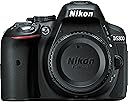
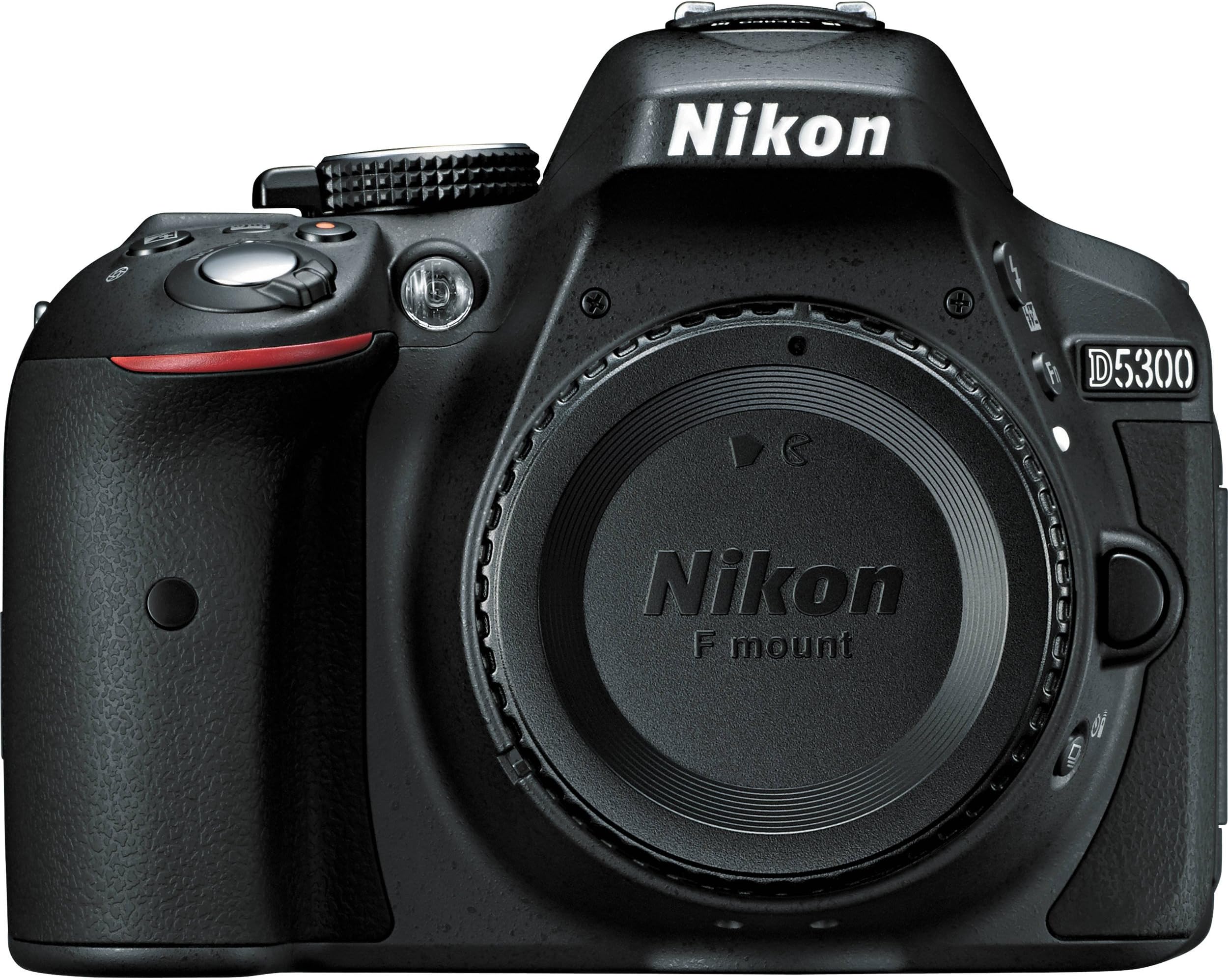
🚀 Elevate your storytelling with Nikon D5300 — where pro-level tech meets instant sharing!
The Nikon D5300 is a compact DSLR powerhouse featuring a 24.2MP DX-format CMOS sensor without an optical low pass filter, delivering crisp, vibrant images. It boasts a 39-point autofocus system with 3D tracking, 5 fps continuous shooting, and an articulating 3.2-inch LCD for flexible shooting angles. Built-in Wi-Fi and GPS enable instant photo sharing and geotagging, while Full HD 1080p video recording at up to 60fps supports professional-quality content creation. Designed for enthusiasts and semi-pros, the D5300 balances advanced features with user-friendly controls in a sleek, lightweight body.
| ASIN | B00FXYT12G |
| Age Range Description | Adult |
| Aperture modes | Aperture priority |
| Are Batteries Included | Yes |
| Aspect Ratio | 3:2 |
| Auto Focus Technology | Center, Continuous, Contrast Detection, Face Detection, Live View, Multi-area, Phase Detection, Selective single-point, Single, Tracking |
| Autofocus | Yes |
| Autofocus Points | 39 |
| Best Sellers Rank | #49,208 in Electronics ( See Top 100 in Electronics ) #32 in DSLR Cameras |
| Bit Depth | 14 Bit |
| Brand | Nikon |
| Built-In Media | AN-DC3 Camera Strap, BF-1B Body Cap, BS-1 Accessory Shoe Cover, D5300 DX-format Digital SLR Body (Black), DK-25 Rubber Eyecup, DK-5 Eyepiece Cap, EG-CP16 Audio Video Cable, EN-EL14a Rechargeable Li-ion Battery, MH-24 Quick Charger, Nikon View NX 2 CD-ROM, UC-E17 USB Cable |
| Camera Flash | Built-In |
| Color | Black |
| Compatible Devices | Nikon F (FX), Nikon F (DX) |
| Compatible Mountings | Nikon F (DX), Nikon F (FX) |
| Connectivity Technology | HDMI, USB |
| Continuous Shooting | 5 |
| Crop Mode | DX-format |
| Customer Reviews | 4.4 out of 5 stars 434 Reviews |
| Digital Scene Transition | False |
| Digital Zoom | 1 x |
| Digital-Still | Yes |
| Display Fixture Type | Articulating |
| Display Resolution Maximum | 1037000 |
| Display Type | LCD |
| Dots Per Screen | 53174 dots per square inch |
| Effective Still Resolution | 24.2 MP |
| Expanded ISO Minimum | 100 |
| Exposure Control | Aperture priority (A), Automatic, Manual, Shutter-priority (S) |
| File Format | JPEG: Fine, Normal, Basic, RAW: 12- or 14-bit, compressed, DPOF compatible, DCF 2.0 compliant |
| Flash Memory Bus Interface Type | SD |
| Flash Memory Speed Class | UHS Speed Class 1 (U1) or higher |
| Flash Memory Supported Size Maximum | 2 TB |
| Flash Memory Type | SD/SDHC/SDXC |
| Flash Memory UHS Speed Class | UHS Speed Class 1 (U1) or higher |
| Flash Memory Video Speed Class | UHS Speed Class 1 (U1) or higher |
| Flash Modes | Automatic |
| Flash Sync Speed | 1/200 sec |
| Focal Length Description | 55 millimeters |
| Focus Features | Nikon Multi-CAM4800DX |
| Focus Mode | Continuous-Servo AF (AF-C), Manual Focus (MF), Single-Servo AF (AF-S) |
| Focus Type | Manual Focus |
| Form Factor | Compact DSLR |
| Global Trade Identification Number | 00018208015191 |
| HDMI Type | Type C Mini HDMI |
| Hardware Interface | AV Port |
| Has Color Screen | Yes |
| Image Capture Type | Stills & Video |
| Image Stabilization | No |
| Image stabilization | No |
| Item Weight | 1.06 Pounds |
| JPEG Quality Level | Basic, Fine, Normal |
| Lens Construction | DX-optimized |
| Lens Type | Interchangeable |
| Manufacturer | Nikon |
| Maximum Aperture | 3.5 Millimeters |
| Maximum Focal Length | 55 |
| Maximum Image Size | 24.2 MP |
| Maximum Shutter Speed | 1/4000 Seconds |
| Memory Slots Available | 1 |
| Metering Methods | Multi, Center-weighted, Spot |
| Minimum Focal Length | 18 Millimeters |
| Minimum Shutter Speed | 30 seconds |
| Model Name | Nikon D5300 |
| Model Number | 1519 |
| Model Series | D5000 series |
| Movie Mode | Yes |
| Night vision | No |
| Number of Diaphragm Blades | 7 |
| Optical Zoom | 1 x |
| Photo Sensor Resolution | 24 MP |
| Photo Sensor Size | APS-C |
| Photo Sensor Technology | CMOS |
| Real Angle Of View | 44 Degrees |
| Remote Included | No |
| Screen Size | 3.2 Inches |
| Self Timer | 10 Seconds, 2 Seconds, 20 Seconds, 5 Seconds |
| Sensor Type | CMOS |
| Series Number | 5300 |
| Shooting Modes | Photography Live View mode, Movie Live View mode |
| Skill Level | Professional |
| Special Feature | Face Detection |
| Specific Uses For Product | Photography |
| Supported File Format | JPEG: Fine, Normal, Basic, RAW: 12- or 14-bit, compressed, DPOF compatible, DCF 2.0 compliant |
| Supported Image Format | JPEG |
| Total Still Resolution | 24.2 MP |
| Total USB 2.0 Ports | 1 |
| Total USB 3.0 Ports | 2 |
| Total USB Ports | 1 |
| Total Video Out Ports | 1 |
| Touch Screen Type | Capacitive |
| UPC | 018208015191 |
| Video Output | Mini-HDMI |
| Video Resolution | FHD 1080p |
| Viewfinder | Optical |
| Viewfinder Magnification | 0.82x |
| Warranty Description | 1 year coverage for labor, 1 year coverage for parts, This warranty doesn't apply to the batteries and software driver that accompany this product |
| White Balance Settings | Auto, Daylight, Flash torch, Fluorescent, Incandescent, Shade |
| Wireless Technology | Yes |
| Write Speed | up to 104 MB/s (for SDXC cards), up to 60 MB/s (for SDHC cards) |
| Zoom | Optical Zoom |
T**E
D5300 Continues the Brilliance of Nikon
I upgraded to this camera from a Nikon D40x. I love the D40x. I have had that camera since 2009. I got to where I had an almost Zen-like relationship to it. The only reason I upgraded to the D5300 was I wanted to experiment using some features my D40x did not have. In particular, I wanted to be able to bracket my shots. And, after seeing the pictures I got from a friend whose camera gave 16+ megapixel resolution, I wanted to see how 24+ megapixels resolution helped my photography if at all. My first trip out with my D5300 was a disappointment. The disappointment was not, however, with the camera. It was with me. I did not have the settings defined as I thought I had. This was due in part by the excitement of having a new camera and the fact that the menus on the 5300 are much more involved than those on the D40x. I came home and started taking pictures inside. I watched videos, went back to the camera manual and ran through the camera's menus again. I found some settings that were not where I thought they were and changed them, then started shooting some indoor pictures. This is the same style of photography I used with my D40x. Once I got the settings on my D5300 where I wanted them to be, I was blown away by the images. From a technical standpoint, I found nothing to complain about. Great color. Great resolution. Very good color rendition under different settings. While the D5300 is not as easy to figure out as the D40x, I do not see that as a minus. I have a multitude of new features on this camera that I did not have on the D40x. My only complaint about the camera is that the explanations of some of the menu items are not what they should be. There are still menu items I am not understanding. In time I expect the D5300 will become as much a part of my arm as my D40x feels. It may not be a perfect camera in some people's eyes. But, I did a lot of research into which camera would best suit my needs for the price and the Nikon D5300 won over all the others in contention. I have no regrets in my choice. I hope to be able to return to outdoor shooting soon. I will make sure I am all set up for the adventure this time. And, beyond any doubt, I believe the D5300 will take even more amazing photos than does my D40x, if that is possible. I enjoy photography. Nikon builds cameras that are not only technically brilliant, but fun to use as well. I highly recommend Nikon's D5300 to anyone that is interested in learning the possibilities this camera affords the user. *** Six Month Evaluation *** There are no real technical problems with this camera. However, I have changed my feelings towards it after having used it for six months. Some older reviewers may remember when CDs first came out. While they were amazing from a technological standpoint, the music lacked the warmth of a vinyl album. There was a very definite cold and sterile sound to the music. Even technicians admitted there was something different with a digitized sound versus an analog reproduction. Now, almost anyone realizes that a film photo has more depth and warmth to the image than a digital photograph. Yet, hardly anyone cares. I know I don't. The ease of creating a fine image through digitization is a photographer's siren call. Interestingly, however, as concerns my experience with a comparison of the results from my D40x to my D5300, all digitized images are not the same. With my D40x, with a minimal use of Lightroom, I could manage images that had nuance, warmth and a goodly amount of appeal that comes from that undefinable human connection. From the beginning, I recognized there was something different about the D5300's images. From the aspect of a human connection, there was a major disconnect. I concentrated to make sure I was careful in my settings. I assumed that my images were different because a setting or two was not correct. Goodness knows, the D5300 is all about options of settings. Well, after six months of using the D5300, I now realize that, like the sound of music from a CD, its images lacked the warmth and human appeal that I found so abundant with my D40x. I am a user of Flickr. I belong to the Nikon D5300 group. If one surveys the images posted in that group, it will quite soon become evident that the images are amazingly lacking in true appeal. They may look decent from a technical aspect. But, there is no human emotional presence to be found in the photos. If one doubts that a digital camera can present an emotional presence, go to any group dedicated to the Nikon D90. That camera has a soul that is absolutely amazing. I can look at a photograph and recognize if it was made with a D90 camera. What's my bottom line about this camera now? It lacks soul. It's a machine. Personally speaking, I have not been able to connect with it on anything other than a technical level. Technically it is superb. But, something is missing. And, that missing element becomes very apparent when looking at the images the D5300 makes. I use the term "makes" because it doesn't "take" an image. It "makes" one. There is a difference. Some photographers may not see that there is a difference between making an image and taking an image. Some photographers, alas, are not creative in their approach to photography. I do not always succeed in being creative. But, I do, at least, try. Even under the best of circumstances, my photos rarely connect with others. But, I don't take photos for others. I take them for me. Tragically, the D5300 does not create images to which I feel that human connection. If what I am saying makes sense to anyone, my advice would be to go to a site like Flickr and seriously study the images posted for this camera. Determine for yourself how you relate to the pictures on an emotional level. Then make your decision to either purchase or pass on this camera.
A**S
Great camera... caution: a BIG leap from a simple Point-n-shoot (which is to be expected).
Tip #1: turn OFF the beep on your camera... immediately, no questions, just do it. NOW. It just announces to the world that you just bought it, and don't have a clue what you are doing. This may be true, but why advertise that fact, and annoy everyone around you with the annoying "beep...beep. Click. Beep...click. Beep, beep, beep....click". ;) Moving on: Any DSLR is not for the faint of heart, nor for those unwilling to read the user's manual for any mode other than "auto". Yes, you can leave it in the Green "Automatic mode w/ flash" or the "Auto mode without flash" and you'll do fine for snapshots and some great photographs as those moments present themselves. The "scenes" modes are a quick way to shoot various conditions we all find ourselves in often, without having to slow the fun with deep menu changes, just set it for "party" or "beach" or "candlelight" (etc.) and you'll be shooting very good shots. If you want to shoot huge RAW files, go full manual mode, alter the ISO settings, shoot time-lapse sequences, 1080p/60hz video, it is all there for the semi-professional, too. ISO goes to 12800 if you need it without too much noise. 3200 and 6400 ISO are much less noisy than my D70s model. I have the D70s model from a few years back, and I **REALLY** miss the front sub-control wheel. The D5300 has only one control wheel on the back for your thumb to rotate, and the lack of the second one up front is mind-boggling, forcing the user to hunt-n-peck on the LCD screen or with other buttons to switch up a few settings on the fly. The trade-off for that wheel was the flip-out screen and built in Wifi (vs. the more expensive new cameras with two wheels and more controls, so you don't have to use the LCD menu system). Remember, unless you are blowing up your photos to 30"x40", you can come down on the megapixel size to 6mpx or 12mpx without any drop in on-screen resolution. The files sizes are huge (11MP JPGs), so your hard-drive and uploads to facebook, twitter, etc will take much longer... so just shoot in 6MP "fine" or "normal" and you'll get fantastic pictures, without the bloated file sizes. Remember, MP only count if you do a lot of cropping or print enlargements. Google "Ken Rockwell megapixel myth" to learn more from the best about how "megapixels" are mostly hype. My D70s is a 6MP camera, and the pictures are gloriously beautiful (see the D70s group on Flickr). The battery life is about 200 shots for me, but I've been using the LCD screen alot and playing with settings, menus, etc. If/when I just flip the LCD monitor closed, and shoot through the viewfinder...it will probably shoot 500 photos on one battery. I do like that you can customize the "My Menu" for your most used settings, mine being: ISO, White balance, Set Picture Control, Release mode (timer/remote/continuous), Active-D Lighting, Image Size, Image Quality, Auto Information Display (on/off), Wi-Fi (on/off) Nikon has a great little feature so that when you have highlighted a menu item, you can hit the "?" button, and an on-screen paragraph explains the feature and what it does. Spend the few bucks to get a nice strap, camera bag and by all means the Nikon remote shutter control (under $10)...which is totally the best thing for tripod family shots and be in the picture. You can flip the LCD around to make sure you and everyone else is in the picture, hit the remote, and get a 2sec, 5sec or 10sec time delay to the picture (or instant, but then you can't hide the remote in time!). The WiFi option is pretty cool, and when enabled allows you to hook to the camera via your smartphone, download pictures, or even see what the camera sees (!), and use the phone as a remote shutter release. Once on your phone, hop back on the 4G network or your home wifi, and upload to Facebook, Twitter, Instagram, etc. Pretty sweet. The phone can also act as a temporary backup to your camera memory card. Hope that helps... I'm lovin' it, and still think the flip-out screen is what we needed for selfies and family photos. If you don't need the flip-out screen, need lots of manual controls, and have the budget, move up to a Nikon with dual control wheels. Cheers, Doc Rings
K**E
Great Choice
Really impressed so far. I had an SLR years ago in film days, and very much enjoyed using it. It was broken and for years I simply used point & shoots, eventually moving into digital with an HP 1.5 mp. I moved up through point & shoots and started getting back to the context of framing a picture and the art of photography--especially once I started hiking in our beautiful area mountains a few years ago. I had a 4 mp Kodak at the time, great little camera by the way that taught me the value of good glass-I still have it, but found I wanted to move up to newer and better technology. So, after considerable research, I purchased my Nikon L120. Very satisified, and great pictures, but I found in the last several months I wanted the versatility, options and creativity a dSLR would offer. Yeah, Now there's an expense, right? And here was someone who knew not much about them, having forgotten what she knew in the manual, film days. I have friends who will lay their lives on their Canon's and not as many who would for their Nikons (and possibly might offer their Canon friends as sacrifices, too) )-not that they aren't loyal to, and love their Nikon, there's just fewer of them. From earlier research I liked the image quality of Nikons just a bit better, but still when you're spending a chunk of cash, and if you're like me and are far, far from the top 3%, you want to make sure you're getting a good product, and a reasonably user friendly one for your money. So after considerable research, comparisons (to Canon), scrutinizing images for Canon & Nikons D3200, D5100, D5200, D5300, albeit not many with the 5300 since it was relatively new, and reading reviews here on Amazon (one of the best resources in my opinion, and '7's is a wonderful string with loads of interaction and advice) I started leaning towards the D5300 opposed to the other models, and finally due the reviews and 7's advice, I plunged and bought the D5300 with the 18-55 mm lens--the red one, of course. I love it! I was a little frustrated at first with all the menus's and options. It seemed overwhelming, but refer to the manual, buy a book to supplement ( I ended up buying 2), come here and read and just play with it. As you start experimenting with it and changing settings and modes, it gets less confusing and not as complicated as it felt at first. And it has auto modes, so it's not like you can't get great shots from the start while you learn. One of the things I found, is change your picture quality to fine, it will bring an incredible, realistic feel to your photo's. Images of my cat, a tortoise shell are fantastic, capturing the depth, clarity and colors in her eyes and the contrasts in her fur giving a very living feel to the picture--not to mention the disdainful look she's giving the dog is very clear. Photo's I took of my neighbor picked up the green flecks in his blue eyes, the lines, whiskers and age spots in his skin, making them look very lifelike. Captured him exactly, and with a sharper depth than normally in a photo. Some have noted difficulty with action shots. I haven't done much, but shots of my granddaughters jumping & goofing around captured them in mid air and did a nice job freezing the action. I also snapped some shots of my dog and his fur friends running outside, and captured hair and ears flying as they ran in different modes--Sport and pet, and I'm pretty sure some were in auto. I'm excited to take it out this summer to sporting and action events and see what I can get. I'm optimistic--if it can capture a flying, shaggy Shih-tzu, it's looking positive. I've noticed the single focus setting on auto doesn't stay put if you change modes and back, but as far as skewing the image, I'm not really seeing anything discernible or problematic. If you're taking a picture of a moving object, you won't want it fixed anyway. To me the wandering (and by that I mean it isn't fixed to a central single spot, not that it's randomly floating around) focus point is a little distracting when not fixed to a single point, but that's just me being over aware of it at the moment, I'm focusing on not focusing on it. Not a dealbreaker. I'm picky about image quality and I'm very satisfied with what I've gotten, As I become more familiar with various settings, I'm very much enjoying playing with it and look forward to learning more about a DSLR and what you can do with it. This is a perfect camera for it, and I absolutely recommend it to anyone stepping up to the dSLR universe.
R**N
We have come a long way! Great upgrade to the D5100
"Prosumer" cameras have come a long way. I will begin with the end: the D5300 is a superb offering that will do as much as almost all non-professional users will ever need it to do, and has more useful features than most users will ever use. There are many competing cameras at or near this price point. I cannot claim to have researched them all, but the D5300 really does seem to be the leader. This camera is basically a feature-laden prosumer camera -- a camera for the enthusiastic amateur who wants a camera that will do most (but not all) things that a professional camera will do, with as little fuss as possible, and in a smaller package. I am an experienced photographer (amateur) and I demand a lot out of my cameras. I use high quality Nikon lenses. So the issue was whether the D5300, which is not a pro camera, was good enough for my picky needs. Just to show how hard to please I am, I also want a camera that is as small as possible -- I don't like carrying the big professional all-metal Nikons. The pro cameras are fantastic cameras that are deadly expensive, heavy, and built like tanks. Great for pros, but not for me. The short answer is that the D5300 does the job for me. It is light, well-built if you don't plan on shooting in a rainstorm, and nicely designed. The most important attribute of this camera is its ability to produce superb images right out of the camera. And great images start with great exposure. This camera can produce outstanding images that really do not require post-processing. I have been using Nikon digital SLR cameras since the D100 was announced, through the D80 and D200. All have been superb cameras for their days and still are. However, most Nikon DSLRs really benefited (needed, really) a bit of post-processing in order for the images to reach their full potential. In particular, many users have noticed that the auto-contrast settings in Nikon or third-party software programs really brightened up images, giving them better contrast and zip. This camera pretty much does away with that. The D-lighting feature of this camera, combined with an all-around better sensor, exposure algorithm, and exposure system, really do make it possible to produce images right out of the camera that look like they have already been post-processed on the computer. And to make matters even better, the camera allows in-camera editing and post-processing! So if you are on a trip and want to email a few pictures you will not need your computer; the camera will do the post-editing job for you in most cases. And in most cases this is not needed at all. Put simply, the D5300 has about achieved the ideal for digital cameras, whereby it produces a final image right out of the camera that is about perfectly exposed, with contrast and lighting the way you want it. The camera allows for matrix, center-weighted, and spot metering, just like the pro cameras. All are useful at times. I can remember when only professional cameras had all three. We have come a long way. The D5300 continues the Nikon trend of better and better ISO performance, as light amplification technology keeps getting better. ISO roughly corresponds to the exposure ratings of film in days of yore, and basically better ISO performance means that the camera will perform better in low light conditions, making it possible to take clear non-noisy images in dimmer light. My D200, which was one of the very best Nikons in its day, degrades quickly after about ISO 640. This camera will do many multiples of this satisfactorily. For early morning photography, or taking pictures indoors, this is a decisive, tremendous advantage. The result is that, unlike only a few years ago, often you can obtain adequate photos shooting indoors without the use of a flash. This is tremendously important for indoor sports photography, for example. It also helps for early morning wildlife shots. You no longer always need an F2.8 lens to shoot these kinds of shots, although it never hurts. Great images also require fast and accurate focusing. The auto-focusing system on this camera is very well thought out for its market niche. While professional photographers will probably not use this camera to photograph NFL games and the like, this camera features an excellent focusing system that will exceed the expectations of most users. The D5300 features 5 fps continuous shooting for JPEG-only with a 39 point AF system with 9 cross-type AF points and 3D focus tracking. This focusing system is better than even professional cameras of a few years ago and will almost surely meet the needs of anyone. No problem with focusing on fast-moving subjects such as birds, wildlife, or sports. I tested this camera at our local ecological reserve, photographing flying birds. It exceeded my expectations by producing razor-sharp focused shots of these unpredictable subjects time and time again. Even better than my venerable Nikon D200 did back when that camera was near state-of-the-art. Even using the Nikon 18-300VRII lens which is a fine lens but not a pro lens, this camera can produce professional-quality wildlife shots. I cannot ask for more than that from the autofocusing system! Ergonomics. I bought this camera for two main reasons: less size and less weight. The higher-end Nikon cameras sport metal bodies, while this unit is made out of high-impact plastic. Given the fact that even rifles and pistols are mostly made of plastic nowadays, I consider plastic to be a virtue, not a vice. The D5300 features excellent build quality and has every bit of that quality "Nikon feel" that we have all come to expect. While some pros and a few amateurs really may need a weather-sealed metal bodied camera, most of us do not. And every single user will appreciate the very low weight of the D5300. I carried mine all day on a family outing and for once I did not get tired of toting a camera. Further, I often like to use large lenses, such as the Nikon 18-300VRII -- this lens is no lightweight and it is nice to combine it with the lightweight body of the D5300 to lessen the overall weight I am carrying. I found the various buttons and controls to be easy to use and intuitive. Some reviewers have complained about various aspects of the button placements, but honestly, I don't see it. It is true that the camera requires a dedicated ISO button, because its wider ISO capability probably means that users will be varying this setting a lot. Fortunately, the D5300 has a user-assignable Function button. I simply assigned ISO as the function, so my D5300 has a dedicated ISO button (Actually, Nikon defaults this button to ISO--they know that this is what most users will need this button for). I do find myself using it often, as I vary it to high ISO for indoor shots, to low ISO for bright sunny summer days. The menus on the D5300 are the usual Nikon-style menus. Probably the main drawback of the D5300 versus the more expensive Nikon cameras is that you must put a lot of the settings in place using menus rather than buttons or the control dial. For pros this may be important. For me, I am fine with it. Serious users of the D5300 should plan on spending some time in the den with the camera browsing through the menus and getting familiar with them. Fortunately, the camera has a My Menu Settings section where you can place all of the settings that you frequently vary all in one place. This goes a LONG way to taking the complexity out of the menus. And like the D5100-D5200 there is the quick access strip menu that comes up first that actually has most (or even all) of the menu settings that the user is likely to vary. In practice once you are familiar with the D5300 I question the need for more buttons or dials for must users. The color LCD screen on the D5300 opens to the side, and can be rotated 180 degrees. Some reviewers have complained that: a) this means that one cannot put a plastic cover on the LCD to protect it; and b) the swivel arm on the LCD screen may be a mechanical weak link. There may be a little truth to this, but consider. Since the LCD screen folds against the back of the camera, if folded in screen first it is protected during field use, and yet easily accessible by swinging it out if you need to access it for some reason. During field use (hiking, etc.) I rarely need to use the screen, and since it is folded against the camera, it is very well protected. As far as the strength of the swivel arm, well, time will tell. I trust that Nikon knew what it was doing when it designed this component. Hope so. I had a D5100 before this D5300 (still have it, in fact) and I have never had any issues with the swivel design. The D5300 has a larger LCD screen than the D5100, by the way. The LCD screen does multiple duty. It performs the function that the mono LCD screens used to do on other Nikons, i.e. showing exposure mode, picture count, etc. (Many of these things are also displayed in the viewfinder.) It also displays the menu system. And of course you may view and edit the photographs with the LCD. And the LCD also presents live-view, meaning that you get an instant through-the-lens electronic display of the viewfinder; a feature that until a few years ago only point-and-shoot cameras afforded. I was initially skeptical of this feature, but I do find myself using it at times. The viewfinder is bright and crisp, with a pleasing display. The menus are mostly intuitive. I say mostly, because at first I had trouble locating some of the key functions that I wanted. Specifically, the "sharpening" control, which is a critical setting, is buried three layers deep in the menus. Other Nikons place this setting more obviously. This quirk is the exception, and once I understood the logic of the menu setup, I have had no further problems. Most users will adapt quickly to the menu system in this camera. The optical viewfinder features a 95% view of the actual lens picture. Very few users will miss that 5%. The camera allows full shutter, aperture, and programmed mode just like the pro cameras. The camera has other features including "effects," and HDR (high dynamic range) shooting, which combines two shots of an image using different exposures. While many users will never use these features, some will. The HDR feature has real potential for those willing to experiment and put in the time to master it. To keep cost and weight down, the D5300 does not contain an inboard focusing motor. This means that some of the older Nikon lenses do not have autofocus if used with the D5300 since some of these lenses do not have internal focusing motors. This will mainly affect long-time photographers who have some of the older Nikon lenses in the bag. Most newer users will never miss it. Me, I do regret that a couple of my old stand-bys will not autofocus with this camera. I rarely shoot movies, but for those who do, this camera is a very serviceable HD videocamera. Other reviews have no doubt covered this feature adequately. As an upgrade from the D5100, there are a number of advantages. The ISO performance of the camera is better, making it superior for low-light shooting. The image sensor is 24.2MP. The autofocus system is a significant upgrade, with more focus points and an upgraded tracking system. The LCD is larger. There is an on-board GPS (something I never use). The battery life (if not using GPS) is better. The camera has a limited WiFi/hotspot capability that allows it to transfer photos to your Apple or Android device if you download the free App at the App Store. The most important upgrades, to me, are the superior image quality and autofocusing. The WiFi does do away with needed the special Apple cable for the iPad to transfer photos. It is also nice to be able to use the WiFi to upload a photo here and there to Facebook or other social media. At the end of the day it is the images that matter, and the D5300 produces professional-grade images. On trips and other occasions I am often found carrying around a camera, and the light weight and small size of the d5300 make it a joy to use. Highly recommended.
7**7
Stunningly Good! An Insane Value!
I got this camera as an upgrade to my beloved D5100 so the bar was pretty high and so this review is often D5100 vs. D5300. I'll be frank. The D5300 outclasses the D5100 so substantially that it has utterly obsoleted the D5100. Ignore those who say that the D5300 merely provides an opportunity to pick up a D5200 or D5100 for a bargain price. No. The D5300 is now the ONLY camera in the Nikon D5xxx line. It has changed the game. Don't bother counting pennies, this camera is underpriced at full price. The fact that I am sincerely comparing images from this $800 camera body to my D800E's images truly says it all. Please allow me to just get into the Pros and Cons: PROS: 1) PHENOMENAL IMAGE QUALITY! AT LOW ISO THE D5300'S IMAGES ARE ON PAR WITH THE BEST CAMERAS IN THE WORLD AND THAT IS NO EXAGGERATION WHATSOEVER. I can't believe there is still a debate going on about the efficacy of Anti-Aliasing filter removal. I'm sorry, but the difference is so noticeable there is no debate. And moire was a myth even on the D800E, which I do also own. I guarantee you that you will find more moire in a D5100's or D7000's images than you will on the D5300. Color and saturation from the D5300 are exceptionally good versus ANY camera at any price point. Now, I will still take the D800E's images over the D5300's but it is not at all night & day. They are actually surprisingly close at low ISO. EDIT 2013-12-09: Photographing cats a lot I am catching a little false color on shiny fur. Nothing of concern to me though. 2) Focus point spread (area of image with AF sensor coverage) is MUCH greater than in FX ("full-frame" sensor size) cameras. The D5300's AF point coverage extends left-right top-bottom much farther than FX cameras. I would estimate the D5300 covers probably double the area that FX cameras do and this is an ENORMOUS advantage. I always leave my D800E's focus point glued to Center because the AF coverage is only in the center area anyway so why bother with the other 50 AF points when they just don't cover anything? I actually do use my focus points on my D5300 because they cover the frame pretty well. I'd still like to see even more coverage, but vs. the FX bodies, APS-C cameras have a tremendous advantage. 3) Minimum shutter speed in Auto ISO now has AUTO setting that adjusts based on focal length! This is SO much better than a fixed shutter speed regardless of lens length. 4) Hard to quantify but the HDR images look much nicer than the D5100's and the Extra High setting is intense and beyond the D5100's abilities. I have not been able to verify this but it *appears* as though there is now image alignment for the 2 photos used for the HDR image as my handheld HDR shots nearly never look like 2 images whereas they often did on my D5100 at full or nearly full magnification. HUGE improvement! 5) Great-for-DX and pretty-good-versus-FX ISO performance. I'll put this to bed right now; the D800E smokes the D5300 for high ISO performance. Sorry, this is a different league. However, the D5300 substantially outperforms the D5100 at ISO 1600+. The improvement in the D5300 over the D5100 is readily noticeable. 6) Much more intuitive i Menu. The D5100's i Menu being J-shaped was ridiculous and totally awkward. I never got used to it after thousands of photos. The D5300's standardized 2-lines-across-the-bottom Nikon style is a drastic improvement. 7) GPS! I don't know what Nikon was thinking with that clunky expensive GP-1A. Did anyone ever buy one? The D5300's internal GPS works great and hooks up quickly and I'm big on geotagging so I am super stoked to have this on a REAL camera! EDIT 2013-12-09: I spent a day in the country (wide open clear sky) with this camera outside of my normal metro town area and despite using A-GPS data, it took somewhere between 30-60 minutes to get GPS lock. Surprised, disappointed. But that was the only time I have had trouble with hookup. 8) Nikon's had truly exceptional built-in flash performance since at least the D90. The D5300 does not disappoint and bests or matches its predecessors at any price point. This could be a result of image processing more than flash performance but whatever it is, using flash is a joy, not something to dread. 9) The red body paint color is super-gorgeous! It's like a candy apple red Corvette color and it is way sexy. 10) The new bigger, higher-pixel screen is REALLY nice. It is not insignificant like many reviewers dismiss it as. I like it a LOT. :) 11) EN-EL14a battery with 19.4% more capacity is a nice treat and helpful when running GPS and/or the silly WiFi. I have not spent a full day shooting hundreds of photos with the D5300 yet but I have shot perhaps 100 shots in a day with GPS on and flash here and there and a lot of reviewing and in-camera editing and not gotten below 2/3 battery level in a day. EDIT 2013-12-09: GPS was on from about 8:45am to 5:30pm, WiFi was off all day, I shot 362 photos (almost all were 14-bit RAW+Large Basic JPEG so roughly only about 170-190 shutter clicks) and probably 15 of those photos had flash, 2 minutes of video, edited 6 photos and had a couple of review sessions during the day. Battery level fell to 1/3 remaining. Not bad but could be better. If you're a heavy shooter and will use GPS and/or pop-up flash, carry a spare battery. 12) Here's a gem for the old-school film guys like me. ;) Or a little "secret treat" for digital-era photographers with a true creative streak. In Manual exposure mode, the "T," or "Time" setting has returned! Want to take a 5-minute or 5-hour exposure but you left your plug-in intervalometer/timer at home? Lol, as if you even have one... No problem. Turn your shutter speed dial all the way past 30-seconds, past Bulb and click on into good ol' Time at the end of the dial. Press the shutter button to open shutter, let your wristwatch or phone tell you when exposure time is up and then press shutter button again to close the shutter. Seriously?! Yes, seriously. How cool is that?! I miss this so much and guess what? Even my D800E does not have T and the D5100 does not either. According to the Nikon info page for the D5200 (Yes, D5200. Not a typo), T is there but you need the ML-L3 remote to use it. CONS: 1) EDIT 2013-12-09: I have found that focus points other than THE Center focus point are somewhat frequently inaccurate. Focus points at or near the left and right edges are rarely accurate and almost never dead-on. If you use ONLY the Center focus point, focus accuracy is quite good and consistent. As Center AF point AF-S is almost always how I shoot, this is not a deal-breaker for me but it is certainly a handicap. If you use multi-point AF tracking or regularly venture away from Center AF point, you had better experiment with different AF points at a local camera store before buying one from any store, Amazon included. I am beginning to think my camera may be defective and will likely send it to Nikon for repair or exchange it with Amazon for a new one. Honestly, I expect this to be a performance trade-off that Nikon will not remedy. Though $800 is not cheap, this caliber of image quality for $800 is going to come with trade-offs and I bet being forced to use Center AF point is one of those trade-offs. 2) EDIT 2013-12-09: I had a chance this past weekend to use Live View in some beautifully sunlit countryside. Sorry, even with truly ideal lighting Live View is horribly slow and constantly hunting. Don't use it for anything other than manual focus confirmation with screen zoomed for precise focusing. And focus VERY slowly as screen update time has substantial lag. I'm not really concerned about video, but this camera cannot focus worth a darn for video. It really is that bad, sorry. 3) When reviewing a photo on my D5100 and even the D5200, I could just press the OK button to get into Retouch Menu and then get into RAW processing of that image in another click of OK. Boom, 2 presses of OK and I am RAW processing the image I'm looking at. Well, not anymore. Now I have to press the "i" button to get into Rating/Retouch/Send Menu and then click OK to get to Retouch Menu and then another click of OK to get to RAW processing. Hardly a nightmare but takes an extra button press and, more importantly, is ergonomically awkward and more prone to mistakes. 4) Noisy Multi-Controller. I like having solid clicks, but man, clicking Up, Down, Left or Right on this Multi-Controller is literally enough to wake someone up. My gf grumbles at me for reviewing/RAW processing in bed because of that. It's also not so great in public areas as it intrudes on the conversations of neighboring tables, etc. It's really an irritating higher pitch that grabs attention. I know this complaint sounds whiny, but it truly is an intrusive noise problem. 5) WiFi is rubbish. You can't upload full-resolution images to your smart device via WiFi. And I don't believe (but I could be wrong about this) that you can WiFi upload at all to a PC. I wanted to have instant constant file backup via WiFi. Nope. 6) Slow RAW process Menu navigation. Perhaps it's the sheer file size but things like scrolling Picture Control modes in RAW processing is very slow relative to the D5100. 7) Slow photo review after taking a picture(s). Takes too long for the D5300 to gulp down one or a few RAW+Large Basic JPEG shots (my standard resolution). 8) After assigning HDR function to the BKT button (D5100)/Fn button (D5300), activating HDR now requires holding the Fn button and turning the dial until you get the setting you want before letting the Fn button go. On the D5100 you set your HDR preference one time in the Menu and then activation via BKT button only took a single press. Now it's a process. And my favorite setting (High) takes the most clicks (3 to the left or 3 to the right) to get to. The Auto HDR mode should simply be removed so we just scroll Low, Normal, High, Extra High and should be permanently Menu-set to facilitate 1-press activation a la D5100. 9) To get autofocusing you MUST use an AF-S or AF-I lens. D5300 body has no focus motor for AF or AF-D lenses. Metering requires a CPU lens. CONCLUSION: The D5300 is not a camera for sports, when rushed or in demanding conditions and you are gambling when you change away from Center AF point. Many consumer cameras like to claim performance in this fast-action realm, but no. If it's not pro gear it will suck at sports and tracking a subject. Always has been and likely always will be the case. However, for general photography, landscape, portraiture/still life, macro, time-lapse, etc. the D5300 creates stunningly sharp and colorful images able to be painlessly enlarged to enormous proportions. I wouldn't hesitate to print 3-foot x 2-foot (that is 36x the size of a 4-inch x 6-inch) prints. And that would be essentially pixelation-free. 6-foot x 4-foot would still look fantastic.
E**E
The D5300 for YouTube work and D3100 comparison
For those who like video go here for a quick look - https://youtu.be/AsyukB3j4zk For more details keep reading! Now I'm coming from the Nikon D3100 which I used for all my YouTube videos up until now so I'll be comparing to that. I'll also be coming from a YouTuber point of view. If you need a professional review for your pro film or photography work please find a better review. It's amazing how much more you get with this camera considering it feels just as light as the D3100. Some of the extra features you get from this upgrade: Higher ISO Range Better ISO scaling (instead of jumping up 100 to 400+ ISO with every knob turn. You can go from 100 to 125 for example) 24MP sensor over 14MP (if you want to take pics that big) MIC port Better built-in mic(if you use that) Wifi More auto focus points(39 from 11) Movie Live View Mode Flip-out Viewfinder (and that viewfinder is slightly bigger as well) Cleaner Software Interface 1080p @ 30fps or 60fps ..too name a few Alright, so how have these upgrades helped my YouTube videos? The Flip-Out viewfinder not only helps me to find focus easier but it also helps me see when I'm properly in the frame or not (like when I'm telling people to check the description or cards above) without having to stop the video and play it back on the camera or check on my PC. With my D3100, I needed to use PC monitor as a viewfinder to make sure everything was in focus and center frame while showing a product or speaking. However, please note that the viewfinder on any DSLR camera will always be too small to guarantee focus in many situations. Focus on the viewfinder then shoot a few seconds of video then check on your PC to make sure you're actually in focus if you find yourself constantly slightly out of focus. Of course, you can always just buy a separate monitor that's made specifically to replace the DSLR viewfinder and show you the colors and focus properly which usually cost a couple hundred dollars or more but if you're happy with your current DSLR and just want a better viewfinder, I recommend going that route. The MIC port now gives me the option to record audio straight to the camcorder if I wanted to with quality mics. I do have other people in my home that shoot videos as well on other channels and they stay very close to the camcorder as they record cause they don't like using external mics. Now they can get better audio on their videos by plugging in a shotgun mic. I'm personally a fan of the external audio I capture with my Zoom H1 and Giant Squid Lab lavaliere. Better ISO scaling and higher ISO range helps me get the lighting for my videos just right without creating noise in my shot. Lighting doesn't only depend on the actual physical lights but also on the DSLR capabilities. The D5300 allows for more minute changes to the ISO so I can go up by 25 ISO for a subtle bump in brightness to get my picture just right without having to jump up over 100 ISO than go fiddling with my F-stop, exposure, etc. like you have to with the D3100. This combined with the better sensor also helps when taking product shots outside in low light or anytime I don't feel like setting up the studio lights just for a few good pics. 1080p @ 30fps or 60fps is awesome. On my D3100 I was limited to 23fps which is not a bad thing considering most movies you see nowadays are shot in 24fps but I kinda like how motion looks on my videos in 30fps compared to 23fps. Combined that with the previous points on ISO and my videos are looking loads better. On another YouTube channel with my bro where we talk about local and world news, I shoot in 60fps cause there's a ton of motion from laughing to hand and head movements as we're talking about each story so I shoot in 60fps. The user will actually see a bump in overall video quality from it as opposed to when its just me talking on my personal channel and 60fps doesn't matter as much. Movie Live View Mode is a god send for many but for me it's just another nice option and I don't use it often. You're limited to F1/30 or higher in this mode but you can now see immediate changes to your shot as you make them like when you change you ISO or change your F-Stop without having to come out of Live View and go back in. It can save me a little to a lot of time in some situations like when shooting outside and the lighting suddenly changes. The 39 auto focus points ensures that the camera focuses fast and the D5300 is noticeably quieter when taking a picture which improves the photography experience a lot. Alright, so no problems at all? Oh, there are a few problems. The MIC Port placement could've been a little better. Due to the big flap over the port, if you plug-in anything to them, you're going to be blocking the viewfinder partially when it's flipped out. There's something strange going with one of the lighting settings (exposure, f-stop, iso) but I don't know which one cause as I'm filming video the lighting suddenly changes very subtly every now and again and this is while I'm on Manual mode indoors with studio lighting so I'm not sure how that's possible. The button placement is quite different on the D5300 than the D3100 as well. The Function (Fn) button (which is set to be your ISO button by default), the "i" button, and every button that was on the side of the viewfinder on the D3100 has a new placement obviously due to the viewfinder flipping out and I'm not exactly a fan of the new placement. The ISO button is slightly higher and closer to the flash button so I accidentally pop up the flash when trying to change ISO on the fly. I kinda did that already with the D3100 but it was not a big problem cause the button wasn't that close but it's actually closer on the D5300 which is quite frustrating. The different shooting modes used to have a lever you slide back and forwards to switch between them (continues, single, timed, quiet shutter). Now you have an awkwardly placed button way down between the Lens release button that's difficult to reach without looking. At least, you have a remote mode now which I don't think the D3100 had at all. Alright, that's it. Thank you reading this and I hope it helped you a little in your buying decision.
B**P
Love this camera!
I'm just a rookie with cameras other than point & shoot but developed an interest in going further with my picture taking so, after a lot of investigation and watching a lot of youtube videos comparing cameras, I settle on the Nikon D5300. I ordered the red but was a little disappointed at first as I thought it wouldn't be so shiney. I've gotten use to the color and am extremely pleased with the camera. I've had it a couple months now and have taken a lot of pictures. The Wifi is very good as you can download their app to you ipad or iPhone (also other devices) when you want to include yourself in the picture and view your poses before you activate the shutter. It will then download your pictures to your photo stream devices. The clarity of the pictures is awesome. I also took advantage of an offer from Amazon and upgraded from the kit lenses to a better lens and got a $300 discount. If your looking for an awesome camera, I think you will be pleased with this one.
V**E
Serious focus problems
I'm a amateur photographer and I take pictures at a local dog shelter. The photos I take go on the shelter's website. Most people probably won't see the problem because the pictures are fairly small so the untrained eye won't see that the pictures are out of focus. I've owned the d60 and I liked that camera very much, but wanted to upgrade, get the latest whistles and bells and bought this d5300. So I did that in April 2014. I've had the d5300 for almost 2 years now and in the beginning I thought this was because I did something wrong. I find myself not using this camera very often and when I do I'm always frustrated. It is almost impossible to take a picture that is in focus especially in low light conditions where you need an ISO higher than 800. I've done several test with different lenses, different apertures, different shutter speeds, different ISO settings, different lighting conditions etc. It really is hit or miss. Or rather miss miss miss miss and maybe a hit here and there. If you shoot using Live View, your chances of taking a sharp picture go up, but there is a serious lag when using Live View so it is impossible to shoot moving objects or active dogs in this mode. This problem is so significant that I don't really trust Nikon anymore.. I'm disappointed. If only I had figured this out earlier I could've returned the damn thing.
Trustpilot
2 weeks ago
1 month ago