

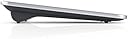
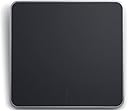
Dell TP713 Wireless Touchpad
Product ID: 1142406
📏Compact 5.3x3.9 inch size
🔋3 months battery life
🖱️Full surface multi-touch
🖐️ Elevate your workflow with touch precision that keeps you ahead
The Dell TP713 Wireless Touchpad delivers a smooth, full-surface multi-touch experience optimized for Windows 8. Compact and lightweight, it fits perfectly in constrained workspaces and runs up to 3 months on 2 A batteries. Designed for easy plug-and-play setup with Dell system compatibility and backed by Dell support, it’s a budget-friendly tool for professionals seeking efficient navigation without clutter.
| ASIN | B00AM0SI16 |
| Average Battery Life (in hours) | 3 months |
| Batteries | 2 A batteries required. |
| Best Sellers Rank | #578 in Computer Touch Pads |
| Brand | Dell |
| Color | Black |
| Customer Reviews | 3.4 3.4 out of 5 stars (179) |
| Date First Available | December 10, 2012 |
| Is Discontinued By Manufacturer | No |
| Item Dimensions LxWxH | 5.3 x 3.9 x 1.2 inches |
| Item Weight | 7.2 ounces |
| Item model number | X4YJC |
| Manufacturer | Dell Computers |
| Product Dimensions | 5.3 x 3.9 x 1.2 inches |
T**A
Works Good for a Basic Workflow
The keyboard tray on my home studio desk doesn't have enough room to fit both a keyboard and a mouse, and there's no room on top of the desk with computer monitors, studio monitors, and an 88-key MIDI controller making it really difficult to find space to drag a mouse around. This product pretty much removes that problem altogether and has definitely worked wonders for productivity. But it's not the perfect solution. The product has a tendency to start lagging after prolonged period of use. This can be fixed by turning it off and on again whenever the thing stops responding as fluidly as it should. It's a minor inconvenience for basic work functions, but still an extra step that shouldn't be necessary at all. I also don't like how small the USB receiver is. Again, a minor problem, but it makes it very sllightly harder to remove from the port. Not much, I mean, but just enough to make me wonder why they couldn't have made it at least the size of a standard USB flash drive. There are other issues, too, that other people might have talked about in their own reviews, but I'm no really sure if they apply to my specific workflow, so I'd probably take heed of other Amazon reviews if they're using it for similar applications. I also have one of these for a gaming PC I have hooked up to a flat-screen TV. I don't particularly recommend for that function due to the aforementioned lag, but it beats getting up to use a wired mouse like I was using before. All that being sad, there are a lot of positives to say about the device. Installation is easy. Just pop the dongle into your computer, let the driver install, and it's ready for use. I also think that for the most part, it's extremely responsive. Lastly, for something that is powered by only one AAA battery, the thing lasts a long time. I was expecting to have to make frequent trips to the store for batteries, but to my surprise, one battery can last for months on end. As a note, the lagging problem I mentioned earlier happens with a fresh set of batteries, too. Basically, for $10, I'd say this thing is worth a buy if you're looking for something inexpensive, compatible with pretty much everything, and you don't care too much for quality. If you can and are willing to spend more, there are definitely better products, but you might not hate this thing if your flow isn't too time intense.
S**S
great touch pad
Works great! This one is a good large size and works great with a desktop setup. The surface is soft and solid and feels good for a touch pad. there is a physical click that feels good. The scrolling is inverted and I don't see how to change this in windows settings. That is my only issue with it. I prefer to slide down to scroll down on a touch pad. Takes a little getting used to.
K**N
and 2) and worst of all
I want to give this device 4 stars, but either the Windows 7 drivers are less than optimized, or the device is lacking in refinement. Overall the touchpad works as promised, and indeed very similarly as the kind found on a relatively modern laptop. It's quite a bit bigger, I'd say nearly double in size as a laptop touchpad, which actually works out very well if you have a big monitor or dual monitors, etc.. There are two things about it that really bug.... 1) it can be a little 'insensitive' at times... as in I find myself at time tapping and double tapping in futility before it wakes up and responds to my input; and 2) and worst of all, it is simply terrible for pinpointing your cursor! I'm not sure what the technical term would be, but it has very low resolution when it comes to minor movements across the touchpad surface; making it practically impossible to get the cursor even close to where you want it sometimes... forget about check-boxes, screenshots, word selection... I keep my handy old fashioned Dell wired mouse handy for those tasks. Once again, this might be a Windows 7 driver issue, but that's what I'm stuck with here at work.
R**G
Complete and utter trite
I'm used to using junky trackpads. I've owned by fair share of bargain bin laptops over the years, and their trackpads all echo the same virtues. An awful, grippy matte surface, little to no driver support, and junky mouse buttons. This piece of kit, however, blows those in-built gubbins out of the water with it's unusuability. For starters, I'll consider what Dell has managed to do right with this thing. First, they've managed to make a very nice looking product, what with it's chrome linings and rubberized bottom. Second, they've included a very handy little nano receiver for the touchpad that pokes out no more than a couple of milimeters from the port. Lovely if you're planning on using this device with a laptop, as you can just leave the dongle in when you toss your laptop in a bookbag or something. What Dell has managed to do wrong far overweighs these rights. First, the entire device functions as a single switch, by which you acctuate the lower half. This not only makes it impossible to use at any sort of an incline, but what is worse is that as a result of this, they've made the mouse buttons part of the tracking surface itself, even when you're clicking them. This means that performing a function like holding left-click and dragging causes the mouse to jitter back and forth as you attempt to select a passage of text. It makes trying to perform any percision selection needlessly fiddly. Secondly, the device likes to randomly not recognize gestures. Trying to perform repetitive actions like two-finger scroll will drive you a bit nutty as the pointer stands stoically on screen, taunting your poor choice in HID. In a similar vein, it also likes to randomly recognize gestures. Trying to click a tab on firefox or an icon on the desktop will often cause click-and-drag to activate, causing me to have to replace any moved ui elements and resume my attempt at selection. Awful. Third and finally, this thing has no customization if you're so inclined to attempt to disable the more problematic of gestures. In fact, it dosen't even have relevatory touch pad drivers. It just uses the default Microsoft mousing ones. So if you'd like for it to have say, a different sensitivity than your mouse, you're still nicked out of luck. If you're like me and bought this to try and allievate the wrist-pain associated with mousing, I'd recommend getting something like a trackball instead. With this it's just exchanging one type of pain for another.
N**K
Not very good, but still has some uses.
Very dissapointed with the product. It didn't work as i had hoped, only doing a few multitouch functions and not reacting quickly or at all for the majority of the windows 8.1 or 10 gestures. You can scroll easily and tap to click. Scan page and basics but ot the same as what I'm used to using a laptop touchpad. Why isn't there a good option out there to use a trackpad style pad like this with the options and fluidity of a touch screen? The dell touchpad was cheap enough to use on the rare occasion and not send back. Buy this if you want o have some basic commands at your fingertips. Don't mind pinch to zoom or charm bar not working or not responding to many of the more finger intensive gestures. Overall rating of meh.
M**7
good for the price
this is pretty decent trackpad for the price. i use it with my windows 8 desktop for work. i do wish they had a wired version, but regardless- it works. i wish there were settings that i could adjust (ie turn off scrolling and zooming) sometimes when scrolling, the trackpad thinks i want to zoom in or out. sometimes it will click and try to drag while scrolling. annoying, yes - but it is still worth dealing with that occasional annoyance. im glad i bought this as it has stopped my hand from cramping. at this price, it was a steal. i definitely recommend. edit: this also works with a macbook (2010) and macbook pro (2012). it works like a windows trackpad. so you will not see any of the features you may be used to with magic apple trackpads or built in trackpads.
K**N
Someone actually built a better mouse instead of the trap.
I love this touchpad. I don't understand peoples need for a mouse and mouse pad when everything you need is at your fingertips. I have read several reviews stating this touchpad does not replicate standard touchpad gestures. Sometimes its the archer and not the arrow. I plugged in the touchpad and it performed immediately and exactly as anticipated, which was perfect. You can tap and click, tap, stop, drag, highlight and copy and paste. I did all those things while writing this review...."You can tap and click, tap, stop, drag, highlight and copy and paste. I did all those things while writing this review...." SEE. Pinch to zoom and scrolling all work perfectly. I highly recommend this purchase.
D**S
Awesome for HTPC and good enough for PC desktop too
After trying a Lenovo mini keyboard trackball remote, a windows media center remote, an air mouse remote, and a few others as well, I've decided that this is the best way to navigate on my HTPC attached to my big living room TV. Sure it's not as capable as the Apple MAGIC trackpad that reliably mimics the sublime MacBook trackpads but it is good enough at a fraction of the price.
D**R
Easy to install, Excellent quality
Very nice and works perfectly. Very easy to set up. Excellent quality. Actual dimensions are: Width 13cm (exactly). Height 12cm (exactly).
J**K
Good but..
Touchpad build quality is very good. Bought this to alleviate wrist pain and it takes sometime getting used to. However, it is a bit small and battery runs out quickly. When left ON continuously, the original Duracell battery didn't even last a month. Wish they had built it with AA batteries.
R**D
Three Stars
Drivers not available for Windows 10 and it was not indicated in the product description.
F**M
Ok Win 10 support, broken scrolling
On a windows 10 machine. Trackpad doesn't support Windows 10's gesture set. Scrolling is a chore, since a 2-finger scroll is often interpreted as a zoom event. Worse, the scrolling direction is wrong (swipe down to scroll up), with no way to correct it except a registry change. The hardware itself is nice and seems durable, but I can't see myself using it for long given how broken scrolling is. Dell has also stopped supporting this with further driver updates.
V**R
Four Stars
Very helpful my right now relaxed..
Trustpilot
4 days ago
2 days ago